# Alarm Decoder Binding
-The [Alarm Decoder](http://www.alarmdecoder.com) from Nu Tech Software Solutions is a hardware adapter that interfaces with Ademco/Honeywell and DSC alarm panels.
+The [Alarm Decoder](https://www.alarmdecoder.com) from Nu Tech Software Solutions is a hardware adapter that interfaces with Ademco/Honeywell and DSC alarm panels.
It acts essentially like a keypad, reading and writing messages on the serial bus that connects keypads with the main panel.
-There are several versions of the adapter available:
+There are several versions of the adapter available:
* *AD2PI* or *AD2PHAT* - A board that plugs into a Raspberry Pi and offers network-based TCP connectivity
* *AD2SERIAL* - Attaches to a host via a serial port
### lrr
The `lrr` thing reports messages sent to a Long Range Radio (LRR) or emulated LRR device.
-These are normally specifically formatted messages as described in the [SIA DC-05-1999.09](http://www.alarmdecoder.com/wiki/index.php/File:SIA-ContactIDCodes_Protocol.pdf) standard for Contact ID reporting.
-They can also, depending on configuration, be other types of messages as described [here](http://www.alarmdecoder.com/wiki/index.php/LRR_Support).
+These are normally specifically formatted messages as described in the [SIA DC-05-1999.09](https://www.alarmdecoder.com/wiki/index.php/File:SIA-ContactIDCodes_Protocol.pdf) standard for Contact ID reporting.
+They can also, depending on configuration, be other types of messages as described [here](https://www.alarmdecoder.com/wiki/index.php/LRR_Support).
For panels that support multiple partitions, the partition for which a given lrr thing will receive messages can be defined.
* `partition` (default = 0) Partition for which to receive LRR events (0 = All)
## Supported Things
All AllPlay compatible speakers are supported by this binding.
-This includes for example the [Panasonic ALL series](http://www.panasonic.com/uk/consumer/home-entertainment/wireless-speaker-systems.html).
+This includes for example the [Panasonic ALL series](https://www.panasonic.com/uk/consumer/home-entertainment/wireless-speaker-systems.html).
All AllPlay speakers are registered as an audio sink in the framework.
## Discovery
# Autelis Pool Control Binding
Autelis manufactures a network enabled pool interface for many popular pool systems.
-See [the Autelis website](https://www.autelis.com) and the [Autelis Command Protocol](http://www.autelis.com/wiki/index.php?title=Pool_Control_(PI)_HTTP_Command_Reference) for more information.
+See [the Autelis website](https://www.autelis.com) and the [Autelis Command Protocol](https://www.autelis.com/wiki/index.php?title=Pool_Control_(PI)_HTTP_Command_Reference) for more information.
This binding supports:
* Jandy and Pentair models
-* Read circuit, auxiliary, temperature, pump, chemistry and system values
+* Read circuit, auxiliary, temperature, pump, chemistry and system values
* Control circuit, auxiliary lighting scenes, and temperature set points
# C-Bus Binding
-This is the binding for the [Clipsal C-Bus System](http://www2.clipsal.com/cis/technical/product_groups/cbus).
+This is the binding for the [Clipsal C-Bus System](https://www.clipsal.com/products/c-bus-control-and-management-system).
This binding allows you to view and control groups on C-Bus networks from openHAB.
## Configuration
Whilst all versions of C-Gate should work 2.11.2 contained a fix for handling Indicator Kill messages for trigger groups. Without that they will remain on the last value set and wont match what is shown on CBus devices.
First the CGate Connection bridge needs to be configured with the ip address of the computer running the C-Gate software.
-After this a Bridge is creaed for each network configured on the CBus Network. The CBus Project Name and the network Id for that network
+After this a Bridge is creaed for each network configured on the CBus Network. The CBus Project Name and the network Id for that network
## Supported Things
| Channel Type ID | Item Type | Description |
|-------------------------|--------------|--------------|
| *General* | |
-| general#power | Switch (RW) | Power on/off
+| general#power | Switch (RW) | Power on/off
| general#surroundProgram | String (R) | current surround program (e.g. STEREO)
| general#artist | String (R) | artist of current track
| general#album | String (R) | album of current track
| zone3#volumeDB | Number (RW) | Zone 3 volume in dB (-80 offset)
| zone3#mute | Switch (RW) | Zone 3 mute
| zone3#input | String (RW) | Zone 3 input
-| *Zone 4* | |
+| *Zone 4* | |
| zone4#power | Switch (RW) | Zone 4 power on/off
| zone4#volume | Dimmer (RW) | Zone 4 volume
| zone4#volumeDB | Number (RW) | Zone 4 volume in dB (-80 offset)
- [AVR-X2000/E400](http://www2.aerne.com/Public/dok-sw.nsf/0c6187bc750a16fcc1256e3c005a9740/96a2ba120706d10dc1257bdd0033493f/$FILE/AVRX2000_E400_PROTOCOL(10.1.0)_V04.pdf)
- [AVR-X4000](https://usa.denon.com/us/product/hometheater/receivers/avrx4000?docname=AVRX4000_PROTOCOL(10%203%200)_V03.pdf)
- [AVR-3311CI/AVR-3311/AVR-991](https://www.awe-europe.com/documents/Control%20Docs/Denon/Archive/AVR3311CI_AVR3311_991_PROTOCOL_V7.1.0.pdf)
-- [Denon/Marantz Control Protocol] (http://assets.eu.denon.com/DocumentMaster/DE/AVR1713_AVR1613_PROTOCOL_V8.6.0.pdf)
+- [Denon/Marantz Control Protocol] (https://assets.eu.denon.com/DocumentMaster/DE/AVR1713_AVR1613_PROTOCOL_V8.6.0.pdf)
# Digiplex/EVO Binding
-This binding provides integration with Digiplex/EVO alarm systems from [Paradox](http://paradox.com).
-It utilizes [PRT3 module](http://www.paradox.com/Products/default.asp?CATID=7&SUBCATID=75&PRD=234) for serial communication.
+This binding provides integration with Digiplex/EVO alarm systems from [Paradox](https://paradox.com).
+It utilizes [PRT3 module](https://www.paradox.com/Products/default.asp?CATID=7&SUBCATID=75&PRD=234) for serial communication.
## Supported Things
### PRT3 Module
-Before the binding can be used, a serial adapter must be added manually. Select `PRT3 Module` and enter serial port parameters.
+Before the binding can be used, a serial adapter must be added manually. Select `PRT3 Module` and enter serial port parameters.
Please refer to PRT3 module manual for instructions how to modify baudrate (default setting is 2400)
## Discovery
Things:
```java
-feed:feed:bbc [URL="http://feeds.bbci.co.uk/news/video_and_audio/news_front_page/rss.xml?edition=uk"]
+feed:feed:bbc [URL="https://feeds.bbci.co.uk/news/video_and_audio/news_front_page/rss.xml?edition=uk"]
feed:feed:techCrunch [URL="http://feeds.feedburner.com/TechCrunch/", refresh=60]
```
* [TechniSat DIGITRADIO 350 IR and 850](https://www.technisat.com/en_XX/DAB+-Radios-with-Internetradio/352-10996/)
* [TTMicro AS Pinell Supersound](https://www.ttmicro.no/radio)
* [Revo SuperConnect](https://revo.co.uk/products/)
- * [Sangean WFR-28C](http://sg.sangean.com.tw/products/product_category.asp?cid=2)
+ * [Sangean WFR-28C](https://sg.sangean.com.tw/products/product_category.asp?cid=2)
* [Roku SoundBridge M1001](https://soundbridge.roku.com/soundbridge/index.php)
* [Dual IR 3a](https://www.dual.de/produkte/digitalradio/radio-station-ir-3a/)
* [Teufel 3sixty](https://www.teufel.de/stereo/radio-3sixty-p16568.html)
The radio mode depends on the internet radio model (and its firmware version!).
This list is just an example how the mapping looks like for some of the devices, please try it out and adjust your sitemap for your particular radio.
-| Radio Mode | 0 | 1 | 2 | 3 | 4 | 5 | 6 | 7 | 8 | 9 | 10
+| Radio Mode | 0 | 1 | 2 | 3 | 4 | 5 | 6 | 7 | 8 | 9 | 10
|--------------------------|----------------|-------------------------|-----------|--------------|-----------|----------|--------------|--------------|-----------|-----------|--------|
| Hama IR110 | Internet Radio | Spotify | Player | AUX in | - | - | - | - | - | - |- |
| Medion MD87180 | Internet Radio | Music Player (USB, LAN) | DAB Radio | FM Radio | AUX in | - | - | - | - | - |- |
# HTTP Binding
-This binding allows using HTTP to bring external data into openHAB or execute HTTP requests on commands.
+This binding allows using HTTP to bring external data into openHAB or execute HTTP requests on commands.
## Supported Things
| `stateMethod` | no | GET | Method used for requesting the state: `GET`, `PUT`, `POST`. |
| `commandMethod` | no | GET | Method used for sending commands: `GET`, `PUT`, `POST`. |
| `contentType` | yes | - | MIME content-type of the command requests. Only used for `PUT` and `POST`. |
-| `encoding` | yes | - | Encoding to be used if no encoding is found in responses (advanced parameter). |
-| `headers` | yes | - | Additional headers that are sent along with the request. Format is "header=value". Multiple values can be stored as `headers="key1=value1", "key2=value2", "key3=value3",`|
+| `encoding` | yes | - | Encoding to be used if no encoding is found in responses (advanced parameter). |
+| `headers` | yes | - | Additional headers that are sent along with the request. Format is "header=value". Multiple values can be stored as `headers="key1=value1", "key2=value2", "key3=value3",`|
| `ignoreSSLErrors` | no | false | If set to true ignores invalid SSL certificate errors. This is potentially dangerous.|
*Note:* Optional "no" means that you have to configure a value unless a default is provided and you are ok with that setting.
| `stateContent` | yes | - | Content for state requests (if method is `PUT` or `POST`) |
| `mode` | no | `READWRITE` | Mode this channel is allowed to operate. `READONLY` means receive state, `WRITEONLY` means send commands. |
-Transformations need to be specified in the same format as
+Transformations need to be specified in the same format as
Some channels have additional parameters.
When concatenating the `baseURL` and `stateExtension` or `commandExtension` the binding checks if a proper URL part separator (`/`, `&` or `?`) is present and adds a `/` if missing.
Transformations can be chained by separating them with the mathematical intersection character "∩".
Please note that the values will be discarded if one transformation fails (e.g. REGEX did not match).
-The same mechanism works for commands (`commandTransformation`) for outgoing values.
+The same mechanism works for commands (`commandTransformation`) for outgoing values.
### `color`
| `moveValue` | yes | - | A special value that represents `MOVE` |
All values that are not `upValue`, `downValue`, `stopValue`, `moveValue` are interpreted as position 0-100% and need to be numeric only.
-
+
### `switch`
| parameter | optional | default | description |
## URL Formatting
-After concatenation of the `baseURL` and the `commandExtension` or the `stateExtension` (if provided) the URL is formatted using the [java.util.Formatter](http://docs.oracle.com/javase/6/docs/api/java/util/Formatter.html).
+After concatenation of the `baseURL` and the `commandExtension` or the `stateExtension` (if provided) the URL is formatted using the [java.util.Formatter](https://docs.oracle.com/javase/6/docs/api/java/util/Formatter.html).
The URL is used as format string and two parameters are added:
- the current date (referenced as `%1$`)
```
http://www.domain.org/home/lights/23871/?status=%2$s&date=%1$tY-%1$tm-%1$td
-```
+```
-is transformed to
+is transformed to
```
http://www.domain.org/home/lights/23871/?status=OFF&date=2020-07-06
### `demo.things`
```
-Thing http:url:foo "Foo" [
- baseURL="https://example.com/api/v1/metadata-api/web/metadata",
+Thing http:url:foo "Foo" [
+ baseURL="https://example.com/api/v1/metadata-api/web/metadata",
headers="key1=value1", "key2=value2", "key3=value3",
refresh=15] {
Channels:
Insteon is a home area networking technology developed primarily for connecting light switches and loads.
Insteon devices send messages either via the power line, or by means of radio frequency (RF) waves, or both (dual-band.
A considerable number of Insteon compatible devices such as switchable relays, thermostats, sensors etc are available.
-More about Insteon can be found on [Wikipedia](http://en.wikipedia.org/wiki/Insteon).
+More about Insteon can be found on [Wikipedia](https://en.wikipedia.org/wiki/Insteon).
This binding provides access to the Insteon network by means of either an Insteon PowerLinc Modem (PLM), a legacy Insteon Hub 2242-222 or the current 2245-222 Insteon Hub.
The modem can be connected to the openHAB server either via a serial port (Model 2413S) or a USB port (Model 2413U.
```
This will give you individual control of each outlet.
-
+
### Mini Remotes
Link the mini remote to be a controller of the modem by using the set button.
Switch doorLock "Front Door [MAP(lock.map):%s]" { channel="insteon:device:home:AABBCC:switch" }
```
-and create a file "lock.map" in the transforms directory with these entries:
+and create a file "lock.map" in the transforms directory with these entries:
```
ON=Lock
**Items**
-```
+```
Number:Power iMeterWatts "iMeter [%d watts]" { channel="insteon:device:home:AABBCC:watts" }
Number:Energy iMeterKwh "iMeter [%.04f kWh]" { channel="insteon:device:home:AABBCC:kWh" }
Switch iMeterUpdate "iMeter Update" { channel="insteon:device:home:AABBCC:update" }
### Device Permissions / Linux Device Locks
When openHAB is running as a non-root user (Linux/OSX) it is important to ensure it has write access not just to the PLM device, but to the os lock directory.
-Under openSUSE this is `/run/lock` and is managed by the **lock** group.
+Under openSUSE this is `/run/lock` and is managed by the **lock** group.
Example commands to grant openHAB access (adjust for your distribution):
</xml>
```
-Finding the Insteon product key can be tricky since Insteon has not updated the product key table (http://www.insteon.com/pdf/insteon_devcats_and_product_keys_20081008.pdf) since 2008.
+Finding the Insteon product key can be tricky since Insteon has not updated the product key table (https://www.insteon.com/pdf/insteon_devcats_and_product_keys_20081008.pdf) since 2008.
If a web search does not turn up the product key, make one up, starting with "F", like: F00.00.99.
Avoid duplicate keys by finding the highest fake product key in the `device_types.xml` file, and incrementing by one.
# iRobot Binding
-This binding provides integration of products by iRobot company (http://www.irobot.com/). It is currently developed to support Roomba 900
+This binding provides integration of products by iRobot company (https://www.irobot.com/). It is currently developed to support Roomba 900
series robotic vacuum cleaner with built-in Wi-Fi module. The binding interfaces to the robot directly without any need for a dedicated MQTT server.
## Supported Things
| 19 | Undocking issue |
| 20 | Docking issue |
| 21 | Navigation problem |
-| 22 | Navigation problem |
+| 22 | Navigation problem |
| 23 | Battery issue |
| 24 | Navigation problem |
| 25 | Reboot required |
## Credits
-This code is a result of development of an abandoned draft by hkunh42 (http://github.com/hkuhn42/openhab2.roomba)
+This code is a result of development of an abandoned draft by hkunh42 (https://github.com/hkuhn42/openhab2.roomba)
and heavily uses the following projects as a reference:
-- Roomba980-Python by Nick Waterton (http://github.com/NickWaterton/Roomba980-Python)
+- Roomba980-Python by Nick Waterton (https://github.com/NickWaterton/Roomba980-Python)
- Dorita980 by Facu ZAK (https://github.com/koalazak/dorita980)
# LCN Binding
-[Local Control Network (LCN)](http://www.lcn.eu) is a building automation system for small and very large installations.
+[Local Control Network (LCN)](https://www.lcn.eu) is a building automation system for small and very large installations.
It is capable of controlling lights, shutters, access control etc. and can process data from several sensor types.
It has been introduced in 1992.
-A broad range of glass key panels, displays, remote controls, sensors and in- and outputs exist.
+A broad range of glass key panels, displays, remote controls, sensors and in- and outputs exist.
The system can handle up to 30,000 bus members, called modules.
LCN modules are available for DIN rail and in-wall mounting and feature versatile interfaces. The bus modules and most of the accessories are developed, manufactured and assembled in Germany.
For each LCN bus, interfaced to openHAB, a PCK gateway needs to be added to openHAB as a *Thing*.
-Several PCK gateways can be added to openHAB to control multiple LCN busses in distinct locations.
+Several PCK gateways can be added to openHAB to control multiple LCN busses in distinct locations.
The minimum recommended version is LCN-PCHK 2.8 (older versions will also work, but lack some functionality).
Visit [https://www.lcn.eu](https://www.lcn.eu) for updates.
LCN transponder readers or fingerprint readers can be integrated in openHAB e.g. for access control.
The transponder function must be enabled in the module's I-port properties within *LCN-PRO*.
-
+
Example: When the transponder card with the ID "12ABCD" is seen by the reader connected to LCN module "S000M011", the item "M10_Relay7" is switched on:
```
The ramp parameter is not available for Color *Item*s.
```
-// Dim output 2 in 0.25s
+// Dim output 2 in 0.25s
Switch M10_Output2 {channel="lcn:module:b827ebfea4bb:S000M010:output#2"[profile="lcn:output", ramp=0.25]} // with ramp of 0.25s (smallest value)
// Dim output 3 in 486s
Dimmer M10_Output3 {channel="lcn:module:b827ebfea4bb:S000M010:output#3"[profile="lcn:output", ramp=486]} // with ramp of 486s (biggest value)
```
rule "Flicker output 1 when window opens"
when
- Item M10_BinarySensor5 changed to OPEN
+ Item M10_BinarySensor5 changed to OPEN
then
val actions = getActions("lcn","lcn:module:b827ebfea4bb:S000M010")
// output=1, depth=2=100%, ramp=0=2s, count=3
```
rule "Start relay timer for led driver when dummy switch changed"
when
- Item Dummy_Switch changed
+ Item Dummy_Switch changed
then
val actions = getActions("lcn","lcn:module:b827ebfea4bb:17B4196847")
// relayNumber=3, duration=90
```
Bridge lcn:pckGateway:myPCHK [ hostname="192.168.123.123", port=4114, username="myUser", password="myPassword", mode="native200" ] {
Thing module M99 "M99 MyModule" [ moduleId=99, segmentId=0 ] {
- Channels:
+ Channels:
Rollershutter : rollershutterrelay#1 "My twisted rollershutter relay" [ invertUpDown = true ]
Contact : binarysensor#6 [ invertState=true ]
Number : rvarsetpoint#1 [ unit="temperature" ]
Dimmer M10_Outputs12b {channel="lcn:module:b827ebfea4bb:S000M010:output#1"[profile="lcn:output", controlOutputs12=true, ramp=0.25]}
// Dimmer Outputs: RGB Control
-Color M10_Color {channel="lcn:module:b827ebfea4bb:S000M010:output#color"[profile="lcn:output"]}
+Color M10_Color {channel="lcn:module:b827ebfea4bb:S000M010:output#color"[profile="lcn:output"]}
// Roller Shutter on Output 1+2
Rollershutter M10_RollershutterOutput1 {channel="lcn:module:b827ebfea4bb:S000M010:rollershutteroutput#1"}
Default item=M10_Output1 label="Output 1"
Default item=M10_Output2 label="Output 2"
Default item=M10_Output3 label="Output 3"
-
+
// Dimmer Outputs: Control all simultaneously. Status of Output 1 is visualized.
Default item=M10_OutputAll1 label="All Outputs ramp=0 since firmware 180501"
Default item=M10_OutputAll2 label="All Outputs ramp=250ms all firmwares"
Default item=M10_OutputAll3 label="All Outputs ramp>=500ms since firmware 180501"
-
+
// Dimmer Outputs: Control outputs 1+2 simultaneously. Status of Output 1 is visualized. Only ramps of 0s or 0.25s are supported.
Default item=M10_Outputs12a label="Outputs 1+2 Ramp=0"
Default item=M10_Outputs12b label="Outputs 1+2 Ramp=0.25s"
-
+
// Dimmer Outputs: RGB Control
Colorpicker item=M10_Color
-
+
// Roller Shutter on Outputs 1+2
Default item=M10_RollershutterOutput1 label="Roller Shutter on Output 1+2"
-
+
// Relays
Default item=M10_Relay1 label="Relay 1"
-
+
// Roller Shutter on Relays
Default item=M10_RollershutterRelay1 label="Roller Shutter on Relay 1-2"
-
+
// LEDs
Switch item=M10_LED1 label="LED 1" mappings=[ON=ON, OFF=OFF] // Don't display "Blink" or "Flicker"
Switch item=M10_LED2 label="LED 2"
-
+
// Logic Operations (legacy name: "Sums")
Default item=M10_Logic1 label="Logic Operation 1"
Default item=M10_Logic2 label="Logic Operation 2"
-
+
// Binary Sensors (Channels 1-3 of LCN-B3I are mapped to BinarySensor6, BinarySensor7, BinarySensor8)
- Default item=M10_BinarySensor1 label="Binary Sensor 1"
-
+ Default item=M10_BinarySensor1 label="Binary Sensor 1"
+
// Variables
Setpoint item=M10_Variable1 label="Variable 1"
Default item=M10_Variable2 label="Variable 2"
Default item=M10_Variable9 label="Variable 9"
Default item=M10_Variable10 label="Variable 10"
Default item=M10_Variable11 label="Variable 11"
-
+
// Regulators
Setpoint item=M10_R1VarSetpoint label="R1Var Setpoint" step=1 minValue=-10.0
Default item=M10_R1VarLock label="R1Var Lock" // Lock state of R1Var
-
+
// Thresholds
Setpoint item=M10_ThresholdRegister1_Threshold1 label="Threshold Register 1 Threshold 1"
Setpoint item=M10_ThresholdRegister4_Threshold2 label="Threshold Register 4 Threshold 2"
-
+
// S0 Counters
Default item=M10_S0Counter1 label="S0 Counter 1"
-
+
// Key Locks
Default item=M10_KeyLockA1 label="Locked State Key A1"
Default item=M10_KeyLockD5 label="Locked State Key D5"
- }
+ }
}
```
[4] <https://github.com/suan/libLGTV_serial>
-[5] Manual LV series, LK series, PW series and PZ series <http://gscs-b2c.lge.com/downloadFile?fileId=ujpO8yH69djwNZzwuavqpQ>
+[5] Manual LV series, LK series, PW series and PZ series <https://gscs-b2c.lge.com/downloadFile?fileId=ujpO8yH69djwNZzwuavqpQ>
-[6] Manual for LD series, LE series, LX series and PK series <http://gscs-b2c.lge.com/downloadFile?fileId=76If0tKDLOUizuoXikllgQ>
+[6] Manual for LD series, LE series, LX series and PK series <https://gscs-b2c.lge.com/downloadFile?fileId=76If0tKDLOUizuoXikllgQ>
# LIRC Binding
-This binding integrates infrared transceivers through [LIRC](http://www.lirc.org) or [WinLIRC](http://winlirc.sourceforge.net).
+This binding integrates infrared transceivers through [LIRC](https://www.lirc.org) or [WinLIRC](http://winlirc.sourceforge.net).
A list of remote configuration files for LIRC is available [here](http://lirc-remotes.sourceforge.net/remotes-table.html).
# Lutron Binding
-This binding integrates with [Lutron](http://www.lutron.com) lighting control and home automation systems.
+This binding integrates with [Lutron](https://www.lutron.com) lighting control and home automation systems.
It contains support for four different types of Lutron systems via different bridge things:
* RadioRA 2, HomeWorks QS, Caseta, RA2 Select, and other current systems that can be controlled via Lutron Integration Protocol (LIP) or LEAP
#### Shades
Each Lutron shade, motorized drape, or QS motor controller output (LQSE-4M-D) is controlled by a **shade** thing.
-The only configuration parameter it accepts is `integrationId`.
+The only configuration parameter it accepts is `integrationId`.
A single channel *shadelevel* with item type Rollershutter and category Rollershutter will be created for each **shade** thing.
It accepts Percent, Up, Down, Stop and Refresh commands.
Dimmers have one required parameter ``address`` that specifies the device address (e.g., [01:01:03:02:04]) and two optional parameters: ``fadeTime`` which sets the time it takes to set the light level when changed, and ``defaultLevel`` which sets the level to use for the dimmer when turning it on (with a switch rather than a slider).
```
-lutron:hwdimmer:dimmer1 [address="[01:01:03:02:04]", fadeTime="1", defaultLevel="75"]
+lutron:hwdimmer:dimmer1 [address="[01:01:03:02:04]", fadeTime="1", defaultLevel="75"]
```
## Channels
* Sunset/sunrise will only be available if configured via the Liasion software
* scenelock, sceneseq, zonelock cannot be determined from the API and will default to OFF on startup
* Replace the "X" on zonelowerX, zoneraiseX, etc with the zone in question. "zonelower1" will affect zone 1. Specifying a zone larger than you have will have no effect (such as using zonelower8 on a Grafik Eye 3506 which only has 6 zones).
-* The zonefade value will only be used when zonelower/zonereaise/zoneintensity is issued.
+* The zonefade value will only be used when zonelower/zonereaise/zoneintensity is issued.
* zoneshade does not support PercentType nor StopMoveType.Move and those commands will be ignored
-* zoneintensity can be used on a shade zone if the intensity is from 0 to 5 and should be used if wanting to set a QED preset: 0=Stop, 1=Open, 2=Close, 3=Preset 1, 4=Preset 2, 5=Preset 3
+* zoneintensity can be used on a shade zone if the intensity is from 0 to 5 and should be used if wanting to set a QED preset: 0=Stop, 1=Open, 2=Close, 3=Preset 1, 4=Preset 2, 5=Preset 3
* If you started a zonelower or zoneraise, the only way to stop the action is by executing an all zone stop on the bridge (i.e. zonelowerstop or zoneraisestop). The PRG API does not provide a way to stop the lowering/raising of any specific zone.
-
+
## Example
# MagentaTV Binding
-This binding allows controlling the Deutsche Telekom Magenta TV Media Receiver series MR4xx and MR2xx (Telekom NGTV / Huawei Envision platform).
+This binding allows controlling the Deutsche Telekom Magenta TV Media Receiver series MR4xx and MR2xx (Telekom NGTV / Huawei Envision platform).
The binding does NOT support MR3xx/1xx (old Entertain system based on Microsoft technology)!
Media Receivers are automatically discovered.
The device can't be discovered if the openHAB system and receiver are not on the same network (IP/Netmask).
In this case you need to add the Thing manually or use textual configuration (.things).
-If you are running openHAB in a Docker container you need to make sure that UPnP discovery is available and network interfaces
+If you are running openHAB in a Docker container you need to make sure that UPnP discovery is available and network interfaces
## Receiver Standby Mode
|Shutdown |Powering off shuts down the receiver, so that it can be awakened only with the power button.|
`Standby` provides the best results, because the binding can wake up the receiver (Power On/Off).
-`Suspend/Resume` requires a Wake-on-LAN packet, which can take longer.
+`Suspend/Resume` requires a Wake-on-LAN packet, which can take longer.
`Shutdown` turns the receiver off, which requires a manual power-on.
-There is no way to detect the "display status" of the receiver.
+There is no way to detect the "display status" of the receiver.
The binding detects Power-Off with the MR401B/MR201 by listening to UPnP events, but can't verify the status when started.
You need to take care on the current status if you power on/off the receiver from scenes.
Check the current status before sending the POWER button, because POWER is a toggle, not ON or OFF (see sample rules).
|----------------|----------------------------------------------------------------------------------------------------------------|
|accountName |Login Name (email), should be the registered e-mail address for the Telekom Kundencenter |
|accountPassword |Account password (same as for the Kundencenter) |
-|userId |The technical userId required for the pairing process, see section "Retrieving userId" |
+|userId |The technical userId required for the pairing process, see section "Retrieving userId" |
|ipAddress |IP address of the receiver, usually discovered by UPnP |
|port |Port to reach the remote service, usually 8081 for the MR401/MR201 or 49152 for MR400/200 |
|udn |UPnP Unique Device Name - a hex ID, which includes the 12 digit MAC address at the end (parsed by the binding) |
```
On successful login the console will show the User ID value. Copy&Paste this value to the Thing configuration (parameter `userId`) of the receiver.
-If you have multiple receivers under the same MagentaTV subscription you can use this value for all of them.
+If you have multiple receivers under the same MagentaTV subscription you can use this value for all of them.
2. Provide your credentials in the UI
-If you do not want to use the openHAB console, you can also setup the credentials in the Thing configuration
+If you do not want to use the openHAB console, you can also setup the credentials in the Thing configuration
-- Account Name (`accountName`) is your Login Name for the Telekom Kundencenter (registered email address)
+- Account Name (`accountName`) is your Login Name for the Telekom Kundencenter (registered email address)
- Account Password (`accountPassword`) is the corresponding password.
The binding uses these credentials to login to your account, retrieves the `userId` parameter and sets it in the Thing configuration.
| |text |String |Some description (as reported by the receiver, could be empty) |
| |start |DateTime |Time when the program started |
| |position |Number |Position in minutes within a movie. |
-| |duration |Number |Remaining time in minutes, usually not updated for TV program |
+| |duration |Number |Remaining time in minutes, usually not updated for TV program |
Please note:
| MUTE | Mute speakers |
| CHUP | Channel up |
| CHDOWN | Channel down |
-| PLAY | Play |
-| PAUSE | Play |
+| PLAY | Play |
+| PAUSE | Play |
| STOP | Stop playing |
| RECORD | Start recording |
| REWIND | Rewind |
| PAIR | Re-pair with the receiver |
In addition you could send any key code in the 0xHHHH format., refer to
-[Key Codes for Magenta/Huawei Media Receiver](http://support.huawei.com/hedex/pages/DOC1100366313CEH0713H/01/DOC1100366313CEH0713H/01/resources/dsv_hdx_idp/DSV/en/en-us_topic_0094619112.html)
+[Key Codes for Magenta/Huawei Media Receiver](https://support.huawei.com/hedex/pages/DOC1100366313CEH0713H/01/DOC1100366313CEH0713H/01/resources/dsv_hdx_idp/DSV/en/en-us_topic_0094619112.html)
## Full Configuraton Example
```
Thing magentatv:receiver:XXXXXXXXXXX "MagentaTV" [
udn="XXXXXXXXXXX",
-ipAddress="xxx.xxx.xxx.xxx",
+ipAddress="xxx.xxx.xxx.xxx",
accountName="xxxxxx.xxxx@t-online.de",
accountPassword="xxxxxxxxxx"
]
}
```
-to switch it ON and
+to switch it ON and
```
if (MagentaTV_Power.state != OFF) {
# MAX! Binding
-This is the binding for the [eQ-3 MAX! Home Solution](http://www.eq-3.de/).
+This is the binding for the [eQ-3 MAX! Home Solution](https://www.eq-3.de/).
This binding allows you to integrate, view and control the MAX! Thermostats, Ecoswitch and Shuttercontact things.
## Supported Things
## Discovery
When the bindings discovery is triggered, the network is queried for the existence of a MAX! Cube LAN gateway.
-When the Cube is found, it will become available in the inbox.
+When the Cube is found, it will become available in the inbox.
After the Cube `bridge` is available in openHAB, all the devices connected to it are discovered and added to the inbox.
# MPD Binding
-[Music Player Daemon (MPD)](http://www.musicpd.org/) is a flexible, powerful, server-side application for playing music. Through plugins and libraries it can play a variety of sound files while being controlled by its network protocol.
+[Music Player Daemon (MPD)](https://www.musicpd.org/) is a flexible, powerful, server-side application for playing music. Through plugins and libraries it can play a variety of sound files while being controlled by its network protocol.
With the openHAB MPD binding you can control Music Player Daemons.
# EspMilightHub Binding
This binding allows an open source esp8266 based bridge to automatically find and add Milight globes.
-The hubs can be built from 2 ready made boards and only need connecting with 7 wires.
-They can be very easy to build with no soldering needed.
+The hubs can be built from 2 ready made boards and only need connecting with 7 wires.
+They can be very easy to build with no soldering needed.
Advantages to using this DIY bridge over the OEM bridge:
## Setup the hardware
-In depth details on how to build and what the bridge is can be found here: <http://blog.christophermullins.com/2017/02/11/milight-wifi-gateway-emulator-on-an-esp8266>
+In depth details on how to build and what the bridge is can be found here: <https://blog.christophermullins.com/2017/02/11/milight-wifi-gateway-emulator-on-an-esp8266>
A quick overview of the steps to get the hardware going are:
## Setup the Firmware
-Enter the control panel for the ESP8266 by using any browser and enter the IP address.
+Enter the control panel for the ESP8266 by using any browser and enter the IP address.
The following options need to be changed in the firmware for the binding to work.
Click on SETTINGS>MQTT>:
**mqtt_state_topic_pattern:**
`milight/states/:device_id/:device_type/:group_id`
-**group_state_fields:**
+**group_state_fields:**
IMPORTANT: Make sure only the following are ticked:
+ state
If doing textual configuration you need to add the Device ID and Group ID together to create the things unique ID.
The DeviceID is different for each remote.
The GroupID can be 0 (all channels on the remote), or 1 to 8 for each of the individual channels on the remote).
-If you do not understand this please use auto discovery to do it for you.
+If you do not understand this please use auto discovery to do it for you.
The formula is
DeviceID + GroupID = ThingUID
For example:
-| Device ID | Group ID |ThingUID |
+| Device ID | Group ID |ThingUID |
|-----------|----------|----------|
-| 0xE6C | 4 | 0xE6C4 |
-| 0xB4CA | 4 | 0xB4CA4 |
+| 0xE6C | 4 | 0xE6C4 |
+| 0xB4CA | 4 | 0xB4CA4 |
| 0xB4CA | 8 | 0xB4CA8 |
| 0xB4CA | 0 | 0xB4CA0 |
*.sitemap
```
- Text label="Hallway" icon="light"
+ Text label="Hallway" icon="light"
{
Switch item=Hallway_Level
Slider item=Hallway_Level
Colorpicker item=Hallway_Colour
Selection item=Hallway_DiscoMode
Text item=Hallway_BulbMode
- Switch item=Hallway_BulbCommand mappings=[next_mode='Mode +', previous_mode='Mode -', mode_speed_up='Speed +', mode_speed_down='Speed -', set_white='White', night_mode='Night' ]
+ Switch item=Hallway_BulbCommand mappings=[next_mode='Mode +', previous_mode='Mode -', mode_speed_up='Speed +', mode_speed_down='Speed -', set_white='White', night_mode='Night' ]
}
```
If you use an open source IoT device, the chances are high,
that it has the MQTT convention Homie or HomeAssistant implemented. Those conventions specify the topic
topology and allow auto discovery. Please have a look at the specific openHAB bindings.
-
+
## Supported Things
Because of the very generic structure of MQTT, this binding allows you to add an arbitrary number
## Channel Configuration
-* __stateTopic__: The MQTT topic that represents the state of the thing. This can be empty, the thing channel will be a state-less trigger then. You can use a wildcard topic like "sensors/+/event" to retrieve state from multiple MQTT topics.
-* __transformationPattern__: An optional transformation pattern like [JSONPath](http://goessner.net/articles/JsonPath/index.html#e2) that is applied to all incoming MQTT values.
-* __transformationPatternOut__: An optional transformation pattern like [JSONPath](http://goessner.net/articles/JsonPath/index.html#e2) that is applied before publishing a value to MQTT.
+* __stateTopic__: The MQTT topic that represents the state of the thing. This can be empty, the thing channel will be a state-less trigger then. You can use a wildcard topic like "sensors/+/event" to retrieve state from multiple MQTT topics.
+* __transformationPattern__: An optional transformation pattern like [JSONPath](https://goessner.net/articles/JsonPath/index.html#e2) that is applied to all incoming MQTT values.
+* __transformationPatternOut__: An optional transformation pattern like [JSONPath](https://goessner.net/articles/JsonPath/index.html#e2) that is applied before publishing a value to MQTT.
* __commandTopic__: The MQTT topic that commands are send to. This can be empty, the thing channel will be read-only then. Transformations are not applied for sending data.
* __formatBeforePublish__: Format a value before it is published to the MQTT broker. The default is to just pass the channel/item state. If you want to apply a prefix, say "MYCOLOR,", you would use "MYCOLOR,%s". Currently only "%s" is supported.
* __postCommand__: If `true`, the received MQTT value will not only update the state of linked items, but command it.
The default is `false`.
- You usually need this to be `true` if your item is also linked to another channel, say a KNX actor, and you want a received MQTT payload to command that KNX actor.
-* __retained__: The value will be published to the command topic as retained message. A retained value stays on the broker and can even be seen by MQTT clients that are subscribing at a later point in time.
+ You usually need this to be `true` if your item is also linked to another channel, say a KNX actor, and you want a received MQTT payload to command that KNX actor.
+* __retained__: The value will be published to the command topic as retained message. A retained value stays on the broker and can even be seen by MQTT clients that are subscribing at a later point in time.
* __qos__: QoS of this channel. Overrides the connection QoS (defined in broker connection).
* __trigger__: If `true`, the state topic will not update a state, but trigger a channel instead.
You can connect this channel to a Number item.
### Channel Type "dimmer"
-
+
* __on__: An optional string (like "ON"/"Open") that is recognized as minimum.
* __off__: An optional string (like "OFF"/"Close") that is recognized as maximum.
* __min__: A required minimum value.
You can connect this channel to a Location item.
The channel will publish the location as comma separated list to the MQTT broker,
-e.g. "112,54,123" for latitude, longitude, altitude. The altitude is optional.
+e.g. "112,54,123" for latitude, longitude, altitude. The altitude is optional.
-The channel expects values on the corresponding MQTT topic to be in this format as well.
+The channel expects values on the corresponding MQTT topic to be in this format as well.
### Channel Type "image"
You can connect this channel to an Image item. This is a read-only channel.
The channel expects values on the corresponding MQTT topic to contain the binary
-data of a bmp, jpg, png or any other format that the installed java runtime supports.
+data of a bmp, jpg, png or any other format that the installed java runtime supports.
### Channel Type "datetime"
The channel will publish the date/time in the format "yyyy-MM-dd'T'HH:mm"
for example 2018-01-01T12:14:00. If you require another format, please use the formatter.
-The channel expects values on the corresponding MQTT topic to be in this format as well.
+The channel expects values on the corresponding MQTT topic to be in this format as well.
### Channel Type "rollershutter"
- For an output of *May 23, 1995* use "%1$**tb** %1$**te**,%1$**tY**".
- For an output of *23.05.1995* use "%1$**td**.%1$**tm**.%1$**tY**".
- For an output of *23:15* use "%1$**tH**:%1$**tM**".
-
+
Default pattern applied for each type:
| Type | Parameter | Pattern | Comment |
| ---------------- | --------------------------------- | ------------------- | ------- |
-| __string__ | String | "%s" |
-| __number__ | BigDecimal | "%f" | The default will remove trailing zeros after the decimal point.
-| __dimmer__ | BigDecimal | "%f" | The default will remove trailing zeros after the decimal point.
-| __contact__ | String | -- | No pattern supported. Always **on** and **off** strings.
-| __switch__ | String | -- | No pattern supported. Always **on** and **off** strings.
+| __string__ | String | "%s" |
+| __number__ | BigDecimal | "%f" | The default will remove trailing zeros after the decimal point.
+| __dimmer__ | BigDecimal | "%f" | The default will remove trailing zeros after the decimal point.
+| __contact__ | String | -- | No pattern supported. Always **on** and **off** strings.
+| __switch__ | String | -- | No pattern supported. Always **on** and **off** strings.
| __colorRGB__ | BigDecimal, BigDecimal, BigDecimal| "%1$d,%2$d,%3$d" | Parameters are **red**, **green** and **blue** components.
| __colorHSB__ | BigDecimal, BigDecimal, BigDecimal| "%1$d,%2$d,%3$d" | Parameters are **hue**, **saturation** and **brightness** components.
| __location__ | BigDecimal, BigDecimal | "%2$f,%3$f,%1$f" | Parameters are **altitude**, **latitude** and **longitude**, altitude is only in default pattern, if value is not '0'.
-| __image__ | -- | -- | No publishing supported.
+| __image__ | -- | -- | No publishing supported.
| __datetime__ | ZonedDateTime | "%1$tY-%1$tm-%1$tdT%1$tH:%1$tM:%1$tS.%1$tN" | Trailing zeros of the nanoseconds are removed.
| __rollershutter__| String | "%s" | No pattern supported. Always **up**, **down**, **stop** string or integer percent value.
## Troubleshooting
* If you get the error "No MQTT client": Please update your installation.
-* If you use the Mosquitto broker: Please be aware that there is a relatively low setting for retained messages. If at some point messages stop being delivered change the setting.
+* If you use the Mosquitto broker: Please be aware that there is a relatively low setting for retained messages. If at some point messages stop being delivered change the setting.
- *Indoor Camera / Welcome*. Reports last event and persons at home, consult picture and video from event/camera.
- *Outdoor Camera / Presence*. Reports last event, consult picture and video from event/camera.
-See http://www.netatmo.com/ for details on their product.
+See https://www.netatmo.com/ for details on their product.
Please note, recent Netatmo thermostats are not supported because they require the Energy API which is not yet implemented in the binding.
Only older Netatmo thermostats compatible with the Thermostat API are supported.
http(s)://xx.yy.zz.ww:8080
```
-Your Netatmo App will be configured automatically by the bridge to the endpoint :
+Your Netatmo App will be configured automatically by the bridge to the endpoint :
```
http(s)://xx.yy.zz.ww:8080/netatmo/%id%/camera
Then some examples of the documentation contain the **real results** of your weather station.
In order to try the examples, you need the `device_id` of your Netatmo station.
You can find it in the configuration menu of the app (android or apple).
-Get the IDs of your devices (indoor, outdoor, rain gauge)
+Get the IDs of your devices (indoor, outdoor, rain gauge)
[here](https://dev.netatmo.com/resources/technical/reference/weather/getstationsdata).
`main_device` is the ID of the "main device", the indoor sensor.
### Weather Station Outdoor module
-Example item for the **outdoor module**
+Example item for the **outdoor module**
```
Number Netatmo_Outdoor_Temperature "Temperature" { channel = "netatmo:NAModule1:home:outside:Temperature" }
### Weather Station Additional Indoor module
-Example item for the **indoor module**
+Example item for the **indoor module**
```
Number Netatmo_Indoor2_Temperature "Temperature" { channel = "netatmo:NAModule4:home:insidesupp:Temperature" }
Text item=Indoor_Location
Text item=Indoor_LastStatusStore
}
- Frame label="Outdoor" {
+ Frame label="Outdoor" {
Text item=Outdoor_Temperature
Text item=Outdoor_TempTrend
Text item=Outdoor_Humidity
If you want to evaluate this binding but have not got a Netatmo station yourself
yet, you can add the Netatmo office in Paris to your account:
-http://www.netatmo.com/en-US/addguest/index/TIQ3797dtfOmgpqUcct3/70:ee:50:00:02:20
+https://www.netatmo.com/en-US/addguest/index/TIQ3797dtfOmgpqUcct3/70:ee:50:00:02:20
# Icons
# HAI by Leviton OmniLink Binding
-This binding integrates the [Omni and Lumina](http://www.leviton.com/en/products/security-automation/automation-av-controllers/omni-security-systems) line of home automation systems.
+This binding integrates the [Omni and Lumina](https://www.leviton.com/en/products/security-automation/automation-av-controllers/omni-security-systems) line of home automation systems.
At its core the Omni is a hardware board that provides security and access features.
It connects to many other devices through serial ports or wired contacts and exposes them through a single TCP based API.
This binding is used to integrate the OpenTherm Gateway into openHAB.
The OpenTherm Gateway is a module designed by Schelte Bron that is connected in between a boiler and a thermostat and communicates using the OpenTherm protocol.
-More information on the OpenTherm Gateway device can be found at http://otgw.tclcode.com/
+More information on the OpenTherm Gateway device can be found at https://otgw.tclcode.com/
## Supported Things
Switch item="DomesticHotWaterActive" icon="switch" label="Domestic hot water active"
Switch item="BurnerActive" icon="switch" label="Burner active"
Text item="RelativeModulationLevel" icon="" label="Relative modulation level [%.1f %%]"
- Text item="MaximumRelativeModulationLevel" icon="" label="Maximum relative modulation level [%.1f %%]"
+ Text item="MaximumRelativeModulationLevel" icon="" label="Maximum relative modulation level [%.1f %%]"
Switch item="Fault" icon="" label="Fault indication"
Switch item="ServiceRequest" icon="" label="Service required"
Switch item="LockoutReset" icon="" label="Lockout-reset"
These gateways have been tested with the binding:
-- **IP gateways** or scenario programmers, such as BTicino
-[F454](http://www.homesystems-legrandgroup.com/BtHomeSystems/productDetail.action?lang=EN&productId=006),
-[MyHOMEServer1](http://www.homesystems-legrandgroup.com/BtHomeSystems/productDetail.action?lang=EN&productId=067),
-[MyHOME_Screen10](http://www.homesystems-legrandgroup.com/BtHomeSystems/productDetail.action?lang=EN&productId=001),
-[MH201](http://www.homesystems-legrandgroup.com/BtHomeSystems/productDetail.action?lang=EN&productId=053),
-[MH202](http://www.homesystems-legrandgroup.com/BtHomeSystems/productDetail.action?lang=EN&productId=059),
-[F455](http://www.homesystems-legrandgroup.com/BtHomeSystems/productDetail.action?lang=EN&productId=051),
-[MH200N](http://www.homesystems-legrandgroup.com/BtHomeSystems/productDetail.action?lang=EN&productId=016),
-[F453](http://www.homesystems-legrandgroup.com/BtHomeSystems/productDetail.action?lang=EN&productId=027), etc.
+- **IP gateways** or scenario programmers, such as BTicino
+[F454](https://www.homesystems-legrandgroup.com/BtHomeSystems/productDetail.action?lang=EN&productId=006),
+[MyHOMEServer1](https://www.homesystems-legrandgroup.com/BtHomeSystems/productDetail.action?lang=EN&productId=067),
+[MyHOME_Screen10](https://www.homesystems-legrandgroup.com/BtHomeSystems/productDetail.action?lang=EN&productId=001),
+[MH201](https://www.homesystems-legrandgroup.com/BtHomeSystems/productDetail.action?lang=EN&productId=053),
+[MH202](https://www.homesystems-legrandgroup.com/BtHomeSystems/productDetail.action?lang=EN&productId=059),
+[F455](https://www.homesystems-legrandgroup.com/BtHomeSystems/productDetail.action?lang=EN&productId=051),
+[MH200N](https://www.homesystems-legrandgroup.com/BtHomeSystems/productDetail.action?lang=EN&productId=016),
+[F453](https://www.homesystems-legrandgroup.com/BtHomeSystems/productDetail.action?lang=EN&productId=027), etc.
- **ZigBee USB Gateways**, such as [BTicino 3578](https://catalogo.bticino.it/BTI-3578-IT), also known as Legrand 088328
The user will need to logout and login to see the new group added. If you added your user to this group and still cannot get permission, reboot Linux to ensure the new group permission is attached to the `openhab` user.
- Once the ZigBee USB Gateway is added and online, a second Inbox Scan will discover devices connected to it. Because of the ZigBee radio network, device discovery will take ~40-60 sec. Be patient!
-- Wireless devices must be part of the same ZigBee network of the ZigBee USB Gateway to discover them. Please refer to [this video by BTicino](https://www.youtube.com/watch?v=CoIgg_Xqhbo) to setup a ZigBee wireless network which includes the ZigBee USB Gateway
+- Wireless devices must be part of the same ZigBee network of the ZigBee USB Gateway to discover them. Please refer to [this video by BTicino](https://www.youtube.com/watch?v=CoIgg_Xqhbo) to setup a ZigBee wireless network which includes the ZigBee USB Gateway
- Only powered wireless devices part of the same ZigBee network and within radio coverage of the ZigBee USB Gateway will be discovered. Unreachable or not powered devices will be discovered as *GENERIC* devices and cannot be controlled
- Wireless control units cannot be discovered by the ZigBee USB Gateway and therefore are not supported
Alternatively the BUS/SCS Gateway thing can be configured using the `.things` file, see `openwebnet.things` example [below](#full-example).
-### Configuring Wireless ZigBee USB Gateway
+### Configuring Wireless ZigBee USB Gateway
Configuration parameters are:
bus_on_off_switch LR_switch "Living Room Light" [ where="51" ]
bus_dimmer LR_dimmer "Living Room Dimmer" [ where="0311#4#01" ]
bus_automation LR_shutter "Living Room Shutter" [ where="93", shutterRun="10050"]
- bus_energy_meter CENTRAL_Ta "Energy Meter Ta" [ where="51" ]
- bus_energy_meter CENTRAL_Tb "Energy Meter Tb" [ where="52" ]
+ bus_energy_meter CENTRAL_Ta "Energy Meter Ta" [ where="51" ]
+ bus_energy_meter CENTRAL_Tb "Energy Meter Tb" [ where="52" ]
}
```
{
Frame label="Living Room"
{
- Default item=iLR_switch icon="light"
- Default item=iLR_dimmer icon="light"
+ Default item=iLR_switch icon="light"
+ Default item=iLR_dimmer icon="light"
Default item=iLR_shutter
}
# pilight Binding
-The pilight binding allows openHAB to communicate with a [pilight](http://www.pilight.org/) instance running pilight
+The pilight binding allows openHAB to communicate with a [pilight](https://www.pilight.org/) instance running pilight
version 6.0 or greater.
-> pilight is a free open source full fledge domotica solution that runs on a Raspberry Pi, HummingBoard, BananaPi,
+> pilight is a free open source full fledge domotica solution that runs on a Raspberry Pi, HummingBoard, BananaPi,
> Radxa, but also on *BSD and various linuxes (tested on Arch, Ubuntu and Debian). It's open source and freely available
-> for anyone. pilight works with a great deal of devices and is frequency independent. Therefor, it can control devices
-> working at 315Mhz, 433Mhz, 868Mhz etc. Support for these devices are dependent on community, because we as developers
+> for anyone. pilight works with a great deal of devices and is frequency independent. Therefor, it can control devices
+> working at 315Mhz, 433Mhz, 868Mhz etc. Support for these devices are dependent on community, because we as developers
> don't own them all.
pilight is a cheap way to control 'Click On Click Off' devices. It started as an application for the Raspberry Pi (using
```
Switch item=office_switch
Slider item=piano_light
-Text item=weather_temperature
-Text item=weather_humidity
+Text item=weather_temperature
+Text item=weather_humidity
```
* Drainback DeDietrich
* Diemasol C
-A more complete list can be found in the doc of the [resol-vbus-java library](http://danielwippermann.github.io/resol-vbus/vbus-packets.html).
+A more complete list can be found in the doc of the [resol-vbus-java library](https://danielwippermann.github.io/resol-vbus/vbus-packets.html).
### Emulated Extension Module EM
Frame label="Emulated EM" {
Default item=Emu_Switch_2
Setpoint item=EM_BAS_Set_Temperature_3 label="Room Temperature Adjust [%.1f °C]" step=0.5 minValue=-15 maxValue=15
- }
+ }
}
```
## Supported things
-This binding supports most of the Smartthings devices that are defined in the [Smartthings Capabilities list](http://docs.smartthings.com/en/latest/capabilities-reference.html). If you find a device that doesn't work [follow these instructions](doc/Troubleshooting.md) to collect the required data so it can be added in a future release.
+This binding supports most of the Smartthings devices that are defined in the [Smartthings Capabilities list](https://docs.smartthings.com/en/latest/capabilities-reference.html). If you find a device that doesn't work [follow these instructions](doc/Troubleshooting.md) to collect the required data so it can be added in a future release.
## Discovery
-Discovery allows openHAB to examine a binding and automatically find the Things available on that binding.
-Discovery is supported by the Smartthings binding and is run automatically on startup.
+Discovery allows openHAB to examine a binding and automatically find the Things available on that binding.
+Discovery is supported by the Smartthings binding and is run automatically on startup.
## Smartthings Configuration
where:
-* **smartthings:smartthings:Home** identifies this is a smartthings hub named Home. The first two segments must be smartthings:smartthings. You can choose any unique name for the the last segment. The last segment is used when you identify items connected to this hubthingTypeId.
+* **smartthings:smartthings:Home** identifies this is a smartthings hub named Home. The first two segments must be smartthings:smartthings. You can choose any unique name for the the last segment. The last segment is used when you identify items connected to this hubthingTypeId.
* **smartthingsIp** is the IP address of the Smartthings Hub. Your router should be configured such that the Smartthings Hub is always assigned to this IP address.
* **smartthingsPort** is the port the Smartthings hub listens on. 39500 is the port assigned by Smartthings so it should be used unless you have a good reason for using another port.
Each attached thing must specify the type of device and it's Smartthings device name. The format of the Thing description is:
Thing <thingTypeId> name [ smartthingsName="<deviceName>", {smartthingsTimeout=<timeout>} ]
-
+
where:
-* **[thingTypeId](http://docs.smartthings.com/en/latest/capabilities-reference.html)** corresponds to the "Preferences Reference" in the Smartthings Capabilities document but without the capability. prefix. i.e. A dimmer switch in the Capabilities document has a Preferences reference of capability.switchLevel, therefore the <thingTypeId> is switchLevel.
-* **name** is what you want to call this thing and is used in defining the items that use this thing.
+* **[thingTypeId](https://docs.smartthings.com/en/latest/capabilities-reference.html)** corresponds to the "Preferences Reference" in the Smartthings Capabilities document but without the capability. prefix. i.e. A dimmer switch in the Capabilities document has a Preferences reference of capability.switchLevel, therefore the <thingTypeId> is switchLevel.
+* **name** is what you want to call this thing and is used in defining the items that use this thing.
* **deviceName** is the name you assigned to the device when you discovered and connected to it in the Smartthings App
-* Optional: **timeout** is how long openHAB will wait for a response to the request before throwing a timeout exception. The default is 3 seconds.
+* Optional: **timeout** is how long openHAB will wait for a response to the request before throwing a timeout exception. The default is 3 seconds.
**Example**
2. **thingTypeId** specifies the type of the thing you are connecting to. This is the same as described in the last section.
3. **hubName** identifies the name of the hub specified above. This corresponds to the third segment in the **Bridge** definition.
4. **thingName** identifes the thing this is attached to and is the "name" you specified in the **Thing** definition.
-5. **channelId** corresponds the the attribute in the [Smartthings Capabilities list](http://docs.smartthings.com/en/latest/capabilities-reference.html). For switch it would be "switch".
+5. **channelId** corresponds the the attribute in the [Smartthings Capabilities list](https://docs.smartthings.com/en/latest/capabilities-reference.html). For switch it would be "switch".
**Example**
Dimmer KitchenLights "Kitchen lights level" <slider> { channel="smartthings:switchLevel:Home:KitchenLights:level" }
Switch KitchenLightSwitch "Kitchen lights switch" <light> { channel="smartthings:switchLevel:Home:KitchenLights:switch" }
- Contact MainGarageDoor "Garage door status [%s]" <garagedoor> { channel="smartthings:contactSensor:Home:MainGarageDoor:contact" }
- Number MainGarageTemp "Garage temperature [%.0f]" <temperature> { channel="smartthings:temperatureMeasurement:Home:MainGarageTemp:temperature" }
- Number MainGarageBattery "Garage battery [%.0f]" <battery> { channel="smartthings:battery:Home:MainGarageBattery:battery" }
+ Contact MainGarageDoor "Garage door status [%s]" <garagedoor> { channel="smartthings:contactSensor:Home:MainGarageDoor:contact" }
+ Number MainGarageTemp "Garage temperature [%.0f]" <temperature> { channel="smartthings:temperatureMeasurement:Home:MainGarageTemp:temperature" }
+ Number MainGarageBattery "Garage battery [%.0f]" <battery> { channel="smartthings:battery:Home:MainGarageBattery:battery" }
Switch OfficeLight "Office light" <light> { channel="smartthings:switch:Home:OfficeLight:switch" }
String SimulatedValve "Simulated valve" { channel="smartthings:valve:Home:SimulatedValve:valve" }
Smarttings includes a **valve** which can be Open or Closed but openHAB does not include a Valve item type. Therefore, the valve is defined as a having an item type of String. And, therefore the item needs to be defined with an item type of string. It can be controlled in the sitemap by specifying the Element type of Switch and providing a mapping of: mappings=[open="Open", closed="Close"]. Such as:
Switch item=SimulatedValve mappings=[open="Open", closed="Close"]
-
+
**RGB Bulb example**
Here is a sample configuration for a RGB bulb, such as a Sengled model E11-N1EA bulb. Currently this binding does not have a RGB specific bulb therefore a Thing is required for each part of the bulb.
In order to update the version used in the binding, follow these easy steps:
-- Go to the [OSHI GitHub repo](https://github.com/oshi/oshi) and download the newest version available of the module oshi-core or download the jar from the [Maven Central](http://search.maven.org/#search%7Cga%7C1%7Coshi-). Check if the versions of the OSHI dependencies as well (jna and jna-platform) are changed;
+- Go to the [OSHI GitHub repo](https://github.com/oshi/oshi) and download the newest version available of the module oshi-core or download the jar from the [Maven Central](https://search.maven.org/#search%7Cga%7C1%7Coshi-). Check if the versions of the OSHI dependencies as well (jna and jna-platform) are changed;
- Replace the jars in lib folder;
- Modify the .classpath file with the new versions of the jars;
- Modify the header Bundle-ClassPath in the META-INF/MANIFEST.MF.
- `https://api.telegram.org/bot<token>/sendMessage?chat_id=<chatId>&text=testing`
- Your Telegram-bot should send you a message with the text: `testing`
-**Notice:** By default your bot will only receive messages that either start with the '/' symbol or mention the bot by username (or if you talk to it directly).
-However, if you add your bot to a group you must either talk to BotFather and send the command "/setprivacy" and then disable it or you give admin rights to your bot in that group.
+**Notice:** By default your bot will only receive messages that either start with the '/' symbol or mention the bot by username (or if you talk to it directly).
+However, if you add your bot to a group you must either talk to BotFather and send the command "/setprivacy" and then disable it or you give admin rights to your bot in that group.
Otherwise you will not be able to receive those messages.
## Supported Things
They can be prefixed with an access modifier:
- `<` restricts the chat to send only, i.e. this chat id can send messages to openHAB, but will never receive a notification.
-- `>` restricts the chat to receive only, i.e. this chat id will receive all notifications, but messages from this chat id will be discarded.
+- `>` restricts the chat to receive only, i.e. this chat id will receive all notifications, but messages from this chat id will be discarded.
To use the reply function, chat ids need to be bi-directional.
Thing telegram:telegramBot:Telegram_Bot [ chatIds="ID", botToken="TOKEN", parseMode ="Markdown" ]
```
-telegram.thing (SOCKS5 proxy server is used):
+telegram.thing (SOCKS5 proxy server is used):
```
Thing telegram:telegramBot:Telegram_Bot [ chatIds="ID", botToken="TOKEN", proxyHost="HOST", proxyPort="PORT", proxyType="TYPE" ]
All channels are read-only.
Either `lastMessageText` or `lastMessageURL` are populated for a given message.
If the message did contain text, the content is written to `lastMessageText`.
-If the message did contain an audio, photo, video or voice, the URL to retrieve that content can be found in `lastMessageURL`.
+If the message did contain an audio, photo, video or voice, the URL to retrieve that content can be found in `lastMessageURL`.
## Rule Actions
Item Light_GF_Living_Table changed
then
val telegramAction = getActions("telegram","telegram:telegramBot:2b155b22")
- telegramAction.sendTelegramPhoto("http://www.openhab.org/assets/images/openhab-logo-top.png",
+ telegramAction.sendTelegramPhoto("https://www.openhab.org/openhab-logo-top.png",
"sent from openHAB")
end
```
Item Light_GF_Living_Table changed
then
val telegramAction = getActions("telegram","telegram:telegramBot:2b155b22")
- telegramAction.sendTelegramPhoto("http://www.openhab.org/assets/images/openhab-logo-top.png",
+ telegramAction.sendTelegramPhoto("https://www.openhab.org/openhab-logo-top.png",
null)
end
```
// image as base64 string
var String base64Image = "iVBORw0KGgoAAAANSUhEUgAAAEAAAABACAMAAACdt4HsAAAAS1BMVEUAAABAQEA9QUc7P0Y0OD88QEY+QUhmaW7c3N3w8PBlaG0+QUjb29w5PUU3O0G+vsigoas6P0WfoKo4O0I9QUdkZ2w9Qkg+QkkkSUnT3FKbAAAAGXRSTlMACJbx//CV9v//9pT/7Ur//+z/SfD2kpMHrnfDaAAAAGhJREFUeAHt1bUBAzAMRFGZmcL7LxpOalN5r/evLIlgGwBgXMhxSjP64sa6cdYH+hLWzYiKvqSbI4kQeEt5PlBealsMFIkAAgi8HNriOLcjduLTafWwBB9n3p8v/+Ma1Mxxvd4IAGCzB4xDPuBRkEZiAAAAAElFTkSuQmCC"
telegramAction.sendTelegramPhoto(base64Image, "battery of motion sensor is empty")
-
+
// image as base64 string in data URI scheme
var String base64ImageDataURI = "data:image/png;base64,iVBORw0KGgoAAAANSUhEUgAAAEAAAABACAMAAACdt4HsAAAAS1BMVEUAAABAQEA9QUc7P0Y0OD88QEY+QUhmaW7c3N3w8PBlaG0+QUjb29w5PUU3O0G+vsigoas6P0WfoKo4O0I9QUdkZ2w9Qkg+QkkkSUnT3FKbAAAAGXRSTlMACJbx//CV9v//9pT/7Ur//+z/SfD2kpMHrnfDaAAAAGhJREFUeAHt1bUBAzAMRFGZmcL7LxpOalN5r/evLIlgGwBgXMhxSjP64sa6cdYH+hLWzYiKvqSbI4kQeEt5PlBealsMFIkAAgi8HNriOLcjduLTafWwBB9n3p8v/+Ma1Mxxvd4IAGCzB4xDPuBRkEZiAAAAAElFTkSuQmCC"
- telegramAction.sendTelegramPhoto(base64ImageDataURI, "battery of motion sensor is empty")
+ telegramAction.sendTelegramPhoto(base64ImageDataURI, "battery of motion sensor is empty")
end
```
if (telegramMessage.state.toString == "Yes")
{
gLights.sendCommand(OFF)
- telegramAction.sendTelegramAnswer(telegramReplyId.state.toString, "Ok, lights are *off* now.")
+ telegramAction.sendTelegramAnswer(telegramReplyId.state.toString, "Ok, lights are *off* now.")
}
else
{
The Teleinfo binding supports an interface to ENEDIS/ERDF [Teleinfo protocol](https://www.enedis.fr/sites/default/files/Enedis-NOI-CPT_54E.pdf) for (French) Electricity Meter. This binding works with a Teleinfo modem plugged to the I1 and I2 terminals of your electricity meter. Teleinfo modems can be ordered (see the [list of tested hardware](#tested-hardware) below) or build by yourself (see [this example](http://bernard.lefrancois.free.fr)).
-Teleinfo is a protocol to read many electrical statistics of your electricity meter: instantaneous power consumption, current price period, meter reading...
+Teleinfo is a protocol to read many electrical statistics of your electricity meter: instantaneous power consumption, current price period, meter reading...
These values can be used to
- send your meter reading to your electricity provider with a simple copy/paste,
`adco` is a 12-digit number written on the electricity meter (There might be two additional digits on the electricity meter, in this case the two last digits must be omitted to obtain 12 digits). The first 6 digits of `adco` can also be retrieved by pushing 6 times the `selection` button of your electricity meter, and the last 6 digits by pushing the `defilement` button.
-This `items` file links some supported channels to items:
+This `items` file links some supported channels to items:
```
Number:Power TLInfoEDF_PAPP "PAPP" <energy> {channel="teleinfo:cbemm_evolution_icc_hc_electricitymeter:teleinfoUSB:myElectricityMeter:papp"}
| Serial interface | Power Energy Meter model | Mode(s) |
|----------|--------|------------------------------|
-| GCE Electronics USB Teleinfo module [(more details)](http://gce-electronics.com/fr/usb/655-module-teleinfo-usb.html) | Actaris A14C5 | Single-phase HCHP & Base |
+| GCE Electronics USB Teleinfo module [(more details)](https://gce-electronics.com/fr/usb/655-module-teleinfo-usb.html) | Actaris A14C5 | Single-phase HCHP & Base |
| Cartelectronic USB Teleinfo modem [(more details)](https://www.cartelectronic.fr/teleinfo-compteur-enedis/17-teleinfo-1-compteur-usb-rail-din-3760313520028.html) | Sagem S10C4 | Single-phase HCHP |
On Linky telemeters, only *historical* TIC mode is currently supported.
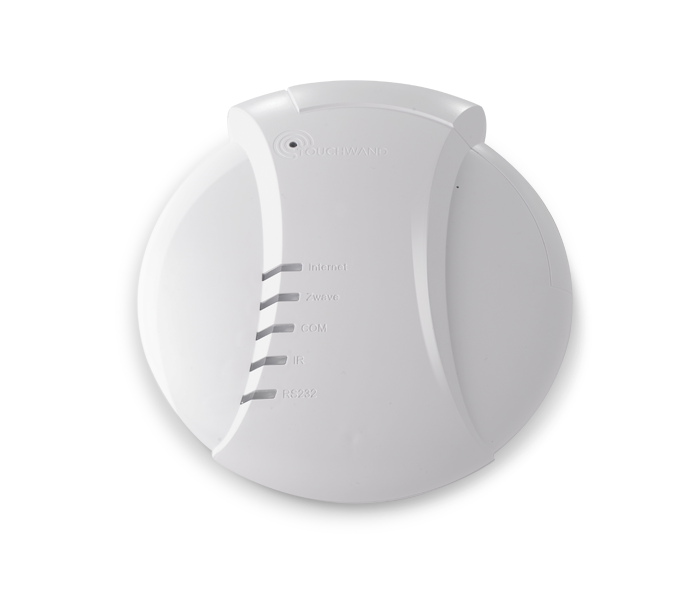
Touchwand Wanderfull™ Hub basic is a plug & play Z-Wave based controller that uses Wi-Fi and Bluetooth to easily connect all smart home components.
TouchWand products are compatible with most major Z-Wave products, IP controlled devices and KNX devices, providing the ideal solution for building all-inclusive full-featured smart homes.
-[TouchWand.com](http://www.touchwand.com)
+[TouchWand.com](https://www.touchwand.com)
-
+
## Supported Things
This binding supports switches, shutters dimmers alarm sensors and wall controllers configured in Touchwand Wanderfull™ Hub Controller.
-## Control and Status
+## Control and Status
1. **switch** - control - ON/OFF
2. **shutter** - control - UP/DOWN/STOP
## Bridge Configuration
-**Touchwand Wanderfull™** Hub Controller need to be added manually by IP address. The controller requires **username** and **password**
+**Touchwand Wanderfull™** Hub Controller need to be added manually by IP address. The controller requires **username** and **password**
| Parameter | Description | Units | required |
|-------------------|-----------------------------------------------------------------------|---------|----------|
No thing configuration is needed
-## Channels
+## Channels
note **Touchwand Wanderfull™** supports various types of alarm sensors such as water leak, door/window sensor and motion sensor.
Alarm Sensor thing represents a generic sensor, relevant sensor channels will be displayed once a sensor is added as a Thing.
-| Channel Type ID | Item Type | Description
+| Channel Type ID | Item Type | Description
|-------------------|--------------------|-----------------------------------------------------------------------|
| switch | Switch | This channel supports switching the device on and off. |
| shutter | Rollershutter | This channel controls the shutter position |
### touchwand.things
-Things can be defined manually
-The syntax for touchwand this is
-
+Things can be defined manually
+The syntax for touchwand this is
+
```xtend
Thing <binding_id>:<type_id>:<thing_id> "Label" @ "Location"
```
# Velux Binding
This binding integrates the <B>Velux</B> devices with help of a gateway, the <B>Velux Bridge KLF200</B>, which is able to control 200 actuators.
-The Velux Binding interacts via the Velux Bridge with any [io-homecontrol](http://www.io-homecontrol.com/)-based
+The Velux Binding interacts via the Velux Bridge with any [io-homecontrol](https://www.io-homecontrol.com/)-based
devices like window openers, shutters and others.

For details about the features, see the following websites:
-- [Velux](http://www.velux.com)
-- [Velux API](http://www.velux.com/api/klf200)
+- [Velux](https://www.velux.com)
+- [Velux API](https://www.velux.com/api/klf200)
## Supported Things
This, of course, is possible on command line with the commands:
```
-% openhab-cli console log:set TRACE org.openhab.binding.velux
+% openhab-cli console log:set TRACE org.openhab.binding.velux
% openhab-cli console log:tail org.openhab.binding.velux
```
# Venstar Thermostat Binding
-The Venstar Thermostat binding supports an interface to WiFi enabled ColorTouch and Explorer thermostats manufactured by [Venstar](http://www.venstar.com).
+The Venstar Thermostat binding supports an interface to WiFi enabled ColorTouch and Explorer thermostats manufactured by [Venstar](https://www.venstar.com).
Venstar WiFi enabled thermostats provide a local API that this binding uses
-to communicate with the thermostat. This binding does not require "cloud"
+to communicate with the thermostat. This binding does not require "cloud"
access and may be used independently of Venstar's Skyport cloud services.
-The Local API is not enabled by default, so you will need to set up your
+The Local API is not enabled by default, so you will need to set up your
thermostat by configuring its WiFi connection and enabling the Local API. In
-order for the binding to connect, you will need to enable HTTPS support and
+order for the binding to connect, you will need to enable HTTPS support and
set a username and password. While it is possible to enable the Local API
without HTTPS and authentication, the binding doesn't support it, in an effort
to provide as secure an installation as possible.
When you've set the username and password, make a note of these, as you'll need
-to enter them in the thermostat configuration in openHAB.
+to enter them in the thermostat configuration in openHAB.
## Supported Things
| Thing Type | Description |
|----------------------|-----------------------------------------------------------------------------------|
-| colorTouchThermostat | A Venstar [ColorTouch](http://www.venstar.com/thermostats/colortouch/) thermostat |
+| colorTouchThermostat | A Venstar [ColorTouch](https://www.venstar.com/thermostats/colortouch/) thermostat |
## Discovery
Once the binding is installed it will attempt to auto discovery Venstar thermostats located on the local network.
-These will appear as Things in the system Inbox.
+These will appear as Things in the system Inbox.
After adding the Inbox item, enter the user name and password from the physical thermostat in the Thing's configuration.
## Thing Configuration
## Example
-### thermostat.things
+### thermostat.things
```
Thing venstarthermostat:colorTouchThermostat:001122334455 "Venstar Thermostat (Guest)" [ username="admin", password="secret", url="https://192.168.1.100", refresh=30 ]
{
Frame {
Setpoint item=Guest_HVAC_HeatSetpoint minValue=50 maxValue=99
- Setpoint item=Guest_HVAC_CoolSetpoint minValue=50 maxValue=99
+ Setpoint item=Guest_HVAC_CoolSetpoint minValue=50 maxValue=99
Switch item=Guest_HVAC_Mode mappings=[off=Off,heat=Heat,cool=Cool,auto=Auto]
Text item=Guest_HVAC_State
}
This is an openHAB binding for Verisure Alarm System, by Securitas Direct.
-This binding uses the rest API behind the Verisure My Pages:
+This binding uses the rest API behind the Verisure My Pages:
https://mypages.verisure.com/login.html.
- Bridge
- Alarm
-- Smoke Detector (climate)
+- Smoke Detector (climate)
- Water Detector (climate)
- Siren (climate)
- Night Control
## Binding Configuration
-You will have to configure the bridge with username and password, these must be the same credentials as used when logging into https://mypages.verisure.com.
+You will have to configure the bridge with username and password, these must be the same credentials as used when logging into https://mypages.verisure.com.
-You must also configure your pin-code(s) to be able to lock/unlock the SmartLock(s) and arm/unarm the Alarm(s).
+You must also configure your pin-code(s) to be able to lock/unlock the SmartLock(s) and arm/unarm the Alarm(s).
**NOTE:** To be able to have full control over all SmartLock functionality, the user has to have Administrator rights.
`openhab> log:set DEBUG org.openhab.binding.verisure`
-## Supported Things and Channels
+## Supported Things and Channels
-### Verisure Bridge
+### Verisure Bridge
#### Configuration Options
-* `username` - The username used to connect to http://mypage.verisure.com
+* `username` - The username used to connect to https://mypages.verisure.com
* The user has to have Administrator rights to have full SmartLock functionality
-* `password` - The password used to connect to http://mypage.verisure.com
+* `password` - The password used to connect to https://mypages.verisure.com
* `refresh` - Specifies the refresh interval in seconds
| installationName | String | This channel reports the installation name. |
| installationId | Number | This channel reports the installation ID. |
| smartLockStatus | Switch | This channel is used to lock/unlock. |
-| autoRelock | Switch | This channel is used to configure auto-lock functionality. Only supported for users with Administrator rights. |
-| smartLockVolume | String | This channel is used to set the volume level. Available volume settings are "SILENCE", "LOW" and "HIGH". Only supported for users with Administrator rights.|
-| smartLockVoiceLevel | String | This channel is used to set the voice level. Available voice level settings are "ESSENTIAL" and "NORMAL". Only supported for users with Administrator rights.|
+| autoRelock | Switch | This channel is used to configure auto-lock functionality. Only supported for users with Administrator rights. |
+| smartLockVolume | String | This channel is used to set the volume level. Available volume settings are "SILENCE", "LOW" and "HIGH". Only supported for users with Administrator rights.|
+| smartLockVoiceLevel | String | This channel is used to set the voice level. Available voice level settings are "ESSENTIAL" and "NORMAL". Only supported for users with Administrator rights.|
| smartLockTriggerChannel | trigger | This is a trigger channel that receives events. |
### Verisure SmartPlug
The following channels are supported:
-| Channel Type ID | Item Type | Description |
-|-------------------------|-----------|-------------------------------------------------------------------|
+| Channel Type ID | Item Type | Description |
+|-------------------------|-----------|-------------------------------------------------------------------|
| hazardous | Switch | This channel reports if the smart plug is configured as hazardous.|
| location | String | This channel reports the location of the device. |
| installationName | String | This channel reports the installation name. |
#### Channels
The following channels are supported:
-
-| Channel Type ID | Item Type | Description |
+
+| Channel Type ID | Item Type | Description |
|-----------------------------|-----------------------|-----------------------------------------------------------------------------|
-| temperature | Number:Temperature | This channel reports the current temperature. |
+| temperature | Number:Temperature | This channel reports the current temperature. |
| humidity | Number | This channel reports the current humidity in percentage. |
| humidityEnabled | Switch | This channel reports if the Climate is device capable of reporting humidity.|
| timestamp | DateTime | This channel reports the last time this sensor was updated. |
| installationName | String | This channel reports the installation name. |
| installationId | Number | This channel reports the installation ID. |
| smokeDetectorTriggerChannel | trigger | This is a trigger channel that receives events.|
-
+
### Verisure Water Detector
#### Configuration Options
The following channels are supported:
-| Channel Type ID | Item Type | Description |
-|-----------------------------|-----------------------|--------------------------------------------------------------|
+| Channel Type ID | Item Type | Description |
+|-----------------------------|-----------------------|--------------------------------------------------------------|
| temperature | Number:Temperature | This channel reports the current temperature. |
| timestamp | DateTime | This channel reports the last time this sensor was updated. |
| location | String | This channel reports the location of the device. |
| installationId | Number | This channel reports the installation ID. |
| waterDetectorTriggerChannel | trigger | This is a trigger channel that receives events. |
-
+
### Verisure Siren
#### Configuration Options
#### Channels
The following channels are supported:
-
-| Channel Type ID | Item Type | Description |
-|---------------------|-----------------------|------------------------------------------------------------|
+
+| Channel Type ID | Item Type | Description |
+|---------------------|-----------------------|------------------------------------------------------------|
| temperature | Number:Temperature | This channel reports the current temperature. |
| timestamp | DateTime | This channel reports the last time this sensor was updated.|
| location | String | This channel reports the location. |
#### Channels
The following channels are supported:
-
-| Channel Type ID | Item Type | Description |
-|----------------------------|-----------------------|------------------------------------------------------------|
+
+| Channel Type ID | Item Type | Description |
+|----------------------------|-----------------------|------------------------------------------------------------|
| temperature | Number:Temperature | This channel reports the current temperature. |
| timestamp | DateTime | This channel reports the last time this sensor was updated.|
| location | String | This channel reports the location. |
#### Channels
The following channels are supported:
-
-| Channel Type ID | Item Type | Description |
-|--------------------------|-----------|-----------------------------------------------------------------------------|
+
+| Channel Type ID | Item Type | Description |
+|--------------------------|-----------|-----------------------------------------------------------------------------|
| state | Contact | This channel reports the if the door/window is open or closed (OPEN/CLOSED).|
| timestamp | DateTime | This channel reports the last time this sensor was updated. |
| location | String | This channel reports the location of the device. |
#### Channels
The following channels are supported:
-
-| Channel Type ID | Item Type | Description |
-|--------------------|-----------|-------------------------------------------------------------------------|
+
+| Channel Type ID | Item Type | Description |
+|--------------------|-----------|-------------------------------------------------------------------------|
| userLocationStatus | String | This channel reports the user presence status (HOME/AWAY). |
| timestamp | DateTime | This channel reports the last time the User Presence status was changed.|
| userName | String | This channel reports the user's name. |
#### Channels
The following channels are supported:
-
-| Channel Type ID | Item Type | Description |
-|-----------------|-----------|--------------------------------------------------------------------------------|
+
+| Channel Type ID | Item Type | Description |
+|-----------------|-----------|--------------------------------------------------------------------------------|
| connected | String | This channel reports the broadband connection status (true means connected). |
| timestamp | DateTime | This channel reports the last time the Broadband connection status was checked.|
| installationName| String | This channel reports the installation name. |
#### Channels
The following channels are supported:
-
-| Channel Type ID | Item Type | Description |
-|-----------------------------|--------------------|-------------------------------------------------------------------------------------|
-| countLatestDetection | Number | This channel reports the number of mice counts the latest detection during last 24. |
+
+| Channel Type ID | Item Type | Description |
+|-----------------------------|--------------------|-------------------------------------------------------------------------------------|
+| countLatestDetection | Number | This channel reports the number of mice counts the latest detection during last 24. |
| countLast24Hours | Number | This channel reports the total number of mice counts the last 24h. |
| durationLatestDetection | Number:Time | This channel reports the detection duration in min of latest detection. |
| durationLast24Hours | Number:Time | This channel reports the total detection duration in min for the last 24 hours. |
| location | String | This channel reports the location of the device. |
| installationName | String | This channel reports the installation name. |
| installationId | Number | This channel reports the installation ID. |
-| miceDetectionTriggerChannel | trigger | This is a trigger channel that receives events. |
+| miceDetectionTriggerChannel | trigger | This is a trigger channel that receives events. |
### Verisure Event Log
* `deviceId` - Device Id
* Since Event Log lacks a Verisure ID, the following naming convention is used for Event Log on site id 123456789: 'el123456789'. Installation ID can be found using DEBUG log settings.
-
+
#### Channels
The following channels are supported:
-| Channel Type ID | Item Type | Description |
-|---------------------|-----------|-------------------------------------------------------------------------|
+| Channel Type ID | Item Type | Description |
+|---------------------|-----------|-------------------------------------------------------------------------|
| lastEventLocation | String | This channel reports location for last event in event log. |
| lastEventDeviceId | String | This channel reports device ID for last event in event log. |
| lastEventDeviceType | String | This channel reports device type for last event in event log. |
| lastEventType | String | This channel reports type for last event in event log. |
-| lastEventCategory | String | This channel reports category for last event in event log. |
+| lastEventCategory | String | This channel reports category for last event in event log. |
| lastEventTime | DateTime | This channel reports time for last event in event log. |
| lastEventUserName | String | This channel reports user name for last event in event log. |
| eventLog | String | This channel reports the last 15 events from event log in a JSON array. |
The following channels are supported:
-| Channel Type ID | Item Type | Description |
-|---------------------|-----------|----------------------------------------------------------------------|
+| Channel Type ID | Item Type | Description |
+|---------------------|-----------|----------------------------------------------------------------------|
| model | String | This channel reports gateway model. |
| location | String | This channel reports gateway location. |
| statusGSMOverUDP | String | This channel reports communication status for GSM over UDP. |
To be able to get trigger events you need an active Event Log thing, you can either get it via auto-detection or create your own in a things-file.
The following trigger events are defined per thing type:
-| Event | Thing Type | Description |
-|-------------------|---------------|------------------------------------------------------------|
+| Event | Thing Type | Description |
+|-------------------|---------------|------------------------------------------------------------|
| LOCK | SmartLock | SmartLock has been locked. |
| UNLOCK | SmartLock | SmartLock has been locked. |
| LOCK_FAILURE | SmartLock | SmartLock has failed to lock/unlock. |
Thing alarm JannesAlarm "Verisure Alarm" [ deviceId="alarm123456789" ]
Thing smartLock JannesSmartLock "Verisure Entrance Yale Doorman" [ deviceId="3C446NPO" ]
Thing smartPlug JannesSmartPlug "Verisure SmartPlug" [ deviceId="3D7GMANV" ]
- Thing waterDetector JannesWaterDetector "Verisure Water Detector" [ deviceId="3WETQRH5" ]
+ Thing waterDetector JannesWaterDetector "Verisure Water Detector" [ deviceId="3WETQRH5" ]
Thing userPresence JannesUserPresence "Verisure User Presence" [ deviceId="uptestgmailcom123456789" ]
Thing eventLog JannesEventLog "Verisure Event Log" [ deviceId="el123456789" ]
Thing gateway JannesGateway "Verisure Gateway" [ deviceId="3AFG5673" ]
String AlarmChangedByUser "Verisure Alarm Changed By User" {channel="verisure:alarm:myverisure:JannesAlarm:changedByUser"}
-// SmartPlugs
+// SmartPlugs
Switch SmartPlugLamp "SmartPlug" <lock> [ "Switchable" ] {channel="verisure:smartPlug:myverisure:4ED5ZXYC:smartPlugStatus"}
Switch SmartPlugGlavaRouter "SmartPlug Glava Router" <lock> [ "Switchable" ] {channel="verisure:smartPlug:myverisure:JannesSmartPlug:smartPlugStatus"}
String VerisureGatewayLocation "Gateway Location" (gVerisureGateway) {channel="verisure:gateway:myverisure:JannesGateway:location"}
String VerisureGWStatusGSMOverUDP "Gateway Status GSMOverUDP" (gVerisureGateway) {channel="verisure:gateway:myverisure:JannesGateway:statusGSMOverUDP"}
DateTime VerisureGWTestTimeGSMOverUDP "Gateway Test Time GSMOverUDP" (gVerisureGateway) {channel="verisure:gateway:myverisure:JannesGateway:testTimeGSMOverUDP"}
-String VerisureGWStatusGSMOverSMS "Gateway Status GSMOverSMS" (gVerisureGateway) {channel="verisure:gateway:myverisure:JannesGateway:statusGSMOverSMS"}
+String VerisureGWStatusGSMOverSMS "Gateway Status GSMOverSMS" (gVerisureGateway) {channel="verisure:gateway:myverisure:JannesGateway:statusGSMOverSMS"}
DateTime VerisureGWTestTimeGSMOverSMS "Gateway Test Time GSMOverSMS" (gVerisureGateway) {channel="verisure:gateway:myverisure:JannesGateway:testTimeGSMOverSMS"}
String VerisureGWStatusGPRSOverUDP "Gateway Status GPRSOverUDP" (gVerisureGateway) {channel="verisure:gateway:myverisure:JannesGateway:statusGPRSOverUDP"}
DateTime VerisureGWTestTimeGPRSOverUDP "Gateway Test Time GPRSOverUDP" (gVerisureGateway) {channel="verisure:gateway:myverisure:JannesGateway:testTimeGPRSOverUDP"}
Switch item=SmartPlugLamp label="Verisure SmartPlug Lamp" icon="smartheater.png"
}
}
- }
-
+ }
+
Frame label="User Presence" {
Text label="User Presence" icon="attic" {
Frame label="User Presence Champinjonvägen" {
}
}
}
-
+
Frame label="Mice Detection" {
Group item=gVerisureMiceDetection label="Verisure Mice Detection"
}
-
+
Frame label="Event Log" {
Group item=gVerisureEventLog label="Verisure Event Log"
}
-
+
Frame label="Gateway" {
Group item=gVerisureGateway label="Verisure Gateway"
}
-
+
````
### Rules
````
-
# Prepare Z-Way Server
-1. [Download](https://razberry.z-wave.me/z-way-server/) Z-Way v2.2.3 or newer (further information about installing Z-Way you can find [here](http://razberry.z-wave.me/index.php?id=24))
+1. [Download](https://razberry.z-wave.me/z-way-server/) Z-Way v2.2.3 or newer (further information about installing Z-Way you can find [here](https://razberry.z-wave.me/index.php?id=24))
# Prepare openHAB
# InfluxDB (0.9 and newer) Persistence
This service allows you to persist and query states using the [InfluxDB](https://www.influxdata.com/products/influxdb-overview/) and [InfluxDB 2.0](https://v2.docs.influxdata.com/v2.0/) time series database. The persisted values can be queried from within openHAB.
-There also are nice tools on the web for visualizing InfluxDB time series, such as [Grafana](http://grafana.org/) and new Influx DB 2.0 version introduces [powerful data processing features.](https://docs.influxdata.com/influxdb/v2.0/process-data/get-started/)
+There also are nice tools on the web for visualizing InfluxDB time series, such as [Grafana](https://grafana.com/) and new Influx DB 2.0 version introduces [powerful data processing features.](https://docs.influxdata.com/influxdb/v2.0/process-data/get-started/)
## Database Structure
| user | | if needed | database user name |
| password | | if needed | database user password |
| errReconnectThreshold | 0 | No | when the service is deactivated (0 means ignore) |
-| sqltype.CALL | `VARCHAR(200)` | No | All `sqlType` options allow you to change the SQL data type used to store values for different openHAB item states. See the following links for further information: [mybatis](https://mybatis.github.io/mybatis-3/apidocs/reference/org/apache/ibatis/type/JdbcType.html) [H2](http://www.h2database.com/html/datatypes.html) [PostgresSQL](http://www.postgresql.org/docs/9.3/static/datatype.html) |
+| sqltype.CALL | `VARCHAR(200)` | No | All `sqlType` options allow you to change the SQL data type used to store values for different openHAB item states. See the following links for further information: [mybatis](https://mybatis.github.io/mybatis-3/apidocs/reference/org/apache/ibatis/type/JdbcType.html) [H2](https://www.h2database.com/html/datatypes.html) [PostgresSQL](https://www.postgresql.org/docs/9.3/static/datatype.html) |
| sqltype.COLOR | `VARCHAR(70)` | No | see above |
| sqltype.CONTACT | `VARCHAR(6)` | No | see above |
| sqltype.DATETIME | `DATETIME` | No | see above |
The results of database queries of number items are rounded to three decimal places by default.
With `numberDecimalcount` decimals can be changed.
-Especially if sql types `DECIMAL` or `NUMERIC` are used for `sqltype.NUMBER`, rounding can be disabled by setting `numberDecimalcount=-1`.
+Especially if sql types `DECIMAL` or `NUMERIC` are used for `sqltype.NUMBER`, rounding can be disabled by setting `numberDecimalcount=-1`.
### For Developers
```
var count = 0;
rule "DB STRESS TEST"
-when
+when
Time cron "30 * * * * ?"
then
if( count = 24) count = 0
| collection | | Yes | set collection to "" if it shall generate a collection per item |
If you have a username and password it looks like this: url = mongodb://[username]:[password]@[localhost]:27017/[database]
-The database is required: http://mongodb.github.io/mongo-java-driver/3.9/javadoc/com/mongodb/MongoClientURI.html
+The database is required: https://mongodb.github.io/mongo-java-driver/3.9/javadoc/com/mongodb/MongoClientURI.html
All item and event related configuration is done in the file `persistence/mongodb.persist`.
 projects / openhab-addons.git / commitdiff