The binding supports two ways to interact with the C.M.I. and all devices connected to the C.M.I. via the CAN bus.
These modes are:
-
Via a "Schema API Page"
- * Read values from output nodes
- * Change values for controllable nodes
+- Read values from output nodes
+- Change values for controllable nodes
CoE (CAN over Ethernet) Connection
- * Receive data from analog CAN-outputs defined in TAPPS2
- * Receive data from digital CAN-outputs defined in TAPPS2
- * Send ON/OFF to digital CAN-inputs defined in TAPPS2
- * Send numeric values to analog CAN-inputs defined in TAPPS2
-
+- Receive data from analog CAN-outputs defined in TAPPS2
+- Receive data from digital CAN-outputs defined in TAPPS2
+- Send ON/OFF to digital CAN-inputs defined in TAPPS2
+- Send numeric values to analog CAN-inputs defined in TAPPS2
Depending on what you want to achieve, either the "Schema API Page" or the CoE way might be better.
As rough guidance: Anything you want to provide to the TA equipment it has to work / operate with the CoE might be better.
If you plan things mainly for user interaction the "Schema API Page" might be better.
-
## Prerequisites
### Setting up the "Schema API Page"
-The "Schema API page" is a special schema page created via TA's *TA-Designer* application available as download on their web site.
+The "Schema API page" is a special schema page created via TA's _TA-Designer_ application available as download on their web site.
This page just needs to exist and be deployed on the C.M.I. but it dosn't need to be linked by the other schema pages you are using to control your TA installation.
All objects from this special 'API' page are automatically mapped as channels of this thing, so the labels of the objects on this page have to follow a specific schema.
-When adding objects to this page, the schema for the Object's *Pre-Text* field has to follow the schema `<channelName> <channel description>: `.
+When adding objects to this page, the schema for the Object's _Pre-Text_ field has to follow the schema `<channelName> <channel description>:`.
Maybe this screenshot shows it best:

-The Text from the *Pre-Text* will be used to define the channel.
-The first word *tempCollector* (highlighted in the screenshot) will be used as channel name, so it has to be unique.
-Everything else till the final *:* will be used as channel description.
-Be sure to have at least 2 words in the *Pre-Text* as we need both - the channel name and a description.
+The Text from the _Pre-Text_ will be used to define the channel.
+The first word _tempCollector_ (highlighted in the screenshot) will be used as channel name, so it has to be unique.
+Everything else till the final _:_ will be used as channel description.
+Be sure to have at least 2 words in the _Pre-Text_ as we need both - the channel name and a description.
The binding will log an error otherwise.
Also keep in mind: for the channel name we have to adhere to the openHAB channel name conventions - so just use letters and numbers without any special sings here.
The type of the channel will be automatically determined by the type of the object added.
## Supported Bridge and Things
-* TA C.M.I. schema API connection - Thing
+- TA C.M.I. schema API connection - Thing
This thing reflecting one of our 'schema API page' as defined in the prerequisites.
This thing doesn't need the bridge.
Multiple of these pages on different C.M.I.'s could be defined within an openHAB instance.
-* TA C.M.I. CoE Bridge
+- TA C.M.I. CoE Bridge
In order to get the CAN over Ethernet (COE) envionment working a `coe-bridge` has to be created.
The bridge itself opens the UDP port 5441 for communication with the C.M.I. devices.
The bridge could be used for multiple C.M.I. devices.
-* TA C.M.I. CoE Connection - Thing
+- TA C.M.I. CoE Connection - Thing
This thing reflects a connection to a node behind a specific C.M.I..
This node could be every CAN-Capable device from TA which allows to define a CAN-Input.
The behavior in detail:
-* `Default` (`0`): When the channel is 'read-only' the update-policy defaults to _On-Fetch_ . When the channel is linked to something that can be modified it defaults to _On-Change_ .
-* `On-Fetch` (`1`): This is the default for read-only values. This means the channel is updated every time the schema page is polled. Ideally for values you want to monitor and log into charts.
-* `On-Change` (`2`): When channel values can be changed via OH it is better to only update the channel when the value changes. The binding will cache the previous value and only send an update when it changes to the previous known value. This is especially useful if you intend to link other things (like i.e. Zigbee or Shelly switches) to the TA via OH that can be controlled by different sources. This prevents unintended toggles or even toggle-loops.
+- `Default` (`0`): When the channel is 'read-only' the update-policy defaults to _On-Fetch_ . When the channel is linked to something that can be modified it defaults to _On-Change_ .
+- `On-Fetch` (`1`): This is the default for read-only values. This means the channel is updated every time the schema page is polled. Ideally for values you want to monitor and log into charts.
+- `On-Change` (`2`): When channel values can be changed via OH it is better to only update the channel when the value changes. The binding will cache the previous value and only send an update when it changes to the previous known value. This is especially useful if you intend to link other things (like i.e. Zigbee or Shelly switches) to the TA via OH that can be controlled by different sources. This prevents unintended toggles or even toggle-loops.
### TA C.M.I. CoE Connection
| 12 | Megawatthours | |
| 13..21 | Unknown | |
-
## Full Example
As there is no common configuration as everything depends on the configuration of the TA devices.
Example of a _.thing_ file:
-```
+```java
Thing tacmi:cmiSchema:apiLab "CMIApiPage"@"lab" [ host="192.168.178.33", username="user", password="secret", schemaId=4 ]
Bridge tacmi:coe-bridge:coe-bridge "TA C.M.I. Bridge"
{
Sample _.items_-File:
-```
+```java
# APIPage-items
Number TACMI_Api_tempCollector "Collector temp [%.1f °C]" <temperature> {channel="tacmi:cmiSchema:apiLab:tempCollector"}
String TACMI_Api_hc1OperationMode "Heating Curcuit 1 Operation Mode [%s]" {channel="tacmi:cmiSchema:apiLab:hc1OperationMode"}
Sample _.sitemap_ snipplet
-```
+```perl
sitemap heatingTA label="heatingTA"
{
Text item=TACMI_Api_tempCollector
As I have set the `Accept-Language`-Http-Header to `en` for all request and found no other way setting a language for the schema pages I assume it is a lack of internationalization in the C.M.I.
You could circumvent this by creating map files to map things properly to your language.
-If you want to see the possible options of a multi-state field you could open the *schema API page* with your web browser and click on the object.
+If you want to see the possible options of a multi-state field you could open the _schema API page_ with your web browser and click on the object.
A Popup with an option field will be shown showing all possible options, like in this screenshot:

`username` | yes | Username used to log in at [my.tado](https://my.tado.com)
`password` | yes | Password of the username
-
Example `tado.things`
-```
+```java
Bridge tado:home:demo [ username="mail@example.com", password="secret" ]
```
## `zone` Thing
-A *zone* is an area/room of your home.
+A _zone_ is an area/room of your home.
You have defined them during installation.
One zone relates to one page in the tado° mobile- or webapp.
Example `tado.things`
-```
+```java
Bridge tado:home:demo [ username="mail@example.com", password="secret" ] {
zone heating [id=1]
zone ac [id=2]
If the termination condition is missing, the binding first checks if an override is active.
If that is the case, the existing termination condition is used.
-An existing timer, for example, just keeps running.
+An existing timer, for example, just keeps running.
In case the zone is currently in smart-schedule mode and thus doesn't have a termination condition, then the default termination condition is used, as configured in the tado° app (settings -> select zone -> manual control on tado° device).
## `mobiledevice` Thing
Example `tado.things`:
-```
+```java
Bridge tado:home:demo [ username="mail@example.com", password="secret" ] {
mobiledevice phone [id=12345]
}
-|-|-|-
`atHome` | Switch | ON if mobile device is in HOME mode, OFF if AWAY | R
-Group `OR` can be used to define an item for *'is any device at home'*.
+Group `OR` can be used to define an item for _'is any device at home'_.
# Full Example
## tado.things
-```
+```java
Bridge tado:home:demo [ username="mail@example.com", password="secret" ] {
zone heating [id=1]
zone ac [id=2]
## tado.items
-```
+```java
Switch TADO_PRESENCE_home "Tado Presence: [MAP(presence.map):%s]" { channel="tado:home:demo:homePresence" }
Number:Temperature HEAT_inside_temperature "Inside Temperature" { channel="tado:zone:demo:heating:currentTemperature" }
Number HEAT_humidity "Humidity" { channel="tado:zone:demo:heating:humidity" }
## tado.sitemap
-```
+```perl
sitemap tado label="Tado"
{
Frame label="Status" {
## presence.map
-```
+```text
ON=at home
OFF=away
NULL=lost
tankerkoenig.things:
-```
+```java
Bridge tankerkoenig:webservice:WebserviceName "MyWebserviceName" [ apikey="xxxxxxxx-xxxx-xxxx-xxxx-xxxxxxxxxxxx", refresh= 60, modeOpeningTime =false ] {
Thing station StationName1 "MyStationName1" @ "GasStations"[ locationid = "xxxxxxxx-xxxx-xxxx-xxxx-xxxxxxxxxxxx" ]
Thing station StationName2 "MyStationName2" @ "GasStations"[ locationid = "xxxxxxxx-xxxx-xxxx-xxxx-xxxxxxxxxxxx" ]
}
```
-
tankerkoenig.items:
-```
+```java
Switch Station_Holidays "Today is holiday: [%s]" { channel="tankerkoenig:webservice:WebserviceName:holiday"}
Number E10_1 "E10 [%.3f €]" { channel="tankerkoenig:station:WebserviceName:StationName1:e10" }
Number E5_1 "E5 [%.3f €]" { channel="tankerkoenig:station:WebserviceName:StationName1:e5" }
Create a new Station (in order to start the "initialize" routine).
Check the openhab.log for entries like:
-```
+```text
2017-06-25 16:02:12.679 [DEBUG] [ig.internal.data.TankerkoenigService] - getTankerkoenigDetailResult IOException:
java.io.IOException: java.util.concurrent.ExecutionException: javax.net.ssl.SSLHandshakeException: General SSLEngine problem
......
If you receive the error because you are running an old Linux installation which does not have the latest java-versions available in its package-repositories, you may be able to fix the issue using one of the three options below:
- 1.) Update the Linux system and install the latest Java version
-
- 2.) Download the most recent JDK and install it directly on to your system without using a pre-composed package
+ 1. Update the Linux system and install the latest Java version
+
+ 1. Download the most recent JDK and install it directly on to your system without using a pre-composed package
+
+ 1. Update the cacerts store by importing the missing certificate
- 3.) Update the cacerts store by importing the missing certificate
-
Check which CA has validated the certificate
-Navigate to https://creativecommons.tankerkoenig.de/
+Navigate to <https://creativecommons.tankerkoenig.de/>
Check which CA has validated the certificate
## Tankerkönig API
-* <https://creativecommons.tankerkoenig.de/> (sorry, only available in German)
+- <https://creativecommons.tankerkoenig.de/> (sorry, only available in German)
-* [MTS-K]: <https://www.bundeskartellamt.de/DE/Wirtschaftsbereiche/Mineral%C3%B6l/MTS-Kraftstoffe/Verbraucher/verbraucher_node.html>
+- [MTS-K]: <https://www.bundeskartellamt.de/DE/Wirtschaftsbereiche/Mineral%C3%B6l/MTS-Kraftstoffe/Verbraucher/verbraucher_node.html>
## Discovery
-Discovery is done by connecting to the Tapo-Cloud Service.
+Discovery is done by connecting to the Tapo-Cloud Service.
All devices stored in your cloud account will be detected even if they are not in your network.
You need to know the IP-Adress of your device. This must be set manually in the thing configuration
| ipAddress | IP Address of the device. |
| pollingInterval | Refresh interval in seconds. Optional. The default is 30 seconds |
-
## Channels
All devices support some of the following channels:
| | todayEnergyUsage | Number:Energy | used energy today (Wh) | P110, P115 |
| | todayRuntime | Number:Time | seconds output was on today | P110, P115 |
-
## Channel Refresh
When the thing receives a `RefreshType` command the thing will send a new refreshRequest over http.
To minimize network traffic the default refresh-rate is set to 30 seconds. This can be reduced down to 10 seconds in advanced settings of the device. If any command was sent to a channel, it will do an immediately refresh of the whole device.
-
## Full Example
### tapocontrol.things:
-```
+```java
tapocontrol:bridge:myTapoBridge "Cloud-Login" [ username="you@yourpovider.com", password="verysecret" ]
tapocontrol:P100:myTapoBridge:mySocket "My-Socket" (tapocontrol:bridge:myTapoBridge) [ ipAddress="192.168.178.150", pollingInterval=30 ]
tapocontrol:L510:myTapoBridge:whiteBulb "white-light" (tapocontrol:bridge:myTapoBridge) [ ipAddress="192.168.178.151", pollingInterval=30 ]
### tapocontrol.items:
-```
+```java
Switch TAPO_SOCKET "socket" { channel="tapocontrol:P100:myTapoBridge:mySocket:actuator#output" }
-```
+```
# Telegram Binding
-The Telegram binding allows sending and receiving messages to and from Telegram clients (https://telegram.org), by using the Telegram Bot API.
+The Telegram binding allows sending and receiving messages to and from Telegram clients (<https://telegram.org>), by using the Telegram Bot API.
# Prerequisites
-As described in the Telegram Bot API (https://core.telegram.org/bots#6-botfather), this is the manual procedure needed in order to get the necessary information.
+As described in the Telegram Bot API (<https://core.telegram.org/bots#6-botfather>), this is the manual procedure needed in order to get the necessary information.
1. Create a new Bot and get the Token
-- On a Telegram client open a chat with BotFather.
-- Send `/newbot` to BotFather and fill in all the needed information. The authentication token that is given will be needed in the next steps.
-- The token is a combination with double point separated parts of numbers and letters e.g.: 158642643:ABCHL_O-MUovQ1NzrDF5R_nqLbFhPPrg9Jps
+ - On a Telegram client open a chat with BotFather.
+ - Send `/newbot` to BotFather and fill in all the needed information. The authentication token that is given will be needed in the next steps.
+ - The token is a combination with double point separated parts of numbers and letters e.g.: 158642643:ABCHL_O-MUovQ1NzrDF5R_nqLbFhPPrg9Jps
-2. Create the destination chat
+1. Create the destination chat
-- Open a chat with your new Bot and send any message to it. The next step will not work unless you send a message to your bot first.
+ - Open a chat with your new Bot and send any message to it. The next step will not work unless you send a message to your bot first.
-3. Get the chatID
+1. Get the chatID
-- Open a browser and invoke `https://api.telegram.org/bot<token>/getUpdates` (where `<token>` is the authentication token previously obtained e.g.: `https://api.telegram.org/bot158642643:ABCHL_O-MUovQ1NzrDF5R_nqLbFhPPrg9Jps/getUpdates`)
-- Look at the JSON result to find the value of `id`: that's the chatID.
+ - Open a browser and invoke `https://api.telegram.org/bot<token>/getUpdates` (where `<token>` is the authentication token previously obtained e.g.: `https://api.telegram.org/bot158642643:ABCHL_O-MUovQ1NzrDF5R_nqLbFhPPrg9Jps/getUpdates`)
+ - Look at the JSON result to find the value of `id`: that's the chatID.
Note that if using a Telegram group chat, the group chatIDs are prefixed with a dash that must be included in the config (e.g. `-22334455`).
-If this does not work for you (the JSON response may be empty), or you want to send to *more* than one recipient (= another chatID), the alternative is to contact (= open a chat with) a Telegram bot to respond with the chatID.
+If this does not work for you (the JSON response may be empty), or you want to send to _more_ than one recipient (= another chatID), the alternative is to contact (= open a chat with) a Telegram bot to respond with the chatID.
There's a number of them such as `@myidbot` or `@chatid_echo_bot` - open a chat, eventually tap `/start` and it will return the chatID you're looking for.
Another option is `@getidsbot` which gives you much more information.
Note bots may work or not at any time so eventually you need to try another one.
-4. Test the bot
+1. Test the bot
-- Open this URL in your web browser, replacing <token> with the authentication token and <chatId> with the chatId:
-- `https://api.telegram.org/bot<token>/sendMessage?chat_id=<chatId>&text=testing`
-- Your Telegram-bot should send you a message with the text: `testing`
+ - Open this URL in your web browser, replacing <token> with the authentication token and <chatId> with the chatId:
+ - `https://api.telegram.org/bot<token>/sendMessage?chat_id=<chatId>&text=testing`
+ - Your Telegram-bot should send you a message with the text: `testing`
**Notice:** By default your bot will only receive messages that either start with the '/' symbol or mention the bot by username (or if you talk to it directly).
However, if you add your bot to a group you must either talk to BotFather and send the command "/setprivacy" and then disable it or you give admin rights to your bot in that group.
The Telegram binding supports the following state channels which originate from the last message sent to the Telegram bot:
-* message text or URL
-* message date
-* full name of sender (first name + last name)
-* username of sender
-* chat id (used to identify the chat of the last message)
-* reply id (used to identify an answer from a user of a previously sent message by the binding)
+- message text or URL
+- message date
+- full name of sender (first name + last name)
+- username of sender
+- chat id (used to identify the chat of the last message)
+- reply id (used to identify an answer from a user of a previously sent message by the binding)
There are also event channels that provide received messages or query callback responses as JSON payloads for easier handling in rules.
telegram.thing (no proxy):
-```
+```java
Thing telegram:telegramBot:Telegram_Bot [ chatIds="ID", botToken="TOKEN" ]
```
telegram.thing (multiple chat ids, one bi-directional chat (ID1), one outbound-only (ID2)):
-```
+```java
Thing telegram:telegramBot:Telegram_Bot [ chatIds="ID1",">ID2", botToken="TOKEN" ]
```
telegram.thing (markdown format):
-```
+```java
Thing telegram:telegramBot:Telegram_Bot [ chatIds="ID", botToken="TOKEN", parseMode ="Markdown" ]
```
telegram.thing (SOCKS5 proxy server is used):
-```
+```java
Thing telegram:telegramBot:Telegram_Bot [ chatIds="ID", botToken="TOKEN", proxyHost="HOST", proxyPort="PORT", proxyType="TYPE" ]
```
or HTTP proxy server
-```
+```java
Thing telegram:telegramBot:Telegram_Bot [ chatIds="ID", botToken="TOKEN", proxyHost="localhost", proxyPort="8123", proxyType="HTTP" ]
```
This binding includes a number of rule actions, which allow the sending of Telegram messages from within rules.
-```
+```java
val telegramAction = getActions("telegram","telegram:telegramBot:<uid>")
```
Once this action instance is retrieved, you can invoke the `sendTelegram' method on it:
-```
+```java
telegramAction.sendTelegram("Hello world!")
```
| Action | Description |
|----------------------------|--------------|
| sendTelegram(String message) | Sends a message. |
-| sendTelegram(String format, Object... args) | Sends a formatted message (See https://docs.oracle.com/javase/8/docs/api/java/util/Formatter.html for more information).
+| sendTelegram(String format, Object... args) | Sends a formatted message (See <https://docs.oracle.com/javase/8/docs/api/java/util/Formatter.html> for more information).
| sendTelegramQuery(String message, String replyId, String... buttons) | Sends a question to the user that can be answered via the defined buttons. The replyId can be freely choosen and is sent back with the answer. Then, the id is required to identify what question has been answered (e.g. in case of multiple open questions). The final result looks like this: . |
-| sendTelegramAnswer(String replyId, String message) | Sends a message after the user has answered a question. You should *always* call this method after you received an answer. It will remove buttons from the specific question and will also stop the progress bar displayed at the client side. If no message is necessary, just pass `null` here. |
+| sendTelegramAnswer(String replyId, String message) | Sends a message after the user has answered a question. You should _always_ call this method after you received an answer. It will remove buttons from the specific question and will also stop the progress bar displayed at the client side. If no message is necessary, just pass `null` here. |
| sendTelegramPhoto(String photoURL, String caption) | Sends a picture. Can be one of the URL formats, see the Note below, or a base64 encoded image (simple base64 data or data URI scheme). |
| sendTelegramPhoto(String photoURL, String caption, String username, String password) | Sends a picture which is downloaded from a username/password protected http/https address. |
| sendTelegramAnimation(String animationURL, String caption) | Send animation files either GIF or H.264/MPEG-4 AVC video without sound. |
**Note:** In actions that require a file URL, the following formats are acceptable:
-+ http://foo.com/bar.jpg
-+ https://foo.com/bar.jpg
-+ file://c:\\foo\\bar.jpg
-+ c:\\foo\\bar.jpg
-+ /etc/openhab/html/bar.jpg
+- `http://foo.com/bar.jpg`
+- `https://foo.com/bar.jpg`
+- `file://c:\\foo\\bar.jpg`
+- `c:\\foo\\bar.jpg`
+- `/etc/openhab/html/bar.jpg`
### Actions to send messages to a particular chat
Just put the chat id (must be a long value!) followed by an "L" as the first argument to one of the above mentioned APIs:
-```
+```java
telegramAction.sendTelegram(1234567L, "Hello world!")
```
This binding stores the `callbackId` and recalls it using the `replyId`, but this information is lost if openHAB restarts.
If you store the `callbackId`, `chatId`, and optionally `messageId` somewhere that will be persisted when openHAB shuts down, you can use the following overload of `sendTelegramAnswer` to respond to any Callback Query.
-```
+```java
telegramAction.sendTelegramAnswer(chatId, callbackId, messageId, message)
```
## Discovery
-Before the binding can be used, a serial controller must be added. This needs to be done manually. Select __Teleinfo Serial Controller__ and enter the serial port.
+Before the binding can be used, a serial controller must be added. This needs to be done manually. Select **Teleinfo Serial Controller** and enter the serial port.
If you want to place the Teleinfo modem apart from your openHAB server, you can forward its serial messages over TCP/IP (_ser2net_).
In this case you have to define the serial port of your Teleinfo modem like this `rfc2217://ip:port`. When using _ser2net_ make sure to use _telnet_ instead of _raw_ in the _ser2net_ config file.
-Once the serial controller added, electricity meters will automatically appear after starting discovery, with default label __Teleinfo ADCO #adco__ where __#adco__ is your electricity meter identifier.
+Once the serial controller added, electricity meters will automatically appear after starting discovery, with default label **Teleinfo ADCO #adco** where **#adco** is your electricity meter identifier.
## Thing Configuration
| commonLSMGroup#ngtf | `String` | Provider schedule name |
| commonLSMGroup#ltarf | `String` | Current pricing label |
| commonLSMGroup#east | `Number:Energy` | Total active energy withdrawn |
-| commonLSMGroup#easf*XX* | `Number:Energy` | Active energy withdrawn from provider on index *XX*, *XX* in {01,...,10} |
-| commonLSMGroup#easd*XX* | `Number:Energy` | Active energy withdrawn from distributor on index *XX*, *XX* in {01,...,04} |
+| commonLSMGroup#easf_XX_ | `Number:Energy` | Active energy withdrawn from provider on index _XX, XX_ in {01,...,10} |
+| commonLSMGroup#easd_XX_ | `Number:Energy` | Active energy withdrawn from distributor on index _XX, XX_ in {01,...,04} |
| commonLSMGroup#irms1 | `Number:ElectricCurrent` | RMS Current on phase 1 |
| commonLSMGroup#urms1 | `Number:Potential` | RMS Voltage on phase 1 |
-| commonLSMGroup#pref | `Number:Power` | Reference apparent power |
+| commonLSMGroup#pref | `Number:Power` | Reference apparent power |
| commonLSMGroup#pcoup | `Number:Power` | Apparent power rupture capacity |
| commonLSMGroup#sinsts | `Number:Power` | Instantaneous withdrawn apparent power |
| commonLSMGroup#smaxsn | `Number:Power` | Maximum withdrawn apparent power of the day |
| commonLSMGroup#ccasn | `Number:Power` | Active charge point N |
| commonLSMGroup#ccasnMinus1 | `Number:Power` | Active charge point N-1 |
| commonLSMGroup#umoy1 | `Number:Potential` | Mean Voltage on phase 1 |
-| commonLSMGroup#dpm*X* | `String` | Start of mobile peak period *X*, *X* in {1,2,3} |
-| commonLSMGroup#fpm*X* | `String` | End of mobile peak period *X*, *X* in {1,2,3} |
+| commonLSMGroup#dpm_X_ | `String` | Start of mobile peak period _X, X_ in {1,2,3} |
+| commonLSMGroup#fpm_X_ | `String` | End of mobile peak period _X, X_ in {1,2,3} |
| commonLSMGroup#msg1 | `String` | Short message |
| commonLSMGroup#msg2 | `String` | Very short message |
| commonLSMGroup#ntarf | `String` | Index of current pricing |
| commonLSMGroup#ccasnDate | `DateTime` | Timestamp of CCASN value |
| commonLSMGroup#ccasnMinus1Date | `DateTime` | Timestamp of CCASN-1 value |
| commonLSMGroup#umoy1Date | `DateTime` | Timestamp of UMOY1 value |
-| commonLSMGroup#dpm*X*Date | `DateTime` | Date of DPM*X*, *X* in {1,2,3} |
-| commonLSMGroup#fpm*X*Date | `DateTime` | Date of FPM*X*, *X* in {1,2,3} |
-| commonLSMGroup#relais*X* | `Switch` | state of relais *X*, *X* in {1,...,8} |
+| commonLSMGroup#dpm_X_Date | `DateTime` | Date of DPM_X_, _X_ in {1,2,3} |
+| commonLSMGroup#fpm_X_Date | `DateTime` | Date of FPM_X_, _X_ in {1,2,3} |
+| commonLSMGroup#relais_X_ | `Switch` | state of relais _X, X_ in {1,...,8} |
#### Three phase only channels
These channels are available on the following telemeters:
-* lstm_electricitymeter
-* lsmt_prod_electricitymeter
+- lstm_electricitymeter
+- lsmt_prod_electricitymeter
| Channel | Type | Description |
|-----------------------------------------|---------------------------|-----------------------------------------------------------------------------------|
-| threePhasedLSMGroup#irms*X* | `Number:ElectricCurrent` | RMS Current on phase *X*, *X* in {2,3} |
-| threePhasedLSMGroup#urms*X* | `Number:Potential` | RMS Voltage on phase *X*, *X* in {2,3} |
-| threePhasedLSMGroup#umoy*X* | `Number:Potential` | Mean Voltage on phase *X*, *X* in {2,3} |
-| threePhasedLSMGroup#sinsts*X* | `Number:Power` | Instantaneous withdrawn apparent power on phase *X*, *X* in {1,2,3} |
-| threePhasedLSMGroup#smaxsn*X* | `Number:Power` | Maximum withdrawn apparent power of the day on phase *X*, *X* in {1,2,3} |
-| commonLSMGroup#umoy*X*Date | `DateTime` | Timestamp of UMOY*X* value, *X* in {2,3} |
-| threePhasedLSMGroup#smaxsn*X*Minus1 | `Number:Power` | Maximum withdrawn apparent power on the previous day on phase *X*, *X* in {1,2,3} |
-| threePhasedLSMGroup#smaxs*X*nDate | `DateTime` | Timestamp of SMAXSN*X* value, *X* in {1,2,3} |
-| threePhasedLSMGroup#smaxsn*X*Minus1Date | `DateTime` | Timestamp of SMAXSN*X*-1 value, *X* in {1,2,3} |
+| threePhasedLSMGroup#irms_X_ | `Number:ElectricCurrent` | RMS Current on phase _X, X_ in {2,3} |
+| threePhasedLSMGroup#urms_X_ | `Number:Potential` | RMS Voltage on phase _X, X_ in {2,3} |
+| threePhasedLSMGroup#umoy_X_ | `Number:Potential` | Mean Voltage on phase _X, X_ in {2,3} |
+| threePhasedLSMGroup#sinsts_X_ | `Number:Power` | Instantaneous withdrawn apparent power on phase _X, X_ in {1,2,3} |
+| threePhasedLSMGroup#smaxsn_X_ | `Number:Power` | Maximum withdrawn apparent power of the day on phase _X, X_ in {1,2,3} |
+| commonLSMGroup#umoy_X_Date | `DateTime` | Timestamp of UMOY_X_ value, _X_ in {2,3} |
+| threePhasedLSMGroup#smaxsn_X_Minus1 | `Number:Power` | Maximum withdrawn apparent power on the previous day on phase _X, X_ in {1,2,3} |
+| threePhasedLSMGroup#smaxs_X_nDate | `DateTime` | Timestamp of SMAXSN_X_ value, _X_ in {1,2,3} |
+| threePhasedLSMGroup#smaxsn_X_Minus1Date | `DateTime` | Timestamp of SMAXSN_X_-1 value, _X_ in {1,2,3} |
#### Producer only channels
These channels are available on the following telemeters:
-* lsmm_prod_electricitymeter
-* lsmt_prod_electricitymeter
+- lsmm_prod_electricitymeter
+- lsmt_prod_electricitymeter
| Channel | Type | Description |
|-----------------------------------|-----------------|----------------------------------------------------------|
| producerLSMGroup#eait | `Number:Energy` | Total active energy injected |
-| producerLSMGroup#erq*X* | `Number:Energy` | Total reactive energy on index *X*, *X* in {1,...,4} |
+| producerLSMGroup#erq_X_ | `Number:Energy` | Total reactive energy on index _X, X_ in {1,...,4} |
| producerLSMGroup#sinsti | `Number:Energy` | Instantaneous injected apparent power |
| producerLSMGroup#smaxin | `Number:Power` | Maximum injected apparent power of the day |
| producerLSMGroup#smaxinMinus1 | `Number:Power` | Maximum injected apparent power of the previous day |
The following `things` file declare a serial USB controller on `/dev/ttyUSB0` for a Single-phase Electricity meter with HC/HP option - CBEMM Evolution ICC and adco `031528042289` :
-```
+```java
Bridge teleinfo:serialcontroller:teleinfoUSB [ serialport="/dev/ttyUSB0" ]{
Thing cbemm_evolution_icc_hc_electricitymeter myElectricityMeter [ adco="031528042289"]
}
This `items` file links some supported channels to items:
-```
+```java
Number:Power TLInfoEDF_PAPP "PAPP" <energy> {channel="teleinfo:cbemm_evolution_icc_hc_electricitymeter:teleinfoUSB:myElectricityMeter:papp"}
Number:ElectricCurrent TLInfoEDF_ISOUSC "ISOUSC" <energy> {channel="teleinfo:cbemm_evolution_icc_hc_electricitymeter:teleinfoUSB:myElectricityMeter:isousc"}
String TLInfoEDF_PTEC "PTEC" <energy> {channel="teleinfo:cbemm_evolution_icc_hc_electricitymeter:teleinfoUSB:myElectricityMeter:ptec"}
The following `things` file declare a serial USB controller on `/dev/ttyUSB0` for a Linky Single-phase Electricity meter in standard TIC mode and adsc `031528042289` :
-```
+```java
Bridge teleinfo:serialcontroller:teleinfoUSB [ serialport="/dev/ttyUSB0", ticMode="STANDARD" ]{
Thing lsmm_electricitymeter myElectricityMeter [ adco="031528042289"]
}
This `items` file links some supported channels to items:
-```
+```java
Number:Power TLInfoEDF_SINSTS "SINSTS" <energy> ["Measurement","Power"] {channel="teleinfo:lsmm_electricitymeter:teleinfoUSB:myElectricityMeter:commonLSMGroup#sinsts"}
Number:ElectricCurrent TLInfoEDF_PREF "PREF" <energy> ["Measurement","Power"] {channel="teleinfo:lsmm_electricitymeter:teleinfoUSB:myElectricityMeter:commonLSMGroup#pref"}
String TLInfoEDF_LTARF "LTARF" <energy> ["Status"] {channel="teleinfo:lsmm_electricitymeter:teleinfoUSB:myElectricityMeter:commonLSMGroup#ltarf"}
| GCE Electronics USB Teleinfo module [(more details)](https://gce-electronics.com/fr/usb/655-module-teleinfo-usb.html) | Linky | Single-phase HCHP | Standard |
| Cartelectronic USB Teleinfo modem [(more details)](https://www.cartelectronic.fr/teleinfo-compteur-enedis/17-teleinfo-1-compteur-usb-rail-din-3760313520028.html) | Linky | Three-phase TEMPO | Standard |
-On Linky telemeters, only *historical* TIC mode is currently supported.
+On Linky telemeters, only _historical_ TIC mode is currently supported.
The method for changing the TIC mode of a Linky telemeter is explained [here](https://forum.gce-electronics.com/t/comment-passer-un-cpt-linky-en-mode-standard/8206/7).
This binding supports the following thing types:
-* *Dimmable Device* - Usually for controlling lamps. `dimmer`
-* *Switchable Device* - On/Off only could be lamps or other electronic equipment. `switch`
-* *Sensors* - Temperature- and humidity-sensors. `sensor`
+- _Dimmable Device_ - Usually for controlling lamps. `dimmer`
+- _Switchable Device_ - On/Off only could be lamps or other electronic equipment. `switch`
+- _Sensors_ - Temperature- and humidity-sensors. `sensor`
Additionally the binding have two types of bridge things which correspond to available API types:
-* *Telldus Core Bridge* - Oldest API, used by USB devices. `telldus-core`
-* *Telldus Live Bridge* - Telldus Cloud service, all devices with online access. `telldus-live`
-* *Telldus Local Bridge* - Telldus Local API, Tellstick Net v2/Tellstick ZNet Lite v1/v2. `telldus-local`
+- _Telldus Core Bridge_ - Oldest API, used by USB devices. `telldus-core`
+- _Telldus Live Bridge_ - Telldus Cloud service, all devices with online access. `telldus-live`
+- _Telldus Local Bridge_ - Telldus Local API, Tellstick Net v2/Tellstick ZNet Lite v1/v2. `telldus-local`
+### Switchbased sensors workaround
-***Switchbased sensors workaround***
-
-* Some 433MHz magnetic & PIR sensors, for example, magnetic door sensors, are detected as regular `switch` Things instead of type `contact`. There is technically no way of distinguish them apart from regulur `switch` Things. For using them as sensors only (not paired to a lamp) please consult the workaround in the channel section.
+- Some 433MHz magnetic & PIR sensors, for example, magnetic door sensors, are detected as regular `switch` Things instead of type `contact`. There is technically no way of distinguish them apart from regulur `switch` Things. For using them as sensors only (not paired to a lamp) please consult the workaround in the channel section.
## Discovery
-Devices which is added to *Telldus Core*, *Telldus Live* and *Telldus Local* can be discovered by openHAB.
+Devices which is added to _Telldus Core_, _Telldus Live_ and _Telldus Local_ can be discovered by openHAB.
-When you add this binding it will try to discover the *Telldus Core Bridge*.
+When you add this binding it will try to discover the _Telldus Core Bridge_.
If it is installed correct its devices will show up.
-If you want to use the *Telldus Live* or *Telldus Local*, their bridges, *Telldus Live bridge* or *Tellstick Local*, needs to be added manually.
+If you want to use the _Telldus Live_ or _Telldus Local_, their bridges, _Telldus Live bridge_ or _Tellstick Local_, needs to be added manually.
## Binding Configuration
## Thing Configuration
Only the bridges require manual configuration.
-It is preferable that devices and sensors are discovered automatically; let the discovery initially configure them.
+It is preferable that devices and sensors are discovered automatically; let the discovery initially configure them.
### Dimmers & switches
Depending on your Tellstick device type there is different ways of using this binding.
The binding implements three different APIs:
-**1)** *Telldus Core* which is a local only interface supported by USB based device. <br>
-**2)** *Telldus Live* which is a REST based cloud service maintained by Telldus.
-**3)** *Telldus Local* which is a REST based local service maintained by Telldus.
+**1)** _Telldus Core_ which is a local only interface supported by USB based device. <br>
+**2)** _Telldus Live_ which is a REST based cloud service maintained by Telldus.
+**3)** _Telldus Local_ which is a REST based local service maintained by Telldus.
<br>
-
Depending on your Tellstick model, different bridge-types are available:
| Model | Telldus Core | Telldus Live | Local REST API | Verified working with openHAB |
> To enable communication between openHAB and tellstick-core service (Telldus center) they must use same architecture, eg. 32-bit or 64-bit. The supplied version from Telldus is compiled against 32-bit architecture. Therefore, it is better to use 32-bit java for openHAB. To check which version of Java is currently in use, run: `java -d32 -version`
>
-> *For changing architecture in Linux check out: `dpkg --add-architecture`*
+> _For changing architecture in Linux check out: `dpkg --add-architecture`_
The telldus-core bridge uses a library on the local computer which is a `.dll` file for Windows and a `.so` file for Linux. The default one is usually correct.
-```
+```java
Bridge tellstick:telldus-core:1 "Tellstick Duo" [resendInterval=200,libraryPath="C:/Program Files/Telldus/;C:/Program Files (x86)/Telldus/"]
```
Optional:
-- **libraryPath:** The path to tellduscore.dll/so semicolon seperated list of folders.
-- **resendInterval:** The interval between each transmission of command in ms, default 100ms.
+- **libraryPath:** The path to tellduscore.dll/so semicolon seperated list of folders.
+- **resendInterval:** The interval between each transmission of command in ms, default 100ms.
#### Telldus Live Bridge
To configure Telldus Live you have request OAuth tokens from Telldus.
Goto this page <https://api.telldus.com/keys/index> and request your keys and update the config.
-```
+```java
Bridge tellstick:telldus-live:2 "Tellstick ZWave" [publicKey="XXX", privateKey="YYYY", token= "ZZZZ", tokenSecret="UUUU"]
```
Required:
-- **privateKey:** Private key
-- **publicKey:** Public key
-- **token:** Token
-- **tokenSecret:** Token secret
+- **privateKey:** Private key
+- **publicKey:** Public key
+- **token:** Token
+- **tokenSecret:** Token secret
Optional:
-- **refreshInterval:** How often we should contact *Telldus Live* to check for updates (in ms)
+- **refreshInterval:** How often we should contact _Telldus Live_ to check for updates (in ms)
#### Telldus Local Bridge
To configure Telldus Local you need to know the local IP address of your Tellstick device and also request an access token.
Goto this page:
-<https://tellstick-server.readthedocs.io/en/latest/api/authentication.html>
+<https://tellstick-server.readthedocs.io/en/latest/api/authentication.html>
and follow steps 1), 2) and 3) to generate an access token.
In step 2) when you authenticate the application in your favorite browser, choose the options '1 year' and 'Auto renew access'.
Copy the 'token' returned in Step 3) and use that as accessToken in the local bridge config.
-```
+```text
"token": "eyJhbGciOiJIUzI1NiIsInR5cCI6IkpXVCIsImF1ZCI6IkV4YW1wbGUgYXBwIiwiZXhwIjoxNDUyOTUxNTYyfQ.eyJyZW5ldyI6dHJ1ZSwidHRsIjo4NjQwMH0.HeqoFM6-K5IuQa08Zr9HM9V2TKGRI9VxXlgdsutP7sg"
```
-
-```
+```java
Bridge tellstick:telldus-local:3 "Tellstick Local ZWave" [ipAddress="x.y.z.w" , accesToken= "XYZ...W"]
```
Required:
-- **ipAddress:** Local IP address of your Tellstick device
-- **accessToken:** Access Token
+- **ipAddress:** Local IP address of your Tellstick device
+- **accessToken:** Access Token
Optional:
-- **refreshInterval:** How often we should contact *Telldus Local* to check for updates (in ms)
+- **refreshInterval:** How often we should contact _Telldus Local_ to check for updates (in ms)
## Channels
First create another proxy item for every sensor:
-```
-Switch front_door_sensor "Front door" <door> {channel="tellstick:switch:1:7:state"}
-Contact front_door_proxy "Front door" <door>
+```java
+Switch front_door_sensor "Front door" <door> {channel="tellstick:switch:1:7:state"}
+Contact front_door_proxy "Front door" <door>
```
Then create a rule which updates the proxy item:
-```
+```java
rule "proxy_front_door_on"
when
- Item front_door_sensor changed to ON
+ Item front_door_sensor changed to ON
then
- front_door_proxy.postUpdate(OPEN);
+ front_door_proxy.postUpdate(OPEN);
end
rule "proxy_front_door_off"
when
- Item front_door_sensor changed to OFF
+ Item front_door_sensor changed to OFF
then
- front_door_proxy.postUpdate(CLOSED);
+ front_door_proxy.postUpdate(CLOSED);
end
```
### tellstick.things
-```
+```java
Bridge tellstick:telldus-core:1 "Tellstick Duo" [resendInterval=200] {
- dimmer BedroomCeilingLamp1 [protocol="arctech",model="selflearning-dimmer",name="BedroomCeilingLamp1",deviceId="8"]
+ dimmer BedroomCeilingLamp1 [protocol="arctech",model="selflearning-dimmer",name="BedroomCeilingLamp1",deviceId="8"]
switch LivingTV [protocol="arctech",name="LivingTV",deviceId="5"]
sensor OutsideSensor1 [protocol="fineoffset",model="temperaturehumidity",name="temperaturehumidity:125",deviceId="125_temperaturehumidity_fineoffset"]
}
Bridge tellstick:telldus-live:2 "Tellstick ZWave" [refreshInterval=10000, publicKey="XXXXXXXX", privateKey="YYYYYY", token= "ZZZZZZZZ", tokenSecret="UUUUUUUUUU"] {
- sensor OutsideSensor2 [protocol="fineoffset",model="temperaturehumidity",name="temperaturehumidity:120",deviceId="120_temperaturehumidity_fineoffset"]
+ sensor OutsideSensor2 [protocol="fineoffset",model="temperaturehumidity",name="temperaturehumidity:120",deviceId="120_temperaturehumidity_fineoffset"]
}
Bridge tellstick:telldus-local:3 "Tellstick Local ZWave" [ipAddress="192.168.50.17" , accesToken= "eyJhbGciOiJIUzI1NiIsInR5cCI6IkpXVCIsImF1ZCI6IkV4YW1wbGUgYXBwIiwiZXhwIjoxNDUyOTUxNTYyfQ.eyJyZW5ldyI6dHJ1ZSwidHRsIjo4NjQwMH0.HeqoFM6-K5IuQa08Zr9HM9V2TKGRI9VxXlgdsutP7sg"] {
sensor OutsideSensor3 [protocol="fineoffset",model="temperaturehumidity",name="temperaturehumidity:120",deviceId="120_temperaturehumidity_fineoffset"]
### tellstick.items
-```
+```java
Number OutsideSensor1_Temperture <temperature> { channel="tellstick:sensor:tellstickgateway:OutsideSensor1:temperature"}
Number OutsideSensor1_Humidity <humidity> { channel="tellstick:sensor:tellstickgateway:OutsideSensor1:humidity"}
As an effect, their channels are missing until the vehicle wakes up and can be fully queried.
A vehicle can be manually woken up by opening the Tesla app and checking the vehicle status in there.
-
## Bridge Configuration
The `account` bridge requires an OAuth2 refresh token as the only parameter `refreshToken`.
When using one of such apps, simply copy and paste the received refresh token into the account configuration.
-
## Thing Configuration Parameters
The vehicle Thing requires the vehicle's VIN as a configuration parameter `vin`.
| valetpin | Valet PIN | false | PIN to use when enabling Valet Mode |
| allowWakeupForCommands | Allow Wake-Up For Commands | false | Wake up the vehicle to send commands. May cause vehicle to stay awake |
-
-For further flexibility and experimentation, the following advanced parameters may also be set.
+For further flexibility and experimentation, the following advanced parameters may also be set.
| Parameter Name | Label | Default Value | Description |
|-----------------------------|------------------------------------------------|---------------|----------------------------------------------------------------------------------------------------|
| useAdvancedStatesForPolling | Use Console Modes and Occupancy for Inactivity | false | Use these states to help continue the fast polling of the API |
`allowWakeup` should be used with caution as this determines whether openHAB is allowed to wake up the vehicle in order to retrieve data from it.
-This setting is not recommended as it will result in a significant vampire drain (i.e. energy consumption although the vehicle is parking).
+This setting is not recommended as it will result in a significant vampire drain (i.e. energy consumption although the vehicle is parking).
`enableEvents` captures and processes data in near real-time for key variables by enabling events streamed by the Tesla back-end system.
`inactivity` setting is ignored and will always be five minutes if homelink is available (car is at home)
-
## Channels
All vehicles support a huge number of channels - the following list shows the standard ones:
| odometer | Number:Length | Odometer | Odometer of the vehicle |
| speed | Number:Speed | Speed | Vehicle speed |
-
Additionally, these advanced channels are available (not all are available on all vehicle types, e.g., the sunroof):
| Channel ID | Item Type | Label | Description |
| batteryheaternopower | Switch | Battery Heater Power | Indicates if there is enough power to use the battery heater |
| batteryrange | Number:Length | Battery Range | Range of the battery |
| calendarenabled | Switch | Calendar Enabled | Indicates if access to a remote calendar is enabled |
-| centerdisplay | Number | Central Display State | Indicates the state of the central display in the vehicle, see [here](https://tesla-api.timdorr.com/vehicle/state/vehiclestate) for valid values |
+| centerdisplay | Number | Central Display State | Indicates the state of the central display in the vehicle, see [here](https://tesla-api.timdorr.com/vehicle/state/vehiclestate) for valid values |
| centerrearseatheater | Switch | Center Rear Seat Heater | Indicates if the center rear seat heater is switched on |
| charge | Switch | Charge | Start (ON) or stop (OFF) charging |
| chargecable | String | Charge Cable | Undocumented / To be defined |
| wakeup | Switch | Wake Up | Wake up the vehicle from a (deep) sleep |
| wiperbladeheater | Switch | Wiperblade Heater | Indicates if the wiperblade heater is switched on |
-
-
## Example
demo.Things:
-```
+```java
Bridge tesla:account:myaccount "My Tesla Account" [ refreshToken="xxxx" ] {
model3 mycar "My favorite car" [ vin="5YJSA7H25FFP53736"]
}
demo.items:
-```
+```java
DateTime TeslaEventstamp {channel="model3:myaccount:mycar:eventstamp"}
String TeslaState {channel="model3:myaccount:mycar:state"}
Number TeslaSpeed {channel="model3:myaccount:mycar:speed"}
demo.sitemap:
-```
+```perl
sitemap main label="Main"
{
Text item=TeslaUsableBatteryLevel label="Car" icon="tesla" valuecolor=[<=20="red",>60="green"]
demo.rule (for graphing online status in sitemap above)
-```
+```java
rule "Tesla State Changed"
when
Item TeslaState changed
The Tibber Binding connects to the [Tibber API](https://developer.tibber.com), and enables users to retrieve electricity data:
-* Default: Frequent polls are performed to retrieve electricity price and cost/consumption information
-* Optional: For users having Tibber Pulse, a websocket connection is established to retrieve live measurements
+- Default: Frequent polls are performed to retrieve electricity price and cost/consumption information
+- Optional: For users having Tibber Pulse, a websocket connection is established to retrieve live measurements
Refresh time (poll frequency) is set manually as part of setup, minimum 1 minute.
## Supported Things
-Provided one have a Tibber User Account, the Tibber API is recognized as a thing in openHAB using the Tibber Binding.
+Provided one have a Tibber User Account, the Tibber API is recognized as a thing in openHAB using the Tibber Binding.
Tibber Pulse is optional, but will enable live measurements.
-The channels (i.e. measurements) associated with the Binding:
+The channels (i.e. measurements) associated with the Binding:
Tibber Default:
| Min Power Production | Min Power Production since Midnight | True |
| Max Power Production | Max Power Production since Midnight | True |
-
## Binding Configuration
To access and initiate the Tibber Binding, a Tibber user account is required.
The following input is required for initialization:
-* Tibber token
-* Tibber HomeId
-* Refresh Interval (min 1 minute)
+- Tibber token
+- Tibber HomeId
+- Refresh Interval (min 1 minute)
Note: Tibber token is retrieved from your Tibber account:
[Tibber Account](https://developer.tibber.com/settings/accesstoken)
-Note: Tibber HomeId is retrieved from [developer.tibber.com](https://developer.tibber.com/explorer):
+Note: Tibber HomeId is retrieved from [developer.tibber.com](https://developer.tibber.com/explorer):
-* Sign in (Tibber user account) and "load" personal token.
-* Copy query from below and paste into the Tibber API Explorer, and run query.
-* If Tibber Pulse is connected, the Tibber API Explorer will report "true" for "realTimeConsumptionEnabled"
-* Copy HomeId from Tibber API Explorer, without quotation marks, and use this in the bindings configuration.
+- Sign in (Tibber user account) and "load" personal token.
+- Copy query from below and paste into the Tibber API Explorer, and run query.
+- If Tibber Pulse is connected, the Tibber API Explorer will report "true" for "realTimeConsumptionEnabled"
+- Copy HomeId from Tibber API Explorer, without quotation marks, and use this in the bindings configuration.
-```
+```json
{
viewer {
homes {
## Thing Configuration
-When Tibber Binding is installed, Tibber API should be auto discovered.
+When Tibber Binding is installed, Tibber API should be auto discovered.
-Retrieve personal token and HomeId from description above, and initialize/start a scan with the binding.
+Retrieve personal token and HomeId from description above, and initialize/start a scan with the binding.
Tibber API will be auto discovered if provided input is correct.
### demo.things
-```
+```java
Thing tibber:tibberapi:7cfae492 [ homeid="xxx", token="xxxxxxx" ]
```
### demo.items:
-```
+```java
Number:Dimensionless TibberAPICurrentTotal "Current Total Price [%.2f NOK]" {channel="tibber:tibberapi:7cfae492:current_total"}
DateTime TibberAPICurrentStartsAt "Timestamp - Current Price" {channel="tibber:tibberapi:7cfae492:current_startsAt"}
String TibberAPICurrentLevel "Price Level" {channel="tibber:tibberapi:7cfae492:current_level"}
All TiVo devices must:
1. Be connected to a local area TCP/IP network that can be reached by the openHAB instance (this is not the WAN network interface used by cable service providers on some TiVos to provide the TV signals).
- 2. Have the Network Remote Control function enabled to support discovery and control of the device. This setting can be found using the remote control at:
+ 1. Have the Network Remote Control function enabled to support discovery and control of the device. This setting can be found using the remote control at:
- * TiVo branded boxes - using the remote go to TiVo Central > Messages & Settings > Settings > Remote, CableCARD & Devices > Network Remote Control. Choose Enabled, press Select.
- * Virgin Media branded boxes - using the remote select Home > Help and Settings > Settings > Devices > Network Remote Control. Select the option Allow network based remote controls.
+ - TiVo branded boxes - using the remote go to TiVo Central > Messages & Settings > Settings > Remote, CableCARD & Devices > Network Remote Control. Choose Enabled, press Select.
+ - Virgin Media branded boxes - using the remote select Home > Help and Settings > Settings > Devices > Network Remote Control. Select the option Allow network based remote controls.
## Discovery
| keepConActive | Keep Connection Open | Keep connection to the TiVo open. Recommended for monitoring the TiVo for changes in TV channels. <br><br>Disable if other applications that use the Remote Control Protocol port will also be used e.g. mobile phone remote control applications. **Default: True (Enabled)** |
| pollForChanges | Poll for Channel Changes | Check TiVo for channel changes. Enable if openHAB and a physical remote control (or other services use the Remote Control Protocol) will be used. **Default: True (Enabled)** |
| pollInterval | Polling Interval (Seconds) | Number of seconds between polling jobs to update status information from the TiVo. **Default: 10** |
-| cmdWaitInterval | Command Wait Interval (Milliseconds) | Period to wait *after* a command is sent to the TiVo in milliseconds, before checking that the command has completed. **Default: 200** |
+| cmdWaitInterval | Command Wait Interval (Milliseconds) | Period to wait _after_ a command is sent to the TiVo in milliseconds, before checking that the command has completed. **Default: 200** |
Some notes:
-* If openHAB is the only device or application that you have that makes use of the Network Remote Control functions of your TiVo, enable the **Keep Connection Open** option. This will connect and lock the port in-use preventing any other device from connecting it. If you use some other application, disable this option. Performance is improved if the connection is kept open.
-* **Poll for Channel Changes** only needs to be enabled if you also plan to use the TiVo remote control or other application to change channel. If openHAB is your only method of control, you can disable this option. Turning polling off, minimizes the periodic polling overhead on your hardware.
+- If openHAB is the only device or application that you have that makes use of the Network Remote Control functions of your TiVo, enable the **Keep Connection Open** option. This will connect and lock the port in-use preventing any other device from connecting it. If you use some other application, disable this option. Performance is improved if the connection is kept open.
+- **Poll for Channel Changes** only needs to be enabled if you also plan to use the TiVo remote control or other application to change channel. If openHAB is your only method of control, you can disable this option. Turning polling off, minimizes the periodic polling overhead on your hardware.
## Channels
| kbdCommand | String | Keyboard Command (KEYBOARD) | Sends a code corresponding to a keyboard key press to the TiVo e.g. A-Z. See Appendix A in document TCP Remote Protocol 1.1 for supported characters and special character codes. |
| dvrStatus | String | TiVo Status | Action return code / channel information returned by the TiVo. |
-* To change channels simply post/send the number of the channel to channelSet or channelForce. For OTA channels, a decimal for the sub-channel must be specified (ie: 2.1), for all others just send the channel as a whole number (ie: 100).
-* Keyboard commands must currently be issued one character at a time to the item (this is how the TiVo natively supports this command).
-* To send multiple copies of the same keyboard command, append an asterisk with the number of repeats required e.g. NUM2*4 would send the number 2 four times. This is useful for performing searches where the number characters can only be accessed by pressing the keys multiple times in rapid succession i.e. each key press cycles through characters A, B, C, 2.
-* Special characters must also be changed to the appropriate command e.g. the comma symbol(`,`) must not be sent it should be replaced by 'COMMA'.
+- To change channels simply post/send the number of the channel to channelSet or channelForce. For OTA channels, a decimal for the sub-channel must be specified (ie: 2.1), for all others just send the channel as a whole number (ie: 100).
+- Keyboard commands must currently be issued one character at a time to the item (this is how the TiVo natively supports this command).
+- To send multiple copies of the same keyboard command, append an asterisk with the number of repeats required e.g. NUM2*4 would send the number 2 four times. This is useful for performing searches where the number characters can only be accessed by pressing the keys multiple times in rapid succession i.e. each key press cycles through characters A, B, C, 2.
+- Special characters must also be changed to the appropriate command e.g. the comma symbol(`,`) must not be sent it should be replaced by 'COMMA'.
Available IR Commands to use with `irCommand` channel:
UP
## Full Example
-**tivo.things**
+### tivo.things
-```
+```java
tivo:sckt:Living_Room "Living Room TiVo" [ host="192.168.0.19" ]
```
**tivo.items:**
-```
+```java
/* TIVO */
String TiVo_Status "Status" {channel="tivo:sckt:Living_Room:dvrStatus"}
String TiVo_MenuScreen "Menu Screen" {channel="tivo:sckt:Living_Room:menuTeleport", autoupdate="false"}
Switch TiVo_Search "Search Demo"
```
-* The item `TiVo_SetChannelName` depends upon a valid `tivo.map` file to translate channel numbers to channel names. The openHAB **MAP** transformation service must also be installed.
-* See [this discussion thread] (https://community.openhab.org/t/bogob-big-ol-grid-o-buttons-is-this-even-possible-yes-yes-it-is/115343) for an example of setting up an advanced UI to simulate the look of the TiVo remote.
+- The item `TiVo_SetChannelName` depends upon a valid `tivo.map` file to translate channel numbers to channel names. The openHAB **MAP** transformation service must also be installed.
+- See [this discussion thread] (<https://community.openhab.org/t/bogob-big-ol-grid-o-buttons-is-this-even-possible-yes-yes-it-is/115343>) for an example of setting up an advanced UI to simulate the look of the TiVo remote.
-**tivo.sitemap:**
+### tivo.sitemap
-```
+```perl
sitemap tivo label="Tivo Central" {
Frame label="Tivo" {
Text item=TiVo_SetChannel label="Current Channel [%s]" icon="screen"
}
```
-* This example does not use the 'Current Channel - Forced (FORCECH)' channel. This method will interrupt your recordings in progress when all your tuners are busy, so it is omitted for safety's sake.
+- This example does not use the 'Current Channel - Forced (FORCECH)' channel. This method will interrupt your recordings in progress when all your tuners are busy, so it is omitted for safety's sake.
-**tivo.map:**
+### tivo.map
-```
+```text
NULL=Unknown
-=Unknown
rec-NULL=Unknown
etc...
```
-**tivo.rules:**
-
+### tivo.rules
-* This rule was used to overcome limitations within the HABpanel user interface at the moment when using transform/map functionality.
+- This rule was used to overcome limitations within the HABpanel user interface at the moment when using transform/map functionality.
-* The following rule shows how a string change to the item `TiVo_KeyboardStr` is split into individual characters and sent to the TiVo. The method to send a keystroke multiple times is used to simulate rapid keystrokes required to achieve number based searched.
+- The following rule shows how a string change to the item `TiVo_KeyboardStr` is split into individual characters and sent to the TiVo. The method to send a keystroke multiple times is used to simulate rapid keystrokes required to achieve number based searched.
-* A simple custom template widget can be used within the HABpanel user interface for tablet-based searches. See [this discussion thread] (https://community.openhab.org/t/tivo-1-1-protocol-new-binding-contribution/5572/21?u=andymb).
+- A simple custom template widget can be used within the HABpanel user interface for tablet-based searches. See [this discussion thread] (<https://community.openhab.org/t/tivo-1-1-protocol-new-binding-contribution/5572/21?u=andymb>).
-```
+```java
rule "TiVo Search Command"
when
Item TiVo_Search received command
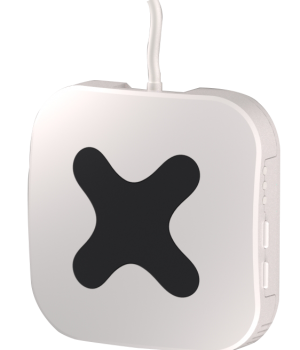
This binding supports switches, shutters dimmers alarm sensors and wall controllers configured in Touchwand Wanderfull™ Hub Controller.
The binding also supports [AcWand™](https://www.touchwand.com/products/touchwand-acwand/) - smart control for your air conditioner controller.
-
-
## Control and Status
1. **switch** - control - ON/OFF
-2. **shutter** - control - UP/DOWN/STOP
-3. **dimmer** - control - ON/OFF/BRIGHTNESS
-4. **wallcontroller** - control - LONG/SHORT
-5. **alarmsensor** - status channels depend on alarm sensor type
-5. **bsensor** - binary status channels depend on alarm sensor type (motion, door , smoke)
-6. **thermostat** - AcWand™ smart control for your air conditioner
+1. **shutter** - control - UP/DOWN/STOP
+1. **dimmer** - control - ON/OFF/BRIGHTNESS
+1. **wallcontroller** - control - LONG/SHORT
+1. **alarmsensor** - status channels depend on alarm sensor type
+1. **bsensor** - binary status channels depend on alarm sensor type (motion, door , smoke)
+1. **thermostat** - AcWand™ smart control for your air conditioner
## Discovery
| port | Management port (default 80) | integer | no |
| addSecondaryUnits | If the controller is primary, add secondary controllers units as well | bool | no |
-
-
## Thing Configuration
No thing configuration is needed
note **Touchwand Wanderfull™** supports various types of alarm sensors such as water leak, door/window sensor and motion sensor.
Alarm Sensor thing represents a generic sensor, relevant sensor channels will be displayed once a sensor is added as a Thing.
-## Switch Shutters Channels
+## Switch Shutters Channels
| Channel Type ID | Item Type | Description
|-------------------|--------------------|-----------------------------------------------------------------------|
| brightness | Dimmer | This channel supports adjusting the brightness value. |
| wallaction | String | This channel indicate SHORT or LONG wallcontroller button pressed |
-## Alarm Sensors Channels
+## Alarm Sensors Channels
-| Channel Type ID | Item Type | Description
+| Channel Type ID | Item Type | Description
|-------------------|--------------------|-----------------------------------------------------------------------|
| illumination | Number:Illuminance | This channel shows the current illuminance measured by the sensor. |
| temperature | Number:Temperature | This channel shows the current temperature measured by the sensor. |
| battery_level | Number | This channel shows the battery level. |
| battery_low | Switch | This channel indicates whether the battery is low or not. |
-## Thermostat Channels
+## Thermostat Channels
-| Channel Type ID | Item Type | Description
+| Channel Type ID | Item Type | Description
|-------------------|--------------------|-----------------------------------------------------------------------|
| State | Switch | Set and read the device state ON or OFF. |
| targetTemperature | Number:Temperature | Shows the current set point of the thrermostat. |
Things can be defined manually
The syntax for touchwand this is
-```xtend
+```java
Thing <binding_id>:<type_id>:<thing_id> "Label" @ "Location"
```
Where <thing_id> is the unit id in touchwand hub.
-```
+```java
Bridge touchwand:bridge:1921681116 [ipAddress="192.168.1.116", username="username" , password="password"]{
Thing switch 408 "Strairs light"
Thing switch 411 "South Garden light"
### touchwand.items
-```
+```java
/* Shutters */
Rollershutter Rollershutter_345 "Living Room North shutter" {channel="touchwand:shutter:1921681116:345:shutter"}
Rollershutter Rollershutter_346 "Living Room South shutter" {channel="touchwand:shutter:1921681116:346:shutter"}
```
-```
+```java
/* Switches and Dimmers */
Switch Switch_408 "Stairs light" {channel="touchwand:switch:1921681116:408:switch"}
Switch Switch_411 "South Garden light" {channel="touchwand:switch:1921681116:411:switch"}
`.things` configuration file:
-```
+```java
Thing tplinkrouter:router:myRouter [hostname="192.168.0.1", username="admin", password="myPassword"]
```
`.items` configuration file:
-```
+```java
Switch Wifi "Wifi" <QualityOfService> {channel="tplinkrouter:router:myRouter:wifi#status", autoupdate="false"}
String WifiSSID "Wifi SSID" <QualityOfService> {channel="tplinkrouter:router:myRouter:wifi#ssid"}
String BandWidth "Wifi Bandwidth" <QualityOfService> {channel="tplinkrouter:router:myRouter:wifi#bandwidth"}
### EP10 Kasa Smart Wi-Fi Plug Mini
-* Power On/Off
-* LED On/Off
-* Wi-Fi signal strength (RSSI)
+- Power On/Off
+- LED On/Off
+- Wi-Fi signal strength (RSSI)
### EP40 Kasa Smart Wi-Fi Outdoor Plug
-* Power On/Off Group
-* Power On/Off 2 Outlets
-* LED On/Off
-* Wi-Fi signal strength (RSSI)
+- Power On/Off Group
+- Power On/Off 2 Outlets
+- LED On/Off
+- Wi-Fi signal strength (RSSI)
## ES20M Smart Wi-Fi Light Switch, Motion-Activated
-* Power On/Off
-* Dimmer
-* LED On/Off
-* Wi-Fi signal strength (RSSI)
+- Power On/Off
+- Dimmer
+- LED On/Off
+- Wi-Fi signal strength (RSSI)
### HS100 Kasa Smart Wi-Fi Plug
-* Power On/Off
-* LED On/Off
-* Wi-Fi signal strength (RSSI)
+- Power On/Off
+- LED On/Off
+- Wi-Fi signal strength (RSSI)
### HS103 Kasa Smart Wi-Fi Plug Lite
-* Power On/Off
-* LED On/Off
-* Wi-Fi signal strength (RSSI)
+- Power On/Off
+- LED On/Off
+- Wi-Fi signal strength (RSSI)
### HS105 Kasa Smart Wi-Fi Plug
-* Power On/Off
-* LED On/Off
-* Wi-Fi signal strength (RSSI)
+- Power On/Off
+- LED On/Off
+- Wi-Fi signal strength (RSSI)
### HS107 Kasa Smart Wi-Fi Plug, 2-Outlets
-* Power On/Off Group
-* Power On/Off 2 Outlets
-* LED On/Off
-* Wi-Fi signal strength (RSSI)
+- Power On/Off Group
+- Power On/Off 2 Outlets
+- LED On/Off
+- Wi-Fi signal strength (RSSI)
### HS110 Kasa Smart Wi-Fi Plug
-* Power On/Off
-* Energy readings
-* LED On/Off
-* Wi-Fi signal strength (RSSI)
+- Power On/Off
+- Energy readings
+- LED On/Off
+- Wi-Fi signal strength (RSSI)
### HS200 Kasa Smart Wi-Fi Switch
-* Power On/Off
-* LED On/Off
-* Wi-Fi signal strength (RSSI)
+- Power On/Off
+- LED On/Off
+- Wi-Fi signal strength (RSSI)
### HS210 Kasa Smart Wi-Fi Light Switch 3-Way Kit
-* Power On/Off
-* LED On/Off
-* Wi-Fi signal strength (RSSI)
+- Power On/Off
+- LED On/Off
+- Wi-Fi signal strength (RSSI)
### HS220 Kasa Smart Wi-Fi Light Switch, Dimmer
-* Power On/Off
-* Adjust the brightness
-* LED On/Off
-* Wi-Fi signal strength (RSSI)
+- Power On/Off
+- Adjust the brightness
+- LED On/Off
+- Wi-Fi signal strength (RSSI)
Use the brightness channel on the HS220 with a Switch item can be used to switch the device on and off.
It will not change the brightness value.
### HS300 Kasa Smart Wi-Fi Power Strip
-* Power On/Off Group
-* Power On/Off 6 Outlets
-* Energy readings 6 Outlets
-* LED On/Off
-* Wi-Fi signal strength (RSSI)
+- Power On/Off Group
+- Power On/Off 6 Outlets
+- Energy readings 6 Outlets
+- LED On/Off
+- Wi-Fi signal strength (RSSI)
### LB100 Kasa Smart Wi-Fi LED Bulb with Dimmable Light
-* Power On/Off
-* Adjust the brightness
-* Actual power usage
-* Wi-Fi signal strength (RSSI)
+- Power On/Off
+- Adjust the brightness
+- Actual power usage
+- Wi-Fi signal strength (RSSI)
Switching and Brightness is done using the `brightness` channel.
### LB110 Kasa Smart Wi-Fi LED Bulb with Dimmable Light
-* Power On/Off
-* Adjust the brightness
-* Actual power usage
-* Wi-Fi signal strength (RSSI)
+- Power On/Off
+- Adjust the brightness
+- Actual power usage
+- Wi-Fi signal strength (RSSI)
Switching and Brightness is done using the `brightness` channel.
### LB120 Kasa Smart Wi-Fi LED Bulb with Tunable White Light
-* Power On/Off
-* Adjust light appearance from soft white (2700k) to daylight (6500k)
-* Adjust the brightness
-* Actual power usage
-* Wi-Fi signal strength (RSSI)
+- Power On/Off
+- Adjust light appearance from soft white (2700k) to daylight (6500k)
+- Adjust the brightness
+- Actual power usage
+- Wi-Fi signal strength (RSSI)
Switching and Brightness is done using the `brightness` channel.
### LB130 Kasa Smart Wi-Fi LED Bulb with Color Changing Hue
-* Power On/Off
-* Fine-tune colors
-* Adjust light appearance from soft white (2500k) to daylight (9000k)
-* Adjust the brightness
-* Actual power usage
-* Wi-Fi signal strength (RSSI)
+- Power On/Off
+- Fine-tune colors
+- Adjust light appearance from soft white (2500k) to daylight (9000k)
+- Adjust the brightness
+- Actual power usage
+- Wi-Fi signal strength (RSSI)
Switching, Brightness and Color is done using the `color` channel.
### LB200 Kasa Smart Wi-Fi LED Bulb with Dimmable Light
-* Power On/Off
-* Adjust the brightness
-* Actual power usage
-* Wi-Fi signal strength (RSSI)
+- Power On/Off
+- Adjust the brightness
+- Actual power usage
+- Wi-Fi signal strength (RSSI)
Switching and Brightness is done using the `brightness` channel.
### LB230 Kasa Smart Wi-Fi LED Bulb with Color Changing Hue
-* Power On/Off
-* Fine-tune colors
-* Adjust light appearance from soft white (2500k) to daylight (9000k)
-* Adjust the brightness
-* Actual power usage
-* Wi-Fi signal strength (RSSI)
+- Power On/Off
+- Fine-tune colors
+- Adjust light appearance from soft white (2500k) to daylight (9000k)
+- Adjust the brightness
+- Actual power usage
+- Wi-Fi signal strength (RSSI)
Switching, Brightness and Color is done using the `color` channel.
### KB100 Kasa Smart Light Bulb
-* Power On/Off
-* Adjust the brightness
-* Actual power usage
-* Wi-Fi signal strength (RSSI)
+- Power On/Off
+- Adjust the brightness
+- Actual power usage
+- Wi-Fi signal strength (RSSI)
Switching and Brightness is done using the `brightness` channel.
### KB130 Kasa Multi-color Smart Light Bulb
-* Power On/Off
-* Fine-tune colors
-* Adjust light appearance from soft white (2500k) to daylight (9000k)
-* Adjust the brightness
-* Actual power usage
-* Wi-Fi signal strength (RSSI)
+- Power On/Off
+- Fine-tune colors
+- Adjust light appearance from soft white (2500k) to daylight (9000k)
+- Adjust the brightness
+- Actual power usage
+- Wi-Fi signal strength (RSSI)
Switching, Brightness and Color is done using the `color` channel.
### KL50 Kasa Filament Smart Bulb, Soft White
-* Power On/Off
-* Adjust the brightness
-* Actual power usage
-* Wi-Fi signal strength (RSSI)
+- Power On/Off
+- Adjust the brightness
+- Actual power usage
+- Wi-Fi signal strength (RSSI)
Switching and Brightness is done using the `brightness` channel.
### KL60 Kasa Filament Smart Bulb, Warm Amber
-* Power On/Off
-* Adjust the brightness
-* Actual power usage
-* Wi-Fi signal strength (RSSI)
+- Power On/Off
+- Adjust the brightness
+- Actual power usage
+- Wi-Fi signal strength (RSSI)
Switching and Brightness is done using the `brightness` channel.
### KL110 Kasa Smart Wi-Fi LED Bulb with Dimmable Light
-* Power On/Off
-* Adjust the brightness
-* Actual power usage
-* Wi-Fi signal strength (RSSI)
+- Power On/Off
+- Adjust the brightness
+- Actual power usage
+- Wi-Fi signal strength (RSSI)
Switching and Brightness is done using the `brightness` channel.
### KL120 Kasa Smart Wi-Fi LED Bulb with Tunable White Light
-* Power On/Off
-* Adjust light appearance from soft white (2700k) to daylight (6500k)
-* Adjust the brightness
-* Actual power usage
-* Wi-Fi signal strength (RSSI)
+- Power On/Off
+- Adjust light appearance from soft white (2700k) to daylight (6500k)
+- Adjust the brightness
+- Actual power usage
+- Wi-Fi signal strength (RSSI)
Switching and Brightness is done using the `brightness` channel.
### KL125 Kasa Smart Wi-Fi Bulb Multicolor
-* Power On/Off
-* Fine-tune colors
-* Adjust light appearance from soft white (2500k) to daylight (6500k)
-* Adjust the brightness
-* Actual power usage
-* Wi-Fi signal strength (RSSI)
+- Power On/Off
+- Fine-tune colors
+- Adjust light appearance from soft white (2500k) to daylight (6500k)
+- Adjust the brightness
+- Actual power usage
+- Wi-Fi signal strength (RSSI)
Switching, Brightness and Color is done using the `color` channel.
### KL130 Kasa Smart Wi-Fi LED Bulb with Color Changing Hue
-* Power On/Off
-* Fine-tune colors
-* Adjust light appearance from soft white (2500k) to daylight (9000k)
-* Adjust the brightness
-* Actual power usage
-* Wi-Fi signal strength (RSSI)
+- Power On/Off
+- Fine-tune colors
+- Adjust light appearance from soft white (2500k) to daylight (9000k)
+- Adjust the brightness
+- Actual power usage
+- Wi-Fi signal strength (RSSI)
Switching, Brightness and Color is done using the `color` channel.
### KL135 Kasa Smart Wi-Fi Bulb Multicolor
-* Power On/Off
-* Fine-tune colors
-* Adjust light appearance from soft white (2500k) to daylight (6500k)
-* Adjust the brightness
-* Actual power usage
-* Wi-Fi signal strength (RSSI)
+- Power On/Off
+- Fine-tune colors
+- Adjust light appearance from soft white (2500k) to daylight (6500k)
+- Adjust the brightness
+- Actual power usage
+- Wi-Fi signal strength (RSSI)
Switching, Brightness and Color is done using the `color` channel.
### KL400 Kasa Smart LED Light Strip
-* Power On/Off
-* Fine-tune colors
-* Adjust light appearance from soft white (2500k) to daylight (9000k)
-* Adjust the brightness
-* Wi-Fi signal strength (RSSI)
+- Power On/Off
+- Fine-tune colors
+- Adjust light appearance from soft white (2500k) to daylight (9000k)
+- Adjust the brightness
+- Wi-Fi signal strength (RSSI)
### KL430 Kasa Smart LED Light Strip, 16 Color Zones
-* Power On/Off
-* Fine-tune colors
-* Adjust light appearance from soft white (2500k) to daylight (9000k)
-* Adjust the brightness
-* Wi-Fi signal strength (RSSI)
+- Power On/Off
+- Fine-tune colors
+- Adjust light appearance from soft white (2500k) to daylight (9000k)
+- Adjust the brightness
+- Wi-Fi signal strength (RSSI)
Switching, Brightness and Color is done using the `color` channel.
### KP100 Kasa Wi-Fi Smart Plug - Slim Edition
-* Power On/Off
-* LED On/Off
-* Wi-Fi signal strength (RSSI)
+- Power On/Off
+- LED On/Off
+- Wi-Fi signal strength (RSSI)
### KP105 Kasa Wi-Fi Smart Plug - Slim Edition
-* Power On/Off
-* LED On/Off
-* Wi-Fi signal strength (RSSI)
+- Power On/Off
+- LED On/Off
+- Wi-Fi signal strength (RSSI)
### KP115 Kasa Wi-Fi Smart Plug with Energy Monitoring - Slim Edition
-* Power On/Off
-* Energy readings
-* LED On/Off
-* Wi-Fi signal strength (RSSI)
+- Power On/Off
+- Energy readings
+- LED On/Off
+- Wi-Fi signal strength (RSSI)
### KP125 Kasa Smart WiFi Plug Slim with Energy Monitoring
-* Power On/Off
-* Energy readings
-* LED On/Off
-* Wi-Fi signal strength (RSSI)
+- Power On/Off
+- Energy readings
+- LED On/Off
+- Wi-Fi signal strength (RSSI)
### KP200 Kasa Smart Wi-Fi Power Outlet, 2-Sockets
-* Power On/Off Group
-* Power On/Off 2 Outlets
-* LED On/Off
-* Wi-Fi signal strength (RSSI)
+- Power On/Off Group
+- Power On/Off 2 Outlets
+- LED On/Off
+- Wi-Fi signal strength (RSSI)
### KP303 Kasa Smart Wi-Fi Power Outlet, 3-Sockets
-* Power On/Off Group
-* Power On/Off 3 Outlets
-* LED On/Off
-* Wi-Fi signal strength (RSSI)
+- Power On/Off Group
+- Power On/Off 3 Outlets
+- LED On/Off
+- Wi-Fi signal strength (RSSI)
### KP400 Kasa Smart Outdoor Plug
-* Power On/Off Group
-* Power On/Off 2 Outlets
-* LED On/Off
-* Wi-Fi signal strength (RSSI)
+- Power On/Off Group
+- Power On/Off 2 Outlets
+- LED On/Off
+- Wi-Fi signal strength (RSSI)
### KP401 Kasa Smart WiFi Outdoor Plug
-* Power On/Off
-* LED On/Off
-* Wi-Fi signal strength (RSSI)
+- Power On/Off
+- LED On/Off
+- Wi-Fi signal strength (RSSI)
### KP405 Kasa Smart Wi-Fi Outdoor Plug-In Dimmer
-* Power On/Off
-* Dimmer
-* LED On/Off
-* Wi-Fi signal strength (RSSI)
+- Power On/Off
+- Dimmer
+- LED On/Off
+- Wi-Fi signal strength (RSSI)
### KS230 Kasa Smart Wi-Fi Dimmer Switch 3-Way Kit
-* Power On/Off
-* Adjust the brightness
-* LED On/Off
-* Wi-Fi signal strength (RSSI)
+- Power On/Off
+- Adjust the brightness
+- LED On/Off
+- Wi-Fi signal strength (RSSI)
### RE270K AC750 Wi-Fi Range Extender with Smart Plug
-* Power On/Off (readonly)
-* Wi-Fi signal strength (RSSI)
+- Power On/Off (readonly)
+- Wi-Fi signal strength (RSSI)
### RE370K AC1200 Wi-Fi Range Extender with Smart Plug
-* Power On/Off (readonly)
-* Wi-Fi signal strength (RSSI)
+- Power On/Off (readonly)
+- Wi-Fi signal strength (RSSI)
It is not possible to set the switch state on the Range Extender.
This is because it is not known what command to send to the device to make this possible.
### tplinksmarthome.things:
-```
+```java
tplinksmarthome:hs100:tv "TV" [ deviceId="00000000000000000000000000000001", refresh=60 ]
tplinksmarthome:hs300:laptop "Laptop" [ deviceId="00000000000000000000000000000004", refresh=60 ]
tplinksmarthome:lb110:bulb1 "Living Room Bulb 1" [ deviceId="00000000000000000000000000000002", refresh=60, transitionPeriod=2500 ]
### tplinksmarthome.items:
-```
+```java
Switch TP_L_TV "TV" { channel="tplinksmarthome:hs100:tv:switch" }
Switch TP_L_Laptop "Laptop" { channel="tplinksmarthome:hs300:laptop:outlet1#switch" }
Number:Power TP_L_RSSI "Signal [%d %unit%]" <signal> { channel="tplinksmarthome:hs100:tv:rssi" }
# TR-064 Binding
-This binding brings support for internet gateway devices that support the TR-064 protocol (e.g. the AVM FritzBox family of routers).
+This binding brings support for internet gateway devices that support the TR-064 protocol (e.g. the AVM FritzBox family of routers).
It can be used to gather information from the device and/or re-configure it.
Even though textual configuration is possible, it is strongly recommended to use the Main User Interface for configuration.
Two kind of Things are supported:
-- `subDevice`: a sub-device of the Bridge thing (e.g. a WAN interface)
+- `subDevice`: a sub-device of the Bridge thing (e.g. a WAN interface)
- `subDeviceLan`: a special type of sub-device that supports MAC-detection
## Discovery
### `fritzbox`
-The `fritzbox` devices can give additional informations in dedicated channels, controlled
+The `fritzbox` devices can give additional informations in dedicated channels, controlled
by additional parameters (visible if Show Advanced is selected), w.r.t. to `generic` devices.
-If the parameters are specified, the corresponding channels will be added to the device.
+If the parameters are specified, the corresponding channels will be added to the device.
One or more TAM (telephone answering machines) are supported by most fritzbox devices.
By setting the `tamIndices` parameter you can instruct the binding to add channels for these
Most devices support call lists.
The binding can retrieve these call lists and provide channels for the number of missed calls, inbound calls, outbound calls and rejected (blocked) calls,
for a given number of days. A channel is added to the Thing if such a number is set through the corresponding parameter
-in the Main User Interface.
+in the Main User Interface.
The parameters are: `missedCallDays`, `rejectedCallDays`, `inboundCallDays`, `outboundCallDays` and `callListDays`.
Since FritzOS! 7.20 WAN access of local devices can be controlled by their IPs.
### `subdevice`, `subdeviceLan`
Additional informations (i.e. channels) are available in subdevices of the bridge.
-Each subdevice is characterized by a unique `uuid` parameter: this is the UUID/UDN of the device.
+Each subdevice is characterized by a unique `uuid` parameter: this is the UUID/UDN of the device.
This is a mandatory parameter to be set in order to add the subdevice. Since the parameter value can only be determined
by examining the SCPD of the root device, the simplest way to obtain it is through auto-discovery.
## Channels
-Channels are grouped according to the subdevice they belong to.
+Channels are grouped according to the subdevice they belong to.
### `fritzbox` bridge channels
| channel | item-type | advanced | description |
|----------------------------|---------------------------|:--------:|----------------------------------------------------------------|
| `callDeflectionEnable` | `Switch` | x | Enable/Disable the call deflection setup with the given index. |
-| `callList` | `String` | x | A string containing the call list as JSON (see below) |
+| `callList` | `String` | x | A string containing the call list as JSON (see below) |
| `deviceLog` | `String` | x | A string containing the last log messages |
| `missedCalls` | `Number` | | Number of missed calls within the given number of days. |
| `outboundCalls` | `Number` | x | Number of outbound calls within the given number of days. |
The definition of the bridge and of the subdevices things is the following
-```
+```java
Bridge tr064:fritzbox:rootuid "Root label" @ "location" [ host="192.168.1.1", user="user", password="passwd",
phonebookInterval="0"]{
Thing subdeviceLan LAN "label LAN" [ uuid="uuid:xxxxxxxx-xxxx-xxxx-yyyy-xxxxxxxxxxxx",
The channel are automatically generated and it is simpler to use the Main User Interface to copy the textual definition of the channel
-```
+```java
Switch PresXX "[%s]" {channel="tr064:subdeviceLan:rootuid:LAN:macOnline_XX_3AXX_3AXX_3AXX_3AXX_3AXX"}
Switch PresYY "[%s]" {channel="tr064:subdeviceLan:rootuid:LAN:macOnline_YY_3AYY_3AYY_3AYY_3AYY_3AYY"}
```
Example `*.items` file using the `PHONEBOOK` profile for storing the name of a caller in an item. it matches 8 digits from the right of the "from" number (note the escaping of `:` to `_3A`):
-```
+```java
Call IncomingCallResolved "Caller name: [%s]" { channel="avmfritz:fritzbox:fritzbox:incoming_call" [profile="transform:PHONEBOOK", phonebook="tr064_3Afritzbox_3AfritzboxTR064", phoneNumberIndex="1", matchCount="8"] }
```
demo.things:
-```
+```java
Bridge tradfri:gateway:mygateway [ host="192.168.0.177", code="EHPW5rIJKyXFgjH3" ] {
0100 myDimmableBulb "My Dimmable Bulb" [ id=65537 ]
0220 myColorTempBulb "My Color Temp Bulb" [ id=65538 ]
demo.items:
-```
+```java
Dimmer Light1 { channel="tradfri:0100:mygateway:myDimmableBulb:brightness" }
Dimmer Light2_Brightness { channel="tradfri:0220:mygateway:myColorTempBulb:brightness" }
Dimmer Light2_ColorTemperature { channel="tradfri:0220:mygateway:myColorTempBulb:color_temperature" }
demo.sitemap:
-```
+```perl
sitemap demo label="Main Menu"
{
Frame {
## Supported Things
-```
+```text
account - Twitter Account.
-
```
## Thing Configuration
| accessTokenSecret | | Yes | Access Token Secret |
| refresh | 30 | No | Tweet refresh interval in minutes |
-
## Channels
| channel | type | description |
|------------|--------|------------------------------------------------|
| lasttweet | String | This channel provides the Latest Tweet message |
-
## Full Example
twitter.things:
-```
+```java
Thing twitter:account:sampleaccount [ consumerKey="11111", consumerSecret="22222", accessToken="33333", accessTokenSecret="444444" ]
```
twitter.items:
-```
+```java
String sample_tweet "Latest Tweet: [%s]" { channel="twitter:account:sampleaccount:lasttweet" }
```
This binding includes rule actions for sending tweets and direct messages.
-* `boolean success = sendTweet(String text)`
-* `boolean success = sendTweetWithAttachment(String text, String URL)`
-* `boolean success = sendDirectMessage(String recipientID, String text)`
+- `boolean success = sendTweet(String text)`
+- `boolean success = sendTweetWithAttachment(String text, String URL)`
+- `boolean success = sendDirectMessage(String recipientID, String text)`
Examples:
-```
+```java
val tweetActions = getActions("twitter","twitter:account:sampleaccount")
val success = tweetActions.sendTweet("This is A Tweet")
val success2 = tweetActions.sendTweetWithAttachment("This is A Tweet with a Pic", file:///tmp/201601011031.jpg)
This binding integrates with [Ubiquiti UniFi Networks](https://www.ubnt.com/products/#unifi) allowing for presence detection of network clients.
-
## Supported Things
-* `controller` - An instance of the UniFi controller software
-* `site` - A site thing with connection statistics
-* `wlan` - A wireless network thing. Control Wi-Fi network and easy access to access.
-* `wirelessClient` - Any wireless client connected to a UniFi wireless network
-* `wiredClient` - A wired client connected to the UniFi network
-* `poePort` - A PoE (Power over Ethernet) port on a UniFi switch
+- `controller` - An instance of the UniFi controller software
+- `site` - A site thing with connection statistics
+- `wlan` - A wireless network thing. Control Wi-Fi network and easy access to access.
+- `wirelessClient` - Any wireless client connected to a UniFi wireless network
+- `wiredClient` - A wired client connected to the UniFi network
+- `poePort` - A PoE (Power over Ethernet) port on a UniFi switch
## Discovery
The following table describes the `wirelessClient` & `wiredClient` configuration parameters:
-
| Parameter | Description | Config | Default |
| ------------ | -------------------------------------------------------------|--------- | ------- |
| cid | The MAC address, IP address, hostname or alias of the client | Required | - |
Here's some additional notes regarding the thing configuration parameters:
-##### `cid`
+#### `cid`
The `cid` parameter is a universal "client identifier". It accepts the following values:
Once it finds a matching client, it short circuits and stops searching.
Most of the time, you will simply use the MAC address.
-##### `site`
+#### `site`
-The `site` parameter is optional. If you leave it blank, the client will appear `ONLINE` if found in *any* site defined on the controller.
+The `site` parameter is optional. If you leave it blank, the client will appear `ONLINE` if found in _any_ site defined on the controller.
You may use the `site` parameter as a filter if you only want the client to appear home if it is found in the site defined in the `site` parameter.
Additionally, you may use friendly site names as they appear in the controller UI.
-##### `considerHome`
+#### `considerHome`
The `considerHome` parameter allows you to control how quickly the binding marks a client as away.
For example, using the default of `180` (seconds), the binding will report a client away as soon as `lastSeen` + `180` (seconds) < `now`.
The following table describes the `poePort` configuration parameters:
-
| Parameter | Description | Config |
|------------|-----------------------------------------------------------|----------|
| portNumber | The port number as reported by the switch (starts with 1) | Required |
| macAddress | The MAC address of the switch device the port is part of | Required |
-
## Channels
### `site`
| cmd | String | Command channel: `reconnect` to force the client to reconnect | Write |
| reconnect | Switch | Force the client to reconnect | Write |
-
_Note: All channels with the Write permission require administrator credentials as defined in the controller._
### `wiredClient`
| experience | Number:Dimensionless | Overall health indication of the client (in percentage) | Read |
| blocked | Switch | Blocked status of the client | Read, Write |
-##### `blocked`
+#### `blocked`
The `blocked` channel allows you to block / unblock a client via the controller.
-##### `reconnect`
+#### `reconnect`
The `reconnect` channel allows you to force a client to reconnect.
Sending `ON` to this channel will trigger a reconnect via the controller.
### `things/unifi.things`
-```
+```java
Bridge unifi:controller:home "UniFi Controller" [ host="unifi", port=8443, unifios=false, username="$username", password="$password", refresh=10 ] {
- Thing wirelessClient matthewsPhone "Matthew's iPhone" [ cid="$cid", site="default", considerHome=180 ]
- Thing site mysite "My Site" [ sid="$sid" ]
+ Thing wirelessClient matthewsPhone "Matthew's iPhone" [ cid="$cid", site="default", considerHome=180 ]
+ Thing site mysite "My Site" [ sid="$sid" ]
}
```
-_Note: Usually on Unifi OS, the default port is 443_
+:::tip Note
+Usually on Unifi OS, the default port is 443
+:::
Replace `$user`, `$password`, `$cid` and `$sid` accordingly.
### `items/unifi.items`
-```
+```java
Switch MatthewsPhone "Matthew's iPhone [MAP(unifi.map):%s]" { channel="unifi:wirelessClient:home:matthewsPhone:online" }
String MatthewsPhoneSite "Matthew's iPhone: Site [%s]" { channel="unifi:wirelessClient:home:matthewsPhone:site" }
String MatthewsPhoneMAC "Matthew's iPhone: MAC [%s]" { channel="unifi:wirelessClient:home:matthewsPhone:macAddress" }
### `transform/unifi.map`
-```
+```text
ON=Home
OFF=Away
```
### `sitemaps/unifi.sitemap`
-```
+```perl
sitemap unifi label="UniFi Binding"
{
- Frame {
- Text item=MatthewsPhone
- Text item=MatthewsPhoneSite
- Text item=MatthewsPhoneMAC
- Text item=MatthewsPhoneIP
- Text item=MatthewsPhoneAP
- Text item=MatthewsPhoneESSID
- Text item=MatthewsPhoneRSSI
- Text item=MatthewsPhoneUptime
- Text item=MatthewsPhoneLastSeen
- Switch item=MatthewsPhoneBlocked
- Switch item=MatthewsPhoneReconnect
- }
+ Frame {
+ Text item=MatthewsPhone
+ Text item=MatthewsPhoneSite
+ Text item=MatthewsPhoneMAC
+ Text item=MatthewsPhoneIP
+ Text item=MatthewsPhoneAP
+ Text item=MatthewsPhoneESSID
+ Text item=MatthewsPhoneRSSI
+ Text item=MatthewsPhoneUptime
+ Text item=MatthewsPhoneLastSeen
+ Switch item=MatthewsPhoneBlocked
+ Switch item=MatthewsPhoneReconnect
+ }
}
```
|----------|------------------------------|
| server | Unified Remote Server Thing |
-
| Config | Type | description |
|----------|----------|------------------------------|
| host | String | Unified Remote Server IP |
-
-
## Channels
-
| channel | type | description |
|----------|--------|------------------------------|
| mouse-move | String | Relative mouse move in pixels. Expect number JSON array [x,y] ("[10,10]"). |
| send-key | String | Use server key. Supported keys are: LEFT_CLICK, RIGHT_CLICK, LOCK, UNLOCK, SLEEP, SHUTDOWN, RESTART, LOGOFF, PLAY, PLAY, PAUSE, NEXT, PREVIOUS, STOP, VOLUME_MUTE, VOLUME_UP, VOLUME_DOWN, BRIGHTNESS_UP, BRIGHTNESS_DOWN, MONITOR_OFF, MONITOR_ON, ESCAPE, SPACE, BACK, LWIN, CONTROL, TAB, MENU, RETURN, UP, DOWN, LEFT, RIGHT |
-
## Full Example
### Sample Thing
-```
+```java
Thing unifiedremote:server:xx-xx-xx-xx-xx-xx [ host="192.168.1.10" ]
```
### Sample Items
-```
+```java
Group pcRemote "Living room PC"
String PC_SendKey "Send Key" (pcRemote) { channel="unifiedremote:server:xx-xx-xx-xx-xx-xx:send-key" }
String PC_MouseMove "Mouse Move" (pcRemote) { channel="samsungtv:tv:livingroom:mouse-move" }
The binding has not yet been tested with a variety of devices, so specific device support is limited.
Instead the binding provides some generic devices, and allows adding channels that match the type of device.
-* `serial-pim` - Serial PIM
-* `generic` - Generic UPB device
-* `virtual` - "Virtual" device that allows scene selection
+- `serial-pim` - Serial PIM
+- `generic` - Generic UPB device
+- `virtual` - "Virtual" device that allows scene selection
Specific devices that are supported:
- * `leviton-38a00-1` - 6-button scene switch
+- `leviton-38a00-1` - 6-button scene switch
## Binding Configuration
## Channels
-
These channels are available for generic devices:
| Channel Type | Item type | Description |
Here is a sample `.things configuration file:
-```
+```java
Bridge upb:serial-pim:pim "UPB PIM" @ "Basement" [port="/dev/ttyUSB0"] {
Thing generic light-switch "Living Room Light" [networkId=1, unitId=1]
And the items:
-```
+```java
// Configure as either Switch or Dimmer
Dimmer LivingRoomLight "UPB Light Switch" {channel="upb:generic:pim:light-switch:dimmer"}
Currently playing media can be stored as a favorite.
Each discovered renderer will also be registered as an openHAB audio sink.
-
## Supported Things
Two thing types are supported, a server thing, `upnpserver`, and a renderer thing, `upnprenderer`.
It complies with part of the UPnP AV Media standard, but has not been verified to comply with the full specification.
Tests have focused on the playback of audio, but if the server and renderer support it, other media types should play as well.
-
## Binding Configuration
The binding has one configuration parameter, `path`.
This is used as the disk location for storing and retrieving playlists and favorites.
The default location is `$OPENHAB_USERDATA/upnpcontrol`.
-
## Discovery
UPnP media servers and media renderers in the network will be discovered automatically.
-
## Thing Configuration
Both the `upnprenderer` and `upnpserver` thing require a configuration parameter, `udn` (Universal Device Name).
Additionally, a `upnpserver` device has the following optional configuration parameters:
-* `filter`: when true, only list content that is playable on the renderer, default is `false`.
+- `filter`: when true, only list content that is playable on the renderer, default is `false`.
-* `sortCriteria`: sort criteria for the titles in the selection list and when sending for playing to a renderer.
+- `sortCriteria`: sort criteria for the titles in the selection list and when sending for playing to a renderer.
The criteria are defined in UPnP sort criteria format, examples: `+dc:title`, `-dc:creator`, `+upnp:album`.
Support for sort criteria will depend on the media server.
The default is to sort ascending on title, `+dc:title`.
-* `browseDown`: when browse or search results in exactly one container entry, iteratively browse down until the result contains multiple container entries or at least one media entry, default is `true`.
+- `browseDown`: when browse or search results in exactly one container entry, iteratively browse down until the result contains multiple container entries or at least one media entry, default is `true`.
-* `searchFromRoot`: always start search from root instead of the current id, default is `false`.
+- `searchFromRoot`: always start search from root instead of the current id, default is `false`.
A `upnprenderer` has the following optional configuration parameters:
-* `seekStep`: step in seconds when sending fast forward or rewind command on the player control, default 5s.
+- `seekStep`: step in seconds when sending fast forward or rewind command on the player control, default 5s.
-* `notificationVolumeAdjustment`: volume adjustment from current volume in percent (range -100 to +100) for notifications when no volume is set in `playSound` command, default 10.
+- `notificationVolumeAdjustment`: volume adjustment from current volume in percent (range -100 to +100) for notifications when no volume is set in `playSound` command, default 10.
-* `maxNotificationDuration`: maximum duration for notifications (default 15s), no maximum duration when set to 0s.
+- `maxNotificationDuration`: maximum duration for notifications (default 15s), no maximum duration when set to 0s.
The full syntax for manual configuration is:
-```
+```java
Thing upnpcontrol:upnpserver:<serverId> [udn="<udn of media server>", refresh=<polling interval>, filter=<true/false>, sortCriteria="<sort criteria string>", browseDown=<true/false>, searchFromRoot=<true/false>, responseTimeout=<UPnP timeout in milliseconds>]
Thing upnpcontrol:upnprenderer:<rendererId> [udn="<udn of media renderer>", refresh=<polling interval>, notificationVolumeAdjustment=<signed percent>, maxNotificationDuration=<duration in seconds>, seekStep=<step>, responseTimeout=<UPnP timeout in milliseconds>]
```
-
## Channels
### `upnpserver`
The `upnpserver` has the following channels (item type and access mode indicated in brackets):
-* `upnprenderer` (String, RW): The renderer to receive media content for playback.
+- `upnprenderer` (String, RW): The renderer to receive media content for playback.
The channel allows selecting from all discovered media renderers.
This list is dynamically adjusted as media renderers are being added/removed.
-* `currenttitle` (String, R): Current title of media container or entry ready for playback.
+- `currenttitle` (String, R): Current title of media container or entry ready for playback.
-* `browse` (String, RW): Browse and serve media content, current ID of media container or entry ready for playback.
+- `browse` (String, RW): Browse and serve media content, current ID of media container or entry ready for playback.
The browsing will start at the top of the content directory tree and allows you to go down and up (represented by ..) in the tree.
The list of containers (directories) and media entries for selection in the content hierarchy is updated dynamically when selecting a container or entry.
The `browseDown` configuration parameter influences the result in such a way that, for `browseDown = true`, if the result only contains exactly one container entry, the result will be the content of the container and not the container itself.
-* `search` (String, W): Search for media content on the server.
+- `search` (String, W): Search for media content on the server.
Search criteria are defined in UPnP search criteria format.
Examples: `dc:title contains "song"`, `dc:creator contains "SpringSteen"`, `unp:class = "object.item.audioItem"`, `upnp:album contains "Born in"`.
The `browseDown` configuration parameter influences the result in such a way that, for `browseDown = true`, if the result only contains exactly one container entry, the result will be the content of the container and not the container itself.
-* `playlistselect` (String, W): Select a playlist from the available playlists currently saved on disk.
+- `playlistselect` (String, W): Select a playlist from the available playlists currently saved on disk.
This will also update `playlist` with the selected value.
-* `playlist` (String, RW): Name of existing or new playlist.
+- `playlist` (String, RW): Name of existing or new playlist.
-* `playlistaction` (String, W): action to perform with `playlist`.
+- `playlistaction` (String, W): action to perform with `playlist`.
Possible command options are:
-
- * `RESTORE`: restore the playlist from `playlist`.
+
+ - `RESTORE`: restore the playlist from `playlist`.
If the restored playlist contains content from the current server, this content will update the `browse` command option list.
Note that playlists can contain a mix of media entries and container references.
-
+
All media in the result list, playable on the current selected `upnprenderer` channel, are automatically queued to the renderer as next media for playback.
- * `SAVE`: save the current `browse` command option list into `playlist`.
+ - `SAVE`: save the current `browse` command option list into `playlist`.
If `playlist` already exists, it will be overwritten.
- * `APPEND`: append the current `browse` command option list to `playlist`.
+ - `APPEND`: append the current `browse` command option list to `playlist`.
If `playlist` does not exist yet, a new playlist will be created.
- * `DELETE`: delete `playlist` from disk and remove from `playlistselect` command option list.
+ - `DELETE`: delete `playlist` from disk and remove from `playlistselect` command option list.
A number of convenience channels replicate the basic control channels from the `upnprenderer` thing for the currently selected renderer on the `upnprenderer` channel.
These channels are `volume`, `mute` and `control`.
| `rfvolume` | Dimmer | RW | playback front right volume |
| `rfmute` | Switch | RW | playback front right mute |
-
## Audio Support
Two audio sinks are registered for each media renderer.
Normal playing will resume after the notification has played or when the maximum notification duration has been reached, whichever happens first.
Longer sounds or streams will be cut off.
-
## Managing a Playback Queue
There are multiple ways to serve content to a renderer for playback.
-* Directly provide a URI on the `URI` channel or through `playSound` or `playStream` actions:
+- Directly provide a URI on the `URI` channel or through `playSound` or `playStream` actions:
Playing will start immediately, interrupting currently playing media.
No metadata for the media is available, therefore will be provided in the media channels for metadata (e.g. `title`, `album`, ...).
-* Content served from one or multiple `upnpserver` servers:
+- Content served from one or multiple `upnpserver` servers:
This is done on the `upnpserver` thing with the `upnprenderer` set the the renderer for playback.
The media at any point in time in the `upnpserver browse` option list (result from browse, search or restoring a playlist), will be queued to the `upnprenderer` for playback.
The `upnprenderer` will use that queue until it is replaced by another queue from the same or another `upnpserver`.
Note that querying the content hierarchy on the `upnpserver` will update the `upnpserver browse` option list each time, and therefore the queue on the `upnprenderer` will be updated each time as long as `upnprenderer` is selected on `upnpserver`.
-* Selecting a favorite or playlist on the renderer.
+- Selecting a favorite or playlist on the renderer.
Playback of the favorite or playlist will start immediately.
When selecting a playlist on a renderer, the playlist will be queued for playback, replacing the current queue.
Playback will start immediately.
-
## Using Search
Searching content on a media server may take a lot of time, depending on the functionality and the performance of the media server.
For example:
-* `upnp:class derivedfrom "object.item.audioItem.musicTrack" and dc:title contains "Fight For Your Right"` would search for all music tracks with "Fight For Your Right" in the title.
+- `upnp:class derivedfrom "object.item.audioItem.musicTrack" and dc:title contains "Fight For Your Right"` would search for all music tracks with "Fight For Your Right" in the title.
This search is potentially slow.
-* `dc:title contains "Evening" and upnp:class = "object.container.playlistContainer"` would search for all playlists with "Evening" in the name.
+- `dc:title contains "Evening" and upnp:class = "object.container.playlistContainer"` would search for all playlists with "Evening" in the name.
-* `dc:title = "Donnie Darko" and upnp:class = "object.container.playlistContainer"` would search for a playlist with a specific name.
+- `dc:title = "Donnie Darko" and upnp:class = "object.container.playlistContainer"` would search for a playlist with a specific name.
With the last example, if the `browseDown` configuration parameter is `true`, the result will not be the playlist, but the content of the playlist.
This allows immediately starting a play command without having to browse down to the first result of the list (the unique container).
BasicUI has a number of limitations that impact the way some of the channels can be used from it:
-* BasicUI does not support dynamic refreshing of the selection list in the `upnpserver` channels `renderer`, `browse`, `playlistselect` and in the `upnprenderer` channel `favoriteselect`.
+- BasicUI does not support dynamic refreshing of the selection list in the `upnpserver` channels `renderer`, `browse`, `playlistselect` and in the `upnprenderer` channel `favoriteselect`.
A refresh of the browser will be required to show the adjusted selection list.
-* The `upnpserver search` channel requires input of a string to trigger a search.
+- The `upnpserver search` channel requires input of a string to trigger a search.
The `upnpserver playlist` channel and `upnprenderer favorite` channel require input of a string to set a playlist or favorite.
This cannot be done with BasicUI, but can be achieved with rules.
-* The player control in BasicUI does not support fast forward or rewind.
+- The player control in BasicUI does not support fast forward or rewind.
None of these are limitations when using the main UI.
.things:
-```
+```java
Thing upnpcontrol:upnpserver:mymediaserver [udn="0ec457ae-6c50-4e6e-9012-dee7bb25be2d", refresh=120, filter=true, sortCriteria="+dc:title"]
Thing upnpcontrol:upnprenderer:mymediarenderer [udn="538cf6e8-d188-4aed-8545-73a1b905466e", refresh=600, seekStep=1]
```
.items:
-```
+```java
Group MediaServer <player>
Group MediaRenderer <player>
.sitemap:
-```
+```perl
Slider item=Volume
Switch item=Mute
Switch item=Loudness
Audio sink usage examples in rules:
-```
+```java
playSound(“doorbell.mp3”)
playStream("upnpcontrol:upnprenderer:mymediarenderer", "http://icecast.vrtcdn.be/stubru_tijdloze-high.mp3”)
playSound("upnpcontrol:upnprenderer:mymediarenderer-notify", "doorbell.mp3", new PercentType(80))
There are two supported things:
-* URTSI II Device: Bridge
-* RTS Device (e.g. Rollershutter): Thing
+- URTSI II Device: Bridge
+- RTS Device (e.g. Rollershutter): Thing
## Discovery
### URTSI II Device:
-* Port: The port which is used to access the device (e.g. /dev/ttyUSB0)
-* Command execution interval: The time (in ms) the binding should wait between sending commands to the device
+- Port: The port which is used to access the device (e.g. /dev/ttyUSB0)
+- Command execution interval: The time (in ms) the binding should wait between sending commands to the device
### RTS Device (e.g. rollershutter):
-* Channel: The URTSI II channel the RTS device is assigned to at URTSI II.
+- Channel: The URTSI II channel the RTS device is assigned to at URTSI II.
## Channels
-* Position: Change the position of a device. This is used in order to interact with the device (move it up, down or stop).
+- Position: Change the position of a device. This is used in order to interact with the device (move it up, down or stop).
| Config | Description | Type | Default |
| :-------------------- |:------------------------------------------------------|:-----:|:-------:|
| ip | IP address of web interface |string | n/a |
-| updateinterval | Interval in seconds in which the interface is polled |int | 60 |
+| updateinterval | Interval in seconds in which the interface is polled |int | 60 |
## Channels
## Example
-### Things file ###
+### Things file
-```
+```java
Thing valloxmv:valloxmv:lueftung [ip="192.168.1.3", updateinterval=60]
```
+### Items file
-### Items file ###
-
-```
+```java
Number State "Current state: [%d]" {channel="valloxmv:valloxmv:lueftung:state"}
Number FanSpeed "Fanspeed [%d %%]" {channel="valloxmv:valloxmv:lueftung:fanspeed"}
+# Dev Readme
+
## Further Modbus Adresses
There are even more values supported by the interface but the extraction for most of them has not been implemented so far. This list should serve as support for interested developers who want to enhance the binding.
-
-* A\_CYC\_APPL\_SW\_VERSION 0
-* A\_CYC\_APPL\_SW\_VERSION\_1 0
-* A\_CYC\_APPL\_SW\_VERSION\_2 0
-* A\_CYC\_APPL\_SW\_VERSION\_3 0
-* A\_CYC\_APPL\_SW\_VERSION\_4 0
-* A\_CYC\_APPL\_SW\_VERSION\_5 0
-* A\_CYC\_APPL\_SW\_VERSION\_6 0
-* A\_CYC\_APPL\_SW\_VERSION\_7 256
-* A\_CYC\_APPL\_SW\_VERSION\_8 2048
-* A\_CYC\_APPL\_SW\_VERSION\_9 1024
-* A\_CYC\_BOOT\_SW\_VERSION 0
-* A\_CYC\_APPL\_SW\_SIZE\_0 0
-* A\_CYC\_APPL\_SW\_SIZE\_1 0
-* A\_CYC\_SERIAL\_NUMBER\_MSW 26230
-* A\_CYC\_SERIAL\_NUMBER\_LSW 45641
-* A\_CYC\_MACHINE\_TYPE 2
-* A\_CYC\_MACHINE\_MODEL 6
-* A\_CYC\_MASTER\_PASSWORD 8255
-* A\_CYC\_CONFIGURATION\_MSW 47697
-* A\_CYC\_CONFIGURATION\_LSW 3097
-* A\_CYC\_CONFIGURATION\_NA\_0 0
-* A\_CYC\_CONFIGURATION\_NA\_1 0
-* A\_CYC\_CONFIGURATION\_NA\_2 0
-* A\_CYC\_CONFIGURATION\_NA\_3 0
-* A\_CYC\_CONFIGURATION\_CHECKSUM 112
-
-
-* A\_CYC\_TYP\_SERIAL\_NUMBER\_MSW 0
-* A\_CYC\_TYP\_SERIAL\_NUMBER\_LSW 0
-* A\_CYC\_TYP\_PANEL\_MODEL 0
-* A\_CYC\_TYP\_APPL\_SW\_VERSION 0
-* A\_CYC\_TYP\_APPL\_SW\_VERSION\_1 0
-* A\_CYC\_TYP\_APPL\_SW\_VERSION\_2 0
-* A\_CYC\_TYP\_APPL\_SW\_VERSION\_3 0
-* A\_CYC\_TYP\_APPL\_SW\_VERSION\_4 0
-* A\_CYC\_TYP\_APPL\_SW\_VERSION\_5 0
-* A\_CYC\_TYP\_APPL\_SW\_VERSION\_6 0
-* A\_CYC\_TYP\_APPL\_SW\_VERSION\_7 0
-* A\_CYC\_TYP\_APPL\_SW\_VERSION\_8 0
-* A\_CYC\_TYP\_APPL\_SW\_VERSION\_9 0
-* A\_CYC\_TYP\_BOOT\_SW\_VERSION 0
-* A\_CYC\_TYP\_APPL\_SW\_SIZE\_0 0
-* A\_CYC\_TYP\_APPL\_SW\_SIZE\_1 0
-
-
-* **A_CYC_FAN_SPEED 70**
-* **A_CYC_TEMP_EXTRACT_AIR 29223**
-* **A_CYC_TEMP_EXHAUST_AIR 28526**
-* **A_CYC_TEMP_OUTDOOR_AIR 28332**
-* **A_CYC_TEMP_SUPPLY_CELL_AIR 29052**
-* **A_CYC_TEMP_SUPPLY_AIR 29118**
-* A\_CYC\_RH\_LEVEL 1
-* A\_CYC\_CO2\_LEVEL 0
-* A\_CYC\_EXTR\_FAN\_SPEED 2056
-* A\_CYC\_SUPP\_FAN\_SPEED 1935
-* **A_CYC_RH_VALUE 55**
-* A\_CYC\_CO2\_VALUE 0
-* A\_CYC\_FIREPLACE\_SWITCH 0
-* A\_CYC\_DIGITAL\_INPUT 0
-* A\_CYC\_ANALOG\_CTRL\_INPUT 53
-* A\_CYC\_POST\_HEATING\_TRIM 441
-* A\_CYC\_PWM\_OFFSET\_TRIM 699
-* A\_CYC\_DEFROST\_TRIM 0
-* A\_CYC\_VOLTAGE\_LOW 0
-* A\_CYC\_ANALOG\_SENSOR\_INPUT 55
-* A\_CYC\_RH\_SENSOR\_0 65535
-* A\_CYC\_RH\_SENSOR\_1 65535
-* A\_CYC\_RH\_SENSOR\_2 65535
-* A\_CYC\_RH\_SENSOR\_3 65535
-* A\_CYC\_RH\_SENSOR\_4 65535
-* A\_CYC\_RH\_SENSOR\_5 65535
-* A\_CYC\_CO2\_SENSOR\_0 65535
-* A\_CYC\_CO2\_SENSOR\_1 65535
-* A\_CYC\_CO2\_SENSOR\_2 65535
-* A\_CYC\_CO2\_SENSOR\_3 65535
-* A\_CYC\_CO2\_SENSOR\_4 65535
-* A\_CYC\_CO2\_SENSOR\_5 65535
-* A\_CYC\_DIP\_SWITCH\_0 0
-* A\_CYC\_DIP\_SWITCH\_1 0
-* A\_CYC\_DIP\_SWITCH\_2 0
-* A\_CYC\_DIP\_SWITCH\_3 0
-* A\_CYC\_TEMP\_OPTIONAL 22469
-* A\_CYC\_VOC\_LEVEL 1000
-* A\_CYC\_VOC\_SENSOR\_0 65535
-* A\_CYC\_VOC\_SENSOR\_1 65535
-* A\_CYC\_VOC\_SENSOR\_2 65535
-* A\_CYC\_VOC\_SENSOR\_3 0
-
-
-* **A_CYC_STATE 0**
-* **A_CYC_MODE 0**
-* A\_CYC\_DEFROSTING 0
-* **A_CYC_BOOST_TIMER 0**
-* **A_CYC_FIREPLACE_TIMER 0**
-* **A_CYC_EXTRA_TIMER** 0
-* **A_CYC_WEEKLY_TIMER_ENABLED** 0
-* **A\_CYC\_CELL\_STATE** 0
-* **A\_CYC\_TOTAL\_UP\_TIME\_YEARS** 0
-* **A\_CYC\_TOTAL\_UP\_TIME\_HOURS** 1913
-* **A\_CYC\_CURRENT\_UP\_TIME\_HOURS** 177
-* **A\_CYC\_REMAINING\_TIME\_FOR\_FILTER** 0
-* A\_CYC\_LIMP\_MODE 0
-* A\_CYC\_METRICS 0
-* A\_CYC\_DEFROST\_COUNT\_IN\_24H 0
-* A\_CYC\_DEFROST\_COUNT\_IN\_WEEK 0
-* A\_CYC\_DEFROST\_SUPERMELT\_THRESHOLD 30
-* A\_CYC\_ENABLED 1
-* A\_CYC\_COMMAND 0
-* A\_CYC\_MLV\_STATE 0
-* A\_CYC\_UPD\_ADDRESS\_1 0
-* A\_CYC\_UPD\_ADDRESS\_2 0
-* A\_CYC\_CLOUD\_STATUS 0
-
-
-* A\_CYC\_MINUTE 8
-* A\_CYC\_HOUR 20
-* A\_CYC\_DAY 22
-* A\_CYC\_MONTH 11
-* A\_CYC\_YEAR 17
-* A\_CYC\_WEEKDAY 3
-
-
-* A\_CYC\_IO\_EXTRACT\_FAN 190
-* A\_CYC\_IO\_SUPPLY\_FAN 190
-* A\_CYC\_IO\_ERROR 0
-* A\_CYC\_IO\_HEATER 1
-* A\_CYC\_IO\_EXTRA\_HEATER 0
-* A\_CYC\_IO\_BYPASS 1
-
-
-* A\_CYC\_IN\_EXTRACT\_FAN 50
-* A\_CYC\_IN\_SUPPLY\_FAN 50
-* A\_CYC\_IN\_ERROR 1
-* A\_CYC\_IN\_HEATER 0
-* A\_CYC\_IN\_EXTRA\_HEATER 0
-* A\_CYC\_IN\_BYPASS 0
-
-
-* A\_CYC\_BETA\_STATE 0
-* A\_CYC\_GW\_ADDRESS\_1 49320
-* A\_CYC\_GW\_ADDRESS\_2 25601
-* A\_CYC\_MASK\_ADDRESS\_1 65535
-* A\_CYC\_MASK\_ADDRESS\_2 65280
-* A\_CYC\_RH\_0\_ADDRESS 0
-* A\_CYC\_RH\_1\_ADDRESS 0
-* A\_CYC\_RH\_2\_ADDRESS 0
-* A\_CYC\_RH\_3\_ADDRESS 0
-* A\_CYC\_RH\_4\_ADDRESS 0
-* A\_CYC\_RH\_5\_ADDRESS 0
-* A\_CYC\_CO2\_0\_ADDRESS 0
-* A\_CYC\_CO2\_1\_ADDRESS 0
-* A\_CYC\_CO2\_2\_ADDRESS 0
-* A\_CYC\_CO2\_3\_ADDRESS 0
-* A\_CYC\_CO2\_4\_ADDRESS 0
-* A\_CYC\_CO2\_5\_ADDRESS 0
-* A\_CYC\_ETH\_CLOUD\_ENABLED 0
-* A\_CYC\_IP\_ADDRESS\_1 49320
-* A\_CYC\_IP\_ADDRESS\_2 25690
-* A\_CYC\_UUID0 7748
-* A\_CYC\_UUID1 18312
-* A\_CYC\_UUID2 4827
-* A\_CYC\_UUID3 20138
-* A\_CYC\_UUID4 43395
-* A\_CYC\_UUID5 62443
-* A\_CYC\_UUID6 23515
-* A\_CYC\_UUID7 10264
-
-
-* A\_CYC\_USED\_SETTINGS\_VARIABLES 76
-* A\_CYC\_MODBUS\_ADDRESS 1
-* A\_CYC\_MODBUS\_BAUD\_X100 192
-* A\_CYC\_MODBUS\_FRAME 257
-* **A\_CYC\_EXTR\_FAN\_BALANCE\_BASE** 100
-* **A\_CYC\_SUPP\_FAN\_BALANCE\_BASE** 100
-* **A_CYC_FIREPLACE_EXTR_FAN** 50
-* **A_CYC_FIREPLACE_SUPP_FAN** 50
-* A\_CYC\_RH\_BASIC\_LEVEL 58
-* A\_CYC\_CO2\_THRESHOLD 900
-* A\_CYC\_EXTRA\_ENABLED 0
-* **A_CYC_EXTRA_AIR_TEMP_TARGET** 28815
-* **A_CYC_EXTRA_EXTR_FAN** 50
-* **A_CYC_EXTRA_SUPP_FAN** 50
-* **A_CYC_EXTRA_TIME** 10
-* A\_CYC\_AWAY\_RH\_CTRL\_ENABLED 0
-* A\_CYC\_AWAY\_CO2\_CTRL\_ENABLED 0
-* **A\_CYC\_AWAY\_SPEED\_SETTING** 35
-* **A\_CYC\_AWAY\_AIR\_TEMP\_TARGET** 28815
-* A\_CYC\_HOME\_RH\_CTRL\_ENABLED 0
-* A\_CYC\_HOME\_CO2\_CTRL\_ENABLED 0
-* **A\_CYC\_HOME\_SPEED\_SETTING** 70
-* **A\_CYC\_HOME\_AIR\_TEMP\_TARGET** 29215
-* A\_CYC\_BOOST\_RH\_CTRL\_ENABLED 0
-* A\_CYC\_BOOST\_CO2\_CTRL\_ENABLED 0
-* **A\_CYC\_BOOST\_SPEED\_SETTING** 100
-* **A\_CYC\_BOOST\_AIR\_TEMP\_TARGET** 28815
-* A\_CYC\_RELAY\_MODE 0
-* A\_CYC\_DIGITAL\_INPUT\_1\_MODE 0
-* A\_CYC\_DIGITAL\_INPUT\_2\_MODE 0
-* A\_CYC\_ANALOG\_INPUT\_MODE 1
-* A\_CYC\_DEFROST\_MODE 1
-* A\_CYC\_DEFROST\_RH\_PARAM 55
-* A\_CYC\_DEFROST\_TEMP\_PARAM 15
-* A\_CYC\_MLV\_WINTER\_SETPOINT 26815
-* A\_CYC\_MLV\_SUMMER\_SETPOINT 28315
-* A\_CYC\_WATERHEATER\_STORED\_I 40697
-* A\_CYC\_INSTALLATION\_DONE 0
-* A\_CYC\_DEFROST\_RH\_OFFSET 20
-* A\_CYC\_FILTER\_CHANGE\_INTERVAL 120
-* A\_CYC\_CELL\_TYPE 1
-* A\_CYC\_EXTRA\_HEATER\_TYPE 1
-* A\_CYC\_POST\_HEATER\_TYPE 1
-* A\_CYC\_BRANDING 0
-* A\_CYC\_SIDEDNESS 0
-* A\_CYC\_RH\_LEVEL\_MODE 0
-* **A_CYC_BOOST_TIME** 30
-* **A_CYC_FIREPLACE_TIME** 15
-* **A\_CYC\_FILTER\_CHANGED\_DAY** 1
-* **A\_CYC\_FILTER\_CHANGED\_MONTH** 1
-* **A\_CYC\_FILTER\_CHANGED\_YEAR** 0
-* A\_CYC\_SUPPLY\_HEATING\_ADJUST\_MODE 0
-* A\_CYC\_MIN\_DEFROST\_TIME 12
-* A\_CYC\_OPT\_TEMP\_SENSOR\_MODE 0
-
-
-* A\_CYC\_LANGUAGE 0
-* A\_CYC\_PARENTAL\_PASSWORD 1001
-* A\_CYC\_USER\_PASSWORD 0
-* A\_CYC\_ACCESS\_LEVEL 0
-* A\_CYC\_PARENTAL\_CTRL\_ENABLED 0
-* **A_CYC_BOOST_TIMER_ENABLED** 0
-* **A_CYC_FIREPLACE_TIMER_ENABLED** 1
-* A\_CYC\_SUMMER\_TIME\_AUTO\_ENAB 1
-* A\_CYC\_12\_HOUR\_CLOCK\_ENABLED 0
-* A\_CYC\_SLEEP\_DELAY 10
-* A\_CYC\_BG\_LIGHT\_LEVEL 50
-* **A_CYC_EXTRA_TIMER_ENABLED** 1
-
-
-* A\_CYC\_SUPP\_FAN\_TEST 0
-* A\_CYC\_EXTR\_FAN\_TEST 0
-* A\_CYC\_BY\_PASS\_TEST 0
-* A\_CYC\_HEATER\_TEST 0
-* A\_CYC\_EXTRA\_HEATER\_TEST 0
-* A\_CYC\_EFFICIENCY\_TEST 0
-* A\_CYC\_SUPPLY\_EFFICIENCY 82
-* A\_CYC\_EXTRACT\_EFFICIENCY 77
-
-
-* A\_CYC\_TOTAL\_FAULT\_COUNT 0
-* A\_CYC\_FAULT\_CODE 0
-* A\_CYC\_FAULT\_SEVERITY 0
-* A\_CYC\_FAULT\_FIRST\_DATE 0
-* A\_CYC\_FAULT\_LAST\_DATE 0
-* A\_CYC\_FAULT\_COUNT 0
-* A\_CYC\_FAULT\_ACTIVITY 0
-* A\_CYC\_FAULT\_CODE\_2 0
-* A\_CYC\_FAULT\_SEVERITY\_2 0
-* A\_CYC\_FAULT\_FIRST\_DATE\_2 0
-* A\_CYC\_FAULT\_LAST\_DATE\_2 0
-* A\_CYC\_FAULT\_COUNT\_2 0
-* A\_CYC\_FAULT\_ACTIVITY\_2 0
-* A\_CYC\_FAULT\_CODE\_3 0
-* A\_CYC\_FAULT\_SEVERITY\_3 0
-* A\_CYC\_FAULT\_FIRST\_DATE\_3 0
-* A\_CYC\_FAULT\_LAST\_DATE\_3 0
-* A\_CYC\_FAULT\_COUNT\_3 0
-* A\_CYC\_FAULT\_ACTIVITY\_3 0
-* A\_CYC\_FAULT\_CODE\_4 0
-* A\_CYC\_FAULT\_SEVERITY\_4 0
-* A\_CYC\_FAULT\_FIRST\_DATE\_4 0
-* A\_CYC\_FAULT\_LAST\_DATE\_4 0
-* A\_CYC\_FAULT\_COUNT\_4 0
-* A\_CYC\_FAULT\_ACTIVITY\_4 0
-* A\_CYC\_FAULT\_CODE\_5 0
-* A\_CYC\_FAULT\_SEVERITY\_5 0
-* A\_CYC\_FAULT\_FIRST\_DATE\_5 0
-* A\_CYC\_FAULT\_LAST\_DATE\_5 0
-* A\_CYC\_FAULT\_COUNT\_5 0
-* A\_CYC\_FAULT\_ACTIVITY\_5 0
-* A\_CYC\_FAULT\_CODE\_6 0
-* A\_CYC\_FAULT\_SEVERITY\_6 0
-* A\_CYC\_FAULT\_FIRST\_DATE\_6 0
-* A\_CYC\_FAULT\_LAST\_DATE\_6 0
-* A\_CYC\_FAULT\_COUNT\_6 0
-* A\_CYC\_FAULT\_ACTIVITY\_6 0
-* A\_CYC\_FAULT\_CODE\_7 0
-* A\_CYC\_FAULT\_SEVERITY\_7 0
-* A\_CYC\_FAULT\_FIRST\_DATE\_7 0
-* A\_CYC\_FAULT\_LAST\_DATE\_7 0
-* A\_CYC\_FAULT\_COUNT\_7 0
-* A\_CYC\_FAULT\_ACTIVITY\_7 0
-* A\_CYC\_FAULT\_CODE\_8 0
-* A\_CYC\_FAULT\_SEVERITY\_8 0
-* A\_CYC\_FAULT\_FIRST\_DATE\_8 0
-* A\_CYC\_FAULT\_LAST\_DATE\_8 0
-* A\_CYC\_FAULT\_COUNT\_8 0
-* A\_CYC\_FAULT\_ACTIVITY\_8 0
-* A\_CYC\_FAULT\_CODE\_9 0
-* A\_CYC\_FAULT\_SEVERITY\_9 0
-* A\_CYC\_FAULT\_FIRST\_DATE\_9 0
-* A\_CYC\_FAULT\_LAST\_DATE\_9 0
-* A\_CYC\_FAULT\_COUNT\_9 0
-* A\_CYC\_FAULT\_ACTIVITY\_9 0
-* A\_CYC\_FAULT\_CODE\_10 0
-* A\_CYC\_FAULT\_SEVERITY\_10 0
-* A\_CYC\_FAULT\_FIRST\_DATE\_10 0
-* A\_CYC\_FAULT\_LAST\_DATE\_10 0
-* A\_CYC\_FAULT\_COUNT\_10 0
-* A\_CYC\_FAULT\_ACTIVITY\_10 0
-* A\_CYC\_FAULT\_CODE\_11 0
-* A\_CYC\_FAULT\_SEVERITY\_11 0
-* A\_CYC\_FAULT\_FIRST\_DATE\_11 0
-* A\_CYC\_FAULT\_LAST\_DATE\_11 0
-* A\_CYC\_FAULT\_COUNT\_11 0
-* A\_CYC\_FAULT\_ACTIVITY\_11 0
-* A\_CYC\_FAULT\_CODE\_12 0
-* A\_CYC\_FAULT\_SEVERITY\_12 0
-* A\_CYC\_FAULT\_FIRST\_DATE\_12 0
-* A\_CYC\_FAULT\_LAST\_DATE\_12 0
-* A\_CYC\_FAULT\_COUNT\_12 0
-* A\_CYC\_FAULT\_ACTIVITY\_12 0
-* A\_CYC\_FAULT\_CODE\_13 0
-* A\_CYC\_FAULT\_SEVERITY\_13 0
-* A\_CYC\_FAULT\_FIRST\_DATE\_13 0
-* A\_CYC\_FAULT\_LAST\_DATE\_13 0
-* A\_CYC\_FAULT\_COUNT\_13 0
-* A\_CYC\_FAULT\_ACTIVITY\_13 0
-* A\_CYC\_FAULT\_CODE\_14 0
-* A\_CYC\_FAULT\_SEVERITY\_14 0
-* A\_CYC\_FAULT\_FIRST\_DATE\_14 0
-* A\_CYC\_FAULT\_LAST\_DATE\_14 0
-* A\_CYC\_FAULT\_COUNT\_14 0
-* A\_CYC\_FAULT\_ACTIVITY\_14 0
-* A\_CYC\_FAULT\_CODE\_15 0
-* A\_CYC\_FAULT\_SEVERITY\_15 0
-* A\_CYC\_FAULT\_FIRST\_DATE\_15 0
-* A\_CYC\_FAULT\_LAST\_DATE\_15 0
-* A\_CYC\_FAULT\_COUNT\_15 0
-* A\_CYC\_FAULT\_ACTIVITY\_15 0
-* A\_CYC\_FAULT\_CODE\_16 0
-* A\_CYC\_FAULT\_SEVERITY\_16 0
-* A\_CYC\_FAULT\_FIRST\_DATE\_16 0
-* A\_CYC\_FAULT\_LAST\_DATE\_16 0
-* A\_CYC\_FAULT\_COUNT\_16 0
-* A\_CYC\_FAULT\_ACTIVITY\_16 0
-* A\_CYC\_FAULT\_CODE\_17 0
-* A\_CYC\_FAULT\_SEVERITY\_17 0
-* A\_CYC\_FAULT\_FIRST\_DATE\_17 0
-* A\_CYC\_FAULT\_LAST\_DATE\_17 0
-* A\_CYC\_FAULT\_COUNT\_17 0
-* A\_CYC\_FAULT\_ACTIVITY\_17 0
-* A\_CYC\_FAULT\_CODE\_18 0
-* A\_CYC\_FAULT\_SEVERITY\_18 0
-* A\_CYC\_FAULT\_FIRST\_DATE\_18 0
-* A\_CYC\_FAULT\_LAST\_DATE\_18 0
-* A\_CYC\_FAULT\_COUNT\_18 0
-* A\_CYC\_FAULT\_ACTIVITY\_18 0
-* A\_CYC\_FAULT\_CODE\_19 0
-* A\_CYC\_FAULT\_SEVERITY\_19 0
-* A\_CYC\_FAULT\_FIRST\_DATE\_19 0
-* A\_CYC\_FAULT\_LAST\_DATE\_19 0
-* A\_CYC\_FAULT\_COUNT\_19 0
-* A\_CYC\_FAULT\_ACTIVITY\_19 0
-* A\_CYC\_FAULT\_CODE\_20 0
-* A\_CYC\_FAULT\_SEVERITY\_20 0
-* A\_CYC\_FAULT\_FIRST\_DATE\_20 0
-* A\_CYC\_FAULT\_LAST\_DATE\_20 0
-* A\_CYC\_FAULT\_COUNT\_20 0
-* A\_CYC\_FAULT\_ACTIVITY\_20 0
-* A\_CYC\_FAULT\_CODE\_21 0
-* A\_CYC\_FAULT\_SEVERITY\_21 0
-* A\_CYC\_FAULT\_FIRST\_DATE\_21 0
-* A\_CYC\_FAULT\_LAST\_DATE\_21 0
-* A\_CYC\_FAULT\_COUNT\_21 0
-* A\_CYC\_FAULT\_ACTIVITY\_21 0
-* A\_CYC\_FAULT\_CODE\_22 0
-* A\_CYC\_FAULT\_SEVERITY\_22 0
-* A\_CYC\_FAULT\_FIRST\_DATE\_22 0
-* A\_CYC\_FAULT\_LAST\_DATE\_22 0
-* A\_CYC\_FAULT\_COUNT\_22 0
-* A\_CYC\_FAULT\_ACTIVITY\_22 0
-* A\_CYC\_FAULT\_CODE\_23 0
-* A\_CYC\_FAULT\_SEVERITY\_23 0
-* A\_CYC\_FAULT\_FIRST\_DATE\_23 0
-* A\_CYC\_FAULT\_LAST\_DATE\_23 0
-* A\_CYC\_FAULT\_COUNT\_23 0
-* A\_CYC\_FAULT\_ACTIVITY\_23 0
-* A\_CYC\_FAULT\_CODE\_24 0
-* A\_CYC\_FAULT\_SEVERITY\_24 0
-* A\_CYC\_FAULT\_FIRST\_DATE\_24 0
-* A\_CYC\_FAULT\_LAST\_DATE\_24 0
-* A\_CYC\_FAULT\_COUNT\_24 0
-* A\_CYC\_FAULT\_ACTIVITY\_24 0
-* A\_CYC\_FAULT\_CODE\_25 0
-* A\_CYC\_FAULT\_SEVERITY\_25 0
-* A\_CYC\_FAULT\_FIRST\_DATE\_25 0
-* A\_CYC\_FAULT\_LAST\_DATE\_25 0
-* A\_CYC\_FAULT\_COUNT\_25 0
-* A\_CYC\_FAULT\_ACTIVITY\_25 0
-* A\_CYC\_FAULT\_CODE\_26 0
-* A\_CYC\_FAULT\_SEVERITY\_26 0
-* A\_CYC\_FAULT\_FIRST\_DATE\_26 0
-* A\_CYC\_FAULT\_LAST\_DATE\_26 0
-* A\_CYC\_FAULT\_COUNT\_26 0
-* A\_CYC\_FAULT\_ACTIVITY\_26 0
-* A\_CYC\_FAULT\_CODE\_27 0
-* A\_CYC\_FAULT\_SEVERITY\_27 0
-* A\_CYC\_FAULT\_FIRST\_DATE\_27 0
-* A\_CYC\_FAULT\_LAST\_DATE\_27 0
-* A\_CYC\_FAULT\_COUNT\_27 0
-* A\_CYC\_FAULT\_ACTIVITY\_27 0
-* A\_CYC\_FAULT\_CODE\_28 0
-* A\_CYC\_FAULT\_SEVERITY\_28 0
-* A\_CYC\_FAULT\_FIRST\_DATE\_28 0
-* A\_CYC\_FAULT\_LAST\_DATE\_28 0
-* A\_CYC\_FAULT\_COUNT\_28 0
-* A\_CYC\_FAULT\_ACTIVITY\_28 0
-* A\_CYC\_FAULT\_CODE\_29 0
-* A\_CYC\_FAULT\_SEVERITY\_29 0
-* A\_CYC\_FAULT\_FIRST\_DATE\_29 0
-* A\_CYC\_FAULT\_LAST\_DATE\_29 0
-* A\_CYC\_FAULT\_COUNT\_29 0
-* A\_CYC\_FAULT\_ACTIVITY\_29 0
-* A\_CYC\_FAULT\_CODE\_30 0
-* A\_CYC\_FAULT\_SEVERITY\_30 0
-* A\_CYC\_FAULT\_FIRST\_DATE\_30 0
-* A\_CYC\_FAULT\_LAST\_DATE\_30 0
-* A\_CYC\_FAULT\_COUNT\_30 0
-* A\_CYC\_FAULT\_ACTIVITY\_30 0
-* A\_CYC\_FAULT\_CODE\_31 0
-* A\_CYC\_FAULT\_SEVERITY\_31 0
-* A\_CYC\_FAULT\_FIRST\_DATE\_31 0
-* A\_CYC\_FAULT\_LAST\_DATE\_31 0
-* A\_CYC\_FAULT\_COUNT\_31 0
-* A\_CYC\_FAULT\_ACTIVITY\_31 0
-* A\_CYC\_FAULT\_CODE\_32 0
-* A\_CYC\_FAULT\_SEVERITY\_32 0
-* A\_CYC\_FAULT\_FIRST\_DATE\_32 0
-* A\_CYC\_FAULT\_LAST\_DATE\_32 0
-* A\_CYC\_FAULT\_COUNT\_32 0
-* A\_CYC\_FAULT\_ACTIVITY\_32 0
-* A\_CYC\_FAULT\_CODE\_33 0
-* A\_CYC\_FAULT\_SEVERITY\_33 0
-* A\_CYC\_FAULT\_FIRST\_DATE\_33 0
-* A\_CYC\_FAULT\_LAST\_DATE\_33 0
-* A\_CYC\_FAULT\_COUNT\_33 0
-* A\_CYC\_FAULT\_ACTIVITY\_33 0
-
-
-* A\_CYC\_SCHEDULE\_MONDAY\_00 0
-* A\_CYC\_SCHEDULE\_MONDAY\_01 0
-* A\_CYC\_SCHEDULE\_MONDAY\_02 0
-* A\_CYC\_SCHEDULE\_MONDAY\_03 0
-* A\_CYC\_SCHEDULE\_MONDAY\_04 0
-* A\_CYC\_SCHEDULE\_MONDAY\_05 0
-* A\_CYC\_SCHEDULE\_MONDAY\_06 0
-* A\_CYC\_SCHEDULE\_MONDAY\_07 0
-* A\_CYC\_SCHEDULE\_MONDAY\_08 3
-* A\_CYC\_SCHEDULE\_MONDAY\_09 2
-* A\_CYC\_SCHEDULE\_MONDAY\_10 0
-* A\_CYC\_SCHEDULE\_MONDAY\_11 0
-* A\_CYC\_SCHEDULE\_MONDAY\_12 0
-* A\_CYC\_SCHEDULE\_MONDAY\_13 0
-* A\_CYC\_SCHEDULE\_MONDAY\_14 0
-* A\_CYC\_SCHEDULE\_MONDAY\_15 0
-* A\_CYC\_SCHEDULE\_MONDAY\_16 3
-* A\_CYC\_SCHEDULE\_MONDAY\_17 1
-* A\_CYC\_SCHEDULE\_MONDAY\_18 0
-* A\_CYC\_SCHEDULE\_MONDAY\_19 0
-* A\_CYC\_SCHEDULE\_MONDAY\_20 0
-* A\_CYC\_SCHEDULE\_MONDAY\_21 0
-* A\_CYC\_SCHEDULE\_MONDAY\_22 0
-* A\_CYC\_SCHEDULE\_MONDAY\_23 0
-* A\_CYC\_SCHEDULE\_TUESDAY\_00 0
-* A\_CYC\_SCHEDULE\_TUESDAY\_01 0
-* A\_CYC\_SCHEDULE\_TUESDAY\_02 0
-* A\_CYC\_SCHEDULE\_TUESDAY\_03 0
-* A\_CYC\_SCHEDULE\_TUESDAY\_04 0
-* A\_CYC\_SCHEDULE\_TUESDAY\_05 0
-* A\_CYC\_SCHEDULE\_TUESDAY\_06 0
-* A\_CYC\_SCHEDULE\_TUESDAY\_07 0
-* A\_CYC\_SCHEDULE\_TUESDAY\_08 3
-* A\_CYC\_SCHEDULE\_TUESDAY\_09 2
-* A\_CYC\_SCHEDULE\_TUESDAY\_10 0
-* A\_CYC\_SCHEDULE\_TUESDAY\_11 0
-* A\_CYC\_SCHEDULE\_TUESDAY\_12 0
-* A\_CYC\_SCHEDULE\_TUESDAY\_13 0
-* A\_CYC\_SCHEDULE\_TUESDAY\_14 0
-* A\_CYC\_SCHEDULE\_TUESDAY\_15 0
-* A\_CYC\_SCHEDULE\_TUESDAY\_16 3
-* A\_CYC\_SCHEDULE\_TUESDAY\_17 1
-* A\_CYC\_SCHEDULE\_TUESDAY\_18 0
-* A\_CYC\_SCHEDULE\_TUESDAY\_19 0
-* A\_CYC\_SCHEDULE\_TUESDAY\_20 0
-* A\_CYC\_SCHEDULE\_TUESDAY\_21 0
-* A\_CYC\_SCHEDULE\_TUESDAY\_22 0
-* A\_CYC\_SCHEDULE\_TUESDAY\_23 0
-* A\_CYC\_SCHEDULE\_WEDNESDAY\_00 0
-* A\_CYC\_SCHEDULE\_WEDNESDAY\_01 0
-* A\_CYC\_SCHEDULE\_WEDNESDAY\_02 0
-* A\_CYC\_SCHEDULE\_WEDNESDAY\_03 0
-* A\_CYC\_SCHEDULE\_WEDNESDAY\_04 0
-* A\_CYC\_SCHEDULE\_WEDNESDAY\_05 0
-* A\_CYC\_SCHEDULE\_WEDNESDAY\_06 0
-* A\_CYC\_SCHEDULE\_WEDNESDAY\_07 0
-* A\_CYC\_SCHEDULE\_WEDNESDAY\_08 0
-* A\_CYC\_SCHEDULE\_WEDNESDAY\_09 0
-* A\_CYC\_SCHEDULE\_WEDNESDAY\_10 0
-* A\_CYC\_SCHEDULE\_WEDNESDAY\_11 0
-* A\_CYC\_SCHEDULE\_WEDNESDAY\_12 0
-* A\_CYC\_SCHEDULE\_WEDNESDAY\_13 0
-* A\_CYC\_SCHEDULE\_WEDNESDAY\_14 0
-* A\_CYC\_SCHEDULE\_WEDNESDAY\_15 0
-* A\_CYC\_SCHEDULE\_WEDNESDAY\_16 0
-* A\_CYC\_SCHEDULE\_WEDNESDAY\_17 0
-* A\_CYC\_SCHEDULE\_WEDNESDAY\_18 0
-* A\_CYC\_SCHEDULE\_WEDNESDAY\_19 0
-* A\_CYC\_SCHEDULE\_WEDNESDAY\_20 0
-* A\_CYC\_SCHEDULE\_WEDNESDAY\_21 0
-* A\_CYC\_SCHEDULE\_WEDNESDAY\_22 0
-* A\_CYC\_SCHEDULE\_WEDNESDAY\_23 0
-* A\_CYC\_SCHEDULE\_THURSDAY\_00 0
-* A\_CYC\_SCHEDULE\_THURSDAY\_01 0
-* A\_CYC\_SCHEDULE\_THURSDAY\_02 0
-* A\_CYC\_SCHEDULE\_THURSDAY\_03 0
-* A\_CYC\_SCHEDULE\_THURSDAY\_04 0
-* A\_CYC\_SCHEDULE\_THURSDAY\_05 0
-* A\_CYC\_SCHEDULE\_THURSDAY\_06 0
-* A\_CYC\_SCHEDULE\_THURSDAY\_07 0
-* A\_CYC\_SCHEDULE\_THURSDAY\_08 0
-* A\_CYC\_SCHEDULE\_THURSDAY\_09 0
-* A\_CYC\_SCHEDULE\_THURSDAY\_10 0
-* A\_CYC\_SCHEDULE\_THURSDAY\_11 0
-* A\_CYC\_SCHEDULE\_THURSDAY\_12 0
-* A\_CYC\_SCHEDULE\_THURSDAY\_13 0
-* A\_CYC\_SCHEDULE\_THURSDAY\_14 0
-* A\_CYC\_SCHEDULE\_THURSDAY\_15 0
-* A\_CYC\_SCHEDULE\_THURSDAY\_16 0
-* A\_CYC\_SCHEDULE\_THURSDAY\_17 0
-* A\_CYC\_SCHEDULE\_THURSDAY\_18 0
-* A\_CYC\_SCHEDULE\_THURSDAY\_19 0
-* A\_CYC\_SCHEDULE\_THURSDAY\_20 0
-* A\_CYC\_SCHEDULE\_THURSDAY\_21 0
-* A\_CYC\_SCHEDULE\_THURSDAY\_22 0
-* A\_CYC\_SCHEDULE\_THURSDAY\_23 0
-* A\_CYC\_SCHEDULE\_FRIDAY\_00 0
-* A\_CYC\_SCHEDULE\_FRIDAY\_01 0
-* A\_CYC\_SCHEDULE\_FRIDAY\_02 0
-* A\_CYC\_SCHEDULE\_FRIDAY\_03 0
-* A\_CYC\_SCHEDULE\_FRIDAY\_04 0
-* A\_CYC\_SCHEDULE\_FRIDAY\_05 0
-* A\_CYC\_SCHEDULE\_FRIDAY\_06 0
-* A\_CYC\_SCHEDULE\_FRIDAY\_07 0
-* A\_CYC\_SCHEDULE\_FRIDAY\_08 0
-* A\_CYC\_SCHEDULE\_FRIDAY\_09 0
-* A\_CYC\_SCHEDULE\_FRIDAY\_10 0
-* A\_CYC\_SCHEDULE\_FRIDAY\_11 0
-* A\_CYC\_SCHEDULE\_FRIDAY\_12 0
-* A\_CYC\_SCHEDULE\_FRIDAY\_13 0
-* A\_CYC\_SCHEDULE\_FRIDAY\_14 0
-* A\_CYC\_SCHEDULE\_FRIDAY\_15 0
-* A\_CYC\_SCHEDULE\_FRIDAY\_16 0
-* A\_CYC\_SCHEDULE\_FRIDAY\_17 0
-* A\_CYC\_SCHEDULE\_FRIDAY\_18 0
-* A\_CYC\_SCHEDULE\_FRIDAY\_19 0
-* A\_CYC\_SCHEDULE\_FRIDAY\_20 0
-* A\_CYC\_SCHEDULE\_FRIDAY\_21 0
-* A\_CYC\_SCHEDULE\_FRIDAY\_22 0
-* A\_CYC\_SCHEDULE\_FRIDAY\_23 0
-* A\_CYC\_SCHEDULE\_SATURDAY\_00 0
-* A\_CYC\_SCHEDULE\_SATURDAY\_01 0
-* A\_CYC\_SCHEDULE\_SATURDAY\_02 0
-* A\_CYC\_SCHEDULE\_SATURDAY\_03 0
-* A\_CYC\_SCHEDULE\_SATURDAY\_04 0
-* A\_CYC\_SCHEDULE\_SATURDAY\_05 0
-* A\_CYC\_SCHEDULE\_SATURDAY\_06 0
-* A\_CYC\_SCHEDULE\_SATURDAY\_07 0
-* A\_CYC\_SCHEDULE\_SATURDAY\_08 0
-* A\_CYC\_SCHEDULE\_SATURDAY\_09 0
-* A\_CYC\_SCHEDULE\_SATURDAY\_10 0
-* A\_CYC\_SCHEDULE\_SATURDAY\_11 0
-* A\_CYC\_SCHEDULE\_SATURDAY\_12 0
-* A\_CYC\_SCHEDULE\_SATURDAY\_13 0
-* A\_CYC\_SCHEDULE\_SATURDAY\_14 0
-* A\_CYC\_SCHEDULE\_SATURDAY\_15 0
-* A\_CYC\_SCHEDULE\_SATURDAY\_16 0
-* A\_CYC\_SCHEDULE\_SATURDAY\_17 0
-* A\_CYC\_SCHEDULE\_SATURDAY\_18 0
-* A\_CYC\_SCHEDULE\_SATURDAY\_19 0
-* A\_CYC\_SCHEDULE\_SATURDAY\_20 0
-* A\_CYC\_SCHEDULE\_SATURDAY\_21 0
-* A\_CYC\_SCHEDULE\_SATURDAY\_22 0
-* A\_CYC\_SCHEDULE\_SATURDAY\_23 0
-* A\_CYC\_SCHEDULE\_SUNDAY\_00 0
-* A\_CYC\_SCHEDULE\_SUNDAY\_01 0
-* A\_CYC\_SCHEDULE\_SUNDAY\_02 0
-* A\_CYC\_SCHEDULE\_SUNDAY\_03 0
-* A\_CYC\_SCHEDULE\_SUNDAY\_04 0
-* A\_CYC\_SCHEDULE\_SUNDAY\_05 0
-* A\_CYC\_SCHEDULE\_SUNDAY\_06 0
-* A\_CYC\_SCHEDULE\_SUNDAY\_07 0
-* A\_CYC\_SCHEDULE\_SUNDAY\_08 0
-* A\_CYC\_SCHEDULE\_SUNDAY\_09 0
-* A\_CYC\_SCHEDULE\_SUNDAY\_10 0
-* A\_CYC\_SCHEDULE\_SUNDAY\_11 0
-* A\_CYC\_SCHEDULE\_SUNDAY\_12 0
-* A\_CYC\_SCHEDULE\_SUNDAY\_13 0
-* A\_CYC\_SCHEDULE\_SUNDAY\_14 0
-* A\_CYC\_SCHEDULE\_SUNDAY\_15 0
-* A\_CYC\_SCHEDULE\_SUNDAY\_16 0
-* A\_CYC\_SCHEDULE\_SUNDAY\_17 0
-* A\_CYC\_SCHEDULE\_SUNDAY\_18 0
-* A\_CYC\_SCHEDULE\_SUNDAY\_19 0
-* A\_CYC\_SCHEDULE\_SUNDAY\_20 0
-* A\_CYC\_SCHEDULE\_SUNDAY\_21 0
-* A\_CYC\_SCHEDULE\_SUNDAY\_22 0
-* A\_CYC\_SCHEDULE\_SUNDAY\_23 0
+- A\_CYC\_APPL\_SW\_VERSION 0
+- A\_CYC\_APPL\_SW\_VERSION\_1 0
+- A\_CYC\_APPL\_SW\_VERSION\_2 0
+- A\_CYC\_APPL\_SW\_VERSION\_3 0
+- A\_CYC\_APPL\_SW\_VERSION\_4 0
+- A\_CYC\_APPL\_SW\_VERSION\_5 0
+- A\_CYC\_APPL\_SW\_VERSION\_6 0
+- A\_CYC\_APPL\_SW\_VERSION\_7 256
+- A\_CYC\_APPL\_SW\_VERSION\_8 2048
+- A\_CYC\_APPL\_SW\_VERSION\_9 1024
+- A\_CYC\_BOOT\_SW\_VERSION 0
+- A\_CYC\_APPL\_SW\_SIZE\_0 0
+- A\_CYC\_APPL\_SW\_SIZE\_1 0
+- A\_CYC\_SERIAL\_NUMBER\_MSW 26230
+- A\_CYC\_SERIAL\_NUMBER\_LSW 45641
+- A\_CYC\_MACHINE\_TYPE 2
+- A\_CYC\_MACHINE\_MODEL 6
+- A\_CYC\_MASTER\_PASSWORD 8255
+- A\_CYC\_CONFIGURATION\_MSW 47697
+- A\_CYC\_CONFIGURATION\_LSW 3097
+- A\_CYC\_CONFIGURATION\_NA\_0 0
+- A\_CYC\_CONFIGURATION\_NA\_1 0
+- A\_CYC\_CONFIGURATION\_NA\_2 0
+- A\_CYC\_CONFIGURATION\_NA\_3 0
+- A\_CYC\_CONFIGURATION\_CHECKSUM 112
+
+- A\_CYC\_TYP\_SERIAL\_NUMBER\_MSW 0
+- A\_CYC\_TYP\_SERIAL\_NUMBER\_LSW 0
+- A\_CYC\_TYP\_PANEL\_MODEL 0
+- A\_CYC\_TYP\_APPL\_SW\_VERSION 0
+- A\_CYC\_TYP\_APPL\_SW\_VERSION\_1 0
+- A\_CYC\_TYP\_APPL\_SW\_VERSION\_2 0
+- A\_CYC\_TYP\_APPL\_SW\_VERSION\_3 0
+- A\_CYC\_TYP\_APPL\_SW\_VERSION\_4 0
+- A\_CYC\_TYP\_APPL\_SW\_VERSION\_5 0
+- A\_CYC\_TYP\_APPL\_SW\_VERSION\_6 0
+- A\_CYC\_TYP\_APPL\_SW\_VERSION\_7 0
+- A\_CYC\_TYP\_APPL\_SW\_VERSION\_8 0
+- A\_CYC\_TYP\_APPL\_SW\_VERSION\_9 0
+- A\_CYC\_TYP\_BOOT\_SW\_VERSION 0
+- A\_CYC\_TYP\_APPL\_SW\_SIZE\_0 0
+- A\_CYC\_TYP\_APPL\_SW\_SIZE\_1 0
+
+- **A_CYC_FAN_SPEED 70**
+- **A_CYC_TEMP_EXTRACT_AIR 29223**
+- **A_CYC_TEMP_EXHAUST_AIR 28526**
+- **A_CYC_TEMP_OUTDOOR_AIR 28332**
+- **A_CYC_TEMP_SUPPLY_CELL_AIR 29052**
+- **A_CYC_TEMP_SUPPLY_AIR 29118**
+- A\_CYC\_RH\_LEVEL 1
+- A\_CYC\_CO2\_LEVEL 0
+- A\_CYC\_EXTR\_FAN\_SPEED 2056
+- A\_CYC\_SUPP\_FAN\_SPEED 1935
+- **A_CYC_RH_VALUE 55**
+- A\_CYC\_CO2\_VALUE 0
+- A\_CYC\_FIREPLACE\_SWITCH 0
+- A\_CYC\_DIGITAL\_INPUT 0
+- A\_CYC\_ANALOG\_CTRL\_INPUT 53
+- A\_CYC\_POST\_HEATING\_TRIM 441
+- A\_CYC\_PWM\_OFFSET\_TRIM 699
+- A\_CYC\_DEFROST\_TRIM 0
+- A\_CYC\_VOLTAGE\_LOW 0
+- A\_CYC\_ANALOG\_SENSOR\_INPUT 55
+- A\_CYC\_RH\_SENSOR\_0 65535
+- A\_CYC\_RH\_SENSOR\_1 65535
+- A\_CYC\_RH\_SENSOR\_2 65535
+- A\_CYC\_RH\_SENSOR\_3 65535
+- A\_CYC\_RH\_SENSOR\_4 65535
+- A\_CYC\_RH\_SENSOR\_5 65535
+- A\_CYC\_CO2\_SENSOR\_0 65535
+- A\_CYC\_CO2\_SENSOR\_1 65535
+- A\_CYC\_CO2\_SENSOR\_2 65535
+- A\_CYC\_CO2\_SENSOR\_3 65535
+- A\_CYC\_CO2\_SENSOR\_4 65535
+- A\_CYC\_CO2\_SENSOR\_5 65535
+- A\_CYC\_DIP\_SWITCH\_0 0
+- A\_CYC\_DIP\_SWITCH\_1 0
+- A\_CYC\_DIP\_SWITCH\_2 0
+- A\_CYC\_DIP\_SWITCH\_3 0
+- A\_CYC\_TEMP\_OPTIONAL 22469
+- A\_CYC\_VOC\_LEVEL 1000
+- A\_CYC\_VOC\_SENSOR\_0 65535
+- A\_CYC\_VOC\_SENSOR\_1 65535
+- A\_CYC\_VOC\_SENSOR\_2 65535
+- A\_CYC\_VOC\_SENSOR\_3 0
+
+- **A_CYC_STATE 0**
+- **A_CYC_MODE 0**
+- A\_CYC\_DEFROSTING 0
+- **A_CYC_BOOST_TIMER 0**
+- **A_CYC_FIREPLACE_TIMER 0**
+- **A_CYC_EXTRA_TIMER** 0
+- **A_CYC_WEEKLY_TIMER_ENABLED** 0
+- **A\_CYC\_CELL\_STATE** 0
+- **A\_CYC\_TOTAL\_UP\_TIME\_YEARS** 0
+- **A\_CYC\_TOTAL\_UP\_TIME\_HOURS** 1913
+- **A\_CYC\_CURRENT\_UP\_TIME\_HOURS** 177
+- **A\_CYC\_REMAINING\_TIME\_FOR\_FILTER** 0
+- A\_CYC\_LIMP\_MODE 0
+- A\_CYC\_METRICS 0
+- A\_CYC\_DEFROST\_COUNT\_IN\_24H 0
+- A\_CYC\_DEFROST\_COUNT\_IN\_WEEK 0
+- A\_CYC\_DEFROST\_SUPERMELT\_THRESHOLD 30
+- A\_CYC\_ENABLED 1
+- A\_CYC\_COMMAND 0
+- A\_CYC\_MLV\_STATE 0
+- A\_CYC\_UPD\_ADDRESS\_1 0
+- A\_CYC\_UPD\_ADDRESS\_2 0
+- A\_CYC\_CLOUD\_STATUS 0
+
+- A\_CYC\_MINUTE 8
+- A\_CYC\_HOUR 20
+- A\_CYC\_DAY 22
+- A\_CYC\_MONTH 11
+- A\_CYC\_YEAR 17
+- A\_CYC\_WEEKDAY 3
+
+- A\_CYC\_IO\_EXTRACT\_FAN 190
+- A\_CYC\_IO\_SUPPLY\_FAN 190
+- A\_CYC\_IO\_ERROR 0
+- A\_CYC\_IO\_HEATER 1
+- A\_CYC\_IO\_EXTRA\_HEATER 0
+- A\_CYC\_IO\_BYPASS 1
+
+- A\_CYC\_IN\_EXTRACT\_FAN 50
+- A\_CYC\_IN\_SUPPLY\_FAN 50
+- A\_CYC\_IN\_ERROR 1
+- A\_CYC\_IN\_HEATER 0
+- A\_CYC\_IN\_EXTRA\_HEATER 0
+- A\_CYC\_IN\_BYPASS 0
+
+- A\_CYC\_BETA\_STATE 0
+- A\_CYC\_GW\_ADDRESS\_1 49320
+- A\_CYC\_GW\_ADDRESS\_2 25601
+- A\_CYC\_MASK\_ADDRESS\_1 65535
+- A\_CYC\_MASK\_ADDRESS\_2 65280
+- A\_CYC\_RH\_0\_ADDRESS 0
+- A\_CYC\_RH\_1\_ADDRESS 0
+- A\_CYC\_RH\_2\_ADDRESS 0
+- A\_CYC\_RH\_3\_ADDRESS 0
+- A\_CYC\_RH\_4\_ADDRESS 0
+- A\_CYC\_RH\_5\_ADDRESS 0
+- A\_CYC\_CO2\_0\_ADDRESS 0
+- A\_CYC\_CO2\_1\_ADDRESS 0
+- A\_CYC\_CO2\_2\_ADDRESS 0
+- A\_CYC\_CO2\_3\_ADDRESS 0
+- A\_CYC\_CO2\_4\_ADDRESS 0
+- A\_CYC\_CO2\_5\_ADDRESS 0
+- A\_CYC\_ETH\_CLOUD\_ENABLED 0
+- A\_CYC\_IP\_ADDRESS\_1 49320
+- A\_CYC\_IP\_ADDRESS\_2 25690
+- A\_CYC\_UUID0 7748
+- A\_CYC\_UUID1 18312
+- A\_CYC\_UUID2 4827
+- A\_CYC\_UUID3 20138
+- A\_CYC\_UUID4 43395
+- A\_CYC\_UUID5 62443
+- A\_CYC\_UUID6 23515
+- A\_CYC\_UUID7 10264
+
+- A\_CYC\_USED\_SETTINGS\_VARIABLES 76
+- A\_CYC\_MODBUS\_ADDRESS 1
+- A\_CYC\_MODBUS\_BAUD\_X100 192
+- A\_CYC\_MODBUS\_FRAME 257
+- **A\_CYC\_EXTR\_FAN\_BALANCE\_BASE** 100
+- **A\_CYC\_SUPP\_FAN\_BALANCE\_BASE** 100
+- **A_CYC_FIREPLACE_EXTR_FAN** 50
+- **A_CYC_FIREPLACE_SUPP_FAN** 50
+- A\_CYC\_RH\_BASIC\_LEVEL 58
+- A\_CYC\_CO2\_THRESHOLD 900
+- A\_CYC\_EXTRA\_ENABLED 0
+- **A_CYC_EXTRA_AIR_TEMP_TARGET** 28815
+- **A_CYC_EXTRA_EXTR_FAN** 50
+- **A_CYC_EXTRA_SUPP_FAN** 50
+- **A_CYC_EXTRA_TIME** 10
+- A\_CYC\_AWAY\_RH\_CTRL\_ENABLED 0
+- A\_CYC\_AWAY\_CO2\_CTRL\_ENABLED 0
+- **A\_CYC\_AWAY\_SPEED\_SETTING** 35
+- **A\_CYC\_AWAY\_AIR\_TEMP\_TARGET** 28815
+- A\_CYC\_HOME\_RH\_CTRL\_ENABLED 0
+- A\_CYC\_HOME\_CO2\_CTRL\_ENABLED 0
+- **A\_CYC\_HOME\_SPEED\_SETTING** 70
+- **A\_CYC\_HOME\_AIR\_TEMP\_TARGET** 29215
+- A\_CYC\_BOOST\_RH\_CTRL\_ENABLED 0
+- A\_CYC\_BOOST\_CO2\_CTRL\_ENABLED 0
+- **A\_CYC\_BOOST\_SPEED\_SETTING** 100
+- **A\_CYC\_BOOST\_AIR\_TEMP\_TARGET** 28815
+- A\_CYC\_RELAY\_MODE 0
+- A\_CYC\_DIGITAL\_INPUT\_1\_MODE 0
+- A\_CYC\_DIGITAL\_INPUT\_2\_MODE 0
+- A\_CYC\_ANALOG\_INPUT\_MODE 1
+- A\_CYC\_DEFROST\_MODE 1
+- A\_CYC\_DEFROST\_RH\_PARAM 55
+- A\_CYC\_DEFROST\_TEMP\_PARAM 15
+- A\_CYC\_MLV\_WINTER\_SETPOINT 26815
+- A\_CYC\_MLV\_SUMMER\_SETPOINT 28315
+- A\_CYC\_WATERHEATER\_STORED\_I 40697
+- A\_CYC\_INSTALLATION\_DONE 0
+- A\_CYC\_DEFROST\_RH\_OFFSET 20
+- A\_CYC\_FILTER\_CHANGE\_INTERVAL 120
+- A\_CYC\_CELL\_TYPE 1
+- A\_CYC\_EXTRA\_HEATER\_TYPE 1
+- A\_CYC\_POST\_HEATER\_TYPE 1
+- A\_CYC\_BRANDING 0
+- A\_CYC\_SIDEDNESS 0
+- A\_CYC\_RH\_LEVEL\_MODE 0
+- **A_CYC_BOOST_TIME** 30
+- **A_CYC_FIREPLACE_TIME** 15
+- **A\_CYC\_FILTER\_CHANGED\_DAY** 1
+- **A\_CYC\_FILTER\_CHANGED\_MONTH** 1
+- **A\_CYC\_FILTER\_CHANGED\_YEAR** 0
+- A\_CYC\_SUPPLY\_HEATING\_ADJUST\_MODE 0
+- A\_CYC\_MIN\_DEFROST\_TIME 12
+- A\_CYC\_OPT\_TEMP\_SENSOR\_MODE 0
+
+- A\_CYC\_LANGUAGE 0
+- A\_CYC\_PARENTAL\_PASSWORD 1001
+- A\_CYC\_USER\_PASSWORD 0
+- A\_CYC\_ACCESS\_LEVEL 0
+- A\_CYC\_PARENTAL\_CTRL\_ENABLED 0
+- **A_CYC_BOOST_TIMER_ENABLED** 0
+- **A_CYC_FIREPLACE_TIMER_ENABLED** 1
+- A\_CYC\_SUMMER\_TIME\_AUTO\_ENAB 1
+- A\_CYC\_12\_HOUR\_CLOCK\_ENABLED 0
+- A\_CYC\_SLEEP\_DELAY 10
+- A\_CYC\_BG\_LIGHT\_LEVEL 50
+- **A_CYC_EXTRA_TIMER_ENABLED** 1
+
+- A\_CYC\_SUPP\_FAN\_TEST 0
+- A\_CYC\_EXTR\_FAN\_TEST 0
+- A\_CYC\_BY\_PASS\_TEST 0
+- A\_CYC\_HEATER\_TEST 0
+- A\_CYC\_EXTRA\_HEATER\_TEST 0
+- A\_CYC\_EFFICIENCY\_TEST 0
+- A\_CYC\_SUPPLY\_EFFICIENCY 82
+- A\_CYC\_EXTRACT\_EFFICIENCY 77
+
+- A\_CYC\_TOTAL\_FAULT\_COUNT 0
+- A\_CYC\_FAULT\_CODE 0
+- A\_CYC\_FAULT\_SEVERITY 0
+- A\_CYC\_FAULT\_FIRST\_DATE 0
+- A\_CYC\_FAULT\_LAST\_DATE 0
+- A\_CYC\_FAULT\_COUNT 0
+- A\_CYC\_FAULT\_ACTIVITY 0
+- A\_CYC\_FAULT\_CODE\_2 0
+- A\_CYC\_FAULT\_SEVERITY\_2 0
+- A\_CYC\_FAULT\_FIRST\_DATE\_2 0
+- A\_CYC\_FAULT\_LAST\_DATE\_2 0
+- A\_CYC\_FAULT\_COUNT\_2 0
+- A\_CYC\_FAULT\_ACTIVITY\_2 0
+- A\_CYC\_FAULT\_CODE\_3 0
+- A\_CYC\_FAULT\_SEVERITY\_3 0
+- A\_CYC\_FAULT\_FIRST\_DATE\_3 0
+- A\_CYC\_FAULT\_LAST\_DATE\_3 0
+- A\_CYC\_FAULT\_COUNT\_3 0
+- A\_CYC\_FAULT\_ACTIVITY\_3 0
+- A\_CYC\_FAULT\_CODE\_4 0
+- A\_CYC\_FAULT\_SEVERITY\_4 0
+- A\_CYC\_FAULT\_FIRST\_DATE\_4 0
+- A\_CYC\_FAULT\_LAST\_DATE\_4 0
+- A\_CYC\_FAULT\_COUNT\_4 0
+- A\_CYC\_FAULT\_ACTIVITY\_4 0
+- A\_CYC\_FAULT\_CODE\_5 0
+- A\_CYC\_FAULT\_SEVERITY\_5 0
+- A\_CYC\_FAULT\_FIRST\_DATE\_5 0
+- A\_CYC\_FAULT\_LAST\_DATE\_5 0
+- A\_CYC\_FAULT\_COUNT\_5 0
+- A\_CYC\_FAULT\_ACTIVITY\_5 0
+- A\_CYC\_FAULT\_CODE\_6 0
+- A\_CYC\_FAULT\_SEVERITY\_6 0
+- A\_CYC\_FAULT\_FIRST\_DATE\_6 0
+- A\_CYC\_FAULT\_LAST\_DATE\_6 0
+- A\_CYC\_FAULT\_COUNT\_6 0
+- A\_CYC\_FAULT\_ACTIVITY\_6 0
+- A\_CYC\_FAULT\_CODE\_7 0
+- A\_CYC\_FAULT\_SEVERITY\_7 0
+- A\_CYC\_FAULT\_FIRST\_DATE\_7 0
+- A\_CYC\_FAULT\_LAST\_DATE\_7 0
+- A\_CYC\_FAULT\_COUNT\_7 0
+- A\_CYC\_FAULT\_ACTIVITY\_7 0
+- A\_CYC\_FAULT\_CODE\_8 0
+- A\_CYC\_FAULT\_SEVERITY\_8 0
+- A\_CYC\_FAULT\_FIRST\_DATE\_8 0
+- A\_CYC\_FAULT\_LAST\_DATE\_8 0
+- A\_CYC\_FAULT\_COUNT\_8 0
+- A\_CYC\_FAULT\_ACTIVITY\_8 0
+- A\_CYC\_FAULT\_CODE\_9 0
+- A\_CYC\_FAULT\_SEVERITY\_9 0
+- A\_CYC\_FAULT\_FIRST\_DATE\_9 0
+- A\_CYC\_FAULT\_LAST\_DATE\_9 0
+- A\_CYC\_FAULT\_COUNT\_9 0
+- A\_CYC\_FAULT\_ACTIVITY\_9 0
+- A\_CYC\_FAULT\_CODE\_10 0
+- A\_CYC\_FAULT\_SEVERITY\_10 0
+- A\_CYC\_FAULT\_FIRST\_DATE\_10 0
+- A\_CYC\_FAULT\_LAST\_DATE\_10 0
+- A\_CYC\_FAULT\_COUNT\_10 0
+- A\_CYC\_FAULT\_ACTIVITY\_10 0
+- A\_CYC\_FAULT\_CODE\_11 0
+- A\_CYC\_FAULT\_SEVERITY\_11 0
+- A\_CYC\_FAULT\_FIRST\_DATE\_11 0
+- A\_CYC\_FAULT\_LAST\_DATE\_11 0
+- A\_CYC\_FAULT\_COUNT\_11 0
+- A\_CYC\_FAULT\_ACTIVITY\_11 0
+- A\_CYC\_FAULT\_CODE\_12 0
+- A\_CYC\_FAULT\_SEVERITY\_12 0
+- A\_CYC\_FAULT\_FIRST\_DATE\_12 0
+- A\_CYC\_FAULT\_LAST\_DATE\_12 0
+- A\_CYC\_FAULT\_COUNT\_12 0
+- A\_CYC\_FAULT\_ACTIVITY\_12 0
+- A\_CYC\_FAULT\_CODE\_13 0
+- A\_CYC\_FAULT\_SEVERITY\_13 0
+- A\_CYC\_FAULT\_FIRST\_DATE\_13 0
+- A\_CYC\_FAULT\_LAST\_DATE\_13 0
+- A\_CYC\_FAULT\_COUNT\_13 0
+- A\_CYC\_FAULT\_ACTIVITY\_13 0
+- A\_CYC\_FAULT\_CODE\_14 0
+- A\_CYC\_FAULT\_SEVERITY\_14 0
+- A\_CYC\_FAULT\_FIRST\_DATE\_14 0
+- A\_CYC\_FAULT\_LAST\_DATE\_14 0
+- A\_CYC\_FAULT\_COUNT\_14 0
+- A\_CYC\_FAULT\_ACTIVITY\_14 0
+- A\_CYC\_FAULT\_CODE\_15 0
+- A\_CYC\_FAULT\_SEVERITY\_15 0
+- A\_CYC\_FAULT\_FIRST\_DATE\_15 0
+- A\_CYC\_FAULT\_LAST\_DATE\_15 0
+- A\_CYC\_FAULT\_COUNT\_15 0
+- A\_CYC\_FAULT\_ACTIVITY\_15 0
+- A\_CYC\_FAULT\_CODE\_16 0
+- A\_CYC\_FAULT\_SEVERITY\_16 0
+- A\_CYC\_FAULT\_FIRST\_DATE\_16 0
+- A\_CYC\_FAULT\_LAST\_DATE\_16 0
+- A\_CYC\_FAULT\_COUNT\_16 0
+- A\_CYC\_FAULT\_ACTIVITY\_16 0
+- A\_CYC\_FAULT\_CODE\_17 0
+- A\_CYC\_FAULT\_SEVERITY\_17 0
+- A\_CYC\_FAULT\_FIRST\_DATE\_17 0
+- A\_CYC\_FAULT\_LAST\_DATE\_17 0
+- A\_CYC\_FAULT\_COUNT\_17 0
+- A\_CYC\_FAULT\_ACTIVITY\_17 0
+- A\_CYC\_FAULT\_CODE\_18 0
+- A\_CYC\_FAULT\_SEVERITY\_18 0
+- A\_CYC\_FAULT\_FIRST\_DATE\_18 0
+- A\_CYC\_FAULT\_LAST\_DATE\_18 0
+- A\_CYC\_FAULT\_COUNT\_18 0
+- A\_CYC\_FAULT\_ACTIVITY\_18 0
+- A\_CYC\_FAULT\_CODE\_19 0
+- A\_CYC\_FAULT\_SEVERITY\_19 0
+- A\_CYC\_FAULT\_FIRST\_DATE\_19 0
+- A\_CYC\_FAULT\_LAST\_DATE\_19 0
+- A\_CYC\_FAULT\_COUNT\_19 0
+- A\_CYC\_FAULT\_ACTIVITY\_19 0
+- A\_CYC\_FAULT\_CODE\_20 0
+- A\_CYC\_FAULT\_SEVERITY\_20 0
+- A\_CYC\_FAULT\_FIRST\_DATE\_20 0
+- A\_CYC\_FAULT\_LAST\_DATE\_20 0
+- A\_CYC\_FAULT\_COUNT\_20 0
+- A\_CYC\_FAULT\_ACTIVITY\_20 0
+- A\_CYC\_FAULT\_CODE\_21 0
+- A\_CYC\_FAULT\_SEVERITY\_21 0
+- A\_CYC\_FAULT\_FIRST\_DATE\_21 0
+- A\_CYC\_FAULT\_LAST\_DATE\_21 0
+- A\_CYC\_FAULT\_COUNT\_21 0
+- A\_CYC\_FAULT\_ACTIVITY\_21 0
+- A\_CYC\_FAULT\_CODE\_22 0
+- A\_CYC\_FAULT\_SEVERITY\_22 0
+- A\_CYC\_FAULT\_FIRST\_DATE\_22 0
+- A\_CYC\_FAULT\_LAST\_DATE\_22 0
+- A\_CYC\_FAULT\_COUNT\_22 0
+- A\_CYC\_FAULT\_ACTIVITY\_22 0
+- A\_CYC\_FAULT\_CODE\_23 0
+- A\_CYC\_FAULT\_SEVERITY\_23 0
+- A\_CYC\_FAULT\_FIRST\_DATE\_23 0
+- A\_CYC\_FAULT\_LAST\_DATE\_23 0
+- A\_CYC\_FAULT\_COUNT\_23 0
+- A\_CYC\_FAULT\_ACTIVITY\_23 0
+- A\_CYC\_FAULT\_CODE\_24 0
+- A\_CYC\_FAULT\_SEVERITY\_24 0
+- A\_CYC\_FAULT\_FIRST\_DATE\_24 0
+- A\_CYC\_FAULT\_LAST\_DATE\_24 0
+- A\_CYC\_FAULT\_COUNT\_24 0
+- A\_CYC\_FAULT\_ACTIVITY\_24 0
+- A\_CYC\_FAULT\_CODE\_25 0
+- A\_CYC\_FAULT\_SEVERITY\_25 0
+- A\_CYC\_FAULT\_FIRST\_DATE\_25 0
+- A\_CYC\_FAULT\_LAST\_DATE\_25 0
+- A\_CYC\_FAULT\_COUNT\_25 0
+- A\_CYC\_FAULT\_ACTIVITY\_25 0
+- A\_CYC\_FAULT\_CODE\_26 0
+- A\_CYC\_FAULT\_SEVERITY\_26 0
+- A\_CYC\_FAULT\_FIRST\_DATE\_26 0
+- A\_CYC\_FAULT\_LAST\_DATE\_26 0
+- A\_CYC\_FAULT\_COUNT\_26 0
+- A\_CYC\_FAULT\_ACTIVITY\_26 0
+- A\_CYC\_FAULT\_CODE\_27 0
+- A\_CYC\_FAULT\_SEVERITY\_27 0
+- A\_CYC\_FAULT\_FIRST\_DATE\_27 0
+- A\_CYC\_FAULT\_LAST\_DATE\_27 0
+- A\_CYC\_FAULT\_COUNT\_27 0
+- A\_CYC\_FAULT\_ACTIVITY\_27 0
+- A\_CYC\_FAULT\_CODE\_28 0
+- A\_CYC\_FAULT\_SEVERITY\_28 0
+- A\_CYC\_FAULT\_FIRST\_DATE\_28 0
+- A\_CYC\_FAULT\_LAST\_DATE\_28 0
+- A\_CYC\_FAULT\_COUNT\_28 0
+- A\_CYC\_FAULT\_ACTIVITY\_28 0
+- A\_CYC\_FAULT\_CODE\_29 0
+- A\_CYC\_FAULT\_SEVERITY\_29 0
+- A\_CYC\_FAULT\_FIRST\_DATE\_29 0
+- A\_CYC\_FAULT\_LAST\_DATE\_29 0
+- A\_CYC\_FAULT\_COUNT\_29 0
+- A\_CYC\_FAULT\_ACTIVITY\_29 0
+- A\_CYC\_FAULT\_CODE\_30 0
+- A\_CYC\_FAULT\_SEVERITY\_30 0
+- A\_CYC\_FAULT\_FIRST\_DATE\_30 0
+- A\_CYC\_FAULT\_LAST\_DATE\_30 0
+- A\_CYC\_FAULT\_COUNT\_30 0
+- A\_CYC\_FAULT\_ACTIVITY\_30 0
+- A\_CYC\_FAULT\_CODE\_31 0
+- A\_CYC\_FAULT\_SEVERITY\_31 0
+- A\_CYC\_FAULT\_FIRST\_DATE\_31 0
+- A\_CYC\_FAULT\_LAST\_DATE\_31 0
+- A\_CYC\_FAULT\_COUNT\_31 0
+- A\_CYC\_FAULT\_ACTIVITY\_31 0
+- A\_CYC\_FAULT\_CODE\_32 0
+- A\_CYC\_FAULT\_SEVERITY\_32 0
+- A\_CYC\_FAULT\_FIRST\_DATE\_32 0
+- A\_CYC\_FAULT\_LAST\_DATE\_32 0
+- A\_CYC\_FAULT\_COUNT\_32 0
+- A\_CYC\_FAULT\_ACTIVITY\_32 0
+- A\_CYC\_FAULT\_CODE\_33 0
+- A\_CYC\_FAULT\_SEVERITY\_33 0
+- A\_CYC\_FAULT\_FIRST\_DATE\_33 0
+- A\_CYC\_FAULT\_LAST\_DATE\_33 0
+- A\_CYC\_FAULT\_COUNT\_33 0
+- A\_CYC\_FAULT\_ACTIVITY\_33 0
+
+- A\_CYC\_SCHEDULE\_MONDAY\_00 0
+- A\_CYC\_SCHEDULE\_MONDAY\_01 0
+- A\_CYC\_SCHEDULE\_MONDAY\_02 0
+- A\_CYC\_SCHEDULE\_MONDAY\_03 0
+- A\_CYC\_SCHEDULE\_MONDAY\_04 0
+- A\_CYC\_SCHEDULE\_MONDAY\_05 0
+- A\_CYC\_SCHEDULE\_MONDAY\_06 0
+- A\_CYC\_SCHEDULE\_MONDAY\_07 0
+- A\_CYC\_SCHEDULE\_MONDAY\_08 3
+- A\_CYC\_SCHEDULE\_MONDAY\_09 2
+- A\_CYC\_SCHEDULE\_MONDAY\_10 0
+- A\_CYC\_SCHEDULE\_MONDAY\_11 0
+- A\_CYC\_SCHEDULE\_MONDAY\_12 0
+- A\_CYC\_SCHEDULE\_MONDAY\_13 0
+- A\_CYC\_SCHEDULE\_MONDAY\_14 0
+- A\_CYC\_SCHEDULE\_MONDAY\_15 0
+- A\_CYC\_SCHEDULE\_MONDAY\_16 3
+- A\_CYC\_SCHEDULE\_MONDAY\_17 1
+- A\_CYC\_SCHEDULE\_MONDAY\_18 0
+- A\_CYC\_SCHEDULE\_MONDAY\_19 0
+- A\_CYC\_SCHEDULE\_MONDAY\_20 0
+- A\_CYC\_SCHEDULE\_MONDAY\_21 0
+- A\_CYC\_SCHEDULE\_MONDAY\_22 0
+- A\_CYC\_SCHEDULE\_MONDAY\_23 0
+- A\_CYC\_SCHEDULE\_TUESDAY\_00 0
+- A\_CYC\_SCHEDULE\_TUESDAY\_01 0
+- A\_CYC\_SCHEDULE\_TUESDAY\_02 0
+- A\_CYC\_SCHEDULE\_TUESDAY\_03 0
+- A\_CYC\_SCHEDULE\_TUESDAY\_04 0
+- A\_CYC\_SCHEDULE\_TUESDAY\_05 0
+- A\_CYC\_SCHEDULE\_TUESDAY\_06 0
+- A\_CYC\_SCHEDULE\_TUESDAY\_07 0
+- A\_CYC\_SCHEDULE\_TUESDAY\_08 3
+- A\_CYC\_SCHEDULE\_TUESDAY\_09 2
+- A\_CYC\_SCHEDULE\_TUESDAY\_10 0
+- A\_CYC\_SCHEDULE\_TUESDAY\_11 0
+- A\_CYC\_SCHEDULE\_TUESDAY\_12 0
+- A\_CYC\_SCHEDULE\_TUESDAY\_13 0
+- A\_CYC\_SCHEDULE\_TUESDAY\_14 0
+- A\_CYC\_SCHEDULE\_TUESDAY\_15 0
+- A\_CYC\_SCHEDULE\_TUESDAY\_16 3
+- A\_CYC\_SCHEDULE\_TUESDAY\_17 1
+- A\_CYC\_SCHEDULE\_TUESDAY\_18 0
+- A\_CYC\_SCHEDULE\_TUESDAY\_19 0
+- A\_CYC\_SCHEDULE\_TUESDAY\_20 0
+- A\_CYC\_SCHEDULE\_TUESDAY\_21 0
+- A\_CYC\_SCHEDULE\_TUESDAY\_22 0
+- A\_CYC\_SCHEDULE\_TUESDAY\_23 0
+- A\_CYC\_SCHEDULE\_WEDNESDAY\_00 0
+- A\_CYC\_SCHEDULE\_WEDNESDAY\_01 0
+- A\_CYC\_SCHEDULE\_WEDNESDAY\_02 0
+- A\_CYC\_SCHEDULE\_WEDNESDAY\_03 0
+- A\_CYC\_SCHEDULE\_WEDNESDAY\_04 0
+- A\_CYC\_SCHEDULE\_WEDNESDAY\_05 0
+- A\_CYC\_SCHEDULE\_WEDNESDAY\_06 0
+- A\_CYC\_SCHEDULE\_WEDNESDAY\_07 0
+- A\_CYC\_SCHEDULE\_WEDNESDAY\_08 0
+- A\_CYC\_SCHEDULE\_WEDNESDAY\_09 0
+- A\_CYC\_SCHEDULE\_WEDNESDAY\_10 0
+- A\_CYC\_SCHEDULE\_WEDNESDAY\_11 0
+- A\_CYC\_SCHEDULE\_WEDNESDAY\_12 0
+- A\_CYC\_SCHEDULE\_WEDNESDAY\_13 0
+- A\_CYC\_SCHEDULE\_WEDNESDAY\_14 0
+- A\_CYC\_SCHEDULE\_WEDNESDAY\_15 0
+- A\_CYC\_SCHEDULE\_WEDNESDAY\_16 0
+- A\_CYC\_SCHEDULE\_WEDNESDAY\_17 0
+- A\_CYC\_SCHEDULE\_WEDNESDAY\_18 0
+- A\_CYC\_SCHEDULE\_WEDNESDAY\_19 0
+- A\_CYC\_SCHEDULE\_WEDNESDAY\_20 0
+- A\_CYC\_SCHEDULE\_WEDNESDAY\_21 0
+- A\_CYC\_SCHEDULE\_WEDNESDAY\_22 0
+- A\_CYC\_SCHEDULE\_WEDNESDAY\_23 0
+- A\_CYC\_SCHEDULE\_THURSDAY\_00 0
+- A\_CYC\_SCHEDULE\_THURSDAY\_01 0
+- A\_CYC\_SCHEDULE\_THURSDAY\_02 0
+- A\_CYC\_SCHEDULE\_THURSDAY\_03 0
+- A\_CYC\_SCHEDULE\_THURSDAY\_04 0
+- A\_CYC\_SCHEDULE\_THURSDAY\_05 0
+- A\_CYC\_SCHEDULE\_THURSDAY\_06 0
+- A\_CYC\_SCHEDULE\_THURSDAY\_07 0
+- A\_CYC\_SCHEDULE\_THURSDAY\_08 0
+- A\_CYC\_SCHEDULE\_THURSDAY\_09 0
+- A\_CYC\_SCHEDULE\_THURSDAY\_10 0
+- A\_CYC\_SCHEDULE\_THURSDAY\_11 0
+- A\_CYC\_SCHEDULE\_THURSDAY\_12 0
+- A\_CYC\_SCHEDULE\_THURSDAY\_13 0
+- A\_CYC\_SCHEDULE\_THURSDAY\_14 0
+- A\_CYC\_SCHEDULE\_THURSDAY\_15 0
+- A\_CYC\_SCHEDULE\_THURSDAY\_16 0
+- A\_CYC\_SCHEDULE\_THURSDAY\_17 0
+- A\_CYC\_SCHEDULE\_THURSDAY\_18 0
+- A\_CYC\_SCHEDULE\_THURSDAY\_19 0
+- A\_CYC\_SCHEDULE\_THURSDAY\_20 0
+- A\_CYC\_SCHEDULE\_THURSDAY\_21 0
+- A\_CYC\_SCHEDULE\_THURSDAY\_22 0
+- A\_CYC\_SCHEDULE\_THURSDAY\_23 0
+- A\_CYC\_SCHEDULE\_FRIDAY\_00 0
+- A\_CYC\_SCHEDULE\_FRIDAY\_01 0
+- A\_CYC\_SCHEDULE\_FRIDAY\_02 0
+- A\_CYC\_SCHEDULE\_FRIDAY\_03 0
+- A\_CYC\_SCHEDULE\_FRIDAY\_04 0
+- A\_CYC\_SCHEDULE\_FRIDAY\_05 0
+- A\_CYC\_SCHEDULE\_FRIDAY\_06 0
+- A\_CYC\_SCHEDULE\_FRIDAY\_07 0
+- A\_CYC\_SCHEDULE\_FRIDAY\_08 0
+- A\_CYC\_SCHEDULE\_FRIDAY\_09 0
+- A\_CYC\_SCHEDULE\_FRIDAY\_10 0
+- A\_CYC\_SCHEDULE\_FRIDAY\_11 0
+- A\_CYC\_SCHEDULE\_FRIDAY\_12 0
+- A\_CYC\_SCHEDULE\_FRIDAY\_13 0
+- A\_CYC\_SCHEDULE\_FRIDAY\_14 0
+- A\_CYC\_SCHEDULE\_FRIDAY\_15 0
+- A\_CYC\_SCHEDULE\_FRIDAY\_16 0
+- A\_CYC\_SCHEDULE\_FRIDAY\_17 0
+- A\_CYC\_SCHEDULE\_FRIDAY\_18 0
+- A\_CYC\_SCHEDULE\_FRIDAY\_19 0
+- A\_CYC\_SCHEDULE\_FRIDAY\_20 0
+- A\_CYC\_SCHEDULE\_FRIDAY\_21 0
+- A\_CYC\_SCHEDULE\_FRIDAY\_22 0
+- A\_CYC\_SCHEDULE\_FRIDAY\_23 0
+- A\_CYC\_SCHEDULE\_SATURDAY\_00 0
+- A\_CYC\_SCHEDULE\_SATURDAY\_01 0
+- A\_CYC\_SCHEDULE\_SATURDAY\_02 0
+- A\_CYC\_SCHEDULE\_SATURDAY\_03 0
+- A\_CYC\_SCHEDULE\_SATURDAY\_04 0
+- A\_CYC\_SCHEDULE\_SATURDAY\_05 0
+- A\_CYC\_SCHEDULE\_SATURDAY\_06 0
+- A\_CYC\_SCHEDULE\_SATURDAY\_07 0
+- A\_CYC\_SCHEDULE\_SATURDAY\_08 0
+- A\_CYC\_SCHEDULE\_SATURDAY\_09 0
+- A\_CYC\_SCHEDULE\_SATURDAY\_10 0
+- A\_CYC\_SCHEDULE\_SATURDAY\_11 0
+- A\_CYC\_SCHEDULE\_SATURDAY\_12 0
+- A\_CYC\_SCHEDULE\_SATURDAY\_13 0
+- A\_CYC\_SCHEDULE\_SATURDAY\_14 0
+- A\_CYC\_SCHEDULE\_SATURDAY\_15 0
+- A\_CYC\_SCHEDULE\_SATURDAY\_16 0
+- A\_CYC\_SCHEDULE\_SATURDAY\_17 0
+- A\_CYC\_SCHEDULE\_SATURDAY\_18 0
+- A\_CYC\_SCHEDULE\_SATURDAY\_19 0
+- A\_CYC\_SCHEDULE\_SATURDAY\_20 0
+- A\_CYC\_SCHEDULE\_SATURDAY\_21 0
+- A\_CYC\_SCHEDULE\_SATURDAY\_22 0
+- A\_CYC\_SCHEDULE\_SATURDAY\_23 0
+- A\_CYC\_SCHEDULE\_SUNDAY\_00 0
+- A\_CYC\_SCHEDULE\_SUNDAY\_01 0
+- A\_CYC\_SCHEDULE\_SUNDAY\_02 0
+- A\_CYC\_SCHEDULE\_SUNDAY\_03 0
+- A\_CYC\_SCHEDULE\_SUNDAY\_04 0
+- A\_CYC\_SCHEDULE\_SUNDAY\_05 0
+- A\_CYC\_SCHEDULE\_SUNDAY\_06 0
+- A\_CYC\_SCHEDULE\_SUNDAY\_07 0
+- A\_CYC\_SCHEDULE\_SUNDAY\_08 0
+- A\_CYC\_SCHEDULE\_SUNDAY\_09 0
+- A\_CYC\_SCHEDULE\_SUNDAY\_10 0
+- A\_CYC\_SCHEDULE\_SUNDAY\_11 0
+- A\_CYC\_SCHEDULE\_SUNDAY\_12 0
+- A\_CYC\_SCHEDULE\_SUNDAY\_13 0
+- A\_CYC\_SCHEDULE\_SUNDAY\_14 0
+- A\_CYC\_SCHEDULE\_SUNDAY\_15 0
+- A\_CYC\_SCHEDULE\_SUNDAY\_16 0
+- A\_CYC\_SCHEDULE\_SUNDAY\_17 0
+- A\_CYC\_SCHEDULE\_SUNDAY\_18 0
+- A\_CYC\_SCHEDULE\_SUNDAY\_19 0
+- A\_CYC\_SCHEDULE\_SUNDAY\_20 0
+- A\_CYC\_SCHEDULE\_SUNDAY\_21 0
+- A\_CYC\_SCHEDULE\_SUNDAY\_22 0
+- A\_CYC\_SCHEDULE\_SUNDAY\_23 0
## Code for mapping webservice response
Code snippet to map webservice response to modbus addresses and variable names
-```
+```java
// Modbus addresses
// Map MAPADRESSMODBUS maps Vallox names to Modbus addresses, mapAdressReturnBytearray maps Vallox names to byte
// position in data return statement
To get the values the following stub could be implemented in onBinary() in ValloxMVWebSocket
-```
+```java
for (String key : ValloxMVBindingConstants.MAPADRESSRETURNBYTEARRAY.keySet()) {
logger.debug("Key: {}, Value: {}", key,
getNumber(bytes, ValloxMVBindingConstants.MAPADRESSRETURNBYTEARRAY.get(key)));
## Supported Things
-
The binding provides only one thing type: `vdr`. You can create one thing for each VDR instance at your home.
## Thing Configuration
To configure a VDR, hostname or IP address and the actual SVDRP port are required.
-Please note that until VDR version 1.7.15 the standard SVDRP port was 2001 and after that version it changed to 6419.
-The VDR configuration file svdrphosts.conf needs to be configured to allow SVDRP access from host where openHAB instance is running.
+Please note that until VDR version 1.7.15 the standard SVDRP port was 2001 and after that version it changed to 6419.
+The VDR configuration file svdrphosts.conf needs to be configured to allow SVDRP access from host where openHAB instance is running.
Please check VDR documentation if you are unsure about this.
| Configuration Parameter | Default | Required | Description |
A typical thing configuration would look like this:
-```
-Thing vdr:vdr:livingRoom "VDR" @ "LivingRoom" [ host="192.168.0.51", port=6419, refresh=30 ]
+```java
+Thing vdr:vdr:livingRoom "VDR" @ "LivingRoom" [ host="192.168.0.51", port=6419, refresh=30 ]
```
-
## Channels
`power`, `channel` and `volume` can be used for basic control of your VDR. `diskUsage` might be used within a rule to notify if disk space for recordings runs short. It is also possible to display custom messages on VDR OSD, please use `message` for this. You can build your own remote control widget in openHAB by using the `keyCode` channel.
To turn on the device VDR is running on please use Wake-On-LAN functionality from Network Binding.
-
| channel | type | description |
|----------------------|-------------|-----------------------------------------|
| power | Switch | Power State (to switch off VDR) |
| nextEventEnd | DateTime | Next EPG Event End |
| nextEventDuration | Number:Time | Next EPG Event Duration in Minutes |
-
## Full Example
### Things
-```
-Thing vdr:vdr:livingRoom "VDR" @ "LivingRoom" [ host="192.168.0.77", port=6419, refresh=30 ]
+```java
+Thing vdr:vdr:livingRoom "VDR" @ "LivingRoom" [ host="192.168.0.77", port=6419, refresh=30 ]
```
### Items
-```
+```java
Switch VDR_LivingRoom_Power "Power" {channel="vdr:vdr:livingRoom:power" }
Number VDR_LivingRoom_Channel "Channel Number" {channel="vdr:vdr:livingRoom:channel" }
String VDR_LivingRoom_ChannelName "Channel Name" {channel="vdr:vdr:livingRoom:channelName" }
### Sitemap
-```
+```perl
Frame label="VDR" {
- Switch item=VDR_LivingRoom_Power
- Selection item=VDR_LivingRoom_Channel mappings=[1="DasErste HD", 2="ZDF HD"] visibility=[VDR_LivingRoom_Power==ON]
- Text item=VDR_LivingRoom_ChannelName visibility=[VDR_LivingRoom_Power==ON]
- Slider item=VDR_LivingRoom_Volume visibility=[VDR_LivingRoom_Power==ON]
- Text item=VDR_LivingRoom_DiskUsage
- Switch item=VDR_LivingRoom_Recording
- Selection item=VDR_LivingRoom_Key visibility=[VDR_LivingRoom_Power==ON]
- Frame label="Now" visibility=[VDR_LivingRoom_Power==ON] {
- Text item=VDR_LivingRoom_CurrentEventTitle
- Text item=VDR_LivingRoom_CurrentEventSubTitle
- Text item=VDR_LivingRoom_CurrentEventBegin
- Text item=VDR_LivingRoom_CurrentEventEnd
- Text item=VDR_LivingRoom_CurrentEventDuration
- }
- Frame label="Next" visibility=[VDR_LivingRoom_Power==ON] {
- Text item=VDR_LivingRoom_NextEventTitle
- Text item=VDR_LivingRoom_NextEventSubTitle
- Text item=VDR_LivingRoom_NextEventBegin
- Text item=VDR_LivingRoom_NextEventEnd
- Text item=VDR_LivingRoom_NextEventDuration
- }
+ Switch item=VDR_LivingRoom_Power
+ Selection item=VDR_LivingRoom_Channel mappings=[1="DasErste HD", 2="ZDF HD"] visibility=[VDR_LivingRoom_Power==ON]
+ Text item=VDR_LivingRoom_ChannelName visibility=[VDR_LivingRoom_Power==ON]
+ Slider item=VDR_LivingRoom_Volume visibility=[VDR_LivingRoom_Power==ON]
+ Text item=VDR_LivingRoom_DiskUsage
+ Switch item=VDR_LivingRoom_Recording
+ Selection item=VDR_LivingRoom_Key visibility=[VDR_LivingRoom_Power==ON]
+ Frame label="Now" visibility=[VDR_LivingRoom_Power==ON] {
+ Text item=VDR_LivingRoom_CurrentEventTitle
+ Text item=VDR_LivingRoom_CurrentEventSubTitle
+ Text item=VDR_LivingRoom_CurrentEventBegin
+ Text item=VDR_LivingRoom_CurrentEventEnd
+ Text item=VDR_LivingRoom_CurrentEventDuration
+ }
+ Frame label="Next" visibility=[VDR_LivingRoom_Power==ON] {
+ Text item=VDR_LivingRoom_NextEventTitle
+ Text item=VDR_LivingRoom_NextEventSubTitle
+ Text item=VDR_LivingRoom_NextEventBegin
+ Text item=VDR_LivingRoom_NextEventEnd
+ Text item=VDR_LivingRoom_NextEventDuration
+ }
}
```
## SMARWI Configuration
-To manually add a SMARWI thing just enter the local network IP address of the device.
-If you want to change the polling frequency of thing availability and status, please change the advanced parameter _refreshInterval_.
+To manually add a SMARWI thing just enter the local network IP address of the device.
+If you want to change the polling frequency of thing availability and status, please change the advanced parameter _refreshInterval_.
If you are running 203.2.4 or newer firmware you can enable the websockets support for better user experience by setting the _useWebSockets_ parameter.
## Channels
*.things:
-```
+```java
Thing vektiva:smarwi:5d43c74f [ ip="192.168.1.22", refreshInterval=30 ]
```
*.items
-```
+```java
Rollershutter Smarwi "Smarwi [%d %%]" { channel="vektiva:smarwi:5d43c74f:control" }
Dimmer SmarwiD "Smarwi [%.1f]" { channel="vektiva:smarwi:5d43c74f:control" }
String SmarwiStatus "Smarwi status [%s]" { channel="vektiva:smarwi:5d43c74f:status" }
*.sitemap
-```
+```perl
Default item=Smarwi
Default item=SmarwiD
Default item=SmarwiStatus
## Note
-This binding currently does not support controlling via vektiva.online cloud service and uses local device API, which is described here: https://vektiva.gitlab.io/vektivadocs/api/api.html
+This binding currently does not support controlling via vektiva.online cloud service and uses local device API, which is described here: <https://vektiva.gitlab.io/vektivadocs/api/api.html>
The supported Velbus devices are:
-```
+```text
vmb1bl, vmb1bls, vmb1dm, vmb1led, vmb1ry, vmb1ryno, vmb1rynos, vmb1rys, vmb1ts, vmb2bl, vmb2ble, vmb2pbn, vmb4an, vmb4dc, vmb4ry, vmb4ryld, vmb4ryno, vmb6in, vmb6pbn, vmb7in, vmb8ir, vmb8pb, vmb8pbu, vmbdme, vmbdmi, vmbdmir, vmbel1, vmbel2, vmbel4, vmbelo, vmbelpir, vmbgp1, vmbgp2, vmbgp4, vmbgp4pir, vmbgpo, vmbgpod, vmbmeteo, vmbpirc, vmbpirm, vmbpiro, vmbvp1
```
-The type of a specific device can be found in the configuration section for things in the UI.
+The type of a specific device can be found in the configuration section for things in the UI.
It is part of the unique thing id which could look like:
-```
+```text
velbus:vmb4ryld:0424e5d2:01:CH1
```
## Discovery
-The Velbus bridge cannot be discovered automatically.
+The Velbus bridge cannot be discovered automatically.
It has to be added manually by defining the serial port of the Velbus Configuration module for the Velbus Serial Bridge or by defining the IP Address and port for the Velbus Network Bridge.
-Once the bridge has been added as a thing, a manual scan can be launched to discover all other supported Velbus devices on the bus.
+Once the bridge has been added as a thing, a manual scan can be launched to discover all other supported Velbus devices on the bus.
These devices will be available in the inbox.
The discovery scan will also retrieve the channel names of the Velbus devices.
In the things file, this might look e.g. like
-```
+```java
Bridge velbus:bridge:1 [ port="COM1" ]
```
For the Velbus Network Bridge it is necessary to specify the IP Address or hostname and the port of the Velbus network server.
-This will usually be either the loopback address `127.0.0.1`, and port number.
+This will usually be either the loopback address `127.0.0.1`, and port number.
Or the specific IP of the machine `10.0.0.110` , and port number.
In the things file, this might look like
-```
+```java
Bridge velbus:networkbridge:1 "Velbus Network Bridge - Loopback" @ "Control" [ address="127.0.0.1", port=6000 ]
```
-Optionally, both the serial bridge and the network bridge can also update the realtime clock, date and daylight savings status of the Velbus modules.
+Optionally, both the serial bridge and the network bridge can also update the realtime clock, date and daylight savings status of the Velbus modules.
This is achieved by setting the Time Update Interval (in minutes) on the bridge, e.g.:
-```
+```java
Bridge velbus:bridge:1 [ port="COM1", timeUpdateInterval="360" ]
```
-The default time update interval is every 360 minutes.
+The default time update interval is every 360 minutes.
Setting the interval to 0 minutes or leaving it empty disables the update of the realtime clock, date and daylight savings status of the Velbus modules.
-In case of a connection error, the bridges can also try to reconnect automatically.
+In case of a connection error, the bridges can also try to reconnect automatically.
You can specify at which interval the bridge should try to reconnect by setting the Reconnection Interval (in seconds), e.g.:
-```
+```java
Bridge velbus:bridge:1 [ port="COM1", reconnectionInterval="15" ]
```
The default reconnection interval is 15 seconds.
-
For the other Velbus devices, the thing configuration has the following syntax:
-```
+```java
Thing velbus:<thing type>:<bridgeId>:<thingId> "Label" @ "Location" [CH1="Kitchen Light", CH2="Living Light"]
```
or nested in the bridge configuration:
-```
+```java
<thing type> <thingId> "Label" @ "Location" [CH1="Kitchen Light", CH2="Living Light"]
```
The following thing types are valid for configuration:
-```
+```text
vmb1bl, vmb1bls, vmb1dm, vmb1led, vmb1ry, vmb1ryno, vmb1rynos, vmb1rys, vmb1ts, vmb2bl, vmb2ble, vmb2pbn, vmb4an, vmb4dc, vmb4ry, vmb4ryld, vmb4ryno, vmb6in, vmb6pbn, vmb7in, vmb8ir, vmb8pb, vmb8pbu, vmbdme, vmbdmi, vmbdmir, vmbel1, vmbel2, vmbel4, vmbelo, vmbelpir, vmbgp1, vmbgp2, vmbgp4, vmbgp4pir, vmbgpo, vmbgpod, vmbmeteo, vmbpirc, vmbpirm, vmbpiro, vmbvp1
```
For thing types with builtin sensors (e.g. temperature), the interval at which the sensors should be checked can be set by specifying the Refresh Interval, e.g.:
-```
+```java
Thing velbus:vmbelo:<bridgeId>:<thingId> [refresh="300"]
```
-The default refresh interval for the sensors is 300 seconds.
+The default refresh interval for the sensors is 300 seconds.
Setting the refresh interval to 0 or leaving it empty will prevent the thing from periodically refreshing the sensor values.
The following thing types support a sensor refresh interval:
-```
+```text
vmb1ts, vmb4an, vmbel1, vmbel2, vmbel4, vmbelo, vmbelpir, vmbgp1, vmbgp2, vmbgp4, vmbgp4pir, vmbgpo, vmbgpod, vmbmeteo, vmbpirc, vmbpirm, vmbpiro
```
For dimmers the speed (in seconds) at which the modules should dim from 0% to 100% can be set by specifying the Dimspeed, e.g.:
-```
+```java
Thing velbus:vmb4dc:<bridgeId>:<thingId> [dimspeed="5"]
```
The following thing types support setting the dimspeed:
-```
+```text
vmb1dm, vmb1led, vmb4dc, vmbdme, vmbdmi, vmbdmir
```
## Channels
-For thing types `vmb1bl` and `vmb1bls` the supported channel is `CH1`.
+For thing types `vmb1bl` and `vmb1bls` the supported channel is `CH1`.
UpDown, StopMove and Percent command types are supported.
For thing types `vmb1dm`, `vmb1led`, `vmbdme`, `vmbdmi` and `vmbdmir` the supported channel is `CH1`.
Thing types `vmb2pbn`, `vmb6pbn`, `vmb7in`, `vmb8pb`, `vmb8pbu`, `vmbrfr8s` and `vmbvp1` also have and 2 channels to steer the button LED feedback (`feedback:CH1` and `feedback:CH2`).
Additionally, the modules `vmb2pbn`, `vmb6pbn`, `vmb7in`, `vmb8pbu`, `vmbrfr8s` and `vmbvp1` have a number of channels to set the module's alarms: `clockAlarm:clockAlarm1Enabled`, `clockAlarm:clockAlarm1Type`, `clockAlarm:clockAlarm1WakeupHour`, `clockAlarm:clockAlarm1WakeupMinute`, `clockAlarm:clockAlarm1BedtimeHour`, `clockAlarm:clockAlarm1BedtimeMinute`, `clockAlarm:clockAlarm2Enabled`, `clockAlarm:clockAlarm2Type`, `clockAlarm:clockAlarm2WakeupHour`, `clockAlarm:clockAlarm2WakeupMinute`, `clockAlarm:clockAlarm2BedtimeHour` and `clockAlarm:clockAlarm2BedtimeMinute`.
-For thing type`vmb4an` 8 trigger channels are avaiable `input:CH1` ... `input:CH8`.
+For thing type`vmb4an` 8 trigger channels are avaiable `input:CH1` ... `input:CH8`.
These channels will be triggered by the module's alarms.
-Four pairs of channels are available to retrieve the module's analog inputs.
+Four pairs of channels are available to retrieve the module's analog inputs.
Each pair has a channel to retrieve the raw analog value (`analogInput:CH9Raw` ... `analogInput:CH12Raw`) and a channel to retrieve the textual analog value (`analogInput:CH9` ... `analogInput:CH12`).
-Four channels are available to set the module's analog outputs `analogOutput:CH13` ... `analogOutput:CH16`.
+Four channels are available to set the module's analog outputs `analogOutput:CH13` ... `analogOutput:CH16`.
For thing type `vmb4dc` 4 channels are available `CH1` ... `CH4`.
OnOff and Percent command types are supported.
.things:
-```
+```java
Bridge velbus:bridge:1 [ port="COM1"] {
vmb2ble 01
vmb2pbn 02
.items:
-```
+```java
Switch LivingRoom {channel="velbus:vmb4ryld:1:06:CH1"} # Switch for onOff type action
Switch KitchenButton {velbus:vmb2pbn:1:05:button#CH1} # Switch for Pressed and Long_Pressed type actions
Dimmer TVRoom {channel="velbus:vmb4dc:1:07:CH2"} # Changing brightness dimmer type action
.sitemap:
-```
+```perl
Switch item=LivingRoom
Slider item=TVRoom
Switch item=TVRoom # allows switching dimmer item off or on
Example trigger rule:
-```
+```java
rule "example trigger rule"
when
Channel 'velbus:vmb7in:1:05:CH5' triggered PRESSED
| schedulePart | String | Current Schedule Part | |
| schedulePartRaw | Number | Schedule Part Raw (Read Only) | 0(Morning) 1(Day) 2(Evening) 3 (Night) 255 (Inactive) |
-
### Runtime data
-The Venstar thermostat provides data about how many minutes the system has been running in each of the different modes (heat1, heat2, cool1, cool2, aux1, aux2, free cool) every day for the last 7 days.
-A time stamp is provided with each runtime data set which represents the end of each day.
+The Venstar thermostat provides data about how many minutes the system has been running in each of the different modes (heat1, heat2, cool1, cool2, aux1, aux2, free cool) every day for the last 7 days.
+A time stamp is provided with each runtime data set which represents the end of each day.
The binding reads the runtime data and time stamps and provides them all as separate channels.
| Channel | Type | Description | Notes |
### thermostat.things
-```
+```java
Thing venstarthermostat:colorTouchThermostat:001122334455 "Venstar Thermostat (Guest)" [ username="admin", password="secret", url="https://192.168.1.100", refresh=30 ]
```
### thermostat.items
-
-```
+```java
Number:Temperature Guest_HVAC_Temperature "Temperature [%d °F]" {channel="venstarthermostat:colorTouchThermostat:001122334455:temperature"}
Number:Temperature Guest_HVAC_HeatSetpoint "Heat Setpoint [%d °F]" {channel="venstarthermostat:colorTouchThermostat:001122334455:heatingSetpoint"}
Number:Temperature Guest_HVAC_CoolSetpoint "Cool Setpoint [%d °F]" {channel="venstarthermostat:colorTouchThermostat:001122334455:coolingSetpoint"}
### thermostat.sitemap
-```
+```perl
sitemap demo label="Venstar Color Thermostat Demo"
{
Frame {
Example Thing configuration:
-```
+```java
Thing ventaair:lw60t:humidifier [ ipAddress="192.168.42.69", macAddress="f8:f0:05:a6:4e:03", deviceType=4, pollingTime=10, hash=-42]
```
These are the channels that are currently supported:
-
| channel | type (RO=read-only) | description |
|----------|--------|------------------------------|
| power | Switch | This is the power on/off channel |
Things:
-```
+```java
Thing ventaair:lw60t:humidifier [ ipAddress="192.168.42.69", macAddress="f8:f0:05:a6:4e:03", deviceType=4, pollingTime=10, hash=-42]
```
Items:
-```
+```java
Group gHumidifier "Air Humidifier" <humidity>
Switch Humidifier_Power "Power: [%s]" (gHumidifier) { channel="ventaair:lw60t:humidifier:power" }
Sitemap:
-```
+```perl
Text item=Humidifier_Humidity
Text item=Humidifier_Temperature
Switch item=Humidifier_Power
This binding uses a rest API used by the [Verisure My Pages webpage](https://mypages.verisure.com/login.html)
-
-
## Supported Things
This binding supports the following thing types:
- Event Log
- Gateway
-
## Binding Configuration
-You will have to configure the bridge with username and password of a pre-defined user on [Verisure page](https://mypages.verisure.com) that has not activated Multi Factor Authentication (MFA/2FA).
+You will have to configure the bridge with username and password of a pre-defined user on [Verisure page](https://mypages.verisure.com) that has not activated Multi Factor Authentication (MFA/2FA).
Verisure allows you to have more than one user so the suggestion is to use a specific user for automation that has MFA/2FA deactivated.
**NOTE:** To be able to have full control over all SmartLock/alarm functionality, the user also needs to have Administrator rights.
You must also configure pin-code(s) to be able to lock/unlock the SmartLock(s) and arm/unarm the Alarm(s).
-
-
## Discovery
After the configuration of the Verisure Bridge all of the available Sensors, Alarms, SmartPlugs, SmartLocks, Climate and Mice Detection devices will be discovered and placed as things in the inbox.
#### Configuration Options
-* `username` - The username used to connect to https://mypages.verisure.com
- * The user has to have Administrator rights to have full SmartLock functionality
+- `username` - The username used to connect to <https://mypages.verisure.com>
+ - The user has to have Administrator rights to have full SmartLock functionality
-* `password` - The password used to connect to https://mypages.verisure.com
+- `password` - The password used to connect to <https://mypages.verisure.com>
-* `refresh` - Specifies the refresh interval in seconds
+- `refresh` - Specifies the refresh interval in seconds
-* `pin` - The username's pin code to arm/disarm alarm and lock/unlock door. In the case of more than one installation and different pin-codes, use a comma separated string where pin-code matches order of installations. The installation order can be found using DEBUG log settings.
- * Two installations where the first listed installation uses a 6 digit pin-code and second listed installation uses a 4 digit pin-code: 123456,1234
+- `pin` - The username's pin code to arm/disarm alarm and lock/unlock door. In the case of more than one installation and different pin-codes, use a comma separated string where pin-code matches order of installations. The installation order can be found using DEBUG log settings.
+ - Two installations where the first listed installation uses a 6 digit pin-code and second listed installation uses a 4 digit pin-code: 123456,1234
If you define the bridge in a things-file the bridge type id is defined as `bridge`, e.g.:
|-----------------|-----------|-------------------------------------------------------------------------------------------------|
| status | String | This channel can be used to trigger an instant refresh by sending a RefreshType.REFRESH command.|
-
### Verisure Alarm
#### Configuration Options
-* `deviceId` - Device Id
- * Since Alarm lacks a Verisure ID, the following naming convention is used for alarm on installation ID 123456789: 'alarm123456789'. Installation ID can be found using DEBUG log settings
+- `deviceId` - Device Id
+ - Since Alarm lacks a Verisure ID, the following naming convention is used for alarm on installation ID 123456789: 'alarm123456789'. Installation ID can be found using DEBUG log settings
#### Channels
#### Configuration Options
-* `deviceId` - Device Id
- * Sensor Id. Example 5A4C35FT (Note: Verisure ID, found in the Verisure App or My Pages)
+- `deviceId` - Device Id
+ - Sensor Id. Example 5A4C35FT (Note: Verisure ID, found in the Verisure App or My Pages)
#### Channels
#### Configuration Options
-* `deviceId` - Device Id
- * Sensor Id. Example 5A4C35FT (Note: Verisure ID, found in the Verisure App or My Pages or on the sensor itself)
+- `deviceId` - Device Id
+ - Sensor Id. Example 5A4C35FT (Note: Verisure ID, found in the Verisure App or My Pages or on the sensor itself)
#### Channels
#### Configuration Options
-* `deviceId` - Device Id
- * Sensor Id. Example 5A4C35FT (Note: Verisure ID, found in the Verisure App or on the sensor itself)
+- `deviceId` - Device Id
+ - Sensor Id. Example 5A4C35FT (Note: Verisure ID, found in the Verisure App or on the sensor itself)
#### Channels
| location | String | This channel reports the location of the device. |
| installationName | String | This channel reports the installation name. |
| installationId | Number | This channel reports the installation ID. |
-| lowBattery | Switch | This channel reports if the battery level is low. |
+| lowBattery | Switch | This channel reports if the battery level is low. |
| smokeDetectorTriggerChannel | trigger | This is a trigger channel that receives events. |
### Verisure Water Detector
#### Configuration Options
-* `deviceId` - Device Id
- * Sensor Id. Example 5A4C35FT (Note: Verisure ID, found in the Verisure App or My Pages or on the sensor itself)
+- `deviceId` - Device Id
+ - Sensor Id. Example 5A4C35FT (Note: Verisure ID, found in the Verisure App or My Pages or on the sensor itself)
#### Channels
The following channels are supported:
-
-
-| Channel Type ID | Item Type | Description |
-|-----------------------------|-----------------------|--------------------------------------------------------------|
+| Channel Type ID | Item Type | Description |
+|-----------------------------|-----------------------|--------------------------------------------------------------|
| temperature | Number:Temperature | This channel reports the current temperature. |
| timestamp | DateTime | This channel reports the last time this sensor was updated. |
| location | String | This channel reports the location of the device. |
| installationId | Number | This channel reports the installation ID. |
| waterDetectorTriggerChannel | trigger | This is a trigger channel that receives events. |
-
### Verisure Siren
#### Configuration Options
-* `deviceId` - Device Id
- * Sensor Id. Example 5A4C35FT (Note: Verisure ID, found in the Verisure App or My Pages or on the sensor itself)
+- `deviceId` - Device Id
+ - Sensor Id. Example 5A4C35FT (Note: Verisure ID, found in the Verisure App or My Pages or on the sensor itself)
#### Channels
The following channels are supported:
-
-| Channel Type ID | Item Type | Description |
-|---------------------|-----------------------|------------------------------------------------------------|
+
+| Channel Type ID | Item Type | Description |
+|---------------------|-----------------------|------------------------------------------------------------|
| temperature | Number:Temperature | This channel reports the current temperature. |
| timestamp | DateTime | This channel reports the last time this sensor was updated.|
| location | String | This channel reports the location. |
| installationName | String | This channel reports the installation name. |
| installationId | Number | This channel reports the installation ID. |
-| lowBattery | Switch | This channel reports if the battery level is low. |
+| lowBattery | Switch | This channel reports if the battery level is low. |
| sirenTriggerChannel | trigger | This is a trigger channel that receives events. |
### Verisure Night Control
#### Configuration Options
-* `deviceId` - Device Id
- * Sensor Id. Example 5A4C35FT (Note: Verisure ID, found in the Verisure App or My Pages or on the sensor itself)
+- `deviceId` - Device Id
+ - Sensor Id. Example 5A4C35FT (Note: Verisure ID, found in the Verisure App or My Pages or on the sensor itself)
#### Channels
-The following channels are supported:
-| Channel Type ID | Item Type | Description |
-|----------------------------|-----------------------|------------------------------------------------------------|
+The following channels are supported:
+| Channel Type ID | Item Type | Description |
+|----------------------------|-----------------------|------------------------------------------------------------|
| temperature | Number:Temperature | This channel reports the current temperature. |
| timestamp | DateTime | This channel reports the last time this sensor was updated.|
| location | String | This channel reports the location. |
| installationName | String | This channel reports the installation name. |
| installationId | Number | This channel reports the installation ID. |
-| lowBattery | Switch | This channel reports if the battery level is low. |
+| lowBattery | Switch | This channel reports if the battery level is low. |
| nightControlTriggerChannel | trigger | This is a trigger channel that receives events. |
### Verisure DoorWindow Sensor
#### Configuration Options
-* `deviceId` - Device Id
- * Sensor Id. Example 5A4C35FT (Note: Verisure ID, found in the Verisure App or My Pages or on the sensor itself)
+- `deviceId` - Device Id
+ - Sensor Id. Example 5A4C35FT (Note: Verisure ID, found in the Verisure App or My Pages or on the sensor itself)
#### Channels
| location | String | This channel reports the location of the device. |
| installationName | String | This channel reports the installation name. |
| installationId | Number | This channel reports the installation ID. |
-| lowBattery | Switch | This channel reports if the battery level is low. |
+| lowBattery | Switch | This channel reports if the battery level is low. |
| doorWindowTriggerChannel | trigger | This is a trigger channel that receives events. |
-
### Verisure User Presence
#### Configuration Options
-* `deviceId` - Device Id
- * Since User presence lacks a Verisure ID, it is constructed from the user's email address, where the '@' sign is removed, and the site id. The following naming convention is used for User presence on site id 123456789 for a user with email address test@gmail.com: 'uptestgmailcom123456789'. Installation ID can be found using DEBUG log settings.
+- `deviceId` - Device Id
+ - Since User presence lacks a Verisure ID, it is constructed from the user's email address, where the '@' sign is removed, and the site id. The following naming convention is used for User presence on site id 123456789 for a user with email address test@gmail.com: 'uptestgmailcom123456789'. Installation ID can be found using DEBUG log settings.
#### Channels
#### Configuration Options
-* `deviceId` - Device Id
- * Since Broadband connection lacks a Verisure ID, the following naming convention is used for Broadband connection on site id 123456789: 'bc123456789'. Installation ID can be found using DEBUG log settings.
+- `deviceId` - Device Id
+ - Since Broadband connection lacks a Verisure ID, the following naming convention is used for Broadband connection on site id 123456789: 'bc123456789'. Installation ID can be found using DEBUG log settings.
#### Channels
#### Configuration Options
-* `deviceId` - Device Id
- * Sensor Id. Example 5A4C35FT (Note: Verisure ID, found in the Verisure App or My Pages or on the sensor itself)
+- `deviceId` - Device Id
+ - Sensor Id. Example 5A4C35FT (Note: Verisure ID, found in the Verisure App or My Pages or on the sensor itself)
#### Channels
The following channels are supported:
-
-| Channel Type ID | Item Type | Description |
-|-----------------------------|--------------------|-------------------------------------------------------------------------------------|
-| countLatestDetection | Number | This channel reports the number of mice counts the latest detection during last 24. |
+
+| Channel Type ID | Item Type | Description |
+|-----------------------------|--------------------|-------------------------------------------------------------------------------------|
+| countLatestDetection | Number | This channel reports the number of mice counts the latest detection during last 24. |
| countLast24Hours | Number | This channel reports the total number of mice counts the last 24h. |
| durationLatestDetection | Number:Time | This channel reports the detection duration in min of latest detection. |
| durationLast24Hours | Number:Time | This channel reports the total detection duration in min for the last 24 hours. |
#### Configuration Options
-* `deviceId` - Device Id
- * Since Event Log lacks a Verisure ID, the following naming convention is used for Event Log on site id 123456789: 'el123456789'. Installation ID can be found using DEBUG log settings.
-
+- `deviceId` - Device Id
+ - Since Event Log lacks a Verisure ID, the following naming convention is used for Event Log on site id 123456789: 'el123456789'. Installation ID can be found using DEBUG log settings.
#### Channels
#### Configuration Options
-* `deviceId` - Device Id
- * Sensor Id. Example 3B4C35FT (Note: Verisure ID, found in the Verisure App or My Pages or on the Gateway itself)
+- `deviceId` - Device Id
+ - Sensor Id. Example 3B4C35FT (Note: Verisure ID, found in the Verisure App or My Pages or on the Gateway itself)
#### Channels
### Things-file
-````
+```java
// Bridge configuration
Bridge verisure:bridge:myverisure "Verisure Bridge" [username="x@y.com", password="1234", refresh="600", pin="111111"] {
Thing eventLog JannesEventLog "Verisure Event Log" [ deviceId="el123456789" ]
Thing gateway JannesGateway "Verisure Gateway" [ deviceId="3AFG5673" ]
}
-````
+```
### Items-file
-````
+```java
Group gVerisureMiceDetection
Group gVerisureEventLog
Group gVerisureGateway
DateTime MouseDetectionTemperatureTime "Mouse Detection Temperature Time [%1$tY-%1$tm-%1$td %1$tR]" (gVerisureMiceDetection) {channel="verisure:miceDetection:myverisure:2CFZH80U:temperatureTimestamp"}
String MouseDetectionLocation "Mouse Detection Location" (gVerisureMiceDetection) {channel="verisure:miceDetection:myverisure:2CFZH80U:location"}
-````
+```
### Sitemap
-````
+```perl
Frame label="SmartLock and Alarm" {
Text label="SmartLock and Alarm" icon="groundfloor" {
Frame label="Yale Doorman SmartLock" {
}
Frame label="User Presence" {
- Text label="User Presence" icon="attic" {
- Frame label="User Presence Champinjonvägen" {
- Text item=UserName label="User Name [%s]"
- Text item=UserLocationEmail label="User Email [%s]"
+ Text label="User Presence" icon="attic" {
+ Frame label="User Presence Champinjonvägen" {
+ Text item=UserName label="User Name [%s]"
+ Text item=UserLocationEmail label="User Email [%s]"
Text item=UserLocationStatus label="User Location Status [%s]"
- }
- }
- }
+ }
+ }
+ }
Frame label="Broadband Connection" {
- Text label="Broadband Connection" icon="attic" {
- Frame label="Broadband Connection Champinjonvägen" {
- Text item=CurrentBBStatus label="Broadband Connection Status [%s]"
- }
- }
- }
+ Text label="Broadband Connection" icon="attic" {
+ Frame label="Broadband Connection Champinjonvägen" {
+ Text item=CurrentBBStatus label="Broadband Connection Status [%s]"
+ }
+ }
+ }
Frame label="Mice Detection" {
Group item=gVerisureMiceDetection label="Verisure Mice Detection"
Group item=gVerisureGateway label="Verisure Gateway"
}
-````
+```
### Rules
-````
+```java
import org.openhab.core.types.RefreshType
rule "Handle Refesh of Verisure"
logInfo("RULES", "A DoorWindow trigger event was detected:" + receivedEvent.toString())
end
-
-````
+```
Its current support is for the Air Purifiers & Humidifer's branded as Levoit which utilise the VeSync app based on the V2 protocol.
-### Verified Models
+## Verified Models
Air Filtering models supported are Core300S, Core400S.
Air Humidifier models supported are Dual 200S, Classic 300S, 600S, OasisMist Smart Humidifier
-### Awaiting User Verification Models
+## Awaiting User Verification Models
Air Filtering models supported are Core200S and Core600S.
Air Humidifier Classic 200S (Same as 300S without the nightlight from initial checks)
| Air Purifier | Thing | airPurifier | Automatic | An Air Purifier supporting V2 e.g. Core200S/Core300S or Core400S unit |
| Air Humidifier | Thing | airHumidifier | Automatic | An Air Humidifier supporting V2 e.g. Classic300S or 600s |
-
-
This binding was developed from the great work in the listed projects.
The only Air Filter unit it has been tested against is the Core400S unit, **I'm looking for others to confirm** my queries regarding **the Core200S and Core300S** units.
-The ***Classic 300S Humidifier*** has been tested, and ***600S with current warm mode restrictions***.
+The **Classic 300S Humidifier** has been tested, and **600S with current warm mode restrictions**.
## Discovery
| backgroundDeviceDiscovery | Switch | Should the system scan periodically for new devices | ON |
| refreshBackgroundDeviceDiscovery | Number | Frequency (seconds) of scans for new new devices | 120 |
-* Note Air PM Levels don't usually change quickly - 60s seems reasonable if openHAB is controlling it and your don't want near instant feedback of physical interactions with the devices.
+- Note Air PM Levels don't usually change quickly - 60s seems reasonable if openHAB is controlling it and your don't want near instant feedback of physical interactions with the devices.
### AirPurifier configuration parameters
| deviceName | String | The name given to the device under Settings -> Device Name |
| macId | String | The mac for the device under Settings -> Device Info -> MAC Address |
-
## Channels
Channel names in **bold** are read/write, everything else is read-only
| configAutoMode | String | Config: The mode of operation when auto is active | 600S, 400S, 300S | |
| configAutoRoomSize | Number:Dimensionless | Config: The room size set when auto utilises the room size | 600S, 400S, 300S | |
-
### AirHumidifier Thing
| Channel | Type | Description | Model's Supported | Controllable Values |
| **humiditySetpoint** | Number:Dimensionless | Humidity % set point to reach | 200S, Dual200S, 300S, 600S, OasisMist | [30...80] |
| warmEnabled | Switch | Indicator for warm mist mode | 600S, OasisMist | |
-
## Full Example
### Configuration (*.things)
```java
Bridge vesync:bridge:vesyncServers [username="<USERNAME>", password="<PASSWORD>", airPurifierPollInterval=60] {
- airPurifier loungeAirFilter [deviceName="<DEVICE NAME FROM APP>"]
- airPurifier bedroomAirFilter [deviceName="<DEVICE NAME FROM APP>"]
- airHumidifier loungeHumidifier [deviceName="<DEVICE NAME FROM APP>"]
+ airPurifier loungeAirFilter [deviceName="<DEVICE NAME FROM APP>"]
+ airPurifier bedroomAirFilter [deviceName="<DEVICE NAME FROM APP>"]
+ airHumidifier loungeHumidifier [deviceName="<DEVICE NAME FROM APP>"]
}
```
Number LoungeAPAutoRoomSize "Lounge Air Purifier Auto Room Size [%.0f% sqft]" { channel="vesync:airPurifier:vesyncServers:loungeAirFilter:configAutoRoomSize" }
Number:Time LoungeAPTimerLeft "Lounge Air Purifier Timer Left [%1$Tp]" { channel="vesync:airPurifier:vesyncServers:loungeAirFilter:timerRemain" }
DateTime LoungeAPTimerExpiry "Lounge Air Purifier Timer Expiry [%1$tA %1$tI:%1$tM %1$Tp]" { channel="vesync:airPurifier:vesyncServers:loungeAirFilter:timerExpiry" }
-Number LoungeAPSchedulesCount "Lounge Air Purifier Schedules Count" { channel="vesync:airPurifier:vesyncServers:loungeAirFilter:schedulesCount" }
+Number LoungeAPSchedulesCount "Lounge Air Purifier Schedules Count" { channel="vesync:airPurifier:vesyncServers:loungeAirFilter:schedulesCount" }
```
#### Air Purifier Core 200S/300S Model
Number LoungeAPAutoRoomSize "Lounge Air Purifier Auto Room Size [%.0f% sqft]" { channel="vesync:airPurifier:vesyncServers:loungeAirFilter:configAutoRoomSize" }
Number:Time LoungeAPTimerLeft "Lounge Air Purifier Timer Left [%1$Tp]" { channel="vesync:airPurifier:vesyncServers:loungeAirFilter:timerRemain" }
DateTime LoungeAPTimerExpiry "Lounge Air Purifier Timer Expiry [%1$tA %1$tI:%1$tM %1$Tp]" { channel="vesync:airPurifier:vesyncServers:loungeAirFilter:timerExpiry" }
-Number LoungeAPSchedulesCount "Lounge Air Purifier Schedules Count" { channel="vesync:airPurifier:vesyncServers:loungeAirFilter:schedulesCount" }
+Number LoungeAPSchedulesCount "Lounge Air Purifier Schedules Count" { channel="vesync:airPurifier:vesyncServers:loungeAirFilter:schedulesCount" }
```
#### Air Humidifier Classic 200S / Dual 200S Model
The binding code is based on a lot of work done by other developers:
-- Contributors of (https://github.com/webdjoe/pyvesync) - Python interface for VeSync
-- Rene Scherer, Holger Eisold - (https://www.openhab.org/addons/bindings/surepetcare) Sure Petcare Binding for openHAB as a reference point for the starting blocks of this code
+- Contributors of (<https://github.com/webdjoe/pyvesync>) - Python interface for VeSync
+- Rene Scherer, Holger Eisold - (<https://www.openhab.org/addons/bindings/surepetcare>) Sure Petcare Binding for openHAB as a reference point for the starting blocks of this code
# VigiCrues Binding
This binding allows you to get data regarding water flow and water height on major French rivers.
-These data are made public through OpenDataSoft website.
+These data are made public through OpenDataSoft website.
## Supported Things
To get your station id :
-1. open https://www.vigicrues.gouv.fr/
+1. open <https://www.vigicrues.gouv.fr/>
-2. Select your region on the France map
+1. Select your region on the France map
-3. Select the station nearest to your location
+1. Select the station nearest to your location
-4. In the 'Info Station' tab you'll get the id just near the station name (e.g. X9999999299)
+1. In the 'Info Station' tab you'll get the id just near the station name (e.g. X9999999299)
Of course, you can add multiple Things, e.g. for getting measures for different locations.
-
## Discovery
You can discover stations based upon the system location.
-Select Vigicrues binding and click scan in order to discover new stations.
-The first scan will proceed with stations located in a radius of 10 km.
+Select Vigicrues binding and click scan in order to discover new stations.
+The first scan will proceed with stations located in a radius of 10 km.
This radius will increase by 10 km at each new scan.
## Binding Configuration
| id | Id of the station. |
| refresh | Refresh interval in minutes. Optional, the default value is 30 minutes. |
-
## Channels
Once created, at first initialization, the thing will discover its capabilities (available data) using the webservices apis.
| short-comment | String | Description of the alert level |
| comment | String | Detailed informations regarding the ongoing event |
-(*) Each alert level is described by a color :
+(*) Each alert level is described by a color:
| Code | Color | Description |
|------|--------|-------------------------------------------|
| 2 | Orange | Be "very vigilant" in the concerned areas |
| 3 | Red | Absolute vigilance required |
-
## Full Example
vigicrues.things:
-```
+```java
Thing vigicrues:station:poissy "Station Poissy" @ "VigiCrues" [id="H300000201", refresh=30]
Thing vigicrues:station:vernon "Station Vernon" @ "VigiCrues" [id="H320000104", refresh=30]
```
vigicrues.items:
-```
+```java
Group gVigiCrues "VigiCrues" <flow>
Number:Length VC_hauteur "Hauteur Eau Poissy [%.2f %unit%]" <none> (gVigiCrues) {channel="vigicrues:station:poissy:height"}
Number:VolumetricFlowRate VC_debit "Débit Eau Poissy [%.2f %unit%]" <flow> (gVigiCrues) {channel="vigicrues:station:poissy:flow"}
vigicrues.sitemap:
-```
+```perl
sitemap vigicrues label="VigiCrues" {
Frame {
Default item=VC_hauteur
For easy using are the main things of a heating system are already define in this binding:
-* heating (Vitotronic core system)
-* pelletburner (Pellet Fireplace, works for wood also)
-* oilburner (Oil Fireplace)
-* gasburner (Gas Fireplace)
-* storagetank (Storage Tank, stores heat in a water tank on 3 levels: bottom, middle, top=hot water)
-* circuit (Heating circuit controls the flow between the heating system and the radiators in the rooms)
-* solar (Solar water heating (SWH): Convert sunlight into energy for water heating)
+- heating (Vitotronic core system)
+- pelletburner (Pellet Fireplace, works for wood also)
+- oilburner (Oil Fireplace)
+- gasburner (Gas Fireplace)
+- storagetank (Storage Tank, stores heat in a water tank on 3 levels: bottom, middle, top=hot water)
+- circuit (Heating circuit controls the flow between the heating system and the radiators in the rooms)
+- solar (Solar water heating (SWH): Convert sunlight into energy for water heating)
For advanced used 3 basic things of a headingsystem define also.
-* temperaturesensor (Single temperature sensor)
-* pump (Single pump)
-* valve (Single valve)
+- temperaturesensor (Single temperature sensor)
+- pump (Single pump)
+- valve (Single valve)
Note: The mapping of things and channels to the heating system addresses must be done in the adapter.
Binding itself has 4 configuration parameters:
-* ipAddress (The IP address of the Optolink adapter)
-* port (Port of the LAN gateway. Default: 31113)
-* adapterID (The ID/Name of the adapter)
-* refreshInterval (Refresh time for data in seconds. Default: 600 seconds)
+- ipAddress (The IP address of the Optolink adapter)
+- port (Port of the LAN gateway. Default: 31113)
+- adapterID (The ID/Name of the adapter)
+- refreshInterval (Refresh time for data in seconds. Default: 600 seconds)
If the adapter is automatic discovered the ipAddress, and adapterID will be set by discovery.
The rereshInterval can be set between 60 and 600 seconds.
The minimal setting is dependent of the performance of the adapter.
-
-
## Thing Configuration
There is no configuration of Things necessary.
| producedheat | Number | Produced heat since starting solar system |
| temperature | Number | Generic temperature sensor |
| valve | Number | Value of a generic valve |
-
Start Pairing:
-```
+```shell
openhab:vizio <thingUID> start_pairing <deviceName>
```
Submit Pairing Code:
-```
+```shell
openhab:vizio <thingUID> submit_code <pairingCode>
```
An entry for an application has a `name` element and a `config` element containing `APP_ID`, `NAME_SPACE` and `MESSAGE` (null for most apps):
-```
+```json
{
"name": "Crackle",
"config": {
If an app is running that is not currently recognized by the binding, the `activeApp` channel will display a message that contains the `APP_ID` and `NAME_SPACE` which can be used to create the missing record for that app in the JSON.
If an app that is in the JSON database fails to start when selected, try adjusting the `NAME_SPACE` value for that app.
-`NAME_SPACE` seems to be a version number and adjusting the number up or down may correct the mismatch between the TV and the binding.
+`NAME_SPACE` seems to be a version number and adjusting the number up or down may correct the mismatch between the TV and the binding.
-A current list of `APP_ID`'s can be found at http://hometest.buddytv.netdna-cdn.com/appservice/vizio_apps_prod.json
-and `NAME_SPACE` & `MESSAGE` values needed can be found at http://hometest.buddytv.netdna-cdn.com/appservice/app_availability_prod.json
+A current list of `APP_ID`'s can be found at <http://hometest.buddytv.netdna-cdn.com/appservice/vizio_apps_prod.json>
+and `NAME_SPACE` & `MESSAGE` values needed can be found at <http://hometest.buddytv.netdna-cdn.com/appservice/app_availability_prod.json>
If there is an error in the user supplied `appListJson`, the thing will fail to start and display a CONFIGURATION_ERROR message.
If all text in `appListJson` is removed (set to null) and the thing configuration saved, the binding will restore `appListJson` from the binding's JSON db.
vizio.things:
-```
+```java
// Vizio TV
vizio:vizio_tv:mytv1 "My Vizio TV" [ hostName="192.168.10.1", port=7345, authToken="idspisp0pd" ]
vizio.items:
-```
+```java
// Vizio TV items:
Switch TV_Power "Power" { channel="vizio:vizio_tv:mytv1:power" }
vizio.sitemap:
-```
+```perl
sitemap vizio label="Vizio" {
Frame label="My Vizio TV" {
Switch item=TV_Power
## Discovery
-Once a VocApi Bridge has been created with according credential, vehicles connected to this account will automatically be detected.
+Once a VocApi Bridge has been created with according credential, vehicles connected to this account will automatically be detected.
## Binding Configuration
demo.things:
-```
+```java
Bridge volvooncall:vocapi:glh "VoC Gaël" @ "System" [username="mail@address.org", password="mypassword"]
{
Thing vehicle XC60 "XC60" @ "World" [vin="theCarVIN", refreshinterval=5]
demo.items:
-```
+```java
Group gVoc "Volvo On Call"
Group:Contact:OR(OPEN,CLOSED) gDoorsOpening "Portes" (gVoc)
voc.sitemap:
-```
+```perl
sitemap voc label="Volvo On Call" {
Frame label="Etat Véhicule" {
Example 1a: If Thing has been created using autodiscovery
-```
+```java
val actions = getActions("volvooncall","volvooncall:vehicle:thingId")
if(null === actions) {
logInfo("actions", "Actions not found, check thing ID")
Example 1b: If Thing has been created using script
-```
+```java
val actions = getActions("volvooncall","volvooncall:vehicle:bridgeId:thingId")
if(null === actions) {
logInfo("actions", "Actions not found, check thing ID")
}
```
- ### closeCarCommand()
+### closeCarCommand()
Sends the command to close the car.
- ### openCarCommand()
+### openCarCommand()
Sends the command to open the car.
- ### engineStartCommand(runtime)
+### engineStartCommand(runtime)
Sends the command to start the engine for a given runtime. Default 5 minutes.
Parameters:
-
+
| Name | Description |
|---------|-----------------------------------------------|
| runtime | Integer - Time for the engine to stay on |
- ### heaterStartCommand()
+### heaterStartCommand()
Sends the command to start the car heater (if remoteHeaterSupported).
- ### heaterStopCommand()
+### heaterStopCommand()
Sends the command to stop the car heater (if remoteHeaterSupported).
- ### preclimatizationStartCommand()
+### preclimatizationStartCommand()
Sends the command to start the car heater (if preclimatizationSupported).
- ### preclimatizationStopCommand()
+### preclimatizationStopCommand()
Sends the command to stop the car heater (if preclimatizationSupported).
- ### honkBlinkCommand(honk, blink)
+### honkBlinkCommand(honk, blink)
Activates lights and/or the horn of the car
Parameters:
-
+
| Name | Description |
|---------|-------------------------------------------|
| honk | Boolean - Activates the car horn |
# Warmup Binding
-This binding integrates the Warmup 4iE Thermostat https://www.warmup.co.uk/thermostats/smart/4ie-underfloor-heating, via the API at https://my.warmup.com/.
+This binding integrates the Warmup 4iE Thermostat <https://www.warmup.co.uk/thermostats/smart/4ie-underfloor-heating>, via the API at <https://my.warmup.com/>.
-Any Warmup 4iE device(s) must be registered at https://my.warmup.com/ prior to usage.
+Any Warmup 4iE device(s) must be registered at <https://my.warmup.com/> prior to usage.
-This API is not known to be documented publicly.
-The binding api implementation has been derived from the implementations at https://github.com/alyc100/SmartThingsPublic/blob/master/devicetypes/alyc100/warmup-4ie.src/warmup-4ie.groovy and https://github.com/alex-0103/warmup4IE/blob/master/warmup4ie/warmup4ie.py, and enhanced by inspecting the GraphQL endpoint.
+This API is not known to be documented publicly.
+The binding api implementation has been derived from the implementations at <https://github.com/alyc100/SmartThingsPublic/blob/master/devicetypes/alyc100/warmup-4ie.src/warmup-4ie.groovy> and <https://github.com/alex-0103/warmup4IE/blob/master/warmup4ie/warmup4ie.py>, and enhanced by inspecting the GraphQL endpoint.
## Supported Things
| serialNumber | String | Device Serial Number, excluding last 3 characters | true | |
| overrideDuration | Integer | Duration in minutes of override when target temperature is changed | true | 60 |
-
## Channels
| channel | type | description | read only |
| runMode | String | Current operating mode of the thermostat, options listed below | true |
| frostProtectionMode | Switch | Toggles between the "Frost Protection" run mode and the previously configured "active" run mode (known options are either Fixed or Schedule) | false |
-
### Run Mode Statuses
These run mode statuses are defined for the API. The descriptions are based on inspection of the device behaviour and are not sourced from documentation.
### .things file
-```
+```java
Bridge warmup:my-warmup:MyWarmup [ username="test@example.com", password="test", refreshInterval=300 ]
{
room bathroom "Home - Bathroom" [ serialNumber="AABBCCDDEEFF", overrideDuration=60 ]
### .items file
-```
+```java
Number:Temperature bathroom_temperature "Temperature [%.1f °C]" <temperature> (GF_Bathroom, Temperature) ["Temperature"] {channel="warmup:room:MyWarmup:bathroom:currentTemperature"}
Number:Temperature bathroom_setpoint "Set Point [%.1f °C]" <temperature> (GF_Bathroom) ["Set Point"] {channel="warmup:room:MyWarmup:bathroom:targetTemperature"}
Number:Time bathroom_overrideRemaining "Override Remaining [%d minutes]" (GF_Bathroom) {channel="warmup:room:MyWarmup:bathroom:overrideRemaining"}
### Sitemap
-```
+```perl
Text label="Bathroom" {
Text item=bathroom_temperature
Setpoint item=bathroom_setpoint step=0.5
# The Weather Company Binding
-Provides 5-day weather forecast and *Personal Weather Station* (PWS) current
+Provides 5-day weather forecast and _Personal Weather Station_ (PWS) current
observations from **The Weather Company**.
This service is available only for PWS users who upload their PWS
weather data to WeatherUnderground.
## Discovery
-Once an Account thing is configured with a valid API key, the binding will auto-discover
-a *Local Weather Forecast* thing if the location (i.e. latitude and longitude)
+Once an Account thing is configured with a valid API key, the binding will auto-discover
+a _Local Weather Forecast_ thing if the location (i.e. latitude and longitude)
and locale are set in the openHAB configuration.
## Thing Configuration
## Channels
-#### Channels for Personal Weather Station (PWS) Current Observations
+### Channels for Personal Weather Station (PWS) Current Observations
| Channel ID | Item Type | Description |
|---------------------------------|-------------------------|------------------------------------------|
| qcStatus | Number | QC status |
| softwareType | String | Software type |
-#### Channels for Daily Forecast (Today, Tomorrow, Day 2, Day 3, Day 4, Day 5)
+### Channels for Daily Forecast (Today, Tomorrow, Day 2, Day 3, Day 4, Day 5)
| Channel Group ID | Channel ID | Item Type | Description |
|------------------------------|---------------------------------|-------------------------|----------------------------------------------------|
| forecastDay(0-5) | validTimeLocal | DateTime | Time the forecast is valid in local apparent time |
| forecastDay(0-5) | expirationTimeLocal | DateTime | Time the forecast expires |
-#### Channels for Daypart Forecast (Today, Tonight, Tomorrow, Tomorrow Night, etc.)
+### Channels for Daypart Forecast (Today, Tonight, Tomorrow, Tomorrow Night, etc.)
| Channel Group ID | Channel ID | Item Type | Description |
|------------------------------|---------------------------------|-------------------------|----------------------------------------------------------------|
- windPhrase
- wxPhraseLong
-
## Full Example
### Thing Example
-```
+```java
Bridge weathercompany:account:myaccount [ apiKey="0123456789" ] {
Thing weather-forecast myweather "My Forecast" @ "Home" [locationType="postalCode",postalCode="10001:US",language="en-US",refreshInterval=30]
Thing weather-observations myobservations "My Observations" @ "Home" [pwsStationId="KFLMIAMI208",refreshInterval=30]
### Items Example
-```
+```java
// PWS Current Observations
Number:Temperature WC_PWS_Temperature "Temperature [%.1f %unit%]" <temperature> { channel="weathercompany:weather-observations:myaccount:myobservations:currentTemperature" }
Number:Temperature WC_PWS_TemperatureDewPoint "Dew Point Temperature [%.1f %unit%]" <temperature> { channel="weathercompany:weather-observations:myaccount:myobservations:currentTemperatureDewPoint" }
### Sitemap Example
-```
+```perl
Frame {
Text label="The Weather Company Forecast" {
Frame label="PWS Current Conditions" {
If the system location is changed, the background discovery updates the configuration of "Local Weather" automatically.
-If a bridge is correctly configured, the discovered thing will automatically go online.
+If a bridge is correctly configured, the discovered thing will automatically go online.
## Binding Configuration
It can happen that the service is not able to determine the station to use, for example when you select as location a city in which several stations are registered. In this case, the thing configuration will fail because the service will not return the data expected by the binding. The best solution in this case is to use as location latitude and longitude, the service will automatically select a station from this position.
-For the language parameter Weather Underground uses a special set of language codes which are different from ISO 639-1 standard, for example for German use `DL` or Swedish use `SW`. See [Weather Underground language support documentation](https://www.wunderground.com/weather/api/d/docs?d=language-support) for a detailed list.
+For the language parameter Weather Underground uses a special set of language codes which are different from ISO 639-1 standard, for example for German use `DL` or Swedish use `SW`. See [Weather Underground language support documentation](https://www.wunderground.com/weather/api/d/docs?d=language-support) for a detailed list.
## Channels
| forecastToday forecastTomorrow forecastDay2 ... forecastDay9 | maxWindSpeed | Number:Speed | Maximum wind speed |
| forecastToday forecastTomorrow forecastDay2 ... forecastDay9 | averageWindDirection | String | Average wind direction | |
| forecastToday forecastTomorrow forecastDay2 ... forecastDay9 | averageWindDirectionDegrees | Number:Angle | Average wind direction as an angle |
-| forecastToday forecastTomorrow forecastDay2 ... forecastDay9 | averageWindSpeed | Number:Speed | Average wind speed |
+| forecastToday forecastTomorrow forecastDay2 ... forecastDay9 | averageWindSpeed | Number:Speed | Average wind speed |
| forecastToday forecastTomorrow forecastDay2 ... forecastDay9 | icon | Image | Icon representing the weather forecast conditions |
| forecastToday forecastTomorrow forecastDay2 ... forecastDay9 | iconKey | String | Key used in the icon URL |
-
## Full Example
demo.things:
-```
+```java
Bridge weatherunderground:bridge:api "API" [ apikey="XXXXXXXXXXXX" ] {
Thing weather paris "Météo Paris" [ location="France/Paris", language="FR", refresh=15 ]
}
demo.items:
-```
+```java
String Conditions "Conditions [%s]" {channel="weatherunderground:weather:api:paris:current#conditions"}
Image Icon "Icon" {channel="weatherunderground:weather:api:paris:current#icon"}
String IconKey "Icon key [%s]" {channel="weatherunderground:weather:api:paris:current#iconKey"}
No Things are being discovered by this binding.
-
## Thing Configuration
Webex Teams supports two main types of app integration:
-* Bot: a separate identity that can be used to communicate with people and rooms.
-* Person integration: OAuth integration that allows the binding to act on behalf of a persons.
+- Bot: a separate identity that can be used to communicate with people and rooms.
+- Person integration: OAuth integration that allows the binding to act on behalf of a persons.
Both of these accounts must be first configured on the [Webex Developers](https://developer.webex.com/my-apps) website.
When creating a person integration, it's important you customize the redirect URL based on your OpenHab installation.
## Full Example
-
webexteams.things:
Configure a bot account:
-```
+```java
Thing webexteams:account:bot [ token="XXXXXX", roomId="YYYYYY" ]
```
Configure a person integration account:
-```
+```java
Thing webexteams:account:person [ clientId="XXXXXX", clientSecret="YYYYYY", roomId="ZZZZZZ" ]
```
This binding includes these rule actions for sending messages:
-* `var success = botActions.sendMessage(String markdown)` - Send a message to the default room.
-* `var success = botActions.sendMessage(String markdown, String attach)` - Send a message to the default room, with attachment.
-* `var success = botActions.sendRoomMessage(String roomId, String markdown)` - Send a message to a specific room.
-* `var success = botActions.sendRoomMessage(String roomId, String markdown, String attach)` - Send a message to a specific room, with attachment.
-* `var success = botActions.sendPersonMessage(String personEmail, String markdown)` - Send a direct message to a person.
-* `var success = botActions.sendPersonMessage(String personEmail, String markdown, String attach)` - Send a direct message to a person, with attachment.
+- `var success = botActions.sendMessage(String markdown)` - Send a message to the default room.
+- `var success = botActions.sendMessage(String markdown, String attach)` - Send a message to the default room, with attachment.
+- `var success = botActions.sendRoomMessage(String roomId, String markdown)` - Send a message to a specific room.
+- `var success = botActions.sendRoomMessage(String roomId, String markdown, String attach)` - Send a message to a specific room, with attachment.
+- `var success = botActions.sendPersonMessage(String personEmail, String markdown)` - Send a direct message to a person.
+- `var success = botActions.sendPersonMessage(String personEmail, String markdown, String attach)` - Send a direct message to a person, with attachment.
Sending messages for bot or person accounts works exactly the same.
Attachments must be URLs.
Sending local files is not supported at this moment.
-
-
# WebThing Binding
-The WebThing binding supports an interface to smart home device supporting the Web Thing API.
+The WebThing binding supports an interface to smart home device supporting the Web Thing API.
-The [Web Thing API](https://iot.mozilla.org/wot/) describes an open and generic standard to discover and link smart home devices
-like motion sensors, web-connected displays or awning controls. Devices implementing the Web Thing standard can be integrated
+The [Web Thing API](https://iot.mozilla.org/wot/) describes an open and generic standard to discover and link smart home devices
+like motion sensors, web-connected displays or awning controls. Devices implementing the Web Thing standard can be integrated
into smart home systems such as openHAB to monitor and control them.
-These days, the Web Thing API is primarily used by makers to provide a common API to their physical devices.
-For instance, the Web Thing API has been used by makers to provide an open way to control [LEDs on an ESP8266 board](https://github.com/WebThingsIO/webthing-arduino)
+These days, the Web Thing API is primarily used by makers to provide a common API to their physical devices.
+For instance, the Web Thing API has been used by makers to provide an open way to control [LEDs on an ESP8266 board](https://github.com/WebThingsIO/webthing-arduino)
or to monitor [a PIR motion sensor on Raspberry Pi](https://pypi.org/project/pi-pir-webthing/).
## Supported Things
-As a generic solution, the WebThing binding does not depend on specific devices. All devices implementing the Web Thing API should be accessible.
-
+As a generic solution, the WebThing binding does not depend on specific devices. All devices implementing the Web Thing API should be accessible.
## Discovery
No binding configuration required.
-
## Thing Configuration
-| Parameter | Description | Required |
+| Parameter | Description | Required |
|----------|--------|-------------|
| webThingURI | the URI of the WebThing | true |
-Due to the discovery support, **no manual Thing configuration is required** in general. However, under certain circumstances textual
+Due to the discovery support, **no manual Thing configuration is required** in general. However, under certain circumstances textual
Thing configuration may be preferred. In this case, the webThingURI has to be configured as shown in the webthing.things file below:
-```
+```java
Thing webthing:generic:motionsensor [ webThingURI="http://192.168.1.27:9496/" ]
```
## Channels
-The supported channels depend on the WebThing device that is connected. Each mappable **WebThing property will be mapped to a dedicated channel, automatically**. For instance, to support the *motion property* of a Motion-Sensor WebThing, a dedicated *motion channel* will be created, automatically.
+The supported channels depend on the WebThing device that is connected. Each mappable **WebThing property will be mapped to a dedicated channel, automatically**. For instance, to support the _motion property_ of a Motion-Sensor WebThing, a dedicated _motion channel_ will be created, automatically.
| Thing | channel | type | description |
|--------|----------|--------|------------------------------|
## Full Example
-In the example below WebThings provided by the [Internet Monitor Service](https://pypi.org/project/internet-monitor-webthing/) will be connected.
-This service does not require specific hardware or devices. To connect the WebThings, the service has to be installed inside your local network.
-
+In the example below WebThings provided by the [Internet Monitor Service](https://pypi.org/project/internet-monitor-webthing/) will be connected.
+This service does not require specific hardware or devices. To connect the WebThings, the service has to be installed inside your local network.
### Thing
After installing the WebThing binding you should find the WebThings of your network in the things section of your openHAB administration interface as shown below.
-
-
-Here, the WebThings provided by the *Internet Monitor Service*: the *Internet Connectivity* WebThing as well as the
-*Internet Speed Monitor* WebThing have been discovered. To add a WebThing as an openHAB Thing click the 'Add as Thing' button.
+
-
+Here, the WebThings provided by the _Internet Monitor Service_: the _Internet Connectivity_ WebThing as well as the
+_Internet Speed Monitor_ WebThing have been discovered. To add a WebThing as an openHAB Thing click the 'Add as Thing' button.
+
+
Alternatively, you may add the WebThing as an openHAB Thing by using a webthing.thing file that has to be located inside the things folder.
-```
+```java
Thing webthing:generic:speedmonitor [ webThingURI="http://192.168.1.27:9496/0" ]
```
-Please consider that the *Internet Monitor Service* in this example supports two WebThings. Both WebThings are bound on the
-same hostname and port. However, the WebThing URI path of the speed monitor ends with '/0'. In contrast,
-the connectivity WebThing URI path ends with '/1' in this example.
+Please consider that the _Internet Monitor Service_ in this example supports two WebThings. Both WebThings are bound on the
+same hostname and port. However, the WebThing URI path of the speed monitor ends with '/0'. In contrast,
+the connectivity WebThing URI path ends with '/1' in this example.
-Due to the fact that the WebThing API is based on web technologies, you can validate the WebThing description by opening the WebThing uri in a browser.
-
-
-
-### Items
+Due to the fact that the WebThing API is based on web technologies, you can validate the WebThing description by opening the WebThing uri in a browser.
-The *Internet Speed Monitor* WebThing used in this example supports properties such as *downloadspeed*, *uploadspeed* or *ping*.
-For each property of the WebThing a dedicated openHAB channel will be created, automatically. The channelUID such
-as *webthing:generic:speedmonitor:uploadspeed* is the combination of the thingUID *webthing:generic* and the
-WebThing property name *uploadspeed*.
+
-
+### Items
+
+The _Internet Speed Monitor_ WebThing used in this example supports properties such as _downloadspeed_, _uploadspeed_ or _ping_.
+For each property of the WebThing a dedicated openHAB channel will be created, automatically. The channelUID such
+as _webthing:generic:speedmonitor:uploadspeed_ is the combination of the thingUID _webthing:generic_ and the
+WebThing property name _uploadspeed_.
+
+
These channels may be linked via the channels tab of the graphical user interface or manually via a webthing.items file as shown below
- ```
+ ```java
Number uploadSpeed "uploadspeed speed [%.0f]" {channel="webthing:generic:speedmonitor:uploadspeed"}
Number downloadSpeed "download speed [%.0f]" {channel="webthing:generic:speedmonitor:downloadspeed"}
```
-
+
### Sitemap
-To add the newly linked WebThing items to the sitemap you place a sitemap file such as the internetmonitor.sitemap file shown below
+To add the newly linked WebThing items to the sitemap you place a sitemap file such as the internetmonitor.sitemap file shown below
-```
+```perl
sitemap internetmonitor label="Internet Speed Monitor" {
Text item=uploadSpeed
Text item=downloadSpeed
}
```
-
+
This means that the channel is only updated when one of the following conditions are met:
1. The rounded value received is equal to the rounded average for the past minute, i.e. this value has stabilized. This introduces a delay for very small changes in consumption, but on the other hand it prevents excessive logging and persistence caused by temporary small changes and rounding.
-2. The rounded value received is more than 1 W from the previous value. So when changes are happening fast, the channel will also be updated fast.
+1. The rounded value received is more than 1 W from the previous value. So when changes are happening fast, the channel will also be updated fast.
| Configuration Parameter | Description |
|----------------------------|---------------------------------------------------------------------------------------|
Devices support some of the following channels:
-| Channel Type | Item Type | Description | Available on Thing |
+| Channel Type | Item Type | Description | Available on Thing |
|---------------------|---------------|----------------------------------------------------------------------------------------------------------------------------|------------------------------------------------------|
| motionDetection | Switch | On if motion is detected, off otherwise. (Motion Sensor only) | Motion |
| lastMotionDetected | DateTime | Date and Time when the last motion was detected. (Motion Sensor only) | Motion |
demo.things:
-```
+```java
wemo:socket:Switch1 "DemoSwitch" @ "Office" [udn="Socket-1_0-221242K11xxxxx"]
wemo:motion:Sensor1 "MotionSensor" @ "Entrance" [udn="Sensor-1_0-221337L11xxxxx"]
wemo:insight:Insight1 "Insight" @ "Attic" [udn="Insight-1_0-xxxxxxxxxxxxxx", currentPowerSlidingSeconds=120, currentPowerDeltaTrigger=2]
demo.items:
-```
+```java
// Switch
Switch DemoSwitch { channel="wemo:socket:Switch1:state" }
demo.sitemap:
-```
+```perl
sitemap demo label="Main Menu"
{
Frame {
wifiled.things:
-```
+```java
Thing wifiled:wifiled:F0FE6B19CB2A [ ip="192.168.178.91", port=5577, pollingPeriod=3000, protocol="LD686", driver="CLASSIC", fadeDurationInMs=1000, fadeSteps=100 ]
```
wifiled.items:
-```
+```java
Switch MyWiFiLight_power "Power" (Light) {channel="wifiled:wifiled:F0FE6B19CB2A:power"}
Dimmer MyWiFiLight_white "White" (Light) {channel="wifiled:wifiled:F0FE6B19CB2A:white"}
Color MyWiFiLight_color "Color" (Light) {channel="wifiled:wifiled:F0FE6B19CB2A:color"}
wifiled.sitemap
-```
+```perl
sitemap wifiled label="LED Sitemap"
{
led_program.map
-```
+```text
-=Undefined
NULL=Undefined
48=Strobe
wifiled.rules
-```
+```java
rule "Program - Strobe"
when Item LED_1_preset_0 received command ON
then
- LED_1_program.sendCommand(48)
- LED_1_preset_0.sendCommand(OFF)
+ LED_1_program.sendCommand(48)
+ LED_1_preset_0.sendCommand(OFF)
end
rule "Program - Strobe - Custom 1"
when Item LED_1_preset_1 received command ON
then
- LED_1_program.sendCommand(96)
- LED_1_preset_1.sendCommand(OFF)
+ LED_1_program.sendCommand(96)
+ LED_1_preset_1.sendCommand(OFF)
end
rule "Program - Strobe - Red"
when Item LED_1_preset_2 received command ON
then
- LED_1_program.sendCommand(49)
- LED_1_preset_2.sendCommand(OFF)
+ LED_1_program.sendCommand(49)
+ LED_1_preset_2.sendCommand(OFF)
end
rule "Program - Strobe - Green"
when Item LED_1_preset_3 received command ON
then
- LED_1_program.sendCommand(50)
- LED_1_preset_3.sendCommand(OFF)
+ LED_1_program.sendCommand(50)
+ LED_1_preset_3.sendCommand(OFF)
end
rule "Program - Strobe - Blue"
when Item LED_1_preset_4 received command ON
then
- LED_1_program.sendCommand(51)
- LED_1_preset_4.sendCommand(OFF)
+ LED_1_program.sendCommand(51)
+ LED_1_preset_4.sendCommand(OFF)
end
rule "Program - Strobe - Cyan"
when Item LED_1_preset_5 received command ON
then
- LED_1_program.sendCommand(53)
- LED_1_preset_5.sendCommand(OFF)
+ LED_1_program.sendCommand(53)
+ LED_1_preset_5.sendCommand(OFF)
end
rule "Program - Strobe - Purple"
when Item LED_1_preset_6 received command ON
then
- LED_1_program.sendCommand(54)
- LED_1_preset_6.sendCommand(OFF)
+ LED_1_program.sendCommand(54)
+ LED_1_preset_6.sendCommand(OFF)
end
rule "Program - Strobe - Yellow"
when Item LED_1_preset_7 received command ON
then
- LED_1_program.sendCommand(52)
- LED_1_preset_7.sendCommand(OFF)
+ LED_1_program.sendCommand(52)
+ LED_1_preset_7.sendCommand(OFF)
end
rule "Program - Strobe - White"
when Item LED_1_preset_8 received command ON
then
- LED_1_program.sendCommand(55)
- LED_1_preset_8.sendCommand(OFF)
+ LED_1_program.sendCommand(55)
+ LED_1_preset_8.sendCommand(OFF)
end
rule "Program - Strobe - R/G/B"
when Item LED_1_preset_9 received command ON
then
- LED_1_program.sendCommand(57)
- LED_1_preset_9.sendCommand(OFF)
+ LED_1_program.sendCommand(57)
+ LED_1_preset_9.sendCommand(OFF)
end
rule "Program - CrossFade - Red/Green"
when Item LED_1_preset_10 received command ON
then
- LED_1_program.sendCommand(45)
- LED_1_preset_10.sendCommand(OFF)
+ LED_1_program.sendCommand(45)
+ LED_1_preset_10.sendCommand(OFF)
end
rule "Program - CrossFade - Red/Blue"
when Item LED_1_preset_11 received command ON
then
- LED_1_program.sendCommand(46)
- LED_1_preset_11.sendCommand(OFF)
+ LED_1_program.sendCommand(46)
+ LED_1_preset_11.sendCommand(OFF)
end
rule "Program - CrossFade - Blue/Green"
when Item LED_1_preset_12 received command ON
then
- LED_1_program.sendCommand(47)
- LED_1_preset_12.sendCommand(OFF)
+ LED_1_program.sendCommand(47)
+ LED_1_preset_12.sendCommand(OFF)
end
rule "Program - Fade"
when Item LED_1_preset_13 received command ON
then
- LED_1_program.sendCommand(37)
- LED_1_preset_13.sendCommand(OFF)
+ LED_1_program.sendCommand(37)
+ LED_1_preset_13.sendCommand(OFF)
end
rule "Program - Fade - White"
when Item LED_1_preset_14 received command ON
then
- LED_1_program.sendCommand(44)
- LED_1_preset_14.sendCommand(OFF)
+ LED_1_program.sendCommand(44)
+ LED_1_preset_14.sendCommand(OFF)
end
rule "Program - Fade - Green"
when Item LED_1_preset_15 received command ON
then
- LED_1_program.sendCommand(39)
- LED_1_preset_15.sendCommand(OFF)
+ LED_1_program.sendCommand(39)
+ LED_1_preset_15.sendCommand(OFF)
end
rule "Program - Fade - DarkBlue"
when Item LED_1_preset_16 received command ON
then
- LED_1_program.sendCommand(40)
- LED_1_preset_16.sendCommand(OFF)
+ LED_1_program.sendCommand(40)
+ LED_1_preset_16.sendCommand(OFF)
end
rule "Program - Fade - Yellow"
when Item LED_1_preset_17 received command ON
then
- LED_1_program.sendCommand(41)
- LED_1_preset_17.sendCommand(OFF)
+ LED_1_program.sendCommand(41)
+ LED_1_preset_17.sendCommand(OFF)
end
rule "Program - Fade - Red"
when Item LED_1_preset_18 received command ON
then
- LED_1_program.sendCommand(38)
- LED_1_preset_18.sendCommand(OFF)
+ LED_1_program.sendCommand(38)
+ LED_1_preset_18.sendCommand(OFF)
end
rule "Program - Fade - LightBlue"
when Item LED_1_preset_19 received command ON
then
- LED_1_program.sendCommand(42)
- LED_1_preset_19.sendCommand(OFF)
+ LED_1_program.sendCommand(42)
+ LED_1_preset_19.sendCommand(OFF)
end
rule "Program - Fade - Purple"
when Item LED_1_preset_20 received command ON
then
- LED_1_program.sendCommand(43)
- LED_1_preset_20.sendCommand(OFF)
+ LED_1_program.sendCommand(43)
+ LED_1_preset_20.sendCommand(OFF)
end
rule "Program - Fade - R/G/B"
when Item LED_1_preset_21 received command ON
then
- LED_1_program.sendCommand(45)
- LED_1_preset_21.sendCommand(OFF)
+ LED_1_program.sendCommand(45)
+ LED_1_preset_21.sendCommand(OFF)
end
rule "Program - Jump"
when Item LED_1_preset_22 received command ON
then
- LED_1_program.sendCommand(56)
- LED_1_preset_22.sendCommand(OFF)
+ LED_1_program.sendCommand(56)
+ LED_1_preset_22.sendCommand(OFF)
end
rule "Program - Jump - R/G/B"
when Item LED_1_preset_23 received command ON
then
- LED_1_program.sendCommand(99)
- LED_1_preset_23.sendCommand(OFF)
+ LED_1_program.sendCommand(99)
+ LED_1_preset_23.sendCommand(OFF)
end
```
### demo.things
-```
+```java
Thing windcentrale:mill:geert [ millId=1 ]
Thing windcentrale:mill:reiger [ millId=131, wd=3, refreshInterval=60 ]
```
### demo.items
-```
+```java
Group gReiger "Windcentrale Reiger" <wind>
Number ReigerWindSpeed "Wind speed [%d Bft]" <wind> (gReiger) { channel="windcentrale:mill:reiger:windSpeed" }
|--------------------------------------|-------------------------------------|
|  |  |
-
## Supported Things
This binding supports the following version of WlanThermo:
- - Nano V1 (untested, but should be working)
- - Nano V1+
- - Mini V1 (untested, but should be working)
- - Mini V2
+- Nano V1 (untested, but should be working)
+- Nano V1+
+- Mini V1 (untested, but should be working)
+- Mini V2
Pitmaster support is currently only enabled for Mini V1/V2.
If you have a WlanThermo Nano with Pitmaster, please contact the author of this binding to include the support in future releases.
## Discovery
-There is no auto-discovery for WlanThermo Things.
+There is no auto-discovery for WlanThermo Things.
Things must be created manually.
## Thing Configuration
WlanThermo things require you to specify the IP-address of your WlanThermo device (the one you enter into your browser to access the WebUI)
-The configuration of username/password is optional.
-If ommitted, the binding data will be read-only for all channels.
+The configuration of username/password is optional.
+If ommitted, the binding data will be read-only for all channels.
WlanThermo Mini things do not require a username/password and will always be read-only!
## Channels
### WlanThermo Nano
-If username/password is given in the thing, most channels are writeable.
+If username/password is given in the thing, most channels are writeable.
#### The device itself provides the following channels:
| rssi_signalstrength | Number | Signal Strength in range [0 ... 4] |
| rssi | Number | Signal Strength in dBm |
-
#### The following channels apply for all 8 probes of the WlanThermo Nano:
| channel | type | description |
| color | Color | The color of this probe. Read only. |
| color_name | String | The color name of the probe. |
-
-
#### The following channels are available for the Pitmaster
| channel | type | description |
| channel_id | Number | The channel id of the probe assigned to the pitmaster channel |
| pid_id | Number | The number of the PID profile to be used. Check the WlanThermo WebUI for available IDs! |
-
-
### WlanThermo Mini
All channels are read only!
+
#### The device itself provides the following channels:
| channel | type | description |
| cpu_load | Number:Dimensionless | CPU Load in % |
| cpu_temp | Number:Temperature | CPU Temperature |
-
#### The following channels apply for all 10 probes of the WlanThermo Mini:
| channel | type | description |
| color | Color | The color of this probe |
| color_name | String | The color name of this probe |
-
#### The following channels apply for both Pitmaster channels of the WlanThermo Mini:
| channel | type | description |
| lid_open | Switch | Indicates if Lid-open detection is active |
| channel_id | Number | The channel id of the probe assigned to this pitmaster channel |
-
-
## Triggers
The following trigger apply for all channels of Nano and Mini:
| alarm_openhab | MIN | Triggers repeatedly if current temp is below minimum temperature threshold |
| alarm_openhab | MAX | Triggers repeatedly if current temp is above maximum temperature threshold |
-
-
## Full Example
### Items
-Example .items file for WlanThermo Nano and Mini.
+Example .items file for WlanThermo Nano and Mini.
Make sure to replace <nano_thing_id> or <mini_thing_id> with your individual thing id!
-```
+```java
Group gWlanThermoNano "WlanThermo Nano"
Number:Dimensionless nano_soc "State of Charge" (gWlanThermoNano) {channel="wlanthermo:nano:<nano_thing_id>:system#soc"}
Number nano_rssi "Signal Strength" (gWlanThermoNano) {channel="wlanthermo:nano:<nano_thing_id>:system#rssi"}
(Example for WlanThermo Nano)
-```
+```perl
sitemap wlanthermo label="WlanThermo" {
Frame label="WlanThermo" {
Default item=nano_rssi icon="qualityofservice"
}
```
-
In Xtend rules, you can use the Actions like this.
-```
+```java
getActions("wled", "wled:json:XmasTree").savePreset(5,"Flashy Preset")
```
*.sitemap
-```
+```perl
Text label="XmasLights" icon="rgb"{
Switch item=XmasTree_MasterControls
Slider item=XmasTree_SegmentBrightness
# Wolf Smartset Binding
-This binding communicates with the www.wolf-smartset.de API and provides values readonly.
-Wolf systems are connected with official gateways (Wolf Link Home or Wolf Link Pro) https://www.wolf.eu/produkte/smarthome/
+This binding communicates with the www.wolf-smartset.de API and provides values readonly.
+Wolf systems are connected with official gateways (Wolf Link Home or Wolf Link Pro) <https://www.wolf.eu/produkte/smarthome/>
## Supported Things
- Account (``thing-type:wolfsmartset:account``)
- * holding the credentials to connect to the wolf-smartset online portal.
+ - holding the credentials to connect to the wolf-smartset online portal.
- System (``thing-type:wolfsmartset:system``)
- * represents one wolf system connected to the wolf-smartset online portal.
+ - represents one wolf system connected to the wolf-smartset online portal.
- Unit (``thing-type:wolfsmartset:unit``)
- * unit is a part of the system with values and parameter
+ - unit is a part of the system with values and parameter
## Discovery
### System (bridge)
-The system thing represents one wolf system connected via a WOLF Link home or a WOLF Link pro to the wolf-smartset online portal.
-You have access to your own or to shared systems.
+The system thing represents one wolf system connected via a WOLF Link home or a WOLF Link pro to the wolf-smartset online portal.
+You have access to your own or to shared systems.
| Parameter | Type | Defaut | Description |
|-----------------|---------|----------|---------------------------------------------------------------------|
### Unit
-A system is divided into different units.
+A system is divided into different units.
In the wolf-smartset portal, the system has an "Expert" section, each submenu item within the "Expert" section has multiple tabs.
Each of these tabs is treated as one unit.
| CSZ (CGB and SM1) | 3.1 | WOLF Link Pro |
| CGB-2 | 3.1 | WOLF Link home|
-
## Channels
| channel | type | description |
### Things
-````
+````java
Bridge wolfsmartset:account:account "Wolf Smartset Account" [ username="User", password="Password" ] {
Bridge system 32122305166 "WolfSmartset System CSZ" [ systemId="32122305166" ] {
Thing unitId uinit0 "CSZ Heizgerät" [ unitId="unit0" ] {
}
````
-_You need to use the corrosponding systemId and unitId returned by the discovery_
+You need to use the corrosponding systemId and unitId returned by the discovery.
### Items
-````
+````java
"Number CSZHeizgerat_Raumtemperatur "Raumtemperatur" { channel="wolfsmartset:unit:account:32122305166:uinit0:1000900000"}
Number CSZHeizgerat_Flamme "Flamme" { channel="wolfsmartset:unit:account:32122305166:uinit0:1000900001"}
Number CSZHeizgerat_AnalogeFernbedienung "Analoge Fernbedienung" { channel="wolfsmartset:unit:account:32122305166:uinit0:1000900002"}
### Related Documentation from WOLF
-https://oxomi.com/service/json/catalog/pdf?portal=2024876&catalog=10406695
+<https://oxomi.com/service/json/catalog/pdf?portal=2024876&catalog=10406695>
| Heating system | WOLF Link home | WOLF Link pro |
|-------------------------------------------|-----------------------|--------------------|
| Air handling units CKL, CFL, CRL``*`` | | ✅ |
| Combined heat and power units | | ✅ |
-
-Note:
+Note:
⬜ possible in connection with a WOLF Link home compatible heater,
full functionality only for devices with current software version.
Many personal weather stations or similar devices are only capable of submitting measurements to the wunderground.com update site.
-This binding enables acting as a receiver of updates from devices that post measurements to https://rtupdate.wunderground.com/weatherstation/updateweatherstation.php.
+This binding enables acting as a receiver of updates from devices that post measurements to <https://rtupdate.wunderground.com/weatherstation/updateweatherstation.php>.
If the hostname is configurable - as on weather stations based on the Fine Offset Electronics WH2600-IP - this is simple, otherwise you have to set up dns such that it resolves the above hostname to your server, without preventing the server from resolving the proper ip if you want to forward the request.
The server thus listens at `http(s)://<your-openHAB-server>:<openHAB-port>/weatherstation/updateweatherstation.php` and the device needs to be pointed at this address.
The binding starts listening at the above-mentioned URI as soon as it is initialized.
Any request with an unregistered stationId is recorded and if auto-discovery is enabled appears in the inbox, otherwise can be registered when a manual scan is initiated.
-For each request parameter a channel is generated, based on a list of known parameters from https://support.weather.com/s/article/PWS-Upload-Protocol?language=en_US and other observed parameters from various devices.
+For each request parameter a channel is generated, based on a list of known parameters from <https://support.weather.com/s/article/PWS-Upload-Protocol?language=en_US> and other observed parameters from various devices.
If you have a device that submits a parameter that is unknown in the current version of the binding please feel free to submit an issue to have it added.
While discovery is active, either in the background or during a manual scan, any request parameters that don't have a channel associated with them are added to the thing's channels.
| Request parameter | Channel type id | Type | Label | Description | Group |
|-------------------|------------------------------|----------------------|--------------------------------|----------------------------------------------------------------------------------------|-------------|
| winddir | wind-direction | Number:Angle | Current Wind Direction | Current wind direction | Wind |
-| windspeedmph | wind-speed | Number:Speed | Current Wind Speed | Current wind speed, using software specific time period. | Wind |
-| windgustmph | wind-gust-speed | Number:Speed | Current Gust Speed | Current wind gust speed, using software specific time period. | Wind |
+| windspeedmph | wind-speed | Number:Speed | Current Wind Speed | Current wind speed, using software specific time period. | Wind |
+| windgustmph | wind-gust-speed | Number:Speed | Current Gust Speed | Current wind gust speed, using software specific time period. | Wind |
| windgustdir | wind-gust-direction | Number:Angle | Gust Direction | Current wind gust direction expressed as an angle using software specific time period. | Wind |
| tempf | temperature | Number:Temperature | Outdoor Temperature | Current outdoor temperature | Temperature |
-| indoortempf | indoor-temperature | Number:Temperature | Indoor Temperature | Indoor temperature. | Temperature |
-| rainin | rain | Number:Length | Hourly Rain | Rain over the past hour. | Rain |
-| dailyrainin | rain-daily | Number:Length | Daily Rain | Rain since the start of the day. | Rain |
-| solarradiation | solarradiation | Number:Intensity | Solar Radiation | Solar radiation | Sun |
-| UV | uv | Number:Dimensionless | UV Index | UV index. | Sun |
-| humidity | humidity | Number:Dimensionless | Humidity | Humidity in %. | Humidity |
+| indoortempf | indoor-temperature | Number:Temperature | Indoor Temperature | Indoor temperature. | Temperature |
+| rainin | rain | Number:Length | Hourly Rain | Rain over the past hour. | Rain |
+| dailyrainin | rain-daily | Number:Length | Daily Rain | Rain since the start of the day. | Rain |
+| solarradiation | solarradiation | Number:Intensity | Solar Radiation | Solar radiation | Sun |
+| UV | uv | Number:Dimensionless | UV Index | UV index. | Sun |
+| humidity | humidity | Number:Dimensionless | Humidity | Humidity in %. | Humidity |
| indoorhumidity | indoor-humidity | Number:Dimensionless | Indoor Humidity | Indoor humidity in %. | Humidity |
| baromin |
| Request parameter | Channel type id | Type | Label | Description | Group |
|-------------------|------------------------------|----------------------|--------------------------------|-----------------------------------------------------------------------------------------------------|-------------|
-| windspdmph_avg2m | wind-speed-avg-2min | Number:Speed | Wind Speed 2min Average | 2 minute average wind speed. | Wind |
-| winddir_avg2m | wind-direction-avg-2min | Number:Angle | Wind Direction 2min Average | 2 minute average wind direction. | Wind |
-| windgustmph_10m | wind-gust-speed-10min | Number:Speed | Gust Speed 10min Average | 10 minute average gust speed. | Wind |
-| windgustdir_10m | wind-gust-direction-10min | Number:Angle | Gust Direction 10min Average | 10 minute average gust direction. | Wind |
-| windchillf | wind-chill | Number:Temperature | Wind Chill | The apparent wind chill temperature. | Temperature |
-| soiltempf | soil-temperature | Number:Temperature | Soil Temperature | Soil temperature. | Temperature |
-| weeklyrainin | rain-weekly | Number:Length | Weekly Rain | Rain since the start of this week. | Rain |
-| monthlyrainin | rain-monthly | Number:Length | Monthly Rain | Rain since the start if this month. | Rain |
-| yearlyrainin | rain-yearly | Number:Length | Yearly Rain | Rain since the start of this year. | Rain |
-| weather | metar | String | METAR Weather Report | METAR formatted weather report | Sun_Clouds |
-| clouds | clouds | String | Cloud Cover | METAR style cloud cover. | Sun_Clouds |
-| visibility | visibility | Number:Length | Visibility | Visibility. | Sun_Clouds |
-| dewptf | dew-point | Number:Temperature | Dew Point | Outdoor dew point. | Humidity |
-| soilmoisture | soil-moisture | Number:Dimensionless | Soil Moisture | Soil moisture in %. | Moisture |
-| leafwetness | leafwetness | Number:Dimensionless | Leaf Wetness | Leaf wetness in %. | Moisture |
-| AqNO | nitric-oxide | Number:Dimensionless | Nitric Oxide | Nitric Oxide ppm. | Pollution |
-| AqNO2T | nitrogen-dioxide-measured | Number:Dimensionless | Nitrogen Dioxide | Nitrogen Dioxide, true measure ppb. | Pollution |
-| AqNO2 | nitrogen-dioxide-nox-no | Number:Dimensionless | NO2 X computed | NO2 computed, NOx-NO ppb. | Pollution |
-| AqNO2Y | nitrogen-dioxide-noy-no | Number:Dimensionless | NO2 Y computed, NOy-NO ppb | NO2 computed, NOy-NO ppb. | Pollution |
-| AqNOX | nitrogen-oxides | Number:Dimensionless | Nitrogen Oxides | Nitrogen Oxides ppb. | Pollution |
-| AqNOY | total-reactive-nitrogen | Number:Dimensionless | Total Reactive Nitrogen | Total reactive nitrogen. | Pollution |
-| AqNO3 | no3-ion | Number:Density | NO3 ion | NO3 ion (nitrate, not adjusted for ammonium ion) µG/m3. | Pollution |
-| AqSO4 | so4-ion | Number:Density | SO4 ion | SO4 ion (sulfate, not adjusted for ammonium ion) µG/m3. | Pollution |
-| AqSO2 | sulfur-dioxide | Number:Dimensionless | Sulfur Dioxide | Sulfur Dioxide, conventional ppb. | Pollution |
-| AqSO2T | sulfur-dioxide-trace-levels | Number:Dimensionless | Sulfur Dioxide Trace Levels | Sulfur Dioxide, trace levels ppb. | Pollution |
-| AqCO | carbon-monoxide | Number:Dimensionless | Carbon Monoxide | Carbon Monoxide, conventional ppm. | Pollution |
-| AqCOT | carbon-monoxide-trace-levels | Number:Dimensionless | Carbon Monoxide Trace Levels | Carbon Monoxide, trace levels ppb. | Pollution |
-| AqEC | elemental-carbon | Number:Density | Elemental Carbon | Elemental Carbon, PM2.5 µG/m3. | Pollution |
-| AqOC | organic-carbon | Number:Density | Organic Carbon | Organic Carbon, not adjusted for oxygen and hydrogen, PM2.5 µG/m3. | Pollution |
-| AqBC | black-carbon | Number:Density | Black Carbon | Black Carbon at 880 nm, µG/m3. | Pollution |
-| AqUV-AETH | aethalometer | Number:Density | Second Channel of Aethalometer | second channel of Aethalometer at 370 nm, µG/m3. | Pollution |
-| AqPM2.5 | pm2_5-mass | Number:Density | PM2.5 Mass | PM2.5 mass, µG/m3. | Pollution |
-| AqPM10 | pm10-mass | Number:Density | PM10 Mass | PM10 mass, µG/m3. | Pollution |
-| AqOZONE | ozone | Number:Dimensionless | Ozone | Ozone, ppb. | Pollution |
+| windspdmph_avg2m | wind-speed-avg-2min | Number:Speed | Wind Speed 2min Average | 2 minute average wind speed. | Wind |
+| winddir_avg2m | wind-direction-avg-2min | Number:Angle | Wind Direction 2min Average | 2 minute average wind direction. | Wind |
+| windgustmph_10m | wind-gust-speed-10min | Number:Speed | Gust Speed 10min Average | 10 minute average gust speed. | Wind |
+| windgustdir_10m | wind-gust-direction-10min | Number:Angle | Gust Direction 10min Average | 10 minute average gust direction. | Wind |
+| windchillf | wind-chill | Number:Temperature | Wind Chill | The apparent wind chill temperature. | Temperature |
+| soiltempf | soil-temperature | Number:Temperature | Soil Temperature | Soil temperature. | Temperature |
+| weeklyrainin | rain-weekly | Number:Length | Weekly Rain | Rain since the start of this week. | Rain |
+| monthlyrainin | rain-monthly | Number:Length | Monthly Rain | Rain since the start if this month. | Rain |
+| yearlyrainin | rain-yearly | Number:Length | Yearly Rain | Rain since the start of this year. | Rain |
+| weather | metar | String | METAR Weather Report | METAR formatted weather report | Sun_Clouds |
+| clouds | clouds | String | Cloud Cover | METAR style cloud cover. | Sun_Clouds |
+| visibility | visibility | Number:Length | Visibility | Visibility. | Sun_Clouds |
+| dewptf | dew-point | Number:Temperature | Dew Point | Outdoor dew point. | Humidity |
+| soilmoisture | soil-moisture | Number:Dimensionless | Soil Moisture | Soil moisture in %. | Moisture |
+| leafwetness | leafwetness | Number:Dimensionless | Leaf Wetness | Leaf wetness in %. | Moisture |
+| AqNO | nitric-oxide | Number:Dimensionless | Nitric Oxide | Nitric Oxide ppm. | Pollution |
+| AqNO2T | nitrogen-dioxide-measured | Number:Dimensionless | Nitrogen Dioxide | Nitrogen Dioxide, true measure ppb. | Pollution |
+| AqNO2 | nitrogen-dioxide-nox-no | Number:Dimensionless | NO2 X computed | NO2 computed, NOx-NO ppb. | Pollution |
+| AqNO2Y | nitrogen-dioxide-noy-no | Number:Dimensionless | NO2 Y computed, NOy-NO ppb | NO2 computed, NOy-NO ppb. | Pollution |
+| AqNOX | nitrogen-oxides | Number:Dimensionless | Nitrogen Oxides | Nitrogen Oxides ppb. | Pollution |
+| AqNOY | total-reactive-nitrogen | Number:Dimensionless | Total Reactive Nitrogen | Total reactive nitrogen. | Pollution |
+| AqNO3 | no3-ion | Number:Density | NO3 ion | NO3 ion (nitrate, not adjusted for ammonium ion) µG/m3. | Pollution |
+| AqSO4 | so4-ion | Number:Density | SO4 ion | SO4 ion (sulfate, not adjusted for ammonium ion) µG/m3. | Pollution |
+| AqSO2 | sulfur-dioxide | Number:Dimensionless | Sulfur Dioxide | Sulfur Dioxide, conventional ppb. | Pollution |
+| AqSO2T | sulfur-dioxide-trace-levels | Number:Dimensionless | Sulfur Dioxide Trace Levels | Sulfur Dioxide, trace levels ppb. | Pollution |
+| AqCO | carbon-monoxide | Number:Dimensionless | Carbon Monoxide | Carbon Monoxide, conventional ppm. | Pollution |
+| AqCOT | carbon-monoxide-trace-levels | Number:Dimensionless | Carbon Monoxide Trace Levels | Carbon Monoxide, trace levels ppb. | Pollution |
+| AqEC | elemental-carbon | Number:Density | Elemental Carbon | Elemental Carbon, PM2.5 µG/m3. | Pollution |
+| AqOC | organic-carbon | Number:Density | Organic Carbon | Organic Carbon, not adjusted for oxygen and hydrogen, PM2.5 µG/m3. | Pollution |
+| AqBC | black-carbon | Number:Density | Black Carbon | Black Carbon at 880 nm, µG/m3. | Pollution |
+| AqUV-AETH | aethalometer | Number:Density | Second Channel of Aethalometer | second channel of Aethalometer at 370 nm, µG/m3. | Pollution |
+| AqPM2.5 | pm2_5-mass | Number:Density | PM2.5 Mass | PM2.5 mass, µG/m3. | Pollution |
+| AqPM10 | pm10-mass | Number:Density | PM10 Mass | PM10 mass, µG/m3. | Pollution |
+| AqOZONE | ozone | Number:Dimensionless | Ozone | Ozone, ppb. | Pollution |
#### Metadata channel-types:
| Request parameter | Channel type id | Type | Label | Description | Group |
|-------------------|------------------------------|----------------------|-----------------------------------|--------------------------------------------------------------------------------------------|-------------|
-| dateutc | dateutc | String | Last Updated | The date and time of the last update in UTC as submitted by the device. This can be 'now'. | Metadata |
-| softwaretype | softwaretype | String | Software Type | A software type string from the device | Metadata |
-| rtfreq | realtime-frequency | Number | Realtime Frequency | How often does the device submit measurements | Metadata |
+| dateutc | dateutc | String | Last Updated | The date and time of the last update in UTC as submitted by the device. This can be 'now'. | Metadata |
+| softwaretype | softwaretype | String | Software Type | A software type string from the device | Metadata |
+| rtfreq | realtime-frequency | Number | Realtime Frequency | How often does the device submit measurements | Metadata |
| lowbatt | system:low-battery | Switch | Low Battery | Low battery warning with possible values on (low battery) and off (battery ok) | Metadata |
#### Synthetic channel-types. These are programmatically added:
| Channel type id | Type | Channel type | Label | Description | Group |
|------------------------|----------------------|--------------|--------------------------|---------------------------------------------------------------------------------------------------------------------------------------------------|----------|
-| dateutc-datetime | dateutc-datetime | state | Last Updated as DateTime | The date and time of the last update in UTC as submitted by the device converted to a DateTime value. In case of 'now', the current time is used. | Metadata |
-| last-received-datetime | DateTime | state | Last Received | The date and time of the last update. | Metadata |
+| dateutc-datetime | dateutc-datetime | state | Last Updated as DateTime | The date and time of the last update in UTC as submitted by the device converted to a DateTime value. In case of 'now', the current time is used. | Metadata |
+| last-received-datetime | DateTime | state | Last Received | The date and time of the last update. | Metadata |
| last-query-state | String | state | The last query | The query part of the last request from the device | Metadata |
| last-query-trigger | String | trigger | The last query | The query part of the last request from the device | Metadata |
The trigger channel's payload is the last querystring, so the following dsl rule script would send the measurements on to wunderground.com:
-```
+```java
val requestQuery = receivedEvent
sendHttpGetRequest("https://rtupdate.wunderground.com/weatherstation/updateweatherstation.php?" + requestQuery)
```
# Examples
-### Thing file
+## Thing file
Configuration using thing and item files is not the recommended method, as you have to manually replicate the configuration discovery produces.
Channels _must_ be named as the request parameters in the channel type table, otherwise the binding will not be able to update with values from requests.
Assuming you have intercepted a request such as `https://rtupdate.wunderground.com/weatherstation/updateweatherstation.php?ID=MYSTATIONID&PASSWORD=XXXXXX&windspeedmph=3.11&dateutc=2021-02-07%2014:04:03&softwaretype=WH2600%20V2.2.8&action=updateraw&realtime=1&rtfreq=5`, you can configure a thing to intercept the request thus:
-```
+```java
Thing wundergroundupdatereceiver:wundergroundUpdateReceiver:ATHINGID "Foo" [stationId="MYSTATIONID"] {
Channels:
Type wind-speed : windspeedmph []
Casing of the request parameter is significant.
None of the current channels take config.
-### Item file
+## Item file
-```
+```java
Number:Speed WuBinding_WeatherStation_WindSpeed "Current Wind Speed [%.2f %unit%]" <wind> { channel="wundergroundupdatereceiver:wundergroundUpdateReceiver:ATHINGID:windspeedmph" }
DateTime WuBinding_LastRecieved "Last Recieved Time [%1$tY-%1$tm-%1$td %1$tH:%1$tM:%1$tS]" <time> { channel="wundergroundupdatereceiver:wundergroundUpdateReceiver:ATHINGID:last-received-datetime" }
```
The binding tries to post received values as the item types described in the channel types table, so attaching a channel that takes a given type to an item of a different type has undefined behaviour.
-### Rule examples
+## Rule examples
You can use the trigger channel to create a rule to calculate additional values.
Create a new manual Item with a meaningful id, fx. WundergroundUpdateReceiverBinging_HeatIndex with a Number type.
Create a rule that triggers when the trigger channel is updated and the following DSL:
-```
+```java
if ( (WH2k6_OutdoorTemperature.state != NULL) && (WH2k6_OutdoorTemperature.state != UNDEF) &&
(WH2k6_Humidity.state != NULL) && (WH2k6_Humidity.state != UNDEF)
)
You can also define a transformation to fx. get a cardinal direction (N, S, W, E):
-```
+```javascript
(function(s){
if ( (s == "NULL") || (s == "UNDEF") )
{
# XmlTV Binding
-XMLTV is an XML based file format for describing TV listings.
-This format is often used by Home Theater software to produce their Electronic Program Guide (http://wiki.xmltv.org/index.php/Main_Page)
+XMLTV is an XML based file format for describing TV listings.
+This format is often used by Home Theater software to produce their Electronic Program Guide (<http://wiki.xmltv.org/index.php/Main_Page>)
-The norm allows to separate program display from its building.
-The building of the XMLTV file itself is taken in charge by so called "grabbers" (http://wiki.xmltv.org/index.php/HowtoUseGrabbers).
+The norm allows to separate program display from its building.
+The building of the XMLTV file itself is taken in charge by so called "grabbers" (<http://wiki.xmltv.org/index.php/HowtoUseGrabbers>).
Some websites provides updated XMLTV files than can be directly downloaded.
-Here is a sample for France and Switzerland : https://xmltv.ch/
+Here is a sample for France and Switzerland : <https://xmltv.ch/>
This binding takes an XMLTV file as input and creates a thing for each channel contained in it.
XmlTV channels are called Media Channels in this binding in order to avoid messing with openHAB Channels.
### xmltv.things
-```
+```java
Bridge xmltv:xmltvfile:france "XmlTV" @ "TV" [filePath="/etc/openhab/scripts/tvguide.xml"]
{
Thing channel france2 "France 2" @ "TV" [channelId="C4.api.telerama.fr", offset=0, refresh=60]
### xmltv.items
-```
+```java
String france2_title "Titre" {channel="xmltv:channel:france:france2:currentprog#progTitle"}
```
Sample configurations:
-```
+```java
Bridge xmppclient:xmppBridge:xmpp "XMPP Client" [ username="openhab", domain="example.com", password="********" ] {
Channels:
Trigger String : xmpp_command [ separator="##" ]
}
```
-```
+```java
Bridge xmppclient:xmppBridge:xmpp "XMPP Client" [ host="xmpp.example.com", port=7222, username="openhab", domain="example.com", password="********" ] {
Channels:
Trigger String : xmpp_command [ separator="##" ]
Send message:
-```
+```java
rule "Leak detected"
when
Item Xi_Leak changed
Receive and process message:
-```
+```java
rule "Turn off all lights without separator"
when
Channel "xmppclient:xmppBridge:xmpp:xmpp_command" triggered
| volumeDbMin | Number | Lowest volume in dB. | true | false |
| volumeDbMax | Number | Highest volume in dB. | true | false |
-Default value for *defaultAfterMCLink* is *NET RADIO* (as *net_radio*) as most of the models have this on board.
-You can also use *RADIO / TUNER* (as *tuner*).
+Default value for _defaultAfterMCLink_ is _NET RADIO_ (as _net_radio_) as most of the models have this on board.
+You can also use _RADIO / TUNER_ (as _tuner_).
## Channels
| totalTime | String | Total time of current selection: radio, song, track, ... |
| mclinkStatus | String | Select your Musiccast Server or set to Standalone, Server or Client |
-
| Zones | description |
|----------------------|------------------------------------------------------|
| zone1-4 | Zone 1 to 4 to control Power, Volume, ... |
Firmware v2
-cd / tuner / multi_ch / phono / hdmi1 / hdmi2 / hdmi3 / hdmi4 / hdmi5 / hdmi6 / hdmi7 /
-hdmi8 / hdmi / av1 / av2 / av3 / av4 / av5 / av6 / av7 / v_aux / aux1 / aux2 / aux / audio1 /
-audio2 / audio3 / audio4 / **audio5** / audio_cd / audio / optical1 / optical2 / optical / coaxial1 / coaxial2 /
-coaxial / digital1 / digital2 / digital / line1 / line2 / line3 / line_cd / analog / tv / bd_dvd /
-usb_dac / usb / bluetooth / server / net_radio / ~~rhapsody~~ /napster / pandora / siriusxm /
+cd / tuner / multi_ch / phono / hdmi1 / hdmi2 / hdmi3 / hdmi4 / hdmi5 / hdmi6 / hdmi7 /
+hdmi8 / hdmi / av1 / av2 / av3 / av4 / av5 / av6 / av7 / v_aux / aux1 / aux2 / aux / audio1 /
+audio2 / audio3 / audio4 / **audio5** / audio_cd / audio / optical1 / optical2 / optical / coaxial1 / coaxial2 /
+coaxial / digital1 / digital2 / digital / line1 / line2 / line3 / line_cd / analog / tv / bd_dvd /
+usb_dac / usb / bluetooth / server / net_radio / ~~rhapsody~~ /napster / pandora / siriusxm /
spotify / juke / airplay / radiko / qobuz / **tidal** / **deezer** / mc_link / main_sync / none
## Sound Program
### Bridge & Thing(s)
-```
+```java
Bridge yamahamusiccast:bridge:virtual "YXC Bridge" {
Thing device Living "YXC Living" [host="1.2.3.4", defaultAfterMCLink="none", syncVolume=false, volumeDbMin=-80, volumeDbMax=-10]
}
### Basic setup
-```
+```java
Switch YamahaPower "" {channel="yamahamusiccast:device:virtual:Living:main#power"}
Switch YamahaMute "" {channel="yamahamusiccast:device:virtual:Living:main#mute"}
Dimmer YamahaVolume "" {channel="yamahamusiccast:device:virtual:Living:main#volume"}
### Player controls
-```
+```java
Player YamahaPlayer "" {channel="yamahamusiccast:device:virtual:Living:playerControls#player"}
String YamahaArt "" {channel="yamahamusiccast:device:virtual:Living:playerControls#albumArt"}
String YamahaArtist "" {channel="yamahamusiccast:device:virtual:Living:playerControls#artist"}
### MusicCast setup
The idea here is to select what device/model will be the master. This needs to be done per device/model which will then be the slave.
-If you want the *Living* to be the master for the *Kitchen*, select *Living - zone (IP)* from the thing *Kitchen*.
-The binding will check if there is already a group active for which *Living* is the master. If yes, this group will be used and *Kitchen* will be added.
+If you want the _Living_ to be the master for the _Kitchen_, select _Living - zone (IP)_ from the thing _Kitchen_.
+The binding will check if there is already a group active for which _Living_ is the master. If yes, this group will be used and _Kitchen_ will be added.
If not, a new group will be created.
-*Device A*: Living with IP 192.168.1.1
-*Device B*: Kitchen with IP 192.168.1.2
+_Device A_: Living with IP 192.168.1.1
+_Device B_: Kitchen with IP 192.168.1.2
-Set **mclinkStatus** to *Standalone* to remove the device/model from the current active group. The group will keep on exist with other devices/models.
+Set **mclinkStatus** to _Standalone_ to remove the device/model from the current active group. The group will keep on exist with other devices/models.
If the device/model is the server, the group will be disbanded.
-```
+```java
String YamahaMCLinkStatus "" {channel="yamahamusiccast:device:Living:main#mclinkStatus"}
```
-During testing with the Yamaha Musiccast app, when removing a slave from the group, the status of the client remained *client* and **input** stayed on *mclink*. Only when changing input, the slave was set to *standalone*. Therefor you can set the parameter **defaultAfterMCLink** to an input value supported by your device to break the whole Musiccast Link in OH.
+During testing with the Yamaha Musiccast app, when removing a slave from the group, the status of the client remained _client_ and **input** stayed on _mclink_. Only when changing input, the slave was set to _standalone_. Therefor you can set the parameter **defaultAfterMCLink** to an input value supported by your device to break the whole Musiccast Link in OH.
#### How to use this in a rule?
The label uses the format _Thinglabel - zone (IP)_.
The value which is sent to OH uses the format _IP***zone_.
-```
+```java
sendCommand(Kitchen_YamahaMCServer, "192.168.1.1***main")
sendCommand(Kitchen_YamahaMCServer, "")
sendCommand(Kitchen_YamahaMCServer, "server")
| yamahaAV | Bridge | Yamaha Receiver hardware |
| zone | Thing | Zones of your receiver |
-
## Discovery
Just use the auto discovery feature to detect your hardware.
Initially a thing for the main zone will be created.
This will trigger a zone detection internally and all available additional zones will appear as new things.
-
## Thing Configuration
To manually add a receiver and its zones a `things/yamahareceiver.things` file could look like this:
-```
+```java
Bridge yamahareceiver:yamahaAV:ReceiverID "Yamaha Receiver Bridge Name" [host="a.b.c.d", refreshInterval=20] {
Thing zone ZoneID1 "Main Zone Thing Name" @ "location" [zone="Main_Zone", volumeDbMin=-81, volumeDbMax=12]
Thing zone ZoneID2 "Zone 2 Thing Name" @ "location" [zone="Zone_2"]
| `volumeDbMin` | no | -80 | Lowest volume in dB |
| `volumeDbMax` | no | 12 | Highest volume in dB |
-
## Channels
The implemented channels for the `yamahaAV` bridge are:
| `party_mode_mute` | `Switch` | Switches the mute ON or OFF when in party mode. Write only (state updates are not available). Applicable only when party mode is on. May not be supported on all models. |
| `party_mode_volume` | `Dimmer` | Increase or decrease volume when in party mode. Write only (state updates are not available). INCREASE / DECREASE commands only. Applicable only when party mode is on. May not be supported on all models. |
-
-
The implemented channels for a `zone` thing are grouped in three groups. These are the zones supported: `Main_Zone`, `Zone_2`, `Zone_3`, `Zone_4`.
Zone control channels are:
### Basic Setup
-##### Auto Linking
+#### Auto Linking
Link the items to the channels of your preferred zone (here `Main_Zone`) in the UI after you have saved your items file.
Items:
-```
+```java
Switch Yamaha_Power "Power [%s]" <switch>
Dimmer Yamaha_Volume "Volume [%.1f %%]" <soundvolume>
Switch Yamaha_Mute "Mute [%s]" <soundvolume_mute>
Number Yamaha_Dialogue_Level "Dialogue Level [%d]" <soundvolume>
```
-##### Manual Linking
+#### Manual Linking
Replace the UPnP UDN (here: `96a40ba9`) with the real UDN provided by your UPnP discovery.
Also replace the zone name with your preferred zone (here `Main_Zone`).
Items:
-```
+```java
Switch Yamaha_Power "Power [%s]" <switch> { channel="yamahareceiver:zone:96a40ba9:Main_Zone:zone_channels#power" }
Dimmer Yamaha_Volume "Volume [%.1f %%]" <soundvolume> { channel="yamahareceiver:zone:96a40ba9:Main_Zone:zone_channels#volume" }
Switch Yamaha_Mute "Mute [%s]" <soundvolume_mute> { channel="yamahareceiver:zone:96a40ba9:Main_Zone:zone_channels#mute" }
String Yamaha_Surround "Surround [%s]" <video> { channel="yamahareceiver:zone:96a40ba9:Main_Zone:zone_channels#surroundProgram" }
String Yamaha_Scene "Scene []" <video> { channel="yamahareceiver:zone:96a40ba9:Main_Zone:zone_channels#scene" }
Switch Yamaha_Dialogue_Level "Dialogue Level [%d]" <soundvolume> { channel="yamahareceiver:zone:96a40ba9:Main_Zone:zone_channels#dialogueLevel" }
-Switch Yamaha_HDMI1_Output "HDMI1 Output [%s]" <switch> { channel="yamahareceiver:zone:96a40ba9:Main_Zone:zone_channels#hdmi1Out" }
-Switch Yamaha_HDMI2_Output "HDMI2 Output [%s]" <switch> { channel="yamahareceiver:zone:96a40ba9:Main_Zone:zone_channels#hdmi2Out" }
+Switch Yamaha_HDMI1_Output "HDMI1 Output [%s]" <switch> { channel="yamahareceiver:zone:96a40ba9:Main_Zone:zone_channels#hdmi1Out" }
+Switch Yamaha_HDMI2_Output "HDMI2 Output [%s]" <switch> { channel="yamahareceiver:zone:96a40ba9:Main_Zone:zone_channels#hdmi2Out" }
Switch Yamaha_PartyMode "Party mode [%s]" <switch> { channel="yamahareceiver:yamahaAV:96a40ba9:party_mode" }
Switch Yamaha_PartyModeMute "Party mode mute [%s]" <soundvolume_mute> { channel="yamahareceiver:yamahaAV:96a40ba9:party_mode_mute" }
Sitemap:
-```
+```perl
Switch item=Yamaha_Power
Switch item=Yamaha_Mute
Slider item=Yamaha_Volume
Switch item=Yamaha_PartyModeVolume mappings=[DECREASE="-", INCREASE="+"]
```
-Note: Some input values for `Yamaha_Input` might not be supported on your model. Make sure to adjust these values.
+Note: Some input values for `Yamaha_Input` might not be supported on your model. Make sure to adjust these values.
### Playback
Items:
-```
+```java
String Yamaha_Playback "[]" <video> { channel="yamahareceiver:zone:96a40ba9:Main_Zone:playback_channels#playback" }
String Yamaha_Playback_Station "Station [%s]" <video> { channel="yamahareceiver:zone:96a40ba9:Main_Zone:playback_channels#playback_station" }
String Yamaha_Playback_Artist "Artist [%s]" <video> { channel="yamahareceiver:zone:96a40ba9:Main_Zone:playback_channels#playback_artist" }
Sitemap:
-```
+```perl
Switch item=Yamaha_Playback mappings=["Previous"="⏮", "Play"="►", "Pause"="⏸", "Stop"="⏹", "Next"="⏭"] visibility=[Yamaha_Input=="Spotify", Yamaha_Input=="NET RADIO", Yamaha_Input=="Bluetooth"]
Text item=Yamaha_Playback_Station visibility=[Yamaha_Input=="TUNER", Yamaha_Input=="NET RADIO"]
Text item=Yamaha_Playback_Artist
Items:
-```
+```java
Number Yamaha_Preset "Preset [%d]" <video> { channel="yamahareceiver:zone:96a40ba9:Main_Zone:playback_channels#preset"}
String Yamaha_Tuner_Band "Band [%s]" <video> { channel="yamahareceiver:zone:96a40ba9:Main_Zone:playback_channels#tuner_band" }
String Yamaha_Input_Ex
Rules:
-```
+```java
rule "Yamaha_Input_Ex"
when
- Item Yamaha_Input changed or
- Item Yamaha_Tuner_Band changed
+ Item Yamaha_Input changed or
+ Item Yamaha_Tuner_Band changed
then
- var String input = "" + Yamaha_Input.state
- if (Yamaha_Input.state == "TUNER" && Yamaha_Tuner_Band.state !== NULL) {
- input = input + "_" + Yamaha_Tuner_Band.state
- }
- Yamaha_Input_Ex.postUpdate(input)
+ var String input = "" + Yamaha_Input.state
+ if (Yamaha_Input.state == "TUNER" && Yamaha_Tuner_Band.state !== NULL) {
+ input = input + "_" + Yamaha_Tuner_Band.state
+ }
+ Yamaha_Input_Ex.postUpdate(input)
end
```
Sitemap:
-```
+```perl
Selection item=Yamaha_Tuner_Band mappings=[FM="FM",DAB="DAB+"] visibility=[Yamaha_Input=="TUNER"]
Selection item=Yamaha_Preset mappings=[2="Radio Krakow",3="PR Trojka",5="RadioZet",8="Radio Chillizet",12="RMF Classic",13="RMF MAXXX"] visibility=[Yamaha_Input_Ex=="TUNER_FM"]
Selection item=Yamaha_Preset mappings=[1="FM-1",2="FM-2",3="FM-3"] visibility=[Yamaha_Input_Ex=="TUNER_DAB"]
## Debugging and troubleshooting
-Enabling detailed logging may help troubleshoot your configuration (or trace bugs in the binding itself).
+Enabling detailed logging may help troubleshoot your configuration (or trace bugs in the binding itself).
Add the following lines to the logger configuration file (`userdata\etc\org.ops4j.pax.logging.cfg`):
-```
+```text
log4j2.logger.yamaha.name = org.openhab.binding.yamahareceiver
log4j2.logger.yamaha.level = TRACE
```
-Depending on the desired details choose from levels: `TRACE`, `DEBUG`, `INFO`.
+Depending on the desired details choose from levels: `TRACE`, `DEBUG`, `INFO`.
The `openhab.log` will contain internal workings of the binding:
-```
+```text
2017-10-08 12:11:36.848 [TRACE] [al.protocol.xml.DeviceInformationXML] - Found feature Main_Zone
2017-10-08 12:11:36.853 [TRACE] [al.protocol.xml.DeviceInformationXML] - Adding zone: Main_Zone
2017-10-08 12:11:36.857 [TRACE] [al.protocol.xml.DeviceInformationXML] - Found feature Zone_2
### Input values
-Certain AVR models in the XML protocol require different values for the input (i.e. `HDMI1` vs `HDMI_1`).
+Certain AVR models in the XML protocol require different values for the input (i.e. `HDMI1` vs `HDMI_1`).
On top of that some AVR models during status updates report different value than sent in the command (i.e. return `HDMI_1` for `HDMI1` command).
-To account for all variations a Yamaha thing setting got introduced: `Input mapping`.
-This allows to map the input value reported by the AVR after status update to the desired canonical value.
+To account for all variations a Yamaha thing setting got introduced: `Input mapping`.
+This allows to map the input value reported by the AVR after status update to the desired canonical value.
Use the UI to customize the setting for your particular AVR: `Things > Edit > Yamaha Receiver XXX > Input mapping`.
For example, if your AVR returns `HDMI_1` for command `HDMI1` you can create such mapping list:
If you unsure what mapping to apply, enable trace logging (see section earlier) and you should see what is going on:
-```
+```text
2017-12-28 20:43:40.933 [TRACE] [rnal.protocol.xml.XMLProtocolService] - Zone Main_Zone - inputs: InputDto{param='Spotify', writable=true}, InputDto{param='JUKE', writable=true}, InputDto{param='AirPlay', writable=true}, InputDto{param='MusicCast Link', writable=true}, InputDto{param='SERVER', writable=true}, InputDto{param='NET RADIO', writable=true}, InputDto{param='Bluetooth', writable=true}, InputDto{param='USB', writable=true}, InputDto{param='iPod (USB)', writable=false}, InputDto{param='TUNER', writable=true}, InputDto{param='HDMI1', writable=true}, InputDto{param='HDMI2', writable=true}, InputDto{param='HDMI3', writable=true}, InputDto{param='HDMI4', writable=true}, InputDto{param='HDMI5', writable=true}, InputDto{param='HDMI6', writable=true}, InputDto{param='AV1', writable=true}, InputDto{param='AV2', writable=true}, InputDto{param='AV3', writable=true}, InputDto{param='AUDIO1', writable=true}, InputDto{param='AUDIO2', writable=true}, InputDto{param='AUDIO3', writable=true}, InputDto{param='AUX', writable=true}
2017-12-28 20:43:40.935 [TRACE] [ernal.protocol.xml.InputConverterXML] - Converting from state name Spotify to Spotify - as per no conversion rule
2017-12-28 20:43:40.937 [TRACE] [ernal.protocol.xml.InputConverterXML] - Converting from state name JUKE to JUKE - as per legacy mapping
2017-12-28 20:43:40.983 [TRACE] [ernal.protocol.xml.InputConverterXML] - Converting from state name AUX to AUX - as per legacy mapping
2017-12-28 20:43:40.986 [TRACE] [.protocol.xml.ZoneAvailableInputsXML] - Zone Main_Zone - available inputs: AIRPLAY, AUDIO1, AUDIO2, AUDIO3, AUX, AV1, AV2, AV3, Bluetooth, HDMI1, HDMI2, HDMI3, HDMI4, HDMI5, HDMI6, JUKE, MUSICCAST_LINK, NET RADIO, SERVER, Spotify, TUNER, USB
-```
+```
Note: User defined mappings have as per user defined mapping and the rest comes is the existing add-on mapping logic.
After switching to `HDMI1` you should see this:
-```
+```text
2017-12-28 21:08:51.683 [TRACE] [ernal.protocol.xml.InputConverterXML] - Converting from HDMI1 to command name HDMI1
2017-12-28 21:08:51.820 [TRACE] [ernal.protocol.xml.InputConverterXML] - Converting from state name HDMI1 to HDMI1 - as per user defined mapping
2017-12-28 21:08:51.821 [TRACE] [internal.protocol.xml.ZoneControlXML] - Zone Main_Zone state - power: true, input: HDMI1, mute: false, surroundProgram: 5ch Stereo, volume: 35.869564
The Yamaha HTR-4069 handles Zone_2 in a different way from the other models. Specifically only selected functionality like power, mute and volume can be controlled. Also internally the Zone_2 is emulated via Zone_B XML elements available on Main_Zone.
-Special handling has been added to emulate Zone_2 via the Zone_B feature.
+Special handling has been added to emulate Zone_2 via the Zone_B feature.
|`backgroundColor` | `Color` or `Dimmer` | This channel supports color control for the ambient light, it is available on `ceiling4`.|
|`nightlight` | `Switch` | This supports switching to nightlight mode, it is available on `ceiling1` or `ceiling4`.|
-
## Full Example
Things:
-```
+```java
Thing yeelight:stripe:1 [ deviceId="0x000000000321a1bc", duration=1000 ]
```
Items:
-```
+```java
Color YeelightLEDColor { channel="yeelight:stripe:1:color" }
Switch YeelightLEDSwitch { channel="yeelight:stripe:1:color" }
String YeelightLEDCommand { channel="yeelight:stripe:1:command" }
Rules:
-```
+```java
rule "Yeelight Custom Command"
when
Time is noon
# YIOremote Binding
-This binding will control a YIO Dock/Remote combination. YIO Remote/Dock is a smart home solution that includes an IP based remote. More information can be found at [yio-remote](https://www.yio-remote.com/) or in the forums at [yio-remote](https://community.yio-remote.com/).
+This binding will control a YIO Dock/Remote combination. YIO Remote/Dock is a smart home solution that includes an IP based remote. More information can be found at [yio-remote](https://www.yio-remote.com/) or in the forums at [yio-remote](https://community.yio-remote.com/).
This binding has been designed to compliment the YIO websocket Transport Protocol.
## Supported Things
-* Thing Type ID: `yioRemoteDock`
+- Thing Type ID: `yioRemoteDock`
The following are the configurations available to each of the bridges/things:
### YIO Dock
-| Name | Type | Required | Default | Description |
-|-----------------------|---------|----------|---------|----------------------------------------------------------------------------------------------------------------|
-| host | string | Yes | (None) | Host/IP Address or host name of the YIO Dock |
-| accesstoken | string | Yes | 0 | The authentication token for the access currently 0 |
-
+| Name | Type | Required | Default | Description |
+| ----------- | ------ | -------- | ------- | --------------------------------------------------- |
+| host | string | Yes | (None) | Host/IP Address or host name of the YIO Dock |
+| accesstoken | string | Yes | 0 | The authentication token for the access currently 0 |
+
## Channels
### YIO Dock
The YIO Dock has the following channels:
-| Channel | Input/Output | Item Type | Description |
-|---------------------------|---------------|--------------|------------------------------------------------------------------------------------------------------------------------------------------------------------------------|
-| receiverswitch | Input | Switch | The switch to enable disable the IR receiving diode/function |
-| status | Output | String | The status of the YIO Dock. If the reciever is on than the recognized IR code will be displayed otherwise the IR send status is displayed of the last IR code send. |
+| Channel | Input/Output | Item Type | Description |
+| -------------- | ------------ | --------- | ------------------------------------------------------------------------------------------------------------------------------------------------------------------- |
+| receiverswitch | Input | Switch | The switch to enable disable the IR receiving diode/function |
+| status | Output | String | The status of the YIO Dock. If the reciever is on than the recognized IR code will be displayed otherwise the IR send status is displayed of the last IR code send. |
# Actions
## Example
-```
+```java
rule "yioremote Action Example"
when
...
then
- val actions = getActions("yioremote", "yioremote:yioRemoteDock:livingroom")
- if (actions === null)
- {
- ......
- }
- else
- {
- actions.sendIRCode("3;0x20DF40BF;32;0")
- }
+ val actions = getActions("yioremote", "yioremote:yioRemoteDock:livingroom")
+ if (actions === null)
+ {
+ ......
+ }
+ else
+ {
+ actions.sendIRCode("3;0x20DF40BF;32;0")
+ }
end
```
.things
-```
-yioremote:yioRemoteDock:livingroom [ host="xxx.xxx.xxx.xxx", accesstoken="0" ]
+```java
+yioremote:yioRemoteDock:livingroom [ host="xxx.xxx.xxx.xxx", accesstoken="0" ]
```
.items
-```
-Switch receiverswitch "IR recieving switch" {channel="yioremote:yioRemoteDock:livingroom:input# receiverswitch"}
-String status "YIO Dock status[%s]" {channel="yioremote:yioRemoteDock:livingroom:output# status"}
+```java
+Switch receiverswitch "IR recieving switch" {channel="yioremote:yioRemoteDock:livingroom:input# receiverswitch"}
+String status "YIO Dock status[%s]" {channel="yioremote:yioRemoteDock:livingroom:output# status"}
```
.sitemap
-```
+```perl
sitemap Basic label="YIO Dock" {
- Switch item= receiverswitch
- Text item= status
+ Switch item=receiverswitch
+ Text item=status
}
```
### Non-Authenticated
-If ZoneMinder authentication is not used, the User and Password parameters should be empty in the *ZoneMinder Server* thing configuration.
+If ZoneMinder authentication is not used, the User and Password parameters should be empty in the _ZoneMinder Server_ thing configuration.
No other configuration is required.
### Authenticated
## Discovery
The server bridge must be added manually.
-Once the server bridge is configured with a valid ZoneMinder host name or IP address,
+Once the server bridge is configured with a valid ZoneMinder host name or IP address,
all monitors associated with the ZoneMinder server will be discovered.
## Thing Configuration
## Thing Actions
-### triggerAlarm
+### triggerAlarm (with Duration)
The `triggerAlarm` action triggers an alarm that runs for the number of seconds specified by the parameter `duration`.
-##### triggerAlarm - trigger an alarm
+#### triggerAlarm - trigger an alarm
```java
void triggerAlarm(Number duration)
```
-```
+```text
Parameters:
duration - The number of seconds for which the alarm should run.
```
The `triggerAlarm` action triggers an alarm that runs for the number of seconds specified
in the Monitor thing configuration.
-##### triggerAlarm - trigger an alarm
+#### triggerAlarm - trigger an alarm
```java
void triggerAlarm()
The `cancelAlarm` action cancels a running alarm.
-##### cancelAlarm - cancel an alarm
+#### cancelAlarm - cancel an alarm
```java
void cancelAlarm()
### Things
-```
+```java
Bridge zoneminder:server:server [ host="192.168.1.100", refreshInterval=5, defaultAlarmDuration=120, discoveryEnabled=true, useDefaultUrlPath=true ]
Thing zoneminder:monitor:1 "Monitor 1" (zoneminder:server:server) [ monitorId="1", imageRefreshInterval=10, alarmDuration=180 ]
### Items
-```
+```java
// Server
String ZmServer_ImageMonitorId "Image Monitor Id [%s]" { channel="zoneminder:server:server:imageMonitorId" }
String ZmServer_ImageUrl "Image Url [%s]" { channel="zoneminder:server:server:imageUrl" }
### Sitemap
-
-```
+```perl
Selection item=ZmServer_ImageMonitorId
Image item=ZmServer_ImageUrl
Selection item=ZmServer_VideoMonitorId
### Rules
-The following examples assume you have a motion sensor that is linked to an item called *MotionSensorAlarm*.
+The following examples assume you have a motion sensor that is linked to an item called _MotionSensorAlarm_.
-```
+```java
rule "Record When Motion Detected Using Channel"
when
Item MotionSensorAlarm changed to ON
end
```
-```
+```java
rule "Record for 120 Seconds When Motion Detected"
when
Item MotionSensorAlarm changed to ON
end
```
-```
+```java
rule "Record When Motion Detected"
when
Item MotionSensorAlarm changed to ON
end
```
-```
+```java
rule "Record When Motion Detection Cleared"
when
Item MotionSensorAlarm changed to OFF
end
```
-```
+```java
val monitors = newArrayList("1", "3", "4", "6")
var int index = 0
[Z-Way](https://www.z-wave.me/z-way) comes in three parts:
-- a firmware that runs on the Z-Wave transceiver chip
-- the communication stack that runs on different host Operating Systems
-- an automation engine and optionally a web server to implement a User Interface
+- a firmware that runs on the Z-Wave transceiver chip
+- the communication stack that runs on different host Operating Systems
+- an automation engine and optionally a web server to implement a User Interface
All parts together represents a smart home controller for Z-Wave.
Please note the **known issues** below.
-### Approach
+## Approach
The idea behind is the integration of Z-Wave through a bridge (Z-Way controller).
The existing, certified Z-Way stack can be used to build, configure and control the Z-Wave network.
The difference is that physical devices usually have several functions.
Z-Way server constructs (virtual) devices for each function, such as motion sensors or door contacts.
In openHAB, these functions are bundled into physical devices and represented as things with channels for each function.
-This type of thing is a *Z-Wave Device*.
-On the other hand all virtual devices are mapped to *Z-Way Virtual Devices* with exactly one channel.
+This type of thing is a _Z-Wave Device_.
+On the other hand all virtual devices are mapped to _Z-Way Virtual Devices_ with exactly one channel.
-- *Z-Way Server* (Bridge) represents a bridge with general settings and communication tasks.
-- *Z-Way Virtual Device* represents one (virtual) device with the corresponding channel. A bridge is necessary as an intermediary between openHAB thing and Z-Way device.
-- *Z-Wave Device* represents a device of real world. Each device function will be mapped to a separate channel. The bridge is necessary as an intermediary between openHAB thing and Z-Way device.
+- _Z-Way Server_ (Bridge) represents a bridge with general settings and communication tasks.
+- _Z-Way Virtual Device_ represents one (virtual) device with the corresponding channel. A bridge is necessary as an intermediary between openHAB thing and Z-Way device.
+- _Z-Wave Device_ represents a device of real world. Each device function will be mapped to a separate channel. The bridge is necessary as an intermediary between openHAB thing and Z-Way device.
## Discovery
A discovery service for Z-Way servers scans local network and must always be started manually.
Z-Way doesn't support any discovery protocol like UPnP for this purpose.
That is why first all IP addresses in local network are checked on port 8083.
-If the server answers, a ZAutomation request (*/ZAutomation/api/v1/status*) is performed to ensure, the found server runs Z-Way.
+If the server answers, a ZAutomation request (_/ZAutomation/api/v1/status_) is performed to ensure, the found server runs Z-Way.
Another discovery service provides available devices (a configured bridge is necessary).
The device discovery service is performed at a specified interval, but can also be started manually.
Only the Z-Way server can be configured textual:
-```
+```java
Bridge zway:zwayServer:192_168_2_42 [ zwayServerIpAddress="localhost", zwayServerPort=8083, zwayServerProtocol="http", zwayServerUsername="admin", zwayServerPassword="admin", pollingInterval=3600 ] {
// associated things have to be created with the UI
}
| deviceId | X | | Device ID of virtual device |
| bridge reference | X | | |
-
### Z-Wave Device
| Configuration Name | Mandatory | Default | Description |
| sensorHumidity | Number | Humidity | SensorMultilevel - humidity |
| sensorBarometer | Number | Pressure | SensorMultilevel - barometer |
| sensorUltraviolet | Number | Light | SensorMultilevel - ultraviolet |
-| sensorCO2 | Number | CarbonDioxide | SensorMultilevel - *Special case:* no probe type for carbon dioxide sensors available - probe title *CO2 Level* acts as selection criterion |
+| sensorCO2 | Number | CarbonDioxide | SensorMultilevel - _Special case:_ no probe type for carbon dioxide sensors available - probe title _CO2 Level_ acts as selection criterion |
| sensorEnergy | Number | Energy | SensorMultilevel - energy |
| sensorMeterKWh | Number | Energy | SensorMultilevel - meterElectric_kilowatt_per_hour |
| sensorMeterW | Number | Energy | SensorMultilevel - meterElectric_watt |
| sensorTamper | Switch | Alarm | SensorBinary - tamper |
| sensorDoorWindow | Contact | Contact | SensorBinary - door-window |
| sensorMotion | Switch | Motion | SensorBinary - general_purpose, motion |
-| switchPowerOutlet | Switch | PowerOutlet | SwitchBinary - *Special case:* no probe type for power outlet available - icon *switch* acts as selection criterion |
+| switchPowerOutlet | Switch | PowerOutlet | SwitchBinary - _Special case:_ no probe type for power outlet available - icon _switch_ acts as selection criterion |
| switchColorTemperature | Dimmer | ColorLight | SwitchMultilevel - switchColor_soft_white, switchColor_cold_white |
| thermostatMode | Switch | Temperature | SwitchBinary - thermostat_mode |
Currently unsupported Z-Way probe types:
-- SensorBinary: cooling, all alarm types (resulting from Z-Wave command class AlarmSensor(deprecated) and Alarm)
-- SensorMultilevel: meterElectric_pulse_count, meterElectric_voltage, meterElectric_ampere, meterElectric_power_factor
+- SensorBinary: cooling, all alarm types (resulting from Z-Wave command class AlarmSensor(deprecated) and Alarm)
+- SensorMultilevel: meterElectric_pulse_count, meterElectric_voltage, meterElectric_ampere, meterElectric_power_factor
### Universial channels for the devices
| thermostat | Number | Temperature | Thermostat |
| sensorDiscrete | Number | - | SensorDiscrete |
-
Unsupported Z-Way device types: Camera, SensorMultiline, Text. The integration of these types isn't planned.
### Channels for the Z-Way Server (Bridge)
### Known issues
-- The Z-Way Binding only works, when simple mode of item linking is enabled during thing creation.
+- The Z-Way Binding only works, when simple mode of item linking is enabled during thing creation.
### Structure of Z-Way Binding
### Features
-- Discovery of the Z-Way server and devices
-- Control of the Z-Wave devices in openHAB
-- Receive updates of sensor data and actuator states in openHAB
+- Discovery of the Z-Way server and devices
+- Control of the Z-Wave devices in openHAB
+- Receive updates of sensor data and actuator states in openHAB
### Restrictions
-- Z-Way device types (especially the probe types) supported by openHAB channels with detailed information (scale types and so on) are not complete.
-- Configuration of the Z-Wave network by the binding is currently not possible (physical device configuration)
-- Only polling is available. Further versions will contain other mechanisms under usage of the WebSocket implementation of Z-Way or MQTT.
+- Z-Way device types (especially the probe types) supported by openHAB channels with detailed information (scale types and so on) are not complete.
+- Configuration of the Z-Wave network by the binding is currently not possible (physical device configuration)
+- Only polling is available. Further versions will contain other mechanisms under usage of the WebSocket implementation of Z-Way or MQTT.

 projects / openhab-addons.git / commitdiff